
Video content continues to dominate the digital landscape, and having access to top-tier video editing software is no longer optional—it’s essential. Whether you’re a professional filmmaker, a YouTube creator, a marketer, or a business owner, the right video editing tool can transform your raw footage into compelling stories that captivate audiences and drive results.
From industry giants like Adobe Premiere Pro to innovative AI-powered tools, the video editing landscape in 2026 offers more options than ever before. This comprehensive guide compares the top video editing software, breaking down the best tools by skill level, use case, and budget to help you find your perfect match.
At a Glance: The Top Video Editing Software for 2026
- Top Overall (Professional): Adobe Premiere Pro – Industry standard with unmatched features and ecosystem.
- Top for Mac Users: Final Cut Pro – Optimized for Apple hardware, lightning-fast performance.
- Top Free Option: DaVinci Resolve – Professional-grade color grading and editing at no cost.
- Top for Beginners: CapCut – Free, intuitive, and packed with AI features.
- Top for Social Media Creators: FlexClip – AI-powered tools with 4M+ stock assets.
- Top AI-Powered Lifetime Deals: Motionvid AI, Reelify AI – One-time payment solutions for specific video tasks.
What Makes Top Video Editing Software?
Before diving into specific tools, let’s establish what separates top-tier video editing software from the rest. The best video editors should offer:
Key Features to Evaluate
- Performance: Does it run smoothly on your hardware? Does it support GPU acceleration?
- Ease of Use: Can you start editing immediately, or is there a steep learning curve?
- Format Support: Can it handle your camera’s video formats and export to your required outputs?
- AI-Powered Tools: Auto-captions, background removal, text-to-video, and other AI features.
- Stock Assets: Access to royalty-free music, stock footage, and templates.
- Integrations: Does it connect with other tools like project management software or publishing platforms?
- Community & Support: Is there a strong community and educational resources available?
Types of Video Editing Software
- Professional NLEs (Non-Linear Editors): Full-featured tools for professionals and filmmakers (Premiere Pro, Final Cut Pro).
- Free/Open-Source: Powerful options at no cost (DaVinci Resolve, Shotcut).
- Beginner-Friendly: Easy-to-use tools with templates and AI assistance (CapCut, FlexClip).
- AI-Powered Specialized Tools: Focused tools for specific tasks like animation or video repurposing (Motionvid AI, Reelify AI).
Comparing the Top Video Editing Software
| Tool | Ease of Use | Pricing | Best For | Weakness | Learning Curve |
|---|---|---|---|---|---|
| Adobe Premiere Pro | Medium | $22.99/mo | Professionals, filmmakers | High cost, steep learning curve | High |
| Final Cut Pro | Easy/Medium | $299.99 (one-time) | Mac users, YouTubers | Mac only, fewer plugins | Medium |
| DaVinci Resolve | Medium/Expert | Free / $295 (one-time) | Color grading, professional editing | Resource intensive, steep learning curve | High |
| CapCut | Very Easy | Free | Beginners, social media creators | Limited advanced features | Very Low |
| FlexClip | Very Easy | Free / $99 (Lifetime) | Businesses, marketers, social media | Less advanced than professional tools | Very Low |
| Motionvid AI | Easy | $49 (Lifetime) | AI motion graphics, explainer videos | Limited customization | Very Low |
| Reelify AI | Easy | $59 (Lifetime) | Repurposing long videos into clips | Limited editing controls | Very Low |
Detailed Breakdown of the Top Video Editing Software
1. Adobe Premiere Pro: The Industry Standard
Pros: Unmatched features, industry-standard file support, massive plugin ecosystem, integrates with After Effects and Audition, excellent for professional workflows, comprehensive color grading tools.
Cons: High subscription cost, steep learning curve, requires powerful hardware.
Best For: Professional editors, filmmakers, content creators who need the most comprehensive tool available.
2. Final Cut Pro: The Mac Optimized Powerhouse
Pros: Unbelievably fast performance on Apple Silicon, intuitive magnetic timeline, one-time payment, excellent for YouTubers, robust media management.
Cons: Mac only, less third-party plugin support than Premiere, different workflow paradigm than other NLEs.
Best For: Mac users, YouTubers, creators who want a powerful, fast editor with a one-time payment.
3. DaVinci Resolve: The Color Grading King
Pros: Industry-leading color grading tools, professional editing and audio tools, fusion for visual effects, completely free version is incredibly feature-rich, one-time payment option for Studio.
Cons: Very steep learning curve, requires powerful hardware, interface can be overwhelming.
Best For: Professional colorists, filmmakers, and anyone serious about color grading who wants professional tools without the cost.
4. CapCut: The Beginner’s Best Friend
Pros: Completely free, incredibly intuitive interface, powerful AI tools (auto-captions, background removal), popular for TikTok/Reels/Shorts, available on desktop and mobile.
Cons: Limited advanced features, owned by ByteDance (privacy concerns for some), watermark on free version (desktop only).
Best For: Beginners, social media creators, anyone wanting to edit professional-looking videos quickly without spending money.
5. FlexClip: The All-in-One Marketing Tool
Pros: Easy to use, 4M+ stock assets, AI-powered tools (script writing, voiceover, subtitles), lifetime deal available, excellent for marketing videos.
Cons: Not as powerful as professional NLEs, limited advanced editing features.
Best For: Businesses, marketers, content creators who need professional videos quickly without a steep learning curve.
💡 The AppSumo Advantage
Affiliate Disclosure: Some links are affiliate links, meaning we may earn a commission. We only recommend products we believe provide genuine value.
Motionvid AI, Reelify AI, and FlexClip are not replacements for professional NLEs like Premiere Pro or Final Cut Pro. However, they offer exceptional lifetime value for specific tasks that can otherwise take hours or require expensive subscriptions.
6. Motionvid AI: AI-Powered Motion Graphics
Motionvid AI specializes in creating animated videos from text prompts—perfect for explainer videos, infographic animations, and marketing content.
Motionvid AI Pros
- Text-to-animation: Create professional animations without skills.
- Perfect for explainer videos: Ideal for businesses and educators.
- Brand customization: Add your logo and colors.
- One-time payment: Lifetime deal via AppSumo.
Motionvid AI Cons
- Limited animation styles: Less control than manual animation.
- Best for specific use cases: Not for traditional video editing.
Who Should Choose Motionvid AI?
Motionvid AI is perfect for businesses, marketers, and educators who regularly need explainer videos or animated infographics but don’t have animation skills or want to avoid monthly subscriptions to animation tools.
7. Reelify AI: Automate Video Repurposing
Reelify AI solves a major content creator challenge: turning long videos into short clips for TikTok, Reels, and Shorts without spending hours manually selecting clips.
Reelify AI Pros
- AI automatically selects the best moments.
- Unlimited clipping: No credit limits.
- Multi-platform optimization: Exports for TikTok, Instagram, YouTube Shorts.
- One-time payment: Lifetime deal via AppSumo.
Reelify AI Cons
- Limited manual control: Can’t precisely choose clips.
- Best for repurposing: Not for original creation from scratch.
Who Should Choose Reelify AI?
Reelify AI is a game-changer for podcasters, webinar hosts, YouTube creators, and businesses who produce long videos and want to maximize their reach on short-form platforms.
Decision Framework: Which Video Editing Software Is Right for You?
What’s your primary use case?
- I’m a professional or filmmaker: Choose Adobe Premiere Pro or Final Cut Pro (Mac).
- I need color grading: Choose DaVinci Resolve.
- I’m a complete beginner or social media creator: Choose CapCut (free) or FlexClip (lifetime deal).
- I want to create animated explainer videos: Choose Motionvid AI.
- I want to repurpose long videos: Choose Reelify AI.
- I’m on a budget and want professional features: Choose DaVinci Resolve (free version).
5-Year Cost Comparison: Subscription vs. One-Time
| Tool | Pricing Model | Cost Over 5 Years |
|---|---|---|
| Adobe Premiere Pro | Subscription ($22.99/mo) | $1,379.40 |
| Final Cut Pro | One-Time ($299.99) | $299.99 |
| DaVinci Resolve (Studio) | One-Time ($295) | $295 |
| FlexClip (Lifetime) | One-Time ($99) | $99 |
| Motionvid AI | One-Time ($49) | $49 |
| Reelify AI | One-Time ($59) | $59 |
| CapCut | Free | $0 |
| DaVinci Resolve (Free) | Free | $0 |
The cost savings from one-time payments and free tools are substantial. However, professional tools like Premiere Pro offer capabilities that specialized tools can’t replace—it’s about finding the right balance for your needs.
- Storage: Video files are huge. Cloud storage or fast external drives add costs.
- Stock Assets: While some tools include stock libraries, premium assets may require additional subscriptions.
- Hardware: Editing 4K+ video requires a powerful computer—a significant upfront investment.
- Plugins: Professional tools often require paid plugins for specific effects or workflows.
- Learning Resources: Courses and tutorials accelerate learning but may cost money.
Common Mistakes to Avoid
- Choosing a Tool That’s Too Complex: Don’t get overwhelmed by professional tools if you just need basic editing.
- Not Considering Your Hardware: High-end software requires high-end hardware. Test performance before committing.
- Ignoring AI Tools: AI can dramatically speed up your workflow. Don’t overlook tools with AI features.
- Forgetting About Export Settings: Ensure the tool exports in the formats you need for your platforms.
Implementation Roadmap
- Start with a Free Trial: Most tools offer free trials. Test with your real projects.
- Learn the Fundamentals: Master timeline editing, imports, exports, and simple cuts.
- Identify Pain Points: What tasks take the most time? (e.g., captions, animations, clip selection).
- Add Specialized Tools: Add AI tools like Motionvid AI or Reelify AI to streamline specific tasks.
- Keep Learning: Video editing is a skill—invest time in tutorials and courses.
Final Verdict
Choosing the top video editing software depends on your specific needs. For most professionals, Adobe Premiere Pro remains the industry standard. For Mac users, Final Cut Pro offers exceptional performance. For budget-conscious users, DaVinci Resolve is incredibly powerful for free.
For beginners and social media creators, CapCut and FlexClip are excellent, accessible options. And if you’re looking to eliminate recurring costs for specific tasks like motion graphics (Motionvid AI) or video repurposing (Reelify AI), the AppSumo lifetime deals offer incredible value.
Our Top Recommendations
Top Overall (Professional): Adobe Premiere Pro – Unmatched features and ecosystem.
Top Free Option: DaVinci Resolve – Professional-grade editing and color grading at no cost.
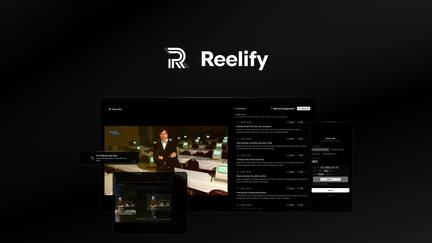
Top Lifetime Deal for AI Video Repurposing: Reelify AI offers unlimited clipping for podcasts, webinars, and long videos.
 Lifetime Deal
−67%
Lifetime Deal
−67%
Reelify AI
Turn long videos into unlimited short clips—no credit limits, no monthly caps, ever
Pros
- +Lifetime deal pricing (saving $118)
- +Unlimited clipping
- +AI-driven clip selection
- +Multi-platform optimization
- +Brand customization
Cons
- −Limited advanced editing features
- −User interface learning curve
- −Additional customization options would be beneficial
Alternatives: Opus Clip Klap Repurpose.io
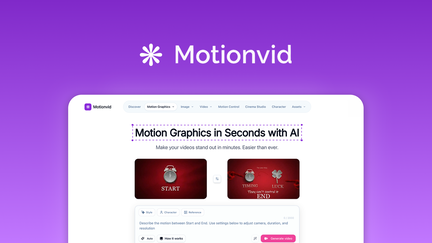
Top Lifetime Deal for AI Motion Graphics: Motionvid AI creates professional animated videos in minutes.
 Lifetime Deal
−90%
Lifetime Deal
−90%
Motionvid AI
Create AI motion graphics, map animations, explainer videos, and infographics from text prompts
Pros
- +Lifetime deal pricing (saving $450)
- +Text-to-animation capabilities
- +Explainer video creation
- +Infographic animation
- +Brand customization
Cons
- −Limited animation styles
- −User interface learning curve
- −Limited advanced controls
Alternatives: Animoto Vyond Powtoon
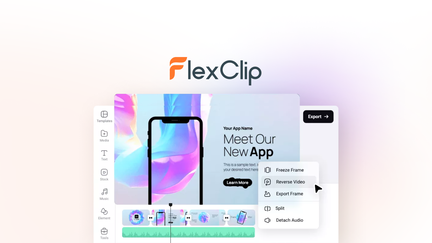
Top Lifetime Deal for Marketing Videos: FlexClip provides a comprehensive video creation platform with stock assets and AI tools.
 Lifetime Deal
−84%
Lifetime Deal
−84%
FlexClip
Create, edit, and share professional videos with AI-powered tools, 4M+ stock assets, and ready-made templates
Pros
- +Lifetime deal pricing (saving $501)
- +AI-powered editing
- +4M+ stock assets
- +Ready-made templates
- +Sharing and collaboration
Cons
- −Limited advanced editing features
- −Additional template options would be beneficial
- −User interface learning curve
Alternatives: Adobe Premiere iMovie Canva
Remember, the best tool is the one you’ll actually use. Start with a trial, understand your workflow, and invest in tools that solve your specific problems.