
FlexClip is a powerful video editing platform that makes creating professional marketing videos easy. With AI-powered tools, 4M+ stock assets, and ready-made templates, FlexClip is an excellent choice for businesses and content creators.
This comprehensive guide covers everything you need to know about FlexClip pricing—plans, features, and value comparison.
At a Glance: FlexClip Pricing Overview 2026
- Best For: Businesses, marketers, and content creators needing professional video editing.
- Key Features: AI-powered tools, 4M+ stock assets, templates, easy sharing.
- Free Plan: Limited features, watermark included.
- Lifetime Deal: $99 one-time – exceptional value.
What is FlexClip?
FlexClip is an online video editing platform that makes it easy to create professional videos for marketing, social media, and business. Key features include:
- AI-Powered Tools: Script writing, voiceover, subtitles.
- 4M+ Stock Assets: Music, footage, and templates.
- Ready-Made Templates: Professional templates for various industries.
- Easy to Use: No learning curve.
- Lifetime Deal: One-time payment via AppSumo.
FlexClip Pricing Plans
| Plan | Features | Pricing |
|---|---|---|
| Free | Limited exports, watermark included | Free |
| Basic | HD exports, no watermark, 100K+ stock assets | $9.99/mo |
| Pro | 4K exports, 4M+ stock assets, advanced AI tools | $19.99/mo |
| Business | Team collaboration, priority support, more storage | $29.99/mo |
| Lifetime Deal (AppSumo) | Full features, one-time payment | $99 |
FlexClip Lifetime Deal Details
The FlexClip lifetime deal on AppSumo offers exceptional value for businesses and content creators. Here’s what’s included:
- Full features: Access to all Pro and Business features.
- 4M+ stock assets: Music, footage, and templates.
- AI-powered tools: Script writing, voiceover, subtitles.
- 4K exports: High-quality video exports.
- No watermark: Professional exports without branding.
- Lifetime access: One-time payment, no recurring fees.
Is the FlexClip Lifetime Deal Worth It?
Yes, if:
- You create professional videos regularly.
- You want to avoid monthly fees.
- You need AI-powered video creation tools.
- You want access to 4M+ stock assets.
No, if:
- You only need occasional video editing.
- You prefer monthly payments for flexibility.
- You need professional NLE features.
FlexClip vs. Alternatives
| Tool | Ease of Use | Pricing | Best For | Weakness |
|---|---|---|---|---|
| FlexClip | Very Easy | $99 (Lifetime) | Marketing videos | Limited advanced editing |
| Adobe Premiere Pro | Medium | $22.99/mo | Professional editing | Expensive |
| CapCut | Very Easy | Free | Social media | Limited stock assets |
💡 The AppSumo Advantage
Affiliate Disclosure: Some links are affiliate links.
FlexClip offers exceptional lifetime value through AppSumo, making professional video editing accessible without monthly fees.
Who Should Choose FlexClip?
FlexClip is ideal for:
- Businesses: Create professional marketing videos.
- Marketers: Produce social media and ad content.
- Content Creators: Easy video creation without learning curve.
- Solopreneurs: Professional videos without hiring editors.
- E-Commerce: Product videos and promotional content.
How to Get Started with FlexClip
- Sign up: Create a free account to explore features.
- Choose a Template: Start with a ready-made template.
- Customize: Add your content, branding, and text.
- AI Tools: Use AI for voiceover, subtitles, and script.
- Export: Export in HD or 4K and share.
Final Verdict
FlexClip is a powerful video editing platform that makes professional video creation accessible to everyone. The lifetime deal offers exceptional value compared to subscription-based alternatives.
If you regularly create marketing videos and want to avoid monthly fees, FlexClip is an excellent choice.
Our Recommendation
Best Value: FlexClip Lifetime Deal – $99 one-time for full features.
 Lifetime Deal
−84%
Lifetime Deal
−84%
FlexClip
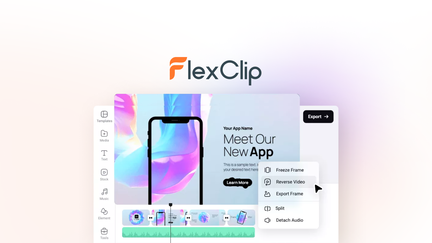
Create, edit, and share professional videos with AI-powered tools, 4M+ stock assets, and ready-made templates
Pros
- +Lifetime deal pricing (saving $501)
- +AI-powered editing
- +4M+ stock assets
- +Ready-made templates
- +Sharing and collaboration
Cons
- −Limited advanced editing features
- −Additional template options would be beneficial
- −User interface learning curve
Alternatives: Adobe Premiere iMovie Canva
Choose FlexClip if you want professional video editing without monthly costs.