
You don’t need expensive software to create professional videos. Budget video editing software offers powerful features at affordable prices—or even for free—helping you create high-quality content without breaking the bank.
From free tools like DaVinci Resolve to one-time payment deals, this comprehensive guide compares the best budget video editing software for 2026, helping you find the perfect tool for your budget.
At a Glance: The Best Budget Video Editing Software for 2026
- Best Free Professional: DaVinci Resolve – Professional-grade editing at no cost.
- Best Free for Beginners: CapCut – Intuitive and feature-rich.
- Best Open Source: Shotcut – Free, no watermark, cross-platform.
- Best Lifetime Deal: FlexClip – $99 one-time for marketing videos.
- Best for Mobile: InShot – Affordable mobile editing.
What Makes Great Budget Video Editing Software?
Before diving into specific tools, let’s establish what makes great budget video editing software:
Key Value Factors
- Free or Low-Cost: No expensive subscriptions.
- No Watermarks: Professional exports without branding.
- Essential Features: Basic editing, transitions, and effects.
- Good Performance: Runs smoothly on modest hardware.
- One-Time Payment Options: Lifetime deals that eliminate recurring costs.
Comparing the Best Budget Video Editing Software
| Tool | Ease of Use | Pricing | Best For | Weakness |
|---|---|---|---|---|
| DaVinci Resolve | Medium/Expert | Free | Professional editing | Steep learning curve |
| CapCut | Very Easy | Free | Social media, beginners | Limited advanced features |
| Shotcut | Easy | Free | Open-source editing | Less polished UI |
| FlexClip | Very Easy | $99 (Lifetime) | Marketing videos | Limited advanced editing |
| InShot | Very Easy | Free / $3.99/mo | Mobile editing | Mobile-only |
Detailed Breakdown of the Best Budget Video Editing Software
1. DaVinci Resolve: The Free Professional
Pros: Industry-leading color grading, professional editing, completely free.
Cons: Very steep learning curve, requires powerful hardware.
Best For: Anyone wanting professional-quality video editing for free.
5-Year Cost: $0
2. CapCut: The Free Beginner Tool
Pros: Incredibly easy to use, powerful AI features, free.
Cons: Limited advanced features, privacy concerns.
Best For: Beginners and social media creators.
5-Year Cost: $0
3. Shotcut: The Open-Source Editor
Pros: Completely free, no watermark, cross-platform.
Cons: Less polished interface than commercial tools.
Best For: Budget-conscious users wanting a free, no-watermark editor.
5-Year Cost: $0
💡 The AppSumo Advantage
Affiliate Disclosure: Some links are affiliate links.
FlexClip offers exceptional lifetime value for businesses needing marketing videos with a one-time payment.
4. FlexClip: Lifetime Marketing Videos
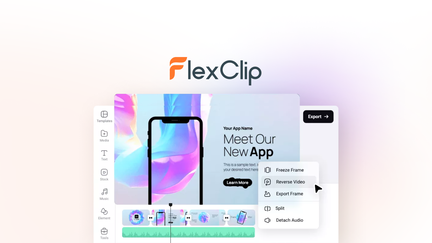
FlexClip makes creating marketing videos easy with templates, stock assets, and AI tools.
FlexClip Pros
- 4M+ stock assets.
- AI-powered tools.
- Very easy to use.
- Lifetime deal: $99 one-time.
FlexClip Cons
- Less powerful than professional NLEs.
- Best for marketing videos.
Who Should Choose FlexClip?
FlexClip is perfect for businesses and marketers who need professional marketing videos without monthly costs.
5. InShot: The Mobile Editor
Pros: Optimized for mobile, intuitive touch interface, powerful for a mobile app.
Cons: Mobile-only, watermark on free version.
Best For: Mobile creators, quick edits on the go.
5-Year Cost Comparison
| Tool | Pricing Model | 5-Year Cost |
|---|---|---|
| Adobe Premiere Pro | Subscription ($22.99/mo) | $1,379.40 |
| DaVinci Resolve | Free | $0 |
| CapCut | Free | $0 |
| Shotcut | Free | $0 |
| FlexClip | One-Time ($99) | $99 |
| InShot | Subscription ($3.99/mo) | $239.40 |
Decision Framework
What’s your budget and need?
- $0 budget: Choose DaVinci Resolve (professional) or CapCut (beginner).
- One-time payment ($99): Choose FlexClip.
- Mobile editing: Choose InShot.
- No watermark needed: Choose DaVinci Resolve or Shotcut.
Final Verdict
DaVinci Resolve is the best free professional video editor. For beginners, CapCut is incredibly easy and free. For businesses needing marketing videos, FlexClip offers exceptional lifetime value.
You don’t need expensive software to create professional videos. Start with a free tool and upgrade only if you need specific features.
Our Top Recommendations
Best Free Professional: DaVinci Resolve – Professional editing at no cost.
Best Lifetime Deal for Marketing: FlexClip offers templates and stock assets with a one-time payment.
 Lifetime Deal
−84%
Lifetime Deal
−84%
FlexClip
Create, edit, and share professional videos with AI-powered tools, 4M+ stock assets, and ready-made templates
Pros
- +Lifetime deal pricing (saving $501)
- +AI-powered editing
- +4M+ stock assets
- +Ready-made templates
- +Sharing and collaboration
Cons
- −Limited advanced editing features
- −Additional template options would be beneficial
- −User interface learning curve
Alternatives: Adobe Premiere iMovie Canva
Choose the budget video editing software that fits your skills and needs.