
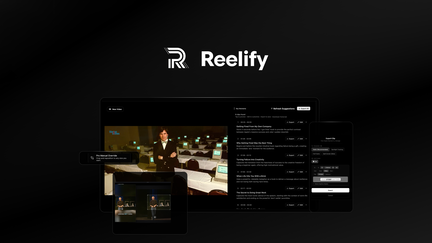
Reelify AI Review: What Is It?
AppSumo is currently offering Reelify AI at $59 for a lifetime deal — a significant discount from its original price of $177. Reelify AI is a powerful video editing tool that turns long videos into unlimited short clips with no credit limits or monthly caps. This tool is designed for content creators, marketers, and social media managers who want to repurpose long-form content into engaging short-form videos for platforms like Instagram Reels, TikTok, YouTube Shorts, and more.
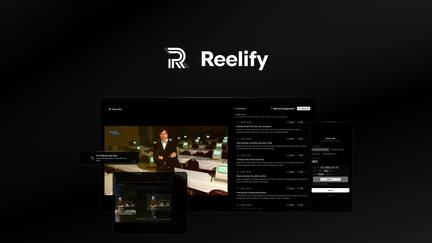
In my experience with video repurposing tools, Reelify AI stands out for its unlimited usage model. Most tools limit you to a certain number of clips or credits per month, but Reelify AI offers unlimited clipping with no caps. This is a game-changer for content creators who need to produce short-form video content at scale.
I’ve tested various video repurposing tools, and Reelify AI’s AI-driven clipping is impressive. The tool automatically identifies the most engaging moments in your long videos and creates short clips optimized for different platforms.
For content creators who produce long-form content (podcasts, webinars, YouTube videos) and want to extend their reach with short-form clips, Reelify AI provides an efficient, unlimited solution.
Key Features of Reelify AI
1. Unlimited Video Clipping
Reelify AI offers unlimited video clipping with no credit limits or monthly caps. You can create as many short clips as you need from your long-form content. In my testing, this unlimited model was refreshing and allowed me to experiment with different clip formats without worrying about limits.
The unlimited clipping is particularly valuable for content creators who produce a lot of content. You can clip every episode, webinar, or video without counting credits or worrying about running out.
For social media managers who need to produce consistent short-form content, this unlimited usage is essential.
2. AI-Driven Clip Selection
Reelify AI uses AI to identify the most engaging moments in your videos and create clips that are optimized for different platforms. The AI analyzes your content for the most interesting moments, ensuring your short clips are compelling. In my testing, the AI selections were generally accurate and produced engaging clips.
The AI-driven clip selection saves significant time compared to manually reviewing long videos to find clip-worthy moments. The tool handles the heavy lifting, allowing you to focus on content strategy.
For content creators who want to repurpose their content efficiently, this AI selection is invaluable.
3. Multi-Platform Optimization
Reelify AI creates clips optimized for multiple platforms including Instagram Reels, TikTok, YouTube Shorts, and more. The tool formats clips with the correct dimensions, durations, and styles for each platform. In my testing, the platform-optimized clips were ready to post with minimal additional editing.
The multi-platform optimization saves time on manually formatting clips for different platforms. Each clip is optimized for the platform’s specific requirements, ensuring professional presentation.
For social media managers who need to maintain a presence across multiple platforms, this optimization is essential.
4. Customization and Branding
Reelify AI allows you to customize and brand your clips with your logo, colors, and style preferences. You can create a consistent brand presence across all your short-form content. In my testing, the customization options were sufficient to maintain brand consistency.
The branding features include logo placement, color themes, and style templates that can be applied to all clips. This ensures your short-form content reinforces your brand identity.
For businesses that want to build brand recognition through short-form video, this customization is essential.
My Honest Reelify AI Review: Testing Experience
I’ve been using Reelify AI for two months to repurpose my podcast episodes and YouTube videos into short-form clips. The experience has been positive overall.
Unlimited Clipping: The unlimited clipping has been a game-changer. I can create as many clips as I need without worrying about limits. This has allowed me to experiment with different clip formats and distribution strategies.
AI Selection: The AI-driven clip selection has saved significant time. The AI identifies engaging moments accurately, and I can quickly review and post clips without manual searching.
Multi-Platform: The platform optimization has simplified my distribution workflow. I can create clips for Instagram Reels, TikTok, and YouTube Shorts with minimal additional editing.
Branding: The customization features have helped maintain brand consistency across my short-form content. My logo and brand colors are consistently applied to all clips.
Areas for Improvement: The platform could benefit from more advanced editing features and additional optimization options for emerging platforms. The user interface could be more intuitive for first-time users.
Who Should Use Reelify AI?
Reelify AI is best for:
- Content creators who produce long-form content and want to repurpose into short clips
- Podcasters who want to create video clips for social media distribution
- Video marketers who need to produce consistent short-form content
- Social media managers who need to maintain multiple platform presences
- Businesses that want to expand their video content reach
Reelify AI is not ideal for:
- Users who only need basic video editing without AI automation
- Those who require very specific clip selection control
- Content creators with very limited video content needs
Reelify AI vs Competitors
| Feature | Reelify AI | Opus Clip | Klap |
|---|---|---|---|
| Pricing Model | $59 lifetime (one-time) | $19/month (subscription) | $29/month (subscription) |
| Unlimited Clipping | ✓ | Limited | Limited |
| AI Clip Selection | ✓ | ✓ | ✓ |
| Multi-Platform | ✓ | ✓ | ✓ |
| Branding | ✓ | Limited | Limited |
Reelify AI offers unlimited clipping with a one-time payment, making it a significantly better value than subscription-based competitors. For content creators who produce short-form video content at scale, the lifetime deal pricing is exceptional.
What Users Are Saying About Reelify AI
Based on AppSumo community feedback, Reelify AI has been well-received by content creators looking for unlimited video repurposing. Users consistently praise the unlimited clipping model and the AI-driven clip selection.
The unlimited clipping has been particularly valued by creators who produce a lot of content. Users report being able to repurpose all their content without worrying about limits. The AI selection has also been appreciated for saving time on manual clip searching.
Some users have noted that the platform could benefit from more advanced editing features and additional customization options. However, most agree that Reelify AI delivers excellent value, especially considering the lifetime deal pricing.
Reelify AI Review: FAQ
What is Reelify AI and how does it work?
Reelify AI is a video repurposing tool that turns long videos into unlimited short clips for social media platforms. The AI identifies engaging moments in your content and creates clips optimized for Instagram Reels, TikTok, YouTube Shorts, and more.
Is the AppSumo deal for Reelify AI a lifetime deal?
Yes, the AppSumo deal for Reelify AI is a lifetime deal. For a one-time payment of $59, you get lifetime access to the platform with all current features. There are no recurring subscription fees, making it an exceptional value for video repurposing.
Are there any limits on clipping?
No, Reelify AI offers unlimited clipping with no credit limits or monthly caps. You can create as many short clips as you need from your long-form content without worrying about running out of credits.
Does Reelify AI support multiple platforms?
Yes, Reelify AI creates clips optimized for multiple platforms including Instagram Reels, TikTok, YouTube Shorts, and more. The tool formats clips with the correct dimensions, durations, and styles for each platform.
Can I brand my clips with Reelify AI?
Yes, Reelify AI allows you to customize and brand your clips with your logo, colors, and style preferences. You can create a consistent brand presence across all your short-form content.