
Photo editing software costs can vary dramatically from free tools to premium subscriptions. Understanding the pricing landscape is essential for photographers, designers, and content creators.
This comprehensive photo editing software pricing guide compares the costs of top tools for 2026, helping you find the best value for your budget.
At a Glance: Photo Editing Software Pricing Overview 2026
- Best Free Option: GIMP – Powerful open-source photo editor.
- Best Professional: Adobe Photoshop – $22.99/mo, industry standard.
- Best for Photographers: Adobe Lightroom – $11.99/mo, raw processing.
- Best One-Time Purchase: Affinity Photo – $69.99, professional alternative.
- Best Lifetime Deals: BackgroundCut, LightX – One-time payment for specific tasks.
Photo Editing Software Pricing Comparison
| Tool | Ease of Use | Pricing Model | Monthly Cost | 5-Year Cost | Best For |
|---|---|---|---|---|---|
| Adobe Photoshop | Medium/Expert | Subscription | $22.99 | $1,379.40 | Professionals |
| Adobe Lightroom | Easy/Medium | Subscription | $11.99 | $719.40 | Photographers |
| Affinity Photo | Medium | One-Time | $69.99 | $69.99 | Budget professionals |
| GIMP | Medium/Expert | Free | $0 | $0 | Budget-conscious |
| Canva Pro | Very Easy | Subscription | $12.99 | $779.40 | Non-designers |
| BackgroundCut | Very Easy | One-Time | $99 | $99 | Background removal |
| LightX | Very Easy | One-Time | $39 | $39 | AI product shots |
Detailed Pricing Breakdown
1. Adobe Photoshop: The Professional Standard
Pricing: $22.99/mo (subscription)
Features: Unmatched features, generative AI, industry-standard file support.
Best For: Professional designers, photographers, and digital artists.
5-Year Cost: $1,379.40
2. Adobe Lightroom: The Photographer’s Choice
Pricing: $11.99/mo (subscription)
Features: Excellent RAW processing, powerful cataloging, cloud sync.
Best For: Photographers needing RAW processing and organization.
5-Year Cost: $719.40
3. Affinity Photo: The Budget Professional
Pricing: $69.99 (one-time)
Features: Professional features, PSD support, modern interface.
Best For: Professionals wanting a Photoshop alternative without subscription.
5-Year Cost: $69.99
4. GIMP: The Free Powerhouse
Pricing: Free
Features: Professional features, open-source, cross-platform.
Best For: Budget-conscious users willing to learn.
5-Year Cost: $0
5. Canva Pro: The Non-Designer’s Choice
Pricing: $12.99/mo (subscription)
Features: Thousands of templates, AI-powered design, easy to use.
Best For: Non-designers, marketers, social media managers.
5-Year Cost: $779.40
💡 The AppSumo Advantage
Affiliate Disclosure: Some links are affiliate links.
BackgroundCut and LightX offer exceptional lifetime value for specific photo editing tasks with one-time payments.
6. BackgroundCut: Lifetime Background Removal
Pricing: $99 (one-time)
Features: AI-powered background removal, batch processing.
Best For: E-commerce businesses needing bulk background removal.
5-Year Cost: $99
7. LightX: Lifetime AI Product Photography
Pricing: $39 (one-time)
Features: AI-generated product shots, no studio needed.
Best For: Marketers and e-commerce businesses needing professional product photos.
5-Year Cost: $39
- Plugins: Professional tools often require paid plugins for specific effects.
- Storage: High-resolution images require significant storage.
- Hardware: Professional editing requires a powerful computer.
- Training: Learning professional tools may require paid courses.
Decision Framework
What’s your budget and need?
- $0 budget: Choose GIMP or Canva Free.
- One-time payment ($40-100): Choose Affinity Photo, BackgroundCut, or LightX.
- Monthly subscription ($12-23/mo): Choose Adobe Photoshop, Lightroom, or Canva Pro.
Final Verdict
GIMP is the best free photo editing software. Affinity Photo offers the best professional features for a one-time payment. Adobe Photoshop is the industry standard for professionals.
For specific tasks without recurring costs, BackgroundCut and LightX offer exceptional lifetime value.
Our Top Recommendations
Best Free Option: GIMP – Powerful open-source photo editor.
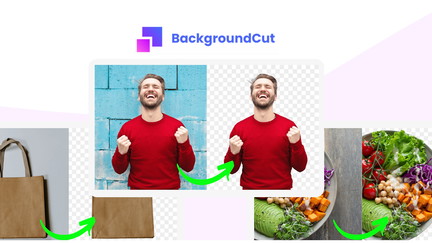
Best Lifetime Deal for Background Removal: BackgroundCut offers AI-powered background removal with a one-time payment.
 Lifetime Deal
BackgroundCut AI Background Remover
AI-powered background removal and photo editing at scale
Pros
- +Lifetime deal pricing
- +AI-powered background removal
- +Bulk processing
- +Photo editing tools
- +Flexible export options
Cons
- −Limited advanced editing features
- −Additional format support would be beneficial
- −User interface learning curve
Alternatives: Remove.bg Photoshop Canva
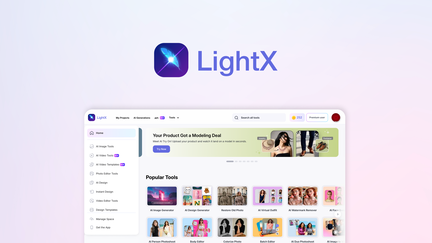
Best Lifetime Deal for AI Product Photos: LightX generates professional product shots.
 Lifetime Deal
−46%
Lifetime Deal
−46%
LightX
Generate product shots, packaging, logos, and marketing visuals with AI—no studio required
Pros
- +AI-generated product shots
- +Packaging design capabilities
- +Logo creation
- +Marketing visual generation
- +Lifetime deal pricing
Cons
- −Could offer more customization
- −Quality may vary
- −Limited for high-end professional use
Alternatives: General Design Tools Professional Design Services AI Design Platforms
Choose the photo editing software pricing that fits your budget and needs.