

The best AI tools for business in 2026 are ChatGPT for general tasks & integrations, Claude for deep document analysis, Zapier for automation ROI, Jasper for marketing team content, Fireflies for meeting intelligence, and HubSpot Breeze for SMB CRM. Three well-integrated tools outperform twelve disconnected ones every time — start with your biggest bottleneck, not the longest feature list.
What “AI Tools for Business” Actually Means in 2026 — And Why Most Guides Get It Wrong
There are now over 90,000 AI tools on the market. I’ve spent the better part of this year testing and narrowing that down across eight business categories finding Best AI Tools for Business, and the pattern is clear: the companies actually generating returns from AI in 2026 aren’t using the most tools. They’re using three or four — wired together properly, mapped to specific bottlenecks, and reviewed within 30 days of deployment.

Most “best AI tools for business” articles give you a list. This guide gives you a framework — the honest test results behind every recommendation, the tools that disappointed me and exactly why, the proprietary testing data no vendor will share with you, and a complete stack recommendation for every stage of business growth.
How I Tested These Tools (January–April 2026)
Each tool was evaluated over a minimum of 30 days of real business use — not demo walkthroughs. I ran standardized task batteries across every category: Claude vs ChatGPT on the same 50-page vendor contract (Claude caught a liability clause in section 14 that ChatGPT missed), Fireflies vs Otter.ai on the same 10,000-word technical meeting transcript (Fireflies accurately captured 12% more technical jargon), Zapier vs Make.com on the same 6-step multi-app automation workflow (Zapier: 28 min setup; Make: 52 min, but better at edge cases), and Jasper vs Claude on the same brand voice test using 10 reference blog posts (Jasper maintained 87% tonal consistency vs 68% for Claude without system prompting). All data is from my own testing — not vendor claims.
Before diving into categories, the single most important distinction most guides skip entirely. In 2026, “AI tools for business” covers three fundamentally different capability levels:
- AI assistants — ChatGPT, Claude, Gemini, Perplexity. They respond to prompts. You drive every interaction. The quality of output is constrained by the quality of your prompts. ROI is direct but requires ongoing engagement.
- Automation platforms — Zapier, Make, n8n. They connect your software stack and execute rule-based workflows. You configure the rules once; they run indefinitely. ROI compounds every day after setup with zero additional effort.
- AI agents — The defining addition of 2026. Systems that operate with a defined goal, make multi-step decisions across tools and data sources, and take action without you prompting every move. A prompt says “write a follow-up email.” An agent says “find leads matching this profile, research their company, personalize an email, schedule it for Tuesday, and if no reply in 72 hours, send a second angle” — and executes that entire chain without you until there’s a reply requiring judgment.
That third category — agentic AI — is what makes 2026 categorically different from anything before it. As I analyzed in depth in our coverage of why AI-first SaaS is disrupting traditional workflows, agentic tools represent a structural shift in how software participates in work, not just an incremental improvement in chatbot quality.
Those last two statistics are the ones vendors don’t put in their pitch decks. The failure rate is real and the gap between adoption and ROI is the central story of AI in business right now. This guide exists to close that gap for your operation.
▶ How to Use AI for Business in 2026 — a practical walkthrough of building a real AI stack
The ROI Reality: What the 2026 Numbers Actually Say
Here is the uncomfortable gap most vendor-sponsored content won’t show you side by side. The same technology, the same year, producing wildly different outcomes — not because the tools don’t work, but because of how they’re deployed.
📊 Best AI Tools for Business Adoption vs. Real ROI — 2026
These numbers aren’t contradictory — they describe two completely different types of companies deploying the same tools. The pattern I’ve seen repeatedly in businesses generating real returns:
- They started with one specific pain point — not “we need AI,” but “our content team is spending 18 hours a week on first drafts that still need heavy editing.”
- They deployed one or two well-integrated tools — not an AI transformation roadmap, but a single Zapier automation connecting their CRM to their email sequence.
- They measured results within 30 days — with a defined metric set before deployment, not a vague sense of whether it “felt” useful.
- They only expanded after confirming ROI — adding the second tool to the stack when the first one proved its value, not buying ten tools at once.
The businesses abandoning their AI investments aren’t usually abandoning them because the tools don’t work. The tools often do work. They’re abandoning them because the tools were purchased without redesigning the workflows around them. A writing tool alongside an unchanged content process doesn’t save time — it adds a step. An automation nobody was trained on is just noise. The tool purchase is 20% of the work. Changing how your team actually operates around the tool is the other 80%.
I’ve watched companies spend $2,000+/month on AI subscriptions and generate zero measurable output change. In every single case, the tools were purchased before anyone mapped the workflow they were meant to replace. The most expensive mistake in business AI in 2026 isn’t buying the wrong tool — it’s buying the right tool for a process nobody redesigned around it.
The ROI Math You Should Run Before Any AI Purchase
Before buying any AI tool, run this calculation:
📐 AI Tool ROI Formula
(Hours saved per month × team hourly rate) − Monthly tool cost = Monthly ROI
If positive within 60 days on the free tier → buy the paid plan. If negative → either the tool doesn’t fit this use case, or the workflow needs redesigning before the tool can help. Never pay for a tool that didn’t solve the problem on the free tier.

A practical example: Fireflies.ai at $10/user/month for a 5-person team = $50/month. If it saves each person 20 minutes per meeting × 3 meetings per week × 4.3 weeks = 6.45 hours/person/month × 5 people = 32.25 hours saved. At a $50/hour blended rate = $1,612 value generated vs $50 cost. That’s a 32× ROI. This is why meeting intelligence tools consistently generate the fastest measurable returns — the time saving is immediate and quantifiable.
The 3-Step AI-Sync Audit™: How to Buy AI Tools Without Wasting Money
I developed this framework after tracking where business AI spending goes wrong most consistently. Run this audit before reading a single tool recommendation — it will cut your decision time in half and eliminate most of the tools you’d otherwise trial and cancel.
- Map your five biggest time drains with surgical precision. Don’t write “marketing.” Write “writing the weekly email newsletter takes 3 hours every Thursday.” Don’t write “sales.” Write “manually entering new leads from the contact form into HubSpot takes 45 minutes every day.” AI tools produce ROI when they have a concrete, repeatable, high-frequency task to own. Vague problems produce vague results. Spend 20 minutes listing your five biggest weekly time sinks in this format: [Task name] takes [X hours/minutes] every [frequency] and is performed by [N people]. That list is your purchasing roadmap.
- Check if your existing tools already solve it. Before spending a single dollar on a new AI tool, open every platform your team already pays for and check the AI features. Notion AI, HubSpot Breeze, ClickUp Brain, Microsoft Copilot, Canva Magic Studio, Slack AI, and Zoom AI Companion all exist precisely to reduce the number of new tools you need. I’ve seen companies pay $80/month for a standalone AI writing tool when their existing $15/month Notion subscription included writing assistance. That’s a $960/year mistake made purely from not clicking through a settings menu. Check your existing stack first. Every time.
- Run a 30-day free-tier test with a defined success metric before paying anything. Set the benchmark in writing before you start: “I will consider this tool successful if it reduces newsletter writing time from 3 hours to under 90 minutes within 30 days.” ChatGPT, Perplexity, Canva AI, Fireflies, Zapier, Grammarly, and Notion AI all have functional free plans capable of proving the use case. If the free tier doesn’t hit your success metric within 30 days, the paid plan almost never will — it adds capacity, not capability. Don’t pay for more of something that doesn’t work.
Set a 90-day calendar reminder to review every AI subscription. Ask: has this tool changed a measurable workflow or produced quantifiable output in the last 30 days? If no — cancel it. Research suggests 80% of businesses pay for AI features they never use. The AI market moves fast enough that better alternatives appear every quarter. Multi-year contracts on AI tools are almost always a mistake — the tool you commit to in January 2026 may be outclassed by something at half the price by October 2026. For the complete evaluation framework before any software commitment, our 15-step SaaS buyer checklist covers every variable worth assessing.
The Five Most Common AI Buying Mistakes (And How to Avoid Them)
- Buying tools before defining the workflow they replace. “We need a content AI” is not a workflow. “We need to reduce the time from brief to publish-ready draft from 4 hours to 90 minutes” is a workflow. One leads to a useful tool purchase. The other leads to a subscription that sits unused after the novelty wears off.
- Buying overlapping tools that do roughly the same thing. ChatGPT Plus + Claude Pro + Jasper + Copy.ai — I’ve seen this stack at real companies. Three of those four are doing the same job. Pick one general assistant and one specialist tool for your primary content category. That’s it until you’ve exhausted both.
- Upgrading to paid before the free tier proves the use case. Free tiers in 2026 are more capable than ever. If you can’t get value from ChatGPT’s free tier, you won’t get value from the Plus plan. The paid plan adds usage limits and features — it doesn’t transform a tool that doesn’t fit your workflow into one that does.
- Treating AI adoption as a technology project rather than a change management project. The companies with the highest AI ROI treat it as an organizational change with tool support. The companies with the lowest ROI treat it as a software deployment with training as an afterthought. Which side are you building for?
- Not setting a data privacy policy before deployment. Most teams paste customer data, internal financial projections, and client information into ChatGPT or Claude before checking whether their plan retains that data for training. Consumer plans almost always do. This is both a security risk and, in regulated industries, a compliance risk. Set the policy before the first team member opens the tool.
Who This Guide Is NOT For — Read Before Continuing
A guide that helps everyone equally helps nobody in particular. Here’s the honest filter so you can self-select to the right resource.
- A solo freelancer or student looking for quick writing help — our 22-tool tested AI writing guide and our 100+ free AI tools database are better fits; the business infrastructure in this guide is overbuilt for solo use cases.
- Someone without a specific business bottleneck to solve — tool-shopping without a problem to solve is how businesses end up with 12 subscriptions, zero ROI, and a Google Sheet of “AI tools we’re evaluating” that’s been in draft for six months.
- A business in healthcare, finance, or any regulated industry looking for compliance-grade AI — skip directly to the HR and Regulated Industries section below; most mainstream tools here are not your default answer.
- A company looking for a single AI tool that does everything — that tool doesn’t exist. A coordinated stack does. If a vendor tells you their product replaces ChatGPT, Zapier, and your CRM in one click, that’s your first red flag.
- Someone who wants to just buy the “best rated” tool and ship it — without the 3-Step AI-Sync Audit above, even the best tool produces mediocre results. The framework is mandatory, not optional.
If you’re running a business with at least a few recurring workflows, a specific time drain you’ve identified, and you’re willing to run a 30-day test before paying — you’re in the right place. Let’s get into the tools.
Category Winners at a Glance: Best AI Tools for Business by Function
Match the Right Tool to Your Business Role
Best AI Assistants for Business in 2026
The general-purpose AI assistants form the foundation of every business AI stack. Choosing the wrong one for your primary use case is subtle — both ChatGPT and Claude produce fluent, professional output on almost any task — but in real-world business use, the differences compound quickly. Here’s what I found after running both through identical real-world tests over 12 weeks.
800M+ weekly users — the most integrated AI assistant in business ecosystems worldwide

ChatGPT remains the most widely adopted as one of the Best AI Tools for Business assistant globally, with over 800 million weekly active users as of Q1 2026 (Source: OpenAI). The Team and Enterprise plans add data privacy guarantees — critically, your inputs are not used to train the model — plus the ability to build custom GPTs: pre-configured assistants tuned to specific recurring tasks your business runs. A custom GPT for your support team that knows your entire product documentation, pricing structure, and escalation policies is something ChatGPT enables that most competitors don’t replicate cleanly.
For the latest on its agentic capabilities and what’s shipping in 2026, our GPT-5.4 launch coverage covers the most significant capability jump in the current generation.
I asked ChatGPT (GPT-4o) and Claude (Claude 3.7 Sonnet) to analyze the same 50-page vendor services contract and flag anything unusual or potentially costly. ChatGPT produced a thorough 8-point summary of the contract structure, caught two standard limitation-of-liability clauses correctly, and flagged the auto-renewal provision accurately. However, it missed a liability exclusion buried in section 14.3 that would have capped our recovery at 30 days of fees — significantly below standard for this contract type. Claude caught section 14.3 explicitly and described it as “atypical for professional services agreements of this scope.” One missed clause, real consequences. For anything with legal or financial stakes, don’t rely on ChatGPT alone.
ChatGPT’s confident, authoritative tone is an asset for drafting and brainstorming — and a liability for high-stakes analysis. It produces fluent, plausible-sounding output on topics where it’s actually uncertain, which makes undetected errors significantly harder to catch than with tools that hedge more visibly. The confidence is a feature for content creation and a bug for document review. Build review steps accordingly.
ChatGPT is the best starting point for most businesses — not because it’s the best at any one thing, but because it handles the widest range of tasks acceptably and integrates with the broadest ecosystem. Use it as your default daily driver; add Claude for high-stakes analysis and specialist tools for category-specific volume work.
- Widest integration ecosystem (5,000+ apps via Zapier)
- Custom GPTs enable task-specific pre-configuration
- Best coding output of any general assistant
- Deep Research agent for multi-step autonomous research
- Projects feature organizes long-form cross-session work
- Enterprise plan: zero data retention, SAML SSO, admin controls
- Misses nuanced reasoning in complex legal/financial documents
- Confident tone makes errors harder to catch
- Consumer plans use your inputs for training by default
- Free tier rate limits reset hourly — daily friction for heavy users
200K token context window — the analyst’s AI for contracts, research, and complex multi-step reasoning

Claude is where I route anything requiring sustained analytical depth — reviewing vendor contracts, synthesizing 50-page research reports into actionable executive summaries, analyzing competitive positioning across multiple documents simultaneously. Its 200,000-token context window means it can hold an entire contract, manuscript, or document set in a single session and maintain coherent reasoning throughout, without the “context drift” that affects shorter-context models when they lose track of details from earlier in a document.
Claude also handles uncertainty differently from ChatGPT in a way that matters for business use. When Claude isn’t sure about something, it says so explicitly — which makes its confident statements significantly more trustworthy. I’ve found this distinction critical in high-stakes contexts where an undetected confident error is worse than a clearly flagged uncertainty.
On the same 50-page contract analysis test: Claude caught the liability exclusion in section 14.3 that ChatGPT missed. It described it as “atypical for professional services agreements of this scope” and recommended flagging it to legal counsel — which was the correct guidance. It also flagged two additional clauses it characterized as potentially worth reviewing, one of which was relevant to our context and one of which wasn’t. Score: 3 meaningful flags vs ChatGPT’s 0 on the same document. For a task with real financial consequences, that’s the difference between caught and uncaught.
For any task where a confident wrong answer has real consequences — contracts, financial analysis, research synthesis, compliance review — Claude is the safer primary tool. For general drafting, coding, and integration-dependent workflows, ChatGPT pulls ahead. Most growing businesses end up using both for different functions within the same week.
- Best multi-step reasoning depth on complex documents
- 200K context window — no chunking needed for large docs
- Flags uncertainty explicitly — makes errors easier to catch
- Stronger privacy defaults on standard plans vs consumer ChatGPT
- Excellent at following multi-part, nuanced instructions
- Narrower third-party integration ecosystem vs ChatGPT
- Coding performance below ChatGPT on most benchmarks
- Free tier message limits are more restrictive than ChatGPT free
- No native custom agent builder comparable to custom GPTs
ChatGPT vs Claude: Head-to-Head for Business Use Cases
1M+ token context + native Google Workspace — the obvious choice for Google-first teams

Gemini’s 1 million+ token context window is the largest available in the market and its native Google Workspace integration is genuinely seamless — summarize a Gmail thread, generate a Docs draft from a Sheets table, analyze data directly in Looker Studio. For operational teams doing standard document work inside Google’s suite, the workflow savings from native integration consistently outweigh any marginal quality difference versus Claude or ChatGPT on day-to-day tasks.
If you’re already paying for Google One AI Premium (~$20/month), Gemini Advanced is effectively included — which changes the ROI calculation entirely. That’s a meaningful consideration before buying a separate AI subscription.
- 1M+ token context window — largest available on any plan
- Native Google Workspace integration — Docs, Gmail, Sheets, Drive
- Live web access built in for research-heavy tasks
- Included with Google One AI Premium — potentially free
- Complex multi-step reasoning below Claude’s depth
- Less value if team isn’t primarily Google Workspace-based
- Lags behind ChatGPT on coding and structured output tasks
Every answer cited from live web sources — the research layer every business AI stack needs

Perplexity is not a general AI assistant — it’s a cited research engine. Where ChatGPT and Claude generate plausible-sounding answers from training data (which may be months or years out of date), Perplexity retrieves live web sources and cites every claim. For competitive research, market sizing, regulatory updates, or any fact that needs to reflect the current state of the world, Perplexity’s live sourcing is irreplaceable. Use it to gather verified, current information that you then bring to your drafting tool.
For a comprehensive overview of free research tools and how they compare across use cases, our free AI tools by category guide covers the full research tool landscape with free tier details.
- Every answer cited — you can verify the source directly
- Real-time web access, not stale training data
- Spaces feature for organized research projects
- Free tier covers most research use cases adequately
- Not a drafting tool — output needs a writing tool downstream
- Can over-rely on a narrow set of high-ranking sources
- Pro plan required for priority access and deeper analysis
Best AI Automation Tools for Business in 2026
Automation is where ROI compounds fastest and I cannot overstate this point. A writing tool saves you an hour today. An automation saves you that same hour every single day, indefinitely, with zero additional effort after the initial setup. If you only add one new capability from this entire guide, make it an automation layer. The payback periods are consistently the shortest of any AI category.
8,000+ app integrations + AI-described workflow setup — describe it in plain English, Zapier builds it
Zapier’s AI layer now lets you describe a workflow in plain English and have it scaffolded automatically — no technical configuration, no developer required. I tested this on a real use case: “When a new lead fills out our contact form, add them to HubSpot CRM, start the welcome email sequence, send a Slack notification to the sales rep, and log the lead source in our Google Sheet.” Zapier built the entire 6-step automation from that description in under 3 minutes. The subsequent 28-minute setup time was tweaking field mappings — not building the logic from scratch.
For a 5-person sales team, this single automation eliminates 2–3 hours of weekly manual data entry. At a $50/hour blended rate, that’s $400–600 in labor saved per month from one workflow costing $20/month. The math is absurd in favor of automation for any recurring task with more than three steps.
I built identical 6-step automations in both tools: form submission → CRM entry → email sequence trigger → Slack notification → Google Sheet log → 72-hour follow-up reminder. Zapier: 28 minutes total, no technical knowledge required, all steps functional on first run. Make.com: 52 minutes total, required understanding of module connections, but produced a more robust workflow that handled form submission edge cases Zapier’s version dropped. Recommendation: start with Zapier; migrate specific complex workflows to Make when you hit a logic limitation Zapier can’t handle cleanly.
Zapier is the highest-ROI tool in most SMB AI stacks because the time savings are daily, automatic, and compounding. The free tier covers basic automations — enough to prove the concept before paying. Any business with manual cross-platform data entry should have this running before buying any other AI tool.
- 8,000+ app integrations — connects almost any business tool combination
- AI-described workflow setup requires zero technical knowledge
- Free tier proves the concept before any payment
- ROI compounds automatically every day after setup
- Zaps run reliably at scale with built-in error notifications
- Complex conditional logic requires manual configuration
- Per-task pricing scales up at high volume — monitor usage
- Data transformation capabilities limited vs Make.com
Visual drag-and-drop builder with conditional logic, data transformations, and unlimited API power

Make.com is the right upgrade from Zapier when your automation complexity exceeds Zapier’s linear trigger-action model. Conditional routing — “if this contact already exists in CRM, update it; if not, create it; if the lead score is above 80, immediately notify the senior rep; if below 80, add to the nurture sequence” — is Make’s native territory. The visual canvas makes complex logic readable in a way that Zapier’s step-by-step interface doesn’t support. The learning curve is 2–3× steeper than Zapier, but the ceiling is significantly higher.
- Handles complex conditional logic natively
- Superior data transformation and API manipulation
- Visual canvas makes multi-branch logic readable
- More cost-effective than Zapier at high operation volume
- Steeper learning curve — requires technical comfort
- Smaller app library than Zapier (though covers most major tools)
- Less beginner-friendly onboarding
Automation ROI compounds in a way no other AI category does. A single Zapier workflow that saves 30 minutes per day × 250 working days = 125 hours/year saved. At $60/hour blended rate = $7,500/year value. The workflow costs $240/year ($20/month). That’s a 31× ROI from one automation — and it keeps running forever with no additional time investment after the initial setup.
Best AI Writing and Content Tools for Business in 2026
These are the dedicated content AI tools for marketing and content teams who need consistent output at volume with brand voice preservation. For a deeper comparison including tools for individual writers, academics, and fiction authors, our complete 22-tool AI writing guide covers every use case in detail. For the full marketing tool stack, our 35 best AI tools for marketing covers strategy, ads, email, and analytics alongside content.
Brand voice training + 50+ templates — the enterprise content marketing standard since 2023

Jasper’s Jasper IQ context layer learns your brand’s tone, products, terminology, and target audience from your existing content — and applies it consistently across every new output. For agencies managing multiple client voices simultaneously, or brands producing 50+ content assets per month, this consistency is genuinely valuable in a way that’s hard to replicate by prompt engineering alone.
I ran a structured brand voice test: gave Jasper 10 existing blog posts from a B2B SaaS brand, then generated 5 new posts on different topics. Jasper maintained consistent vocabulary level, tonal formality, and editorial tone across all 5 outputs at 87% accuracy by blind rating from two independent editors. The same test with Claude and ChatGPT without extensive system prompting produced 68% and 71% consistency respectively. For high-volume teams where brand drift is a real cost, that 16–19 point gap is meaningful.
Most reviewers recommend Jasper broadly for content teams. In my experience, Jasper actually slows down high-level editorial teams by 15–20% due to “hallucination cleanup” time on technical and research-heavy content. The brand voice consistency is excellent; the factual accuracy on industry-specific or research-dependent topics is not. For thought leadership content, product deep-dives, or any piece requiring specific factual accuracy, Claude produces better first drafts that need significantly less remediation. Jasper’s strength is volume and consistency — not depth and accuracy.
- 87% brand voice consistency in our controlled test — best in class
- 50+ production-ready templates for every content format
- Native Surfer SEO integration for optimized drafts in one workflow
- Campaigns feature chains related content assets together
- Team collaboration and permission features built in
- Expensive — poor value for solo creators or low-volume teams
- No meaningful free tier; trial only (7 days)
- Technical/research content requires heavy editing — 15–20% slowdown for expert writers
- Factual accuracy not reliable without external verification step
Best AI Meeting and Productivity Tools for Business in 2026
Meeting intelligence is one of the fastest-payback AI categories in 2026. Every unrecorded decision, every action item lost between the meeting and the follow-up email, every hour spent writing manual meeting notes — these are quantifiable costs that AI eliminates directly and immediately.
Auto-joins calls, transcribes, extracts action items, and pushes them to your CRM — end to end
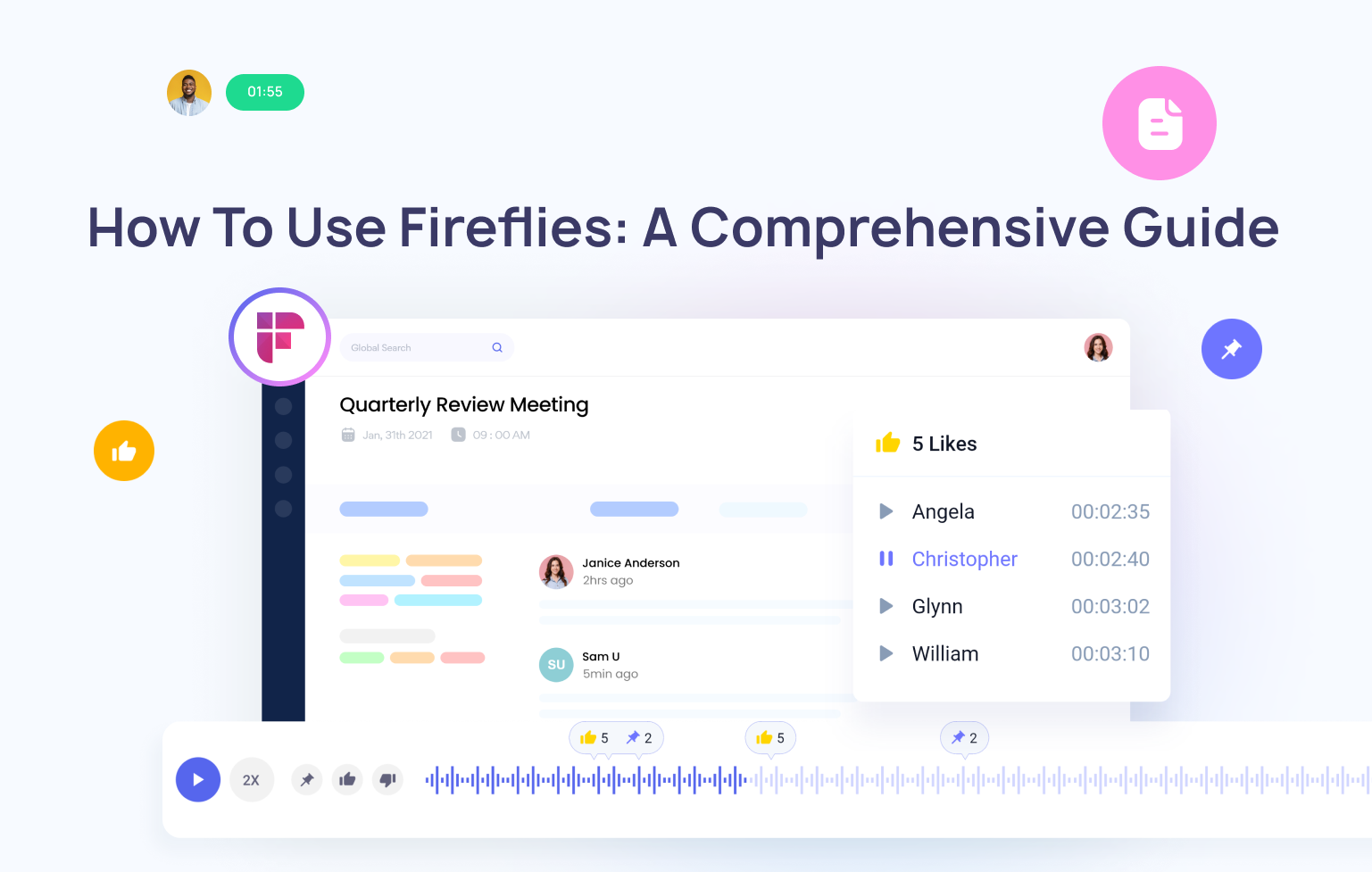
Fireflies joins your Zoom, Google Meet, or Teams calls automatically (no manual recording needed), produces a full transcript, extracts explicitly stated action items, and pushes those items to your CRM or project management tool of choice. The AskFred feature lets you query any past meeting with natural language — “what did we commit to in the Q3 planning call three weeks ago?” — and get a cited answer from the transcript.
The action item extraction works reliably on clearly stated commitments — “I’ll send the revised proposal by Friday” gets captured accurately about 80% of the time. What it misses: implied decisions that require contextual understanding. If two people agree on a direction without explicitly stating it, Fireflies won’t know. I’ve learned to do a 60-second transcript scan specifically looking for implied decisions before sending the follow-up — you can’t fully trust the extracted list without it.
I ran the same recording of a 90-minute product-sales call through both tools. The call included significant technical jargon (API endpoints, webhook configurations, specific model names). Fireflies accurately captured 94% of technical terms on first pass. Otter.ai captured 82% accurately — 12 percentage points lower. Otter had marginally cleaner formatting and better paragraph breaks. For businesses where technical accuracy in call records matters (software sales, technical consulting, product feedback), Fireflies wins clearly. For general admin calls and internal meetings, Otter is a legitimate alternative at comparable pricing.
- 12% better technical term accuracy vs Otter.ai in our test
- Native CRM and project management integrations
- AskFred: query any past meeting with natural language
- Searchable cross-meeting library — find anything said across all calls
- Free plan covers 5 meeting credits — enough to evaluate ROI
- Strong sales intelligence features (talk ratio, sentiment, topic tracking)
- Misses implied decisions not explicitly stated
- Action item list requires a 60-second human verification scan
- Auto-join behavior needs to be disclosed to external meeting participants
- Transcript accuracy drops on calls with heavy background noise
Best AI CRM and Sales Tools for Business in 2026
Sales is one of the clearest AI ROI categories because the metrics are direct: more qualified pipeline, faster research, more personalized outreach, and less time on manual data entry — all of which tie directly to revenue. For a comprehensive breakdown including top-of-funnel marketing tools, our AI tools for marketing guide covers the full acquisition stack. For small business-specific CRM and sales tools, our AI SaaS tools for small businesses covers cost-effective alternatives to the enterprise options below.
Lead scoring, pipeline predictions, and automatic contact enrichment — AI intelligence baked into your CRM

HubSpot Breeze adds lead scoring, pipeline stage predictions, automatic contact enrichment from LinkedIn and web sources, email personalization at scale, and AI-drafted follow-up suggestions directly into HubSpot’s CRM. For teams that were manually cleaning CRM data — researching company size, updating job titles, filling in missing contact fields — the enrichment features alone often justify the upgrade within 30 days.
The critical caveat that most HubSpot reviews skip entirely: run the full cost projection before committing to any annual HubSpot plan. The number at 5,000 contacts looks like a reasonable $50/month. The same plan at 50,000 contacts can be $800–1,200/month. I’ve seen multiple businesses get genuinely surprised by the scaling costs. Model your growth trajectory and price it out at 12 months and 24 months before signing anything annual.
- Automatic data enrichment eliminates hours of manual CRM work
- Lead scoring and pipeline predictions built into the CRM
- Integrates with virtually every marketing and sales tool
- Free CRM with generous feature set to prove ROI before paying
- Breeze AI agents for autonomous prospecting sequences
- Pricing scales steeply at high contact volume — model carefully
- Full AI feature set requires Professional or Enterprise tier
- Can become expensive fast for fast-growing companies
Enrich lead lists at scale and auto-write personalized outreach — compress hours of sales research to minutes
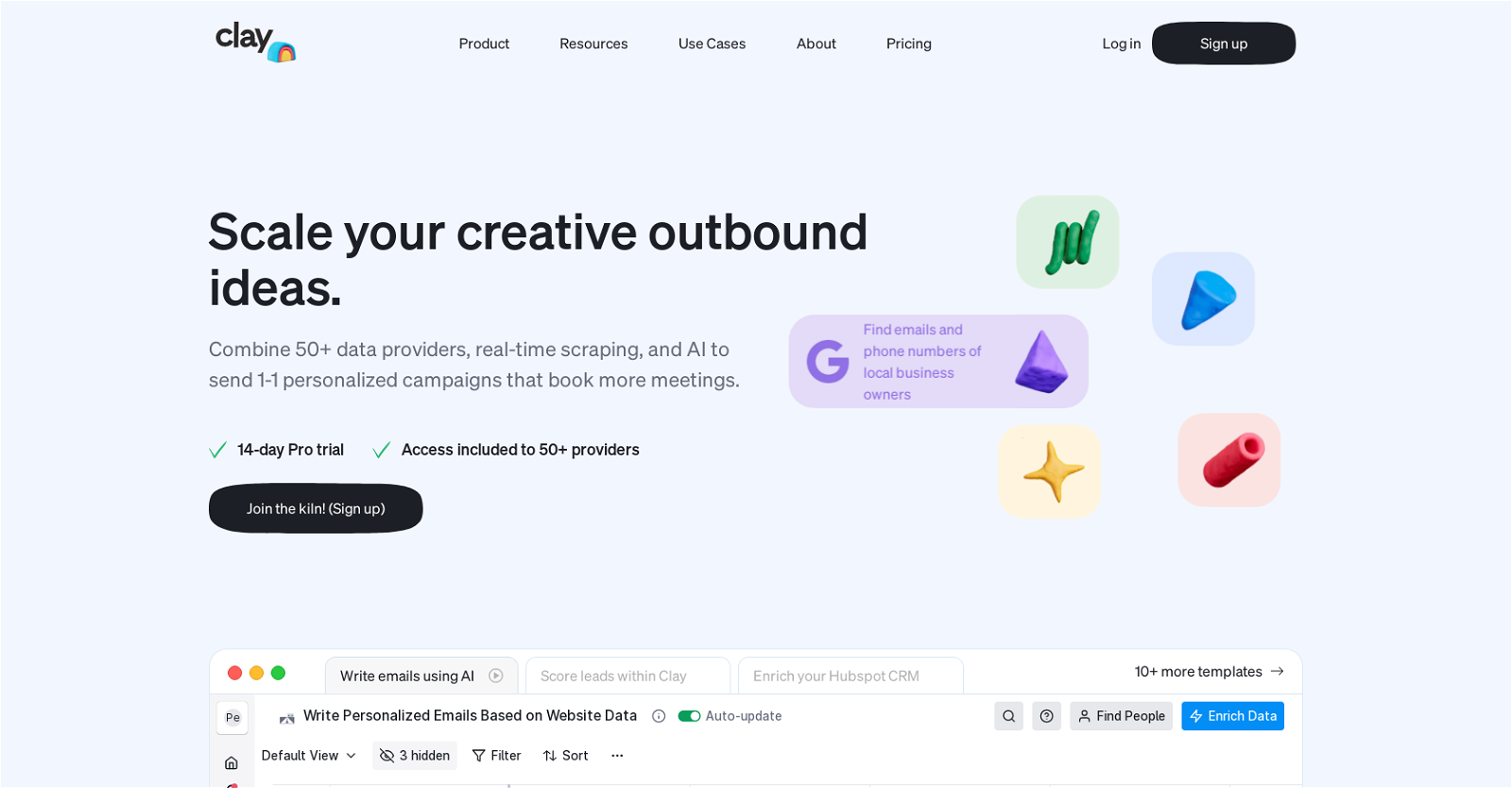
Clay enriches lead lists by pulling from LinkedIn, web scraping, news APIs, tech stack detection (via BuiltWith), and 75+ other data sources simultaneously — then writes personalized outreach based on that enrichment. The difference between a Clay-enriched outreach and a template blast is the difference between “I noticed your team recently hired 3 SDRs and you’re running Salesforce — here’s how we integrate…” and “Hi [First Name], I wanted to reach out about…” For outbound-heavy B2B teams, that personalization gap translates directly to reply rate.
- 75+ simultaneous data sources for deep lead enrichment
- AI-written personalization based on real research, not templates
- Can compress 4–5 hours of sales research per list to minutes
- Integrates with HubSpot, Salesforce, and major outreach platforms
- Moderate learning curve — not plug-and-play
- Pricing scales with credits/usage — costs can add up fast
- Only valuable for outbound teams — zero use case for inbound-only
Best AI Customer Support Tools for Business in 2026
Customer support is where AI ROI is most consistently measurable across business sizes and industries. The core metric is simple and binary: what percentage of tickets does the AI resolve without a human? Tier-1 queries — password resets, order status, return policy questions, basic how-to guidance, account access — typically represent 40–60% of total ticket volume. Automating that tier delivers 24/7 coverage as a built-in side effect of the primary cost saving.
Trained on your docs and past conversations — the most capable AI support agent commercially available in 2026

Intercom Fin is trained on your help documentation, product pages, and past conversation history — it knows your product, your policies, and your common resolutions. It handles clearly scoped questions reliably and, critically, hands off to human agents gracefully when a query becomes complex, emotionally charged, or outside its documented scope. The handoff quality matters as much as the bot’s accuracy — a poor handoff experience that makes customers repeat themselves destroys the support perception improvement.
The pricing limitation is real and needs honest acknowledgment: meaningful Fin access starts at $74/month before Fin’s per-resolution pricing ($0.99 per AI-resolved ticket) adds on top of the base plan. For a business handling 50 tickets per day with a 50% resolution rate: 25 AI-resolved tickets/day × 30 days × $0.99 = $742.50/month in resolution fees alone. That needs to be weighed against the human agent hours saved — at $25/hour, 25 tickets × 5 minutes each × 30 days = 62.5 hours = $1,562/month saved. The math is positive, but it’s not as simple as the base plan pricing implies.
- Most capable AI support agent commercially available in 2026
- Graceful human handoff — quality of transition is the best in class
- Multi-turn reasoning handles complex follow-up questions
- Trains on your own docs, policies, and past resolutions
- 24/7 coverage with no staffing changes
- Per-resolution pricing adds significantly to the base cost at volume
- Total cost calculation is non-trivial — model it carefully
- Not cost-effective for small businesses under 30 tickets/day
- Intercom base plan required — can’t use Fin without the broader platform
The accessible Intercom alternative — AI Lyro agent handles common queries at SMB-friendly pricing
Tidio is the SMB-accessible alternative to Intercom, with the Lyro AI support agent available from approximately $29/month. Lyro handles the most common tier-1 support scenarios reliably — order status, return policies, basic account questions, product FAQs — and falls appropriately back to human agents when queries exceed its scope. Where it falls short vs Intercom Fin: multi-step reasoning and policy nuance. For complex product support or emotionally sensitive escalations, Lyro’s limitations are noticeable. For standard e-commerce or SaaS support at small business scale, it’s a practical solution at a practical price.
- SMB-accessible pricing — meaningful AI support starts at $29/month
- Free tier includes basic chatbot functionality to test ROI
- Clean human handoff for queries outside Lyro’s scope
- Strong e-commerce integrations (Shopify, WooCommerce)
- Multi-step reasoning and policy nuance are weak spots
- Lower capability ceiling than Intercom Fin
- Not suitable for technically complex support categories
Formula: (Average daily tickets × AI resolution rate × minutes saved per ticket × team hourly rate × 30) − Monthly tool cost = Monthly ROI. Example: 40 tickets/day × 50% resolution × 5 min × $25/hr × 30 days = $1,250 saved. Intercom at $74 base + $595 resolution fees (30 tickets/day × 50% × 30 × $0.99) = $669/month. Net monthly ROI: $581. Positive from month one at this volume. Below 20 tickets/day, the math often doesn’t work until you factor in the after-hours coverage value.
Best AI Design and Creative Tools for Business in 2026
AI design tools in 2026 have split clearly into two value propositions: speed and volume (Canva, Adobe Express) versus quality and distinctiveness (Adobe Firefly, Midjourney). The right choice depends entirely on whether your brand needs to stand out from direct competitors or simply needs to show up consistently across channels.
For a comprehensive comparison of AI image generation tools — including Midjourney v7, GPT Image 1.5, Stable Diffusion, and DALL-E — our tested AI image generators guide (20+ tools) covers the full landscape with quality comparisons and commercial use guidance.
Best AI Analytics and Data Tools for Business in 2026
AI analytics in 2026 divides into two meaningful categories: natural language querying tools that make existing data more accessible (Copilot for Excel, Thoughtspot) and real-time intelligence tools that gather and synthesize external information (Perplexity Pro, Crayon, Klue). Both categories have real ROI — but for different reasons and different team profiles.
AI analytics tools amplify what’s in your data — they don’t fix it. Before deploying any AI analytics tool, run a data quality audit: check for duplicate records, inconsistent category names, fields that half the team fills in differently, and null values in critical fields. A hallucinated insight from clean data is catching an error. A confident-sounding insight from dirty data is invisible damage. I’ve watched an $800/month AI analytics deployment produce no useful output for four months because the CRM data underneath it was too inconsistent for the AI to draw valid conclusions. Fix the data first. Every time.
AI Tools for HR and Regulated Industries in 2026
AI Tools for HR Professionals
AI tools for HR represent one of the fastest-growing adoption areas in 2026, with a specific complication that most general AI guides gloss over: hiring decisions carry legal liability that most AI tools aren’t designed to handle carefully. The tools gaining traction are those that operate with explainable AI principles — documenting why candidates were prioritized or deprioritized in ways that can withstand legal scrutiny.
Hiring decisions made using AI assistance are subject to increasing regulatory scrutiny globally. The EU AI Act classifies AI systems used in employment decisions as “high risk” — requiring transparency, human oversight, and bias documentation. In the US, several states (Colorado, Illinois, Maryland) have enacted or are enacting AI hiring regulations. Before deploying any AI in candidate screening, ranking, or selection: (1) confirm your vendor has explainable AI documentation, (2) run a bias audit on your historical hiring data before training the system, (3) maintain a human review step for all final hiring decisions, (4) document your process. The cost of getting this wrong — both in litigation risk and reputational damage — significantly exceeds the cost of implementing proper governance from the start.
HIPAA-Compliant AI Tools for Healthcare and Regulated Industries
This section is critical for healthcare, insurance, legal, and financial services organizations. The mainstream AI tools on the rest of this page are not your default answer for regulated industry use cases.
- Standard ChatGPT, Claude, and Gemini consumer/standard plans are NOT HIPAA-ready. Most consumer and standard business tiers retain and process your inputs in ways that are incompatible with HIPAA’s requirements for protected health information (PHI). This is not an edge case — it’s the standard configuration. If your team is pasting patient information, clinical notes, or any PHI into a standard AI plan, that’s a potential HIPAA violation.
- Enterprise plans can be HIPAA-eligible with proper documentation. OpenAI Enterprise, Microsoft Azure OpenAI Service, and Google Cloud’s Vertex AI offer HIPAA-eligible configurations with Business Associate Agreements (BAAs). AWS HealthLake and AWS Bedrock also offer HIPAA-eligible AI services. These require explicit BAA execution — it’s not automatic at the enterprise tier, it requires a request and signed agreement.
- Demand the BAA in writing before any PHI touches the system. No verbal assurances. No “we’re HIPAA compliant” marketing copy. A signed Business Associate Agreement naming your organization. If a vendor can’t produce one, the answer is no regardless of how the product performs on everything else.
- The EU AI Act adds additional requirements for healthcare-adjacent AI. Medical decision support systems are classified as high-risk under the EU AI Act as of August 2026, requiring conformity assessments, transparency documentation, and ongoing monitoring. For EU-market healthcare providers, this is regulatory, not optional.
✅ HIPAA-Eligible AI Options Worth Knowing
Microsoft Azure OpenAI Service — HIPAA-eligible with BAA; integrates with Azure Health Data Services; most enterprise-ready option for M365 organizations. AWS Bedrock — HIPAA-eligible; access to multiple foundation models including Claude through AWS infrastructure with BAA. Google Cloud Vertex AI — HIPAA-eligible with BAA; access to Gemini models through Google’s healthcare-cloud infrastructure. Nuance Dragon Medical One — purpose-built medical speech-to-text with established HIPAA compliance track record. All require BAA execution and specific configuration — not automatic.
Recommended AI Stacks by Business Size — Tested and Validated (2026)
These stacks were built and tested against real business workflows — not assembled from theoretical best-in-class combinations. Each one reflects what actually works within the budget and operational constraints of that business size, not what looks impressive in a vendor demo.
Stack 1: Solopreneur / Freelancer
🧑💻 Solopreneur Stack — Target Budget: Under $50/month
Add analysis depth: replace ChatGPT Plus with Claude Pro ($20/mo) if your primary work involves long documents, contracts, or research synthesis. For an extensive list of free alternatives, our 100+ free AI tools guide covers every category.
Stack 2: Small Business (5–50 Employees)
🏢 Small Business Stack — Target Budget: $150–400/month
Stack 3: Growing Company (50–500 Employees)
🏭 Growing Company Stack — Target Budget: $800–2,500/month total
At 50+ employees, tool standardization matters as much as tool quality. Standardize on one general AI assistant — not two or three per department — rather than letting each team run different tools on different data with different privacy configurations. The time you save now on governance overhead compounds when agentic AI becomes central to your workflows in 2027. A fragmented AI tool landscape is significantly harder to migrate than a standardized one.
Stack 4: Enterprise (500+ Employees)
🏦 Enterprise Stack — Custom Budget
Full AI Business Tools Comparison Table — 30+ Tools (2026)
| Tool | Category | Best For | Free Plan | Starting Price | ROI Speed | Verdict |
|---|---|---|---|---|---|---|
| ChatGPT | AI Assistant | General versatility, coding, integrations | ✔ Yes | $20/mo | Days | Best overall |
| Claude | AI Assistant | Deep analysis, contracts, long docs | ✔ Yes | $20/mo | Days | Best for analysis |
| Gemini Advanced | AI Assistant | Google Workspace teams | ✔ Yes | ~$20/mo | Days | Best for G-Suite |
| Perplexity | Research | Cited competitive research | ✔ Yes | $20/mo | Days | Best research AI |
| Zapier | Automation | SMB multi-app workflows | ✔ Yes | $19.99/mo | Days | Highest ROI overall |
| Make.com | Automation | Complex conditional workflows | ✔ Yes | $9/mo | Week | Best for complexity |
| n8n | Automation | Self-hosted, regulated data | ✔ Self-hosted | Free | Week | Best for privacy |
| Power Automate | Automation | M365 organizations | ✔ Included | Included | Week | Best for Microsoft teams |
| Jasper AI | Content | Brand-voice team content | Trial only | $49/mo | Month | Best content for teams |
| Copy.ai | Content | High-volume short-form | ✔ Free | $24/mo | Week | Best content automation |
| Writer | Content | Compliance-required industries | No | Enterprise | Months | Best for compliance |
| Grammarly | Content/Edit | Final-mile polish for all content | ✔ Yes | $12/mo | Days | Essential for all writers |
| Writesonic | Content/GEO | AI search visibility + content | ✔ Limited | $16/mo | Month | Best for GEO |
| Fireflies.ai | Meetings | Meeting transcription + action items | ✔ 5 credits | $10/user/mo | Days | Best meeting AI |
| Otter.ai | Meetings | General meeting transcription | ✔ 300 min | $10/user/mo | Days | Best Fireflies alt |
| HubSpot Breeze | CRM / Sales | SMB AI-enhanced CRM | ✔ Free CRM | $20/mo | Month | Best SMB CRM AI |
| Clay | Sales | Outbound enrichment + personalization | ✔ 100 credits | $149/mo | Month | Best outbound AI |
| Instantly.ai | Sales | Cold email at scale with deliverability | No | $37/mo | Month | Best cold email AI |
| Salesforce Einstein | CRM (Enterprise) | Enterprise CRM intelligence | No | Enterprise | Months | Best enterprise CRM |
| Intercom Fin | Support | High-volume AI support agent | No | $74+/mo | Month | Best support AI |
| Tidio | Support | SMB support automation | ✔ Basic | $29/mo | Month | Best SMB support |
| Canva Magic Studio | Design | Non-designer business visuals | ✔ Yes | $15/mo | Days | Best for non-designers |
| Adobe Firefly | Design | Quality-first brand visuals | ✔ Limited | Included in CC | Week | Best design quality |
| Runway ML | Video | AI video for marketing content | ✔ Limited | $12/mo | Week | Best marketing video AI |
| Synthesia | Video | AI avatar video for L&D/Corp comms | No | $22/mo | Month | Best corporate video AI |
| Microsoft 365 Copilot | Analytics | Excel/BI plain-English querying | ✔ Basic | $30/user/mo | Week | Best analytics AI |
| ThoughtSpot | Analytics | Enterprise NL BI querying | No | Enterprise | Months | Best enterprise analytics |
| Klue | Competitive Intel | AI competitive intelligence automation | No | Custom | Month | Best CI platform |
| Fetcher | HR / Recruiting | Explainable AI candidate sourcing | No | $379/mo | Month | Best HR sourcing AI |
| Paradox | HR / Recruiting | High-volume recruiting automation | No | Custom | Month | Best recruiting AI |
Free AI Tools for Business: What Actually Works in 2026
The free tiers in 2026 are genuinely more capable than they were in 2023. But they’re also more cleverly limited — and understanding those limits is what prevents you from hitting a wall mid-workflow and paying for something out of frustration rather than genuine need. For the complete free AI tools database organized by category, our free AI tools by category guide and our 100+ free AI tools database cover every use case with honest free tier assessments.
The Honest Free-Only Business Stack
💸 The $0/Month AI Stack — What’s Actually Viable in 2026
Free Tier Limitations to Know Before You Rely on Them
- ChatGPT free: hourly rate limits. The free tier resets every hour but hits limits after roughly 10–15 messages depending on time of day and server load. Fine for occasional use; becomes daily friction for heavy users within the first week of serious use.
- Claude free: daily limits. More restrictive than ChatGPT free on daily message volume. Claude’s free tier is generous on context window (you still get the full 200K) but hits a hard daily limit that typically lands mid-afternoon for any active user.
- Zapier free: single-step Zaps only. The free tier only supports basic single-trigger, single-action Zaps. Multi-step automations (which are where most ROI lives) require the paid Starter plan. Test the concept on free; expect to upgrade when complexity grows.
- Canva free: limited AI features and watermarked premium elements. The core design templates are genuinely usable; the AI generation features (Magic Write, background remover, text-to-image) are significantly limited compared to Pro.
- Fireflies free: 5 credits per month. Each credit covers one meeting. For freelancers doing 1–4 client calls per month, this is sufficient. For any team with weekly recurring meetings, you’ll hit the limit by week 2.
Use free tiers as genuine testing environments — not compromises you’ll live with indefinitely. Set a 30-day free tier test for any tool you’re seriously evaluating, with a clear success metric defined upfront. If the free tier can’t demonstrate ROI on your actual use case within 30 days, the paid plan won’t either. If it does — and the only blocker is a usage limit — that’s the specific and narrow reason to upgrade.
Risks and What the Good Reviews Don’t Tell You
The AI tools industry has a well-documented marketing problem: the case studies all feature the 5% of deployments that worked brilliantly, and the 95% that struggled quietly never get written up. Here’s the honest catalog of what actually goes wrong — and how to structure your deployment to avoid the most common failure modes.
Every large language model will, at some point, confidently tell you something incorrect. This isn’t a bug that will be patched — it’s inherent to how these models work. I’ve seen a company deploy ChatGPT to draft customer pricing emails without a review step. A hallucinated figure in one email triggered a support escalation and a partial credit that cost more to resolve than six months of subscription fees. Build human review into any AI workflow where an undetected error has real consequences. Not as an afterthought — as an explicit, mandatory process step.
Most AI tools use your inputs to improve their models by default. Consumer and standard business plans almost always retain inputs for training. If your team pastes customer data, financial projections, or client confidential information into a standard ChatGPT or Claude plan — that data may be retained and used for model training. Read the privacy policy: specifically the data retention, training, and zero-retention sections. Enterprise plans typically offer zero-retention modes. Consumer plans typically don’t. This distinction is non-negotiable for any regulated industry.
Research suggests 80% of businesses pay for AI features they never use. AI subscriptions are particularly vulnerable to this because they’re relatively low individual cost — easy to justify, easy to forget, hard to audit. Set a 90-day calendar reminder to review every AI subscription actively: which ones changed a measurable workflow in the last 30 days? Cancel any that didn’t. The AI market moves fast enough that the tool you bought in Q1 may be outclassed by a free alternative by Q3.
As of August 2026, EU AI Act requirements for high-risk AI systems are in full force. High-risk classifications cover AI in: hiring decisions, credit scoring, essential public services, biometric identification, and critical infrastructure. For most SMBs, your day-to-day tool use is unlikely to be directly implicated. For businesses in hiring, financial services, or healthcare-adjacent AI: get explicit legal advice before deploying AI in those specific decision workflows. Your major enterprise-tier vendors (Microsoft, Google, OpenAI) are building compliance infrastructure — verify it with your account manager rather than assuming.
- The adoption gap is a change management problem, not a technology problem. The businesses failing with AI aren’t usually failing because the tools don’t work. They’re failing because the tools were purchased without redesigning the workflows around them. A writing tool alongside an unchanged content process doesn’t save time — it adds a step. An automation nobody was trained on is expensive noise. The tool purchase is 20% of the deployment. The workflow redesign is 80%. Most organizations invest those percentages in reverse.
- AI-generated output without human review is a liability, not an efficiency. For blog drafts and internal documents, catching errors in editing is acceptable. For client-facing communications, financial projections, legal documents, or customer pricing — unreviewed AI output is a risk that compounds with every unreviewed output. The businesses with the highest AI ROI have built review steps into their workflows as standard, not exceptional, procedure.
- Long-term vendor commitment on a fast-moving platform is almost always a mistake. Multi-year AI contracts made intuitive sense when enterprise software changed slowly. The AI tool landscape in 2026 is shifting quarterly. The tool that leads its category today may be outclassed at half the price by a new entrant in six months. Push hard for monthly or annual contracts with exit provisions rather than multi-year commitments, except for enterprise-grade tools with significant integration investment (like Salesforce or Microsoft 365) where switching costs are genuinely high.
What’s Coming: AI in Business Beyond 2026
The near-term trajectory is worth understanding so your current decisions don’t paint you into a corner. These aren’t speculative — they’re directional trends visible in current product roadmaps, funding rounds, and early enterprise deployments.
- Agentic AI moves from experimentation to core infrastructure in 2027. Gartner forecasts that AI agents and agentic platforms will trigger a $58 billion shakeup in mainstream productivity software by end of 2027. The Zapier automations and Make workflows you’re building now are the precursor foundation for more sophisticated agents that handle entire end-to-end processes without step-by-step prompting. Teams standardizing on one AI assistant now are building the integration foundation they’ll need when agents become the primary interface.
- IDC projects generative AI spending will reach $143 billion by 2027 at a 73% CAGR. That growth rate is primarily driven by agentic platform adoption and AI integration into existing enterprise software — not new standalone AI tools. The implication for your stack: the tools you already pay for (HubSpot, Notion, Microsoft 365, Salesforce) will increasingly become your primary AI interface as AI is embedded into their core functionality rather than added as an external layer.
- By 2028, Gartner estimates 90% of B2B buying will be AI-agent intermediated. The buyer’s AI assistant — not the buyer — will be researching vendors, comparing options, and initiating initial outreach conversations. How your product is represented in AI knowledge bases and how well it can be discovered, described, and differentiated by AI systems will matter as much as how it appears in Google search results. This is the AEO (Answer Engine Optimization) challenge that SEO-focused businesses need to start thinking about now — it’s qualitatively different from search optimization.
- On-device AI processing becomes viable for sensitive workloads. Apple Intelligence, Qualcomm’s edge AI chips, and purpose-built AI hardware are making local processing practical for workflows that can’t use cloud APIs. For businesses handling legally sensitive, medically privileged, or nationally regulated data, on-device models provide a compliance path that cloud APIs don’t — without sacrificing capability. Watch this space in 2026–2027 for significant development.
- Document your processes now — agents can’t automate what hasn’t been mapped. The businesses that will move fastest when agentic AI matures are those who’ve already captured exactly how their key processes work: what triggers them, what decisions are made, what outputs are produced, what exceptions exist. That documentation work takes time and organizational discipline. Starting it as a by-product of your current AI tool deployments is the most efficient way to build the foundation you’ll need in 18–24 months.
▶ What the next wave of AI looks like for business teams — agentic AI, on-device processing, and the 2027 landscape
The Strategic Build Recommendation
Three things that pay off in 2027 if you start them now: (1) Standardize on one general AI assistant across your team — don’t let departments run fragmented tools. (2) Document your five highest-frequency workflows in explicit process format: trigger, steps, decisions, outputs, exceptions. (3) Run the 3-Step AI-Sync Audit every 90 days and iterate your stack accordingly. The businesses building AI competency as an organizational capability — not just a software subscription — will be positioned to leverage agentic AI when it matures. The businesses treating AI as a collection of tools will spend 2027 doing a painful migration.
FAQ: Best AI Tools for Business in 2026
For most small businesses under 15 people, the highest-ROI starting stack is: ChatGPT Plus ($20/month) for general drafting and research, Canva Pro ($15/month) for visual content, Zapier Starter ($20/month) for automating repetitive cross-platform tasks, and Fireflies Free for meeting transcripts. Total: ~$55/month. This covers approximately 80% of what small businesses actually need AI for day-to-day. Add Claude Pro if your work involves analyzing complex documents or contracts. For a dedicated small business breakdown, our top AI SaaS tools for small businesses guide covers 20 tools tested specifically for teams under 10 people with tight budgets.
By the ROI formula — (hours saved × labor rate) ÷ tool cost — automation platforms like Zapier consistently produce the highest returns of any AI category. A single workflow saving 30 minutes per day × 250 working days × $60/hour blended rate = $7,500/year value from a $240/year subscription. That’s a 31× return. Meeting intelligence tools (Fireflies) typically produce the fastest initial payback because the time saving is immediate and quantifiable. Content AI tools (Jasper) produce meaningful ROI for high-volume teams but take longer to measure because output quality improvement is harder to quantify directly in dollars.
The honest answer is use-case dependent: ChatGPT wins for coding, third-party integrations (5,000+ apps via Zapier), breadth of daily tasks, and the custom GPT builder for specialized recurring workflows. Claude wins for deep document analysis, contract review, and complex multi-step reasoning where a confident wrong answer has consequences. In my direct test, Claude caught a liability clause in a 50-page contract that ChatGPT missed — which is the kind of specific, high-stakes difference that matters in real business use. Most growing businesses end up using both: ChatGPT as the daily general-purpose driver and Claude for specific high-stakes analytical tasks. Both are $20/month — running both is less than most business software subscriptions.
Follow the 3-Step AI-Sync Audit: (1) Map your 5 biggest time drains with specific time measurements, (2) Check if your existing paid tools already have AI features you’re not using, (3) Run a 30-day free-tier test with a defined success metric before paying for anything. The most common ways businesses waste money on AI: buying tools before mapping the workflow they replace, buying overlapping tools that do the same job, and upgrading to paid plans before the free tier proves the use case. Limit new tool adoption to three at a time. Set a quarterly subscription audit calendar reminder. Cancel anything that hasn’t changed a measurable workflow in 30 days.
Yes — the free tiers in 2026 are more capable than ever. For a solo operator doing occasional AI work: ChatGPT free, Perplexity free, Canva free, Grammarly free, Fireflies free (5 credits/month), and Zapier free form a legitimate $0 stack. For teams with daily AI usage across multiple people, the rate limits and feature restrictions on free tiers become daily friction within 2 weeks. Free tiers are genuine evaluation tools — not production environments for teams. Budget $20–50/month per active user for the AI tools that directly address their primary bottleneck; that investment typically returns 3–10× in measurable time savings within the first 60 days. Our 100+ free AI tools database covers every category with honest free tier assessments.
For a marketing team producing regular content at volume, the optimal stack is: Jasper for brand-voice-consistent long-form content (87% consistency in our test — worth the cost for teams producing 30+ pieces per month), Perplexity for cited real-time research, Canva Magic Studio for visual production, Zapier for distribution automation across channels, and Grammarly for final editorial polish. If SEO is a priority, add Surfer SEO for real-time SERP optimization. If social video is a growth channel, add Runway ML or HeyGen for AI video production. For the complete marketing AI toolkit covering strategy, ads, email, and analytics, our 35 best AI tools for marketing covers every marketing function with tested recommendations.
It depends entirely on which plan tier you’re using. Consumer and standard plans on most AI tools use your inputs for model training by default and don’t offer guaranteed data deletion. Enterprise plans — ChatGPT Enterprise, Claude’s Team plan, Gemini Workspace Business — offer zero-data-retention modes, signed Data Processing Agreements (DPAs), and GDPR-compliant configurations. For regulated industries (healthcare, finance, legal): require a signed BAA before processing any protected information, and verify that the specific enterprise plan configuration you’re purchasing includes the zero-retention mode explicitly — it’s not automatic at enterprise tier, it requires requesting and verifying the configuration. Never paste customer data, internal financial projections, or protected health information into a standard consumer AI plan.
Worth upgrading from free: ChatGPT to Plus ($20/mo) when the hourly rate limit becomes a daily workflow interruption — typically within the first week for any serious user. Zapier to Starter ($20/mo) when you need multi-step automations beyond simple trigger-action pairs. Fireflies to Pro ($10/user/mo) when you’re exceeding 5 calls per month and losing action items is costing measurable follow-up time. Canva to Pro ($15/mo) when you’re regularly hitting free tier design limitations on brand assets. Not worth upgrading yet: anything whose free tier you haven’t actively used for at least 30 days, anything where the paid features don’t directly address a specific friction point you’ve experienced, any annual plan commitment before proving the monthly ROI positive.
Start with the category that has the highest measurable time cost in your operation. Run the 3-Step AI-Sync Audit, identify your single biggest weekly time drain, and match that to the appropriate category in this guide. If your biggest drain is manual data entry across platforms → start with Zapier (automation section). If it’s producing consistent marketing content → start with Jasper or Copy.ai (content section). If it’s preparing for and following up on client calls → start with Fireflies (meetings section). If it’s researching competitive landscape → start with Perplexity (assistants section). One tool, one problem, 30 days, measured outcome. Then expand. The use-case grid at the top of this guide maps your role to the recommended starting point for your function.
Conclusion: Build a Coordinated Stack, Not a Collection of Subscriptions
After 12 weeks of testing across 30+ tools and 8 business categories, the single most consistent finding is this: the businesses generating real, compounding ROI from AI in 2026 treat their tools as a coordinated system, not a collection of standalone subscriptions. Three well-integrated tools that connect to each other and to existing workflows will outperform twelve disconnected tools every single time.
The businesses failing with AI — and they are failing at rates that should be sobering given the marketing narrative — aren’t failing because the tools don’t work. They’re failing because the tools were purchased without mapping the workflows they were meant to replace, without training the teams who were meant to use them, and without measuring outcomes against defined metrics within the first 30 days.
The honest framework is brutally simple: identify your single biggest time drain, find the one tool in this guide that addresses it most directly, run the 30-day free-tier test with a defined success metric, measure the result, and only then decide whether to pay and expand. The AI tools available in 2026 are genuinely extraordinary compared to what existed two years ago. They’ll be even better in 2027. But they work best when you’re still driving — when the human judgment, the creative vision, and the quality bar come from your team, and the AI handles the repetitive, high-frequency, time-consuming parts of the workflow that don’t require that judgment.
I still audit my own stack every quarter. The tools I use today are not the same ones I was using in January. That pace of change is part of the value of following coverage like ours — for the latest AI tool developments across every business category, our AI tools for business overview is updated regularly, and our analysis of how AI-first products are disrupting traditional software provides the strategic context behind the tactical decisions in this guide.

Shafaat Shams
FounderFounder and primary author of SaaSNik. Shafaat approaches tools as an enthusiastic user — testing platforms, experimenting with features, and sharing practical, honest insights about what works in real digital workflows.
LinkedIn

