
Video editing software continues to evolve with new AI-powered features and innovative tools. From professional NLEs to beginner-friendly platforms, the best video editing software in 2026 offers something for every creator.
This comprehensive guide compares the best video editing software for 2026, helping you find the perfect tool for your creative needs.
At a Glance: The Best Video Editing Software for 2026
- Best Overall: Adobe Premiere Pro – Industry standard with unmatched features.
- Best for Mac: Final Cut Pro – Optimized for Apple hardware.
- Best Free: DaVinci Resolve – Professional-grade editing at no cost.
- Best for Beginners: CapCut – Easy to use with powerful AI features.
- Best Lifetime Deals: FlexClip, Motionvid AI, Reelify AI – One-time payment solutions.
What Makes Great Video Editing Software in 2026?
Before diving into specific tools, let’s establish what makes great video editing software in 2026:
Key Features to Evaluate
- AI Integration: Auto-captions, smart editing, and generative AI.
- Performance: Smooth playback and fast rendering.
- Format Support: Support for modern video formats and codecs.
- Collaboration: Team editing and cloud workflows.
- Affordability: Value for money, including lifetime deals.
- Learning Curve: Accessibility for beginners and professionals.
Comparing the Best Video Editing Software for 2026
| Tool | Ease of Use | Pricing | Best For | AI Features | Learning Curve |
|---|---|---|---|---|---|
| Adobe Premiere Pro | Medium | $22.99/mo | Professionals | Generative fill, AI enhancements | High |
| Final Cut Pro | Easy/Medium | $299.99 (one-time) | Mac users | AI enhancements | Medium |
| DaVinci Resolve | Medium/Expert | Free / $295 (one-time) | Color grading | AI enhancements | High |
| CapCut | Very Easy | Free | Beginners, social media | Auto-captions, AI effects | Very Low |
| FlexClip | Very Easy | $99 (Lifetime) | Marketing videos | AI script, voiceover, subtitles | Very Low |
| Motionvid AI | Easy | $49 (Lifetime) | AI animation | Text-to-animation | Very Low |
| Reelify AI | Easy | $59 (Lifetime) | Video repurposing | AI clipping | Very Low |
Detailed Breakdown of the Best Video Editing Software for 2026
1. Adobe Premiere Pro: The Industry Standard
Pros: Unmatched features, generative AI, industry-standard file support, massive plugin ecosystem.
Cons: High subscription cost, steep learning curve.
Best For: Professional editors, filmmakers, and content creators.
2. Final Cut Pro: The Mac Optimized Powerhouse
Pros: Lightning-fast performance on Apple Silicon, intuitive magnetic timeline, one-time payment.
Cons: Mac only, fewer plugins than Premiere.
Best For: Mac users, YouTubers, and professional editors.
3. DaVinci Resolve: The Color Grading King
Pros: Industry-leading color grading, professional editing, completely free version.
Cons: Very steep learning curve, requires powerful hardware.
Best For: Professional colorists, filmmakers, and serious editors.
4. CapCut: The Beginner’s Best Friend
Pros: Completely free, incredibly intuitive, powerful AI tools, optimized for social media.
Cons: Limited advanced features, privacy concerns.
Best For: Beginners, social media creators, and anyone wanting free, professional-looking videos.
💡 The AppSumo Advantage
Affiliate Disclosure: Some links are affiliate links.
FlexClip, Motionvid AI, and Reelify AI offer exceptional lifetime value for specific video tasks with one-time payments.
5. FlexClip: AI-Powered Marketing Videos
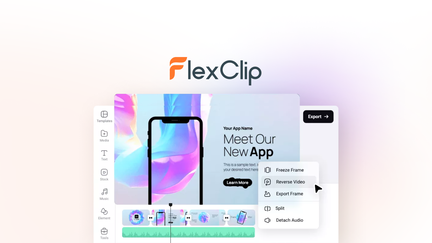
FlexClip makes creating marketing videos easy with templates, stock assets, and AI tools.
FlexClip Pros
- 4M+ stock assets.
- AI-powered tools.
- Very easy to use.
- Lifetime deal: $99 one-time.
FlexClip Cons
- Less powerful than professional NLEs.
- Best for marketing videos.
Who Should Choose FlexClip?
FlexClip is perfect for businesses and marketers who need professional marketing videos without monthly costs.
6. Motionvid AI: AI Animation
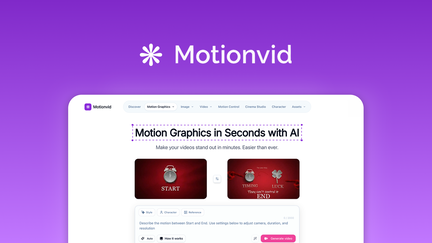
Motionvid AI creates animated videos from text prompts—perfect for explainer videos.
Motionvid AI Pros
- Text-to-animation in minutes.
- Perfect for explainer videos.
- Lifetime deal: $49 one-time.
Motionvid AI Cons
- Limited animation styles.
- Best for specific use cases.
Who Should Choose Motionvid AI?
Motionvid AI is ideal for businesses and educators who need animated content without animation skills.
7. Reelify AI: AI Video Repurposing
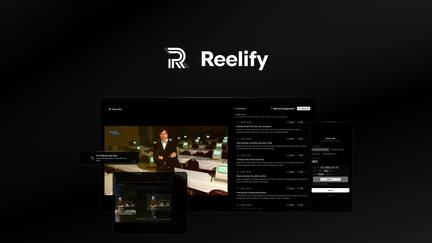
Reelify AI turns long videos into short clips for social media.
Reelify AI Pros
- AI selects the best moments.
- Unlimited clipping.
- Lifetime deal: $59 one-time.
Reelify AI Cons
- Limited manual control.
- Best for repurposing.
Who Should Choose Reelify AI?
Reelify AI is a game-changer for podcasters, YouTubers, and creators who want to expand to short-form platforms.
5-Year Cost Comparison
| Tool | Pricing Model | 5-Year Cost |
|---|---|---|
| Adobe Premiere Pro | Subscription ($22.99/mo) | $1,379.40 |
| Final Cut Pro | One-Time ($299.99) | $299.99 |
| DaVinci Resolve Studio | One-Time ($295) | $295 |
| CapCut | Free | $0 |
| FlexClip | One-Time ($99) | $99 |
| Motionvid AI | One-Time ($49) | $49 |
| Reelify AI | One-Time ($59) | $59 |
Decision Framework
What’s your primary video editing need?
- Professional editing: Choose Adobe Premiere Pro.
- Mac user: Choose Final Cut Pro.
- Free professional: Choose DaVinci Resolve.
- Beginner/social media: Choose CapCut.
- Marketing videos (lifetime): Choose FlexClip.
- AI animation (lifetime): Choose Motionvid AI.
- Video repurposing (lifetime): Choose Reelify AI.
Final Verdict
Adobe Premiere Pro remains the industry standard for 2026. For Mac users, Final Cut Pro is excellent. For free professional editing, DaVinci Resolve is unbeatable.
For lifetime value, FlexClip, Motionvid AI, and Reelify AI offer exceptional one-time payment deals.
Our Top Recommendations
Best Overall: Adobe Premiere Pro – Industry standard with unmatched features.
Best Lifetime Deal for Marketing Videos: FlexClip offers templates and stock assets with a one-time payment.
 Lifetime Deal
−84%
Lifetime Deal
−84%
FlexClip
Create, edit, and share professional videos with AI-powered tools, 4M+ stock assets, and ready-made templates
Pros
- +Lifetime deal pricing (saving $501)
- +AI-powered editing
- +4M+ stock assets
- +Ready-made templates
- +Sharing and collaboration
Cons
- −Limited advanced editing features
- −Additional template options would be beneficial
- −User interface learning curve
Alternatives: Adobe Premiere iMovie Canva
Best Lifetime Deal for AI Animation: Motionvid AI creates professional animated videos.
 Lifetime Deal
−90%
Lifetime Deal
−90%
Motionvid AI
Create AI motion graphics, map animations, explainer videos, and infographics from text prompts
Pros
- +Lifetime deal pricing (saving $450)
- +Text-to-animation capabilities
- +Explainer video creation
- +Infographic animation
- +Brand customization
Cons
- −Limited animation styles
- −User interface learning curve
- −Limited advanced controls
Alternatives: Animoto Vyond Powtoon
Best Lifetime Deal for Video Repurposing: Reelify AI turns long videos into short clips.
 Lifetime Deal
−67%
Lifetime Deal
−67%
Reelify AI
Turn long videos into unlimited short clips—no credit limits, no monthly caps, ever
Pros
- +Lifetime deal pricing (saving $118)
- +Unlimited clipping
- +AI-driven clip selection
- +Multi-platform optimization
- +Brand customization
Cons
- −Limited advanced editing features
- −User interface learning curve
- −Additional customization options would be beneficial
Alternatives: Opus Clip Klap Repurpose.io
Choose the video editing software that fits your creative needs and budget.