
Choosing the right video editing software is critical for content creators, filmmakers, and marketers. With so many options available—from Adobe Premiere Pro to DaVinci Resolve to lifetime deals—it can be difficult to know which tool is the best fit for your needs.
This comprehensive video editing software comparison breaks down the top solutions side-by-side, comparing features, pricing, and use cases to help you make an informed decision.
At a Glance: Video Editing Software Comparison 2026
- Best Overall: Adobe Premiere Pro – Industry standard with unmatched features.
- Best for Mac: Final Cut Pro – Optimized for Apple hardware.
- Best Free: DaVinci Resolve – Professional-grade editing at no cost.
- Best Lifetime Deals: FlexClip, Motionvid AI, Reelify AI – One-time payment solutions.
Video Editing Software Comparison: Feature Matrix
| Feature | Premiere Pro | Final Cut Pro | DaVinci Resolve | FlexClip | Motionvid AI | Reelify AI |
|---|---|---|---|---|---|---|
| Ease of Use | ★★★ | ★★★★ | ★★★ | ★★★★★ | ★★★★★ | ★★★★★ |
| Multi-Track Editing | ✓✓✓ | ✓✓✓ | ✓✓✓ | ✓ | ✗ | ✗ |
| Color Grading | ✓✓✓ | ✓✓ | ✓✓✓ | ✗ | ✗ | ✗ |
| AI Features | ✓✓ | ✓ | ✓ | ✓✓✓ | ✓✓✓ | ✓✓✓ |
| Lifetime Deal | ✗ | ✗ | ✗ | ✓ ($99) | ✓ ($49) | ✓ ($59) |
Detailed Feature Comparison
1. Adobe Premiere Pro: The Professional Standard
Best For: Professional editors, filmmakers, and content creators.
Key Features: Unmatched features, plugin ecosystem, integrations.
Pricing: $22.99/mo
5-Year Cost: $1,379.40
2. Final Cut Pro: The Mac Choice
Best For: Mac users, YouTubers, and professional editors.
Key Features: Lightning-fast performance, magnetic timeline, one-time payment.
Pricing: $299.99 (one-time)
5-Year Cost: $299.99
3. DaVinci Resolve: The Free Professional
Best For: Color grading, professional editing, budget-conscious users.
Key Features: Industry-leading color grading, professional editing.
Pricing: Free
5-Year Cost: $0
💡 The AppSumo Advantage
Affiliate Disclosure: Some links are affiliate links.
FlexClip, Motionvid AI, and Reelify AI offer exceptional lifetime value for specific video tasks with one-time payments.
4. FlexClip: Lifetime Marketing Videos
Best For: Businesses and marketers needing professional marketing videos.
Key Features: 4M+ stock assets, AI tools, templates.
Pricing: $99 (Lifetime)
5-Year Cost: $99
5. Motionvid AI: Lifetime AI Animation
Best For: Businesses and educators needing animated explainer videos.
Key Features: Text-to-animation, brand customization.
Pricing: $49 (Lifetime)
5-Year Cost: $49
6. Reelify AI: Lifetime Video Repurposing
Best For: Podcasters, YouTubers, and content creators.
Key Features: AI video clipping, unlimited repurposing.
Pricing: $59 (Lifetime)
5-Year Cost: $59
5-Year Cost Comparison
| Tool | Pricing Model | 5-Year Cost |
|---|---|---|
| Adobe Premiere Pro | Subscription ($22.99/mo) | $1,379.40 |
| Final Cut Pro | One-Time ($299.99) | $299.99 |
| DaVinci Resolve | Free | $0 |
| FlexClip | One-Time ($99) | $99 |
| Motionvid AI | One-Time ($49) | $49 |
| Reelify AI | One-Time ($59) | $59 |
Decision Framework
What’s your primary video editing need?
- Professional editing: Choose Adobe Premiere Pro.
- Mac user: Choose Final Cut Pro.
- Free professional: Choose DaVinci Resolve.
- Marketing videos (lifetime): Choose FlexClip.
- AI animation (lifetime): Choose Motionvid AI.
- Video repurposing (lifetime): Choose Reelify AI.
Final Verdict
Adobe Premiere Pro is the best overall video editing software. For Mac users, Final Cut Pro is excellent. For free professional editing, DaVinci Resolve is unbeatable.
For lifetime value, FlexClip, Motionvid AI, and Reelify AI offer exceptional one-time payment deals.
Our Top Recommendations
Best Overall: Adobe Premiere Pro – Industry standard with unmatched features.
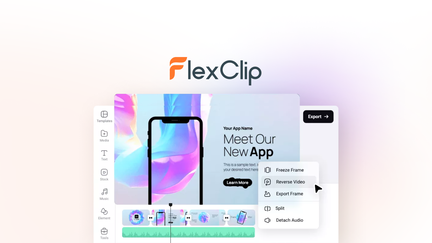
Best Lifetime Deal for Marketing Videos: FlexClip offers templates and stock assets with a one-time payment.
 Lifetime Deal
−84%
Lifetime Deal
−84%
FlexClip
Create, edit, and share professional videos with AI-powered tools, 4M+ stock assets, and ready-made templates
Pros
- +Lifetime deal pricing (saving $501)
- +AI-powered editing
- +4M+ stock assets
- +Ready-made templates
- +Sharing and collaboration
Cons
- −Limited advanced editing features
- −Additional template options would be beneficial
- −User interface learning curve
Alternatives: Adobe Premiere iMovie Canva
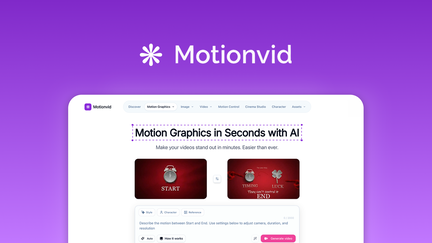
Best Lifetime Deal for AI Animation: Motionvid AI creates professional animated videos.
 Lifetime Deal
−90%
Lifetime Deal
−90%
Motionvid AI
Create AI motion graphics, map animations, explainer videos, and infographics from text prompts
Pros
- +Lifetime deal pricing (saving $450)
- +Text-to-animation capabilities
- +Explainer video creation
- +Infographic animation
- +Brand customization
Cons
- −Limited animation styles
- −User interface learning curve
- −Limited advanced controls
Alternatives: Animoto Vyond Powtoon
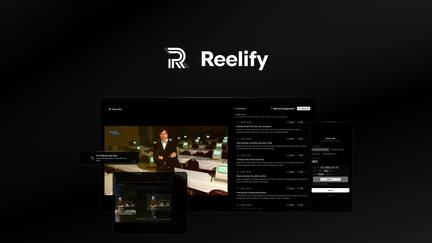
Best Lifetime Deal for Video Repurposing: Reelify AI turns long videos into short clips.
 Lifetime Deal
−67%
Lifetime Deal
−67%
Reelify AI
Turn long videos into unlimited short clips—no credit limits, no monthly caps, ever
Pros
- +Lifetime deal pricing (saving $118)
- +Unlimited clipping
- +AI-driven clip selection
- +Multi-platform optimization
- +Brand customization
Cons
- −Limited advanced editing features
- −User interface learning curve
- −Additional customization options would be beneficial
Alternatives: Opus Clip Klap Repurpose.io
Choose the video editing software that fits your needs and budget.