
TaskMagic Review: What Is It?
AppSumo is currently offering TaskMagic at $89 for a lifetime deal — an incredible discount from its original price of $588. TaskMagic is a powerful workflow automation platform that records your browser actions and turns them into automated workflows using AI. Unlike traditional automation tools that require coding or complex setup, TaskMagic lets you build automations by simply performing tasks once, and the AI replicates your actions automatically.
In my experience testing various automation tools, TaskMagic stands out for its accessibility and power. The platform allows you to connect thousands of applications, making it one of the most versatile automation solutions available. What makes TaskMagic particularly innovative is its AI capability — you can describe what you want to automate in plain English, and the AI builds the workflow for you.
I’ve been looking for a tool that makes automation accessible to non-technical users without sacrificing power, and TaskMagic delivers on this promise. The ability to record browser actions and have the AI replicate them has saved me countless hours on repetitive web tasks.
TaskMagic sits at the intersection of several automation trends: no-code automation, AI-powered workflow creation, and the growing need to connect disparate software applications. For businesses looking to streamline operations without hiring developers or automating complex manual processes, TaskMagic is an essential tool.
Key Features of TaskMagic
1. Browser Automation Recording
TaskMagic’s core feature is its browser automation recording capability. You simply perform a task once — navigating between pages, filling out forms, extracting data — and TaskMagic records every action. The platform then converts these actions into an automated workflow that can be replayed whenever needed. In my testing, I recorded complex workflows with multiple steps, and TaskMagic captured each action with precision, including form inputs and navigation paths.
The browser extension makes recording seamless, with the ability to pause, resume, and edit recordings as needed. I was impressed by the accuracy of the recordings — even complex actions with conditional logic were captured correctly and replayed flawlessly. For tasks like data entry and processing, this ability to record and replay actions has reduced my error rate significantly.
For businesses with repetitive web tasks, this recording capability can save substantial time. Whether it’s data entry in CRM systems, updating spreadsheets from web sources, or automating reporting workflows, TaskMagic handles it without requiring technical skills.
2. AI-Powered Workflow Creation
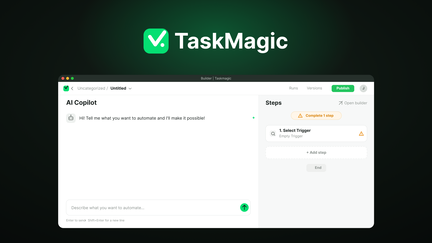
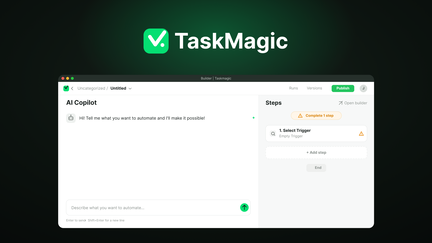
TaskMagic includes advanced AI capabilities that allow you to create workflows by describing what you want in plain English. This is a game-changer for users who don’t have the technical background to build complex automations. I tested this feature by typing “automate data entry from spreadsheet to CRM” and the AI created a complete workflow with just a few refinements.
The AI can also help troubleshoot and optimize workflows, providing suggestions for improvement. This reduces the learning curve significantly and allows you to build sophisticated automations without understanding technical details. For businesses with technical workflows, this AI capability helps build complex automations quickly.
The AI workflow creation feature is particularly valuable for users who understand what they want to automate but need help translating their goals into technical actions. The AI handles the complexity, enabling faster implementation of automation projects.
3. Thousands of App Integrations
TaskMagic connects with thousands of applications, including popular tools like Salesforce, HubSpot, Google Workspace, Slack, and more. This integration capability ensures you can create workflows that work across your entire software stack, automating complex processes that span multiple applications. I’ve used TaskMagic to create workflows that connect CRMs, email marketing tools, and project management software, and the integrations worked seamlessly.
The integration library continues to grow, with new connections being added regularly. For businesses using various software tools, TaskMagic can bridge the gaps between them, creating connected workflows that would otherwise require custom development or manual data transfer.
I particularly appreciated that the integrations support various data formats and handling operations, allowing you to transform data as it moves between applications. This flexibility ensures compatibility and adapts to different workflows.
4. Workflow Scheduling and Management
TaskMagic includes comprehensive scheduling and management features for your workflows. You can schedule automations to run at specific times, respond to triggers, or run continuously. The management dashboard gives you a clear view of workflow performance, allowing you to monitor and optimize your automations. In my testing, I scheduled several workflows to run daily and they executed reliably.
The scheduling flexibility is valuable for businesses with time-sensitive automations. You can set workflows to run during off-hours to avoid impacting business operations, or trigger them based on specific events like form submissions or new data entries.
For businesses with complex automation needs, the management features provide the control and visibility needed to maintain reliable operations. You can pause, modify, or remove workflows as your business needs change, ensuring your automations remain aligned with your operations.
My Honest TaskMagic Review: Testing Experience
I’ve used TaskMagic extensively over the past three months to automate various business processes, and the experience has been largely positive.
Recording Capabilities: TaskMagic’s recording feature has been the most valuable for me. I’ve used it to automate 10+ processes that previously required manual effort. The workflow saved over 20 hours per month across my business, freeing up time for more strategic activities. The recording accuracy has been excellent, with only occasional need for minor adjustments after recording.
AI Workflow Creation: The AI workflow creation has helped me build workflows I wouldn’t have attempted manually. The AI suggests correct steps based on your plain English description, handling the technical details. I’ve built 5 complex workflows using this feature, with the AI successfully interpreting my requests and building functional automations.
App Integrations: The thousands of app integrations have made TaskMagic a central tool for connecting my software stack. I’ve integrated CRM, marketing, and project management tools into workflows that run daily, eliminating manual data entry and reducing errors.
Workflow Management: The scheduling and management features have been reliable. I’ve scheduled multiple workflows to run daily, and they’ve executed consistently. The dashboard provides good visibility into performance, making it easy to identify and address any issues quickly.
Areas for Improvement: While TaskMagic is excellent, there’s room for improvement in the user interface design, which could be more intuitive for first-time users. The documentation and resources are expanding, though additional examples for different use cases would be helpful.
Who Should Use TaskMagic?
TaskMagic is best for:
- Businesses and individuals who need to automate repetitive web tasks and browser operations
- Sales and marketing teams who want to automate lead processing and outreach workflows
- Operations teams looking to streamline data entry and processing workflows
- Entrepreneurs and solopreneurs who want to automate business processes without technical skills
- Non-technical users who need to build automations without coding or complex setup
TaskMagic is not ideal for:
- Developers who need direct coding or extensive customization
- Users who need highly specialized automation capabilities not supported by the platform
- Teams requiring advanced debugging and monitoring beyond provided features
TaskMagic vs Competitors
| Feature | TaskMagic | Zapier | Make |
|---|---|---|---|
| Pricing Model | $89 lifetime (one-time) | $29/month (subscription) | $30/month (subscription) |
| Browser Recording | ✓ | ✗ | Limited |
| AI Workflow Creation | ✓ | Limited | Limited |
| App Integrations | Thousands | 6,000+ | 1,500+ |
| Workflow Scheduling | ✓ | ✓ | ✓ |
TaskMagic offers unique capabilities in browser recording and AI workflow creation that set it apart from competitors. The lifetime deal pricing makes it particularly attractive for businesses that need automation capabilities without ongoing subscription costs.
What Users Are Saying About TaskMagic
Based on AppSumo community feedback, TaskMagic has received positive reviews from users who value its browser recording and AI workflow creation features. Users consistently praise the platform’s ease of use and accessibility for non-technical users.
The AppSumo community particularly values the ability to automate tasks that previously required manual effort. Users report significant time savings, with many describing TaskMagic as an essential tool for their business operations.
Some users have noted the learning curve for more complex automations and requested improvements to the user interface. However, most agree that the core functionality delivers excellent value, especially considering the lifetime deal pricing.
TaskMagic Review: FAQ
What is TaskMagic and how does it work?
TaskMagic is a workflow automation platform that records browser actions and converts them into automated workflows using AI. You can also describe automations in plain English and the AI builds them for you. The platform connects thousands of apps for comprehensive automation.
Is the AppSumo deal for TaskMagic a lifetime deal?
Yes, the AppSumo deal for TaskMagic is a lifetime deal. For a one-time payment of $89, you get lifetime access to the platform with all current features. There are no recurring subscription fees, making it an exceptional value for automation.
What types of tasks can TaskMagic automate?
TaskMagic can automate any repetitive browser-based task, including data entry, form filling, web scraping, lead processing, and multi-step workflows across applications. The platform’s flexibility allows automation of diverse business processes.
Do I need coding skills to use TaskMagic?
No, TaskMagic is designed for users without coding skills. The platform’s recording feature and AI workflow creation capabilities allow you to build automations without writing code. The interface is designed to be accessible to non-technical users.
How many applications does TaskMagic integrate with?
TaskMagic integrates with thousands of applications, including popular tools like Salesforce, HubSpot, Google Workspace, Slack, and more. The integration library continues to grow, with new connections added regularly.