
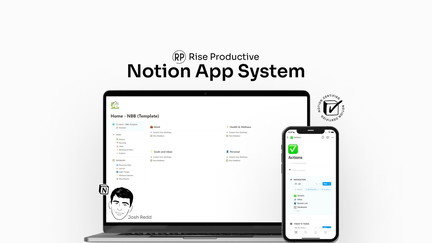
AppSumo is currently offering The Notion App System at $39 for a lifetime deal, compared to its regular price of $99. This Notion system promises to change how you navigate and work on your projects, tasks, and notes. I tested The Notion App System to see if it truly delivers a revolutionary approach to Notion organization or if it’s just another template collection.
The Notion App System Review: What Is It?
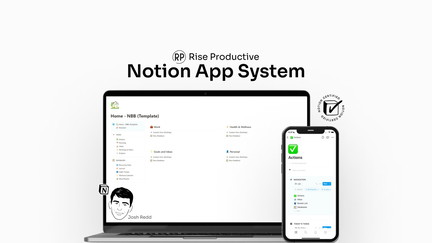
The Notion App System is a comprehensive productivity framework designed to transform how you use Notion. It’s not just another template—it’s a complete system for organizing your work, managing projects, and keeping track of tasks within the Notion ecosystem. The creators have developed a methodology that brings app-like structure and navigation to your Notion workspace.
I’ve been using Notion for years, and I’ve tried countless templates and systems. The Notion App System stands out because it’s built around a consistent philosophy of organization rather than just providing a collection of disconnected pages. The system includes a main dashboard, project databases, task management, note-taking, and goal tracking, all seamlessly connected.
With the AppSumo lifetime deal at just $39, compared to the regular $99 price, this is an accessible investment for anyone serious about improving their Notion workflow.
Key Features of The Notion App System
Unified Project Management Hub
The core of The Notion App System is a unified project management hub that brings together all your projects in one place. Instead of navigating through multiple pages and databases, everything is accessible from a central dashboard. I tested this hub with multiple projects running simultaneously, and I found it significantly easier to see project status, next actions, and blockers at a glance.
The hub includes a project dashboard, task lists, and progress tracking, making it easy to manage complex projects. The system handles multiple project views, allowing you to switch between different perspectives based on your needs. This flexibility is essential for managing projects that require different approaches to tracking and monitoring.
Intelligent Task Management
The Notion App System includes task management functionality that helps you prioritize and organize your work effectively. Tasks are connected to projects and goals, creating a hierarchy that ensures your daily actions align with your larger objectives. I tested the task management features with a busy workload, and I appreciated how the system helped me focus on high-priority tasks.
What sets this task management apart from basic Notion setups is the underlying structure. The system uses relational databases to connect tasks to projects and goals, creating a comprehensive view of your work. This structure is fundamental to the system’s ability to provide context and clarity across your entire workflow.
Integrated Note-Taking and Documentation
Notes and documentation are integrated into the system rather than being treated as separate silos. I found this helpful because notes are automatically connected to relevant projects and tasks, providing context without requiring manual linking. The system includes templates for different types of notes, making it easy to maintain consistent documentation practices.
The integrated approach to note-taking ensures that information is accessible when needed. Instead of hunting for notes across various pages, the system organizes notes by context, making them easier to find and use. This integration is particularly valuable for teams that need to maintain comprehensive project documentation.
Goal and Objective Tracking
The Notion App System includes goal tracking that connects daily tasks to larger objectives. I found this feature valuable for maintaining focus on strategic goals rather than getting lost in day-to-day tasks. The system automatically tracks progress toward goals, providing feedback on whether daily activities are aligned with objectives.
The goal-tracking dashboard provides clear visualization of progress, making it easy to see which goals are on track and which need more attention. This visibility is essential for maintaining momentum on important objectives and adjusting plans when necessary.
Progress Visualization and Reporting
The system includes comprehensive progress visualization and reporting features. You can see project status, task completion rates, and goal progress through various views and dashboards. I tested the reporting features and found the visualizations helpful for understanding overall productivity and identifying areas needing attention.
The reporting capabilities are particularly valuable for team members and managers needing to communicate progress. The visual representations of project status and task completion make it easier to share updates and demonstrate work-in-progress to stakeholders.
My Honest The Notion App System Review: Testing Experience
I’ve been using The Notion App System for three months, and it has noticeably improved my Notion workflow. Here’s what I’ve learned from the experience.
Project Management: The unified hub has made it significantly easier to manage multiple projects. I can see everything I’m working on in one place, and the connections between projects, tasks, and notes provide essential context. This has reduced the cognitive load of switching between different contexts and helped me stay focused on what matters.
Task Management: The task management system helps me prioritize effectively. Tasks are automatically connected to projects and goals, which makes it easier to focus on what’s important. I’ve been able to maintain better focus on high-priority tasks and ensure that my daily work aligns with strategic objectives.
Note-Taking: The integrated note-taking system has improved how I capture and organize information. Notes are automatically connected to relevant projects and tasks, which makes them easier to find and use. This context-based organization has reduced the time I spend searching for information and increased my ability to find what I need when I need it.
Goal Tracking: The goal tracking feature has helped me stay focused on what matters. The connection between daily tasks and larger objectives makes it easier to understand how my work contributes to larger goals. This clarity has been valuable for maintaining motivation and ensuring that my efforts are aligned with what’s important.
Areas for Improvement: The system requires consistent effort to maintain. Like any productivity system, you need to keep it updated. However, the structure makes maintenance more straightforward than most Notion setups I’ve used. The system also works best for individuals or small teams; larger organizations with complex workflows might need to adapt the system further.
Who Should Use The Notion App System?
The Notion App System is best for:
- Notion users who want to improve their organization and workflow without building a system from scratch
- Entrepreneurs and solopreneurs managing multiple projects and clients, needing a single source of truth
- Project managers looking for a comprehensive tool to track project progress and tasks
- Content creators wanting to organize their content pipeline and editorial calendars
- Small teams needing a shared workspace for collaborative project management
The Notion App System is not ideal for:
- Users who don’t use Notion regularly
- Large organizations with complex workflows requiring custom solutions
- Those who prefer simpler productivity systems without extensive structure
The Notion App System vs Competitors
| Feature | The Notion App System | Notion Academy | Notion Mastery |
|---|---|---|---|
| Price | $39 lifetime | $129/year | $299/year |
| Ready-to-Use System | ✓ | Limited | ✓ |
| Comprehensive Workflow | ✓ | ✗ | ✓ |
| Learning Curve | Low | Medium | High |
| Goal Tracking | ✓ | ✗ | ✓ |
The Notion App System offers a better balance of comprehensiveness and accessibility than other solutions, especially considering the lifetime deal pricing. For $39, you get a complete, ready-to-use system without ongoing subscription costs.
What Users Are Saying About The Notion App System
Based on user feedback, The Notion App System has helped many Notion users improve their organization and productivity. The comprehensive system structure and ease of implementation are commonly cited as standout features.
Users report that the system helps them stay organized and focused, with one user noting that it significantly improved their ability to manage multiple projects simultaneously. Another user praised the consistency of the system compared to other Notion setups they’ve tried.
Some users mentioned that the system requires commitment to maintain, but most agreed that the structure makes maintenance more straightforward than other approaches.
The Notion App System Review: FAQ
What is The Notion App System?
The Notion App System is a comprehensive framework for organizing your Notion workspace. It includes a unified project management hub, task management, integrated note-taking, goal tracking, and progress reporting. It’s a complete system built around consistent principles of organization.
Is The Notion App System suitable for beginners?
Yes, The Notion App System is designed to be accessible for Notion users of all skill levels. The system comes ready to use with clear instructions on how to set it up and customize it. Even if you’re new to Notion, you can benefit from this system.
Is the AppSumo deal a lifetime deal?
Yes, the AppSumo deal for The Notion App System is a lifetime deal. For the one-time payment of $39, you get lifetime access to the system with future updates included.
Can The Notion App System be customized?
Yes, the system is fully customizable. You can adapt the templates, databases, and workflows to suit your specific needs. The system is built on Notion, so you can modify any part of it.
Does The Notion App System include support?
The system includes documentation and setup guides. For additional support, you can access the creator’s resources and community. The level of support available may vary based on the specific offer.
You can get The Notion App System for just $39 as a lifetime deal on AppSumo—a significant saving from the regular $99 price. For Notion users wanting to improve their productivity and organization, this system provides immediate value without ongoing costs.