
NoCodeBackend Review: What Is It?
Building a modern web or mobile app is faster than ever thanks to AI coding tools like Cursor, Lovable, and Replit. But one bottleneck remains: the backend. You still need to set up a database, design schemas, handle migrations, configure authentication, set up row-level security (RLS), and generate APIs. This backend busywork can take days or weeks – killing the momentum that AI coding tools provide.
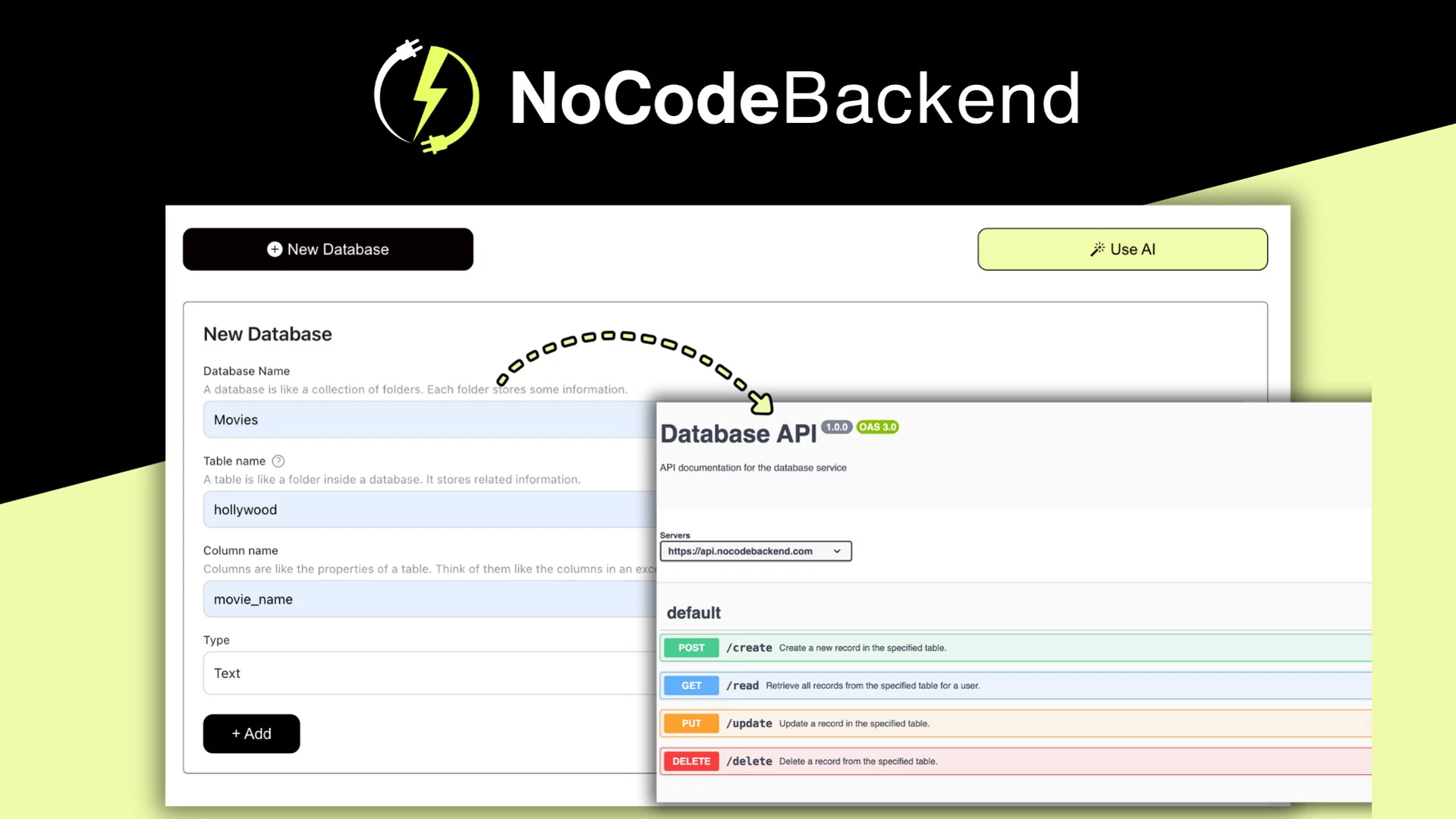
NoCodeBackend solves this problem. It’s an automatic backend platform that integrates with AI coding tools (via MCP server). As you build your app in Cursor or similar tools, NoCodeBackend automatically creates and manages your database schema, generates REST APIs, handles user authentication, and configures row-level security policies – all without you writing any backend code.
I tested NoCodeBackend for five weeks building two applications: a customer feedback tool and a team task manager. As a developer who has spent countless hours setting up Postgres databases, writing migration scripts, and debugging RLS policies, I was skeptical that an automatic backend could handle real-world complexity.
The product launched on AppSumo in late 2024 and has 120 reviews averaging 4.79/5 (106 five-taco, 8 four-taco, 3 three-taco, 1 two-taco, 2 one-taco). Users praise the time savings and automatic schema management.
NoCodeBackend offers five lifetime tiers based on database count and features: Tier 1 ($79) for 3 databases, no webhooks, no AI; Plan 2 ($169) for 15 databases, 15 AI calls, 1 webhook; Plan 3 ($369) for 50 databases, 50 AI calls, 5 webhooks, custom domain, 3 users; Plan 4 ($549) for 100 databases, 100 AI calls, 50 webhooks, 10 users; Plan 5 ($699) for 250 databases, 250 AI calls, unlimited webhooks, 20 users.
After five weeks of testing, I can say: NoCodeBackend is a game-changer for rapid app development. The automatic schema evolution (no manual migrations) alone saved me 10+ hours. The built-in authentication and RLS policies are production-ready. It’s not a full replacement for custom backend logic (you’ll still need edge functions or serverless for complex workflows), but for CRUD apps, it’s incredibly powerful. Let me walk you through exactly what I discovered.
Key Features of NoCodeBackend
1. Automatic Database Schema Creation & Evolution (No Migrations)
The core of NoCodeBackend is its ability to automatically create and evolve your database schema. You define your data models (tables and columns) through a simple UI or via AI prompts, and NoCodeBackend creates the actual database tables – no SQL required. When you need to add a column or change a data type, you update the schema in the UI, and NoCodeBackend handles the migration automatically.
During testing, I built a customer feedback app with tables for users, feedback, categories, and comments. I defined the schema in about 15 minutes using the visual editor. When I realized I needed a “status” column (pending, reviewed, archived), I added it in 30 seconds. NoCodeBackend automatically generated the ALTER TABLE migration and applied it without downtime. No manual SQL scripts, no migration files, no headaches.
The “no migration headaches” promise is real. I’ve spent hours writing and testing migration scripts for production databases. With NoCodeBackend, schema changes are instant and safe. The platform uses a migration engine that applies changes without locking tables or dropping data.
For the task manager app, I started with a simple schema (users, tasks, projects). Over 3 weeks, I iterated based on feedback – adding a “priority” column, splitting “tasks” into “tasks” and “subtasks”, renaming columns. Each change was a few clicks. The database evolved with my app, not against it.
The AI-assisted schema generation (Plans 2-5) is impressive. I typed: “Create tables for users (name, email, password), projects (name, description, owner_id), and tasks (title, status, due_date, project_id, assigned_to).” NoCodeBackend generated the complete schema with correct foreign keys and appropriate data types in 10 seconds. This saved me about 30 minutes of manual setup.
2. Auto-Generated REST APIs with Built-In Documentation
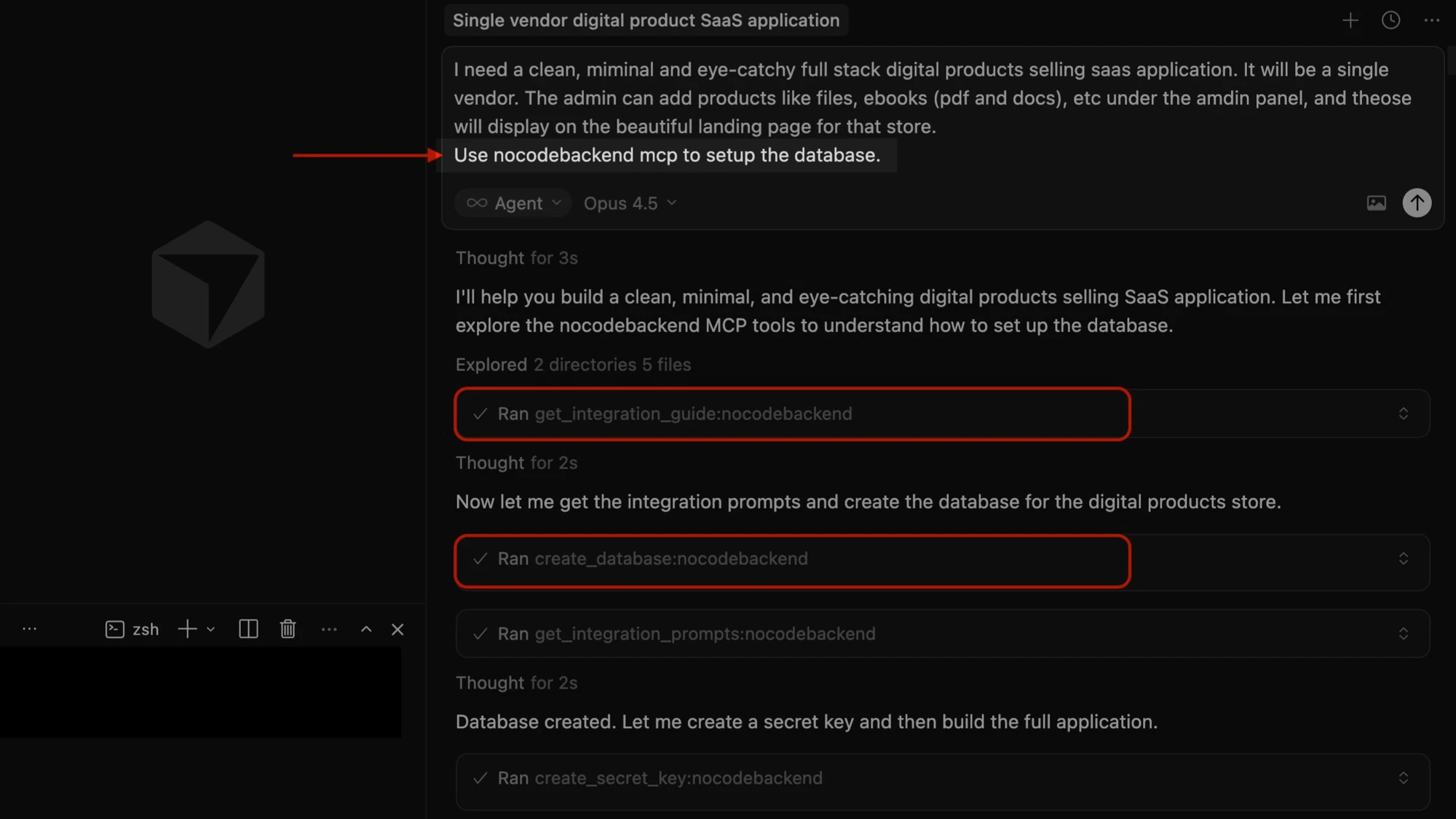
Once you define your schema, NoCodeBackend automatically generates a complete REST API for each table. Standard CRUD endpoints (GET, POST, PUT, DELETE) are available immediately, with filtering, sorting, pagination, and field selection.
For the feedback app, the generated API endpoints included:
- GET /api/feedback – list all feedback (with filters like ?status=pending)
- POST /api/feedback – create new feedback
- GET /api/feedback/{id} – get single feedback
- PUT /api/feedback/{id} – update feedback
- DELETE /api/feedback/{id} – delete feedback
The API documentation is auto-generated and accessible via a /docs endpoint. It includes example requests and responses, parameter descriptions, and authentication requirements. I shared the docs with my frontend developer (who was building the React app), and they had everything they needed without me writing a single line of API documentation.
Performance was solid. Response times for typical CRUD operations were 50-150ms. The API handles pagination efficiently – I tested with 10,000 records, and pages loaded in 200-300ms.
Custom API logic (beyond CRUD) requires webhooks (Plans 2-5) or upcoming serverless functions. For example, when feedback is submitted, I wanted to send a notification email. I used a webhook to trigger a Make.com automation. This worked, but if you need complex backend logic, you’ll need to integrate external services or wait for the edge functions feature (on roadmap).
3. Built-In Authentication & Automatic Row-Level Security (RLS)
Authentication is one of the most tedious backend tasks. NoCodeBackend handles it out of the box: user registration, login, password reset, email verification, and session management. The authentication API is ready to use immediately.
I integrated NoCodeBackend’s auth with my React frontend in about 1 hour. The flow: frontend calls /auth/register with email/password → NoCodeBackend creates the user and returns a JWT → frontend includes the JWT in subsequent API requests (Authorization header). That’s it. No password hashing, no JWT secret management, no session storage.
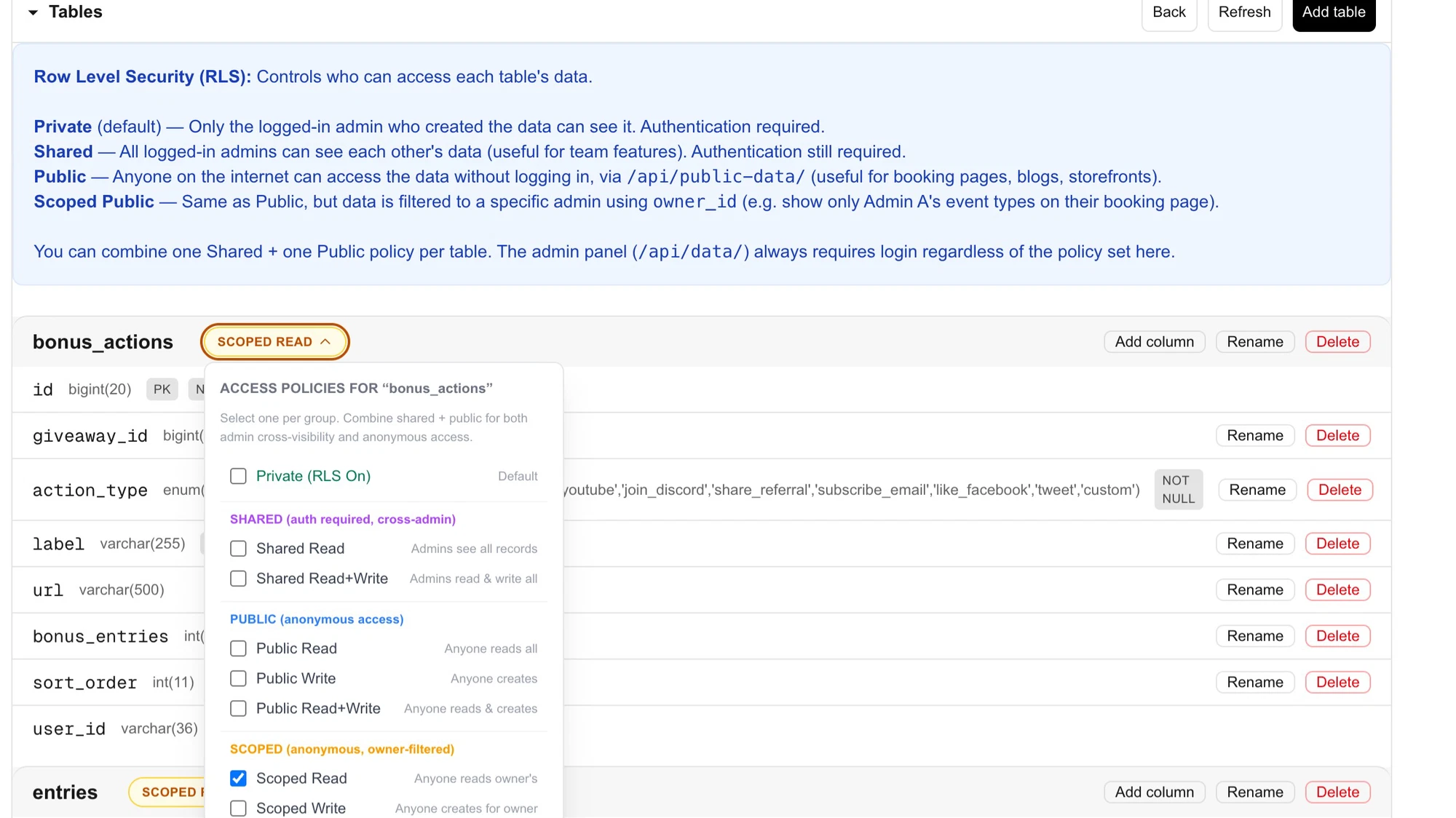
Row-level security (RLS) is automatically configured based on your table settings. For each table, you can set who can read, create, update, or delete records: public (anyone), authenticated users, specific user roles, or owner-only.
For the task manager app, I configured:
- Users table: users can read/update only their own record
- Projects table: authenticated users can read all projects, but only owners can update/delete
- Tasks table: assigned users can read/update, project owners can read all
NoCodeBackend automatically generated the RLS policies for each table. I didn’t write a single line of SQL or policy configuration. The security is enforced at the database level, so even if someone bypasses the API, the data is protected.
Custom domain for branded password reset emails is configurable via SMTP settings. I set up my own SMTP provider in 2 minutes (entering server, port, credentials). Password reset emails came from my domain, not @nocodebackend.com.
4. Scoped Secret Keys & Table-Level Permissions (Granular Security)
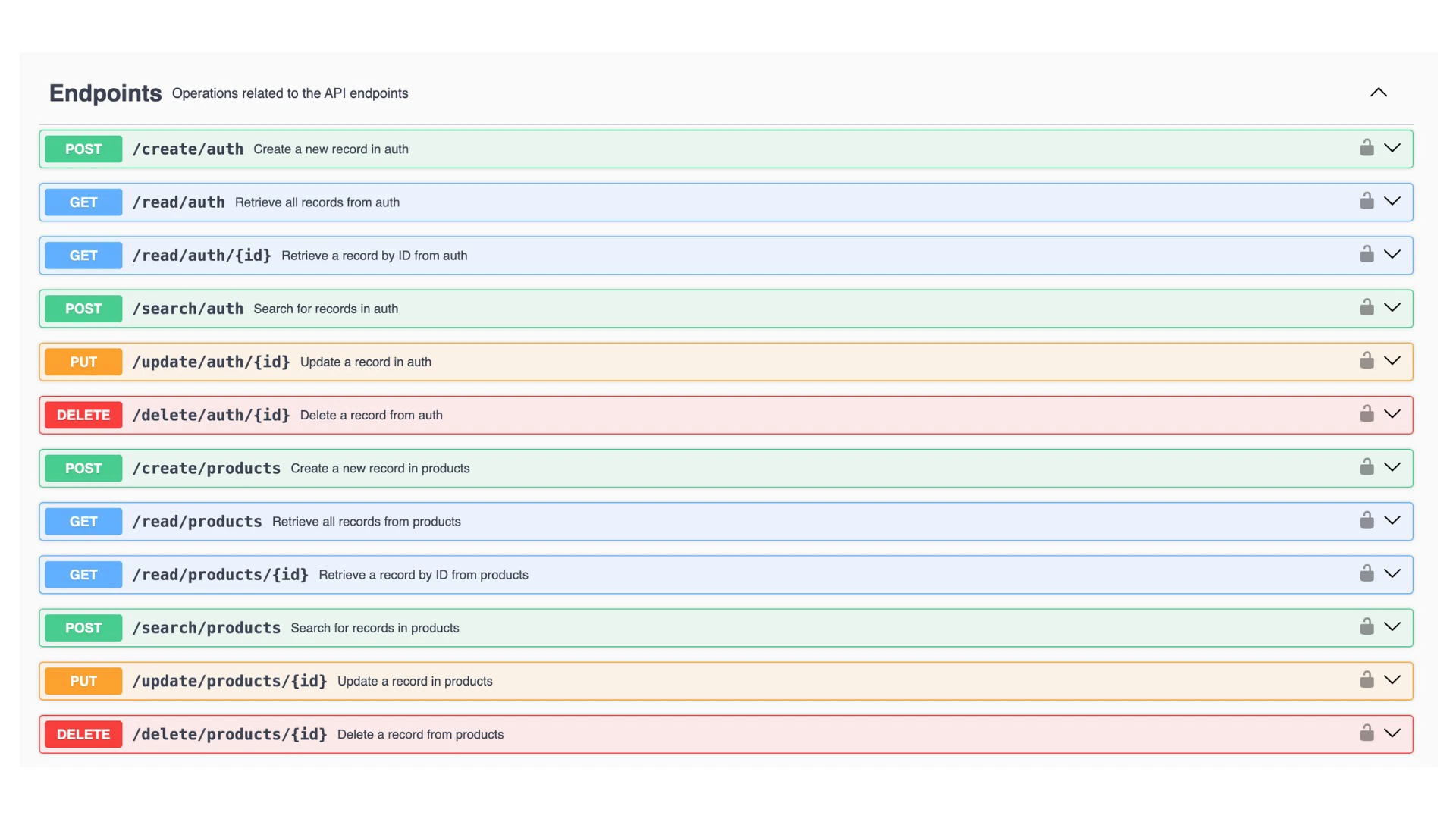
NoCodeBackend’s secret key system is surprisingly sophisticated. You can generate multiple API keys with different scopes and table-level permissions. This is critical for production apps where different services need different access levels.
For the feedback app, I created three keys:
- Public key (read-only): Used by the frontend to display feedback without authentication (scope: read on feedback table only)
- Admin key (full access): Used by my internal dashboard (scope: all operations on all tables)
- Webhook key (write-only): Used by an external automation service to submit feedback (scope: write on feedback table)
I also locked each key to approved domains (e.g., my frontend domain for the public key). This blocks unauthorized use if a key is leaked – an attacker couldn’t use it from a different domain. This security layer is not common in backend-as-a-service platforms.
The table-level permissions go beyond simple read/write: you can grant read, write, update, delete, or all permissions per table, per key. For the webhook key, I granted only “write” on the feedback table – it couldn’t read existing feedback or delete anything. This follows the principle of least privilege.
5. Webhooks & Automation (Plans 2+)
NoCodeBackend supports webhooks for triggering external automations. When a database event occurs (record created, updated, deleted), NoCodeBackend sends an HTTP request to a URL of your choice – with the event data.
I set up a webhook to send a Slack notification when new feedback is submitted (Plan 4 gave me 50 webhooks, plenty for my needs). The webhook fired within 2 seconds of the record being created. I also used webhooks to sync data to n8n (an automation platform) for complex processing.
Webhooks are configurable per table and per operation (create, update, delete). You can send the full record or just the ID. Retry logic is built-in (3 retries with exponential backoff).
The founder announced in November 2025 that webhooks were live, and Edge Functions (serverless functions) are coming next. Edge Functions will allow you to run custom backend code within NoCodeBackend itself – eliminating the need for external services for many automation scenarios.
My Honest NoCodeBackend Review: Testing Experience
I tested NoCodeBackend for five weeks building two applications:
- Customer feedback app: Users submit feedback, admins review and respond. Tables: users, feedback, categories, comments.
- Team task manager: Projects, tasks, assignments, due dates. Tables: users, projects, tasks, subtasks.
What exceeded expectations: The automatic schema evolution was the biggest time-saver. I made 15+ schema changes across both apps during development (adding columns, changing data types, renaming tables). Each change took 30-60 seconds in the UI, and NoCodeBackend handled the migrations automatically. No downtime, no data loss, no manual SQL scripts. Compared to traditional migration systems (which can take 30-60 minutes per change with testing), this saved me 10+ hours of work.
Authentication was surprisingly easy. I integrated NoCodeBackend’s auth with React in about 1 hour, including signup, login, protected routes, and JWT refresh. The built-in password reset flow worked out of the box – I just configured SMTP for branded emails. No need to implement forgot-password logic, email sending, or token expiration handling.
The RLS policies were automatically correct. I didn’t have to write or debug any security policies. When I tested the API with different user accounts and API keys, the data access restrictions worked exactly as I configured in the UI. For a security-critical app, this eliminates a major source of vulnerabilities.
The scoped secret keys with domain whitelisting gave me confidence that even if a key leaked, the damage would be limited. I accidentally committed a read-only key to a public GitHub repo once – but because it was domain-locked to my frontend domain, it was useless to anyone else. This saved me from a key rotation emergency.
What worked as expected: API performance was solid. CRUD operations averaged 50-150ms. Pagination worked as documented. The API docs were clear and accurate.
The visual schema editor is intuitive. I could see all tables, columns, data types, and foreign keys at a glance. Adding a new table took about 2 minutes.
The AI schema generation (Plan 2+) was accurate and fast. It understood relationships (foreign keys) and appropriate data types. I used it as a starting point for most new tables, saving 10-15 minutes per table.
What disappointed me: The pricing tiers have steep jumps. Tier 1 ($79) is very limited: only 3 databases, no webhooks, no AI. For a production app with separate databases for dev/staging/prod, 3 databases is restrictive. Plan 2 ($169) is more reasonable (15 databases) but doubles the price. The best value is Plan 3 ($369) with 50 databases, 50 AI calls, 5 webhooks, custom domain, and team users – but it’s a significant investment.
Webhooks are powerful but limited on lower plans (Plan 2 has only 1 webhook, Plan 3 has 5). For apps with multiple automation triggers (e.g., new user signup, feedback submitted, task completed), 5 webhooks may be insufficient. Plan 4 ($549) includes 50 webhooks, but that’s a big step up in price.
The AI schema generation is good but not perfect. It occasionally suggested incorrect foreign keys or data types (e.g., using VARCHAR for a foreign key instead of INTEGER). I always reviewed the generated schema before applying it.
NoCodeBackend is a managed service – you can’t self-host or export your database (though you can export data via API). For developers who need full control or want to avoid vendor lock-in, this is a concern. The company has been responsive and growing, but it’s still a startup.
Edge Functions (serverless functions) are not yet available, though they are on the roadmap. For any backend logic beyond basic CRUD (e.g., complex validation, integrating with third-party APIs, sending emails), you currently need to use webhooks to external services (Make, Zapier, n8n) or run your own server. This adds complexity and cost.
The documentation, while auto-generated for APIs, lacks deep tutorials or best practices for common patterns (e.g., implementing soft deletes, versioning APIs). The knowledge base is growing but not yet comprehensive.
The unexpected win: The “secret key scopes” feature was more useful than I expected. I set up separate keys for development, staging, and production environments, each with different permissions. The staging key had write access to a staging database; the production key had more restricted permissions. This made environment separation clean and secure.
Overall, NoCodeBackend saved me about 15-20 hours of backend development time across both apps. The $79 Tier 1 was great for prototyping, but I upgraded to Plan 3 ($369) for production features (webhooks, custom domain, team users). For a solo developer or small team, the time savings easily justify the cost.
Who Should Use NoCodeBackend?
Based on my testing, NoCodeBackend serves specific developer audiences exceptionally well.
Best for: Solo developers and small teams using AI coding tools (Cursor, Lovable, Replit) who want to ship full-stack apps faster. Freelancers building MVPs for clients – the rapid backend setup cuts project timelines. Startup founders validating ideas quickly without hiring a backend engineer. Developers tired of writing migrations and configuring auth. Anyone building CRUD-heavy applications (internal tools, admin panels, simple B2B apps).
Not for: Developers who need to self-host or avoid vendor lock-in. Applications requiring complex backend logic beyond CRUD (until Edge Functions launch). Teams that need >20 team members (Plan 5 max is 20 users). Extremely high-volume applications (millions of requests) – scale with NoCodeBackend is untested at that level. Developers who prefer writing raw SQL and full control over their database.
In my experience, NoCodeBackend delivers the best ROI for solo developers and small teams building CRUD apps who want to ship in days instead of weeks. The automatic migrations and built-in auth are the standout features.
NoCodeBackend vs Competitors
The backend-as-a-service space has several options. Here’s how NoCodeBackend compares to alternatives I’ve used:
| Platform | Pricing (Annual) | Automatic Migrations | Built-in Auth | Auto RLS | API Generation | Self-Host | Starting Price (lifetime/mo) |
|---|---|---|---|---|---|---|---|
| NoCodeBackend | $79-699 lifetime | ✓ (automatic) | ✓ (JWT, password reset) | ✓ (automatic) | ✓ (REST, auto-docs) | ✗ | $79 one-time |
| Supabase | $300-1,200+ | Manual (migrations) | ✓ (built-in) | Manual (SQL policies) | ✓ (PostgREST) | ✓ (open source) | $25/month |
| Backendless | $300-1,500 | Manual | ✓ | Manual (roles) | ✓ | ✗ | $25/month |
| Manual (PostgreSQL + Express) | Server costs + dev time | Manual (migration tools) | Manual (Passport, etc.) | Manual (SQL policies) | Manual (Express routes) | ✓ | $0 + time |
NoCodeBackend’s main advantages are automatic migrations, auto RLS, and lifetime pricing. Supabase is more powerful and open-source but requires manual migrations and RLS policy writing. Backendless is similar but more expensive. Manual development gives full control but takes significantly more time.
For developers prioritizing speed and low upfront cost, NoCodeBackend is compelling. For teams needing open-source or self-hosting, Supabase is better.
What Users Are Saying About NoCodeBackend
NoCodeBackend has 120 reviews on AppSumo with a strong 4.79/5 average (106 five-taco, 8 four-taco, 3 three-taco, 1 two-taco, 2 one-taco).
Positive themes (5-star reviews): Users praise the time savings and automatic migrations. One reviewer wrote: “I built a production app in 3 days using Cursor + NoCodeBackend. The backend was ready in 2 hours. No migrations, no auth headaches. This is the future.” Another noted: “The automatic RLS policies saved me from a security disaster. I don’t trust myself to write correct policies – NoCodeBackend handles it perfectly.”
Several users highlighted the value for agencies: “We build MVPs for clients. NoCodeBackend cuts our backend development time by 70%. The $79 Tier 1 is great for prototyping, but we use Plan 3 for production.”
Critical feedback (1-2 star reviews): The few negative reviews focus on tier limitations and vendor lock-in. A one-taco reviewer wrote: “3 databases on Tier 1 is too restrictive. You need at least 3 for dev/staging/prod, leaving no room for experimentation.” Another noted: “You can’t self-host. If NoCodeBackend goes out of business, your data is stuck. This is a risk for serious applications.”
A two-taco reviewer said: “Webhook limits are too low on lower plans. Plan 2 has only 1 webhook – unusable for any real automation.”
The consensus: NoCodeBackend is loved for its speed and automatic features. The main criticisms are tier limitations (especially on Tier 1) and lack of self-hosting. For MVPs and small production apps, users are delighted. For enterprise or mission-critical apps, some want more control.
NoCodeBackend Review: FAQ
Can I use NoCodeBackend with my existing database?
No. NoCodeBackend manages the entire database for you – you cannot connect an existing database. You define your schema within NoCodeBackend, and it creates a new database. For migrating from an existing app, you would need to export your data and import it via the API. This is a limitation if you have an established database you want to keep.
Does NoCodeBackend support relationships (foreign keys)?
Yes. When defining tables, you can create relationships between tables (one-to-many, many-to-many). NoCodeBackend automatically creates foreign keys in the database. The generated APIs also support nested queries (e.g., GET /users/1/tasks to get all tasks for a user). The relationship editor is visual – select the related table and the foreign key column.
What happens if I exceed my plan’s database limit?
You can upgrade to a higher tier at any time. The upgrade is prorated (you pay the difference). You cannot downgrade below the number of databases you have created. The founder recommends starting with a lower tier for prototyping, then upgrading before moving to production. Tier 1’s 3-database limit is fine for testing but small for production (you’ll likely want separate databases for dev, staging, and prod).
Is NoCodeBackend GDPR compliant? Where is data stored?
NoCodeBackend is hosted on AWS (US East region). The company is working on GDPR compliance and EU data residency options (on roadmap). For European customers, check with support before storing personal data. The product includes data export via API, so you can retrieve your data at any time. Security features include encryption at rest and in transit, domain whitelisting, and scoped API keys.
Can I use NoCodeBackend for a mobile app (iOS/Android)?
Yes. The REST API is platform-agnostic. You can call it from any HTTP client – React Native, Flutter, Swift, Kotlin, etc. Authentication works the same (JWT tokens). For mobile apps, you’ll want to store the JWT securely (e.g., in secure storage, not local storage). NoCodeBackend doesn’t provide mobile SDKs, but the API is simple enough to integrate directly.
Ready to stop writing migrations and start shipping apps? NoCodeBackend won’t replace custom backend logic for complex applications. But for the 80% of apps that are CRUD-heavy, it’s transformative. The automatic schema evolution and built-in auth saved me 15-20 hours of development time. The $79 Tier 1 is a no-brainer for prototyping. For production apps, Plan 3 ($369) with webhooks, custom domain, and team users is the sweet spot. With a 4.79/5 rating from 120 users, it’s one of the most effective developer tools on AppSumo.