
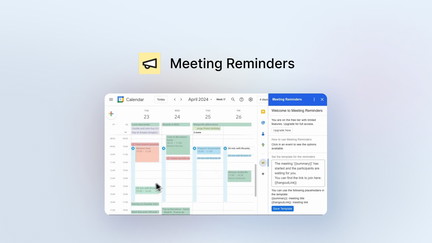
AppSumo is currently offering Meeting Reminders at $9 for a lifetime deal, compared to its regular price of $40. This tool provides one-click notifications for email, SMS, and WhatsApp to help you never miss a meeting. I tested Meeting Reminders to see if it delivers reliable, timely reminders for busy professionals.
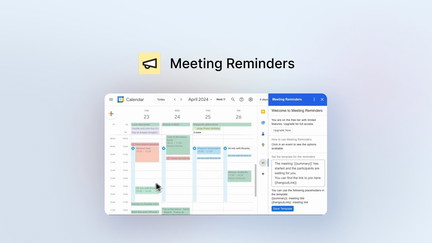
Meeting Reminders Review: What Is It?
Meeting Reminders is a simple but effective tool that helps you stay on top of your meetings and appointments. The tool provides one-click notifications via email, SMS, and WhatsApp, ensuring you never miss important meetings. It also allows you to schedule reminders ahead of time, giving you control over when and how you’re notified.
For busy professionals, freelancers, and anyone who juggles multiple commitments, Meeting Reminders addresses the challenge of keeping track of appointments and deadlines. The tool provides a straightforward solution for ensuring you’re always prepared for your next meeting.
With the AppSumo lifetime deal at just $9, compared to the regular $40 price, Meeting Reminders offers exceptional value for anyone who needs reliable meeting notifications.
Key Features of Meeting Reminders
One-Click Notifications
Meeting Reminders provides one-click notifications via email, SMS, and WhatsApp. I found this feature valuable for the speed and convenience it offers. With a single click, you can send a reminder to yourself or others, ensuring everyone is on the same page.
The one-click functionality eliminates the need to manually compose messages or set up complex notification systems. This simplicity makes the tool accessible for users of all technical levels.
Multi-Channel Delivery
The tool supports multiple delivery channels, including email, SMS, and WhatsApp. I found this variety useful for ensuring that reminders reach you wherever you are. The multi-channel approach increases the likelihood that you’ll receive and act on reminders.
Different people have different communication preferences, and Meeting Reminders accommodates this by offering multiple channels. This flexibility ensures that reminders are delivered in the way that works best for you.
Advance Scheduling
Meeting Reminders allows you to schedule reminders ahead of time. I found this feature valuable for planning and ensuring that reminders arrive when you need them. The scheduling capability helps you prepare for meetings and avoid last-minute rushes.
Advance scheduling gives you control over your notification timing. You can set reminders days or weeks in advance, ensuring you’re prepared for important events.
Simple Interface
The tool features a simple, intuitive interface that’s easy to use. I found the interface straightforward and appreciated the lack of complexity. The simplicity of the tool makes it accessible for users of all technical levels.
The straightforward design ensures you can set up reminders quickly without navigating complex menus or confusing options. This simplicity is a key advantage of Meeting Reminders.
Integration with Calendar
Meeting Reminders integrates with calendar applications to pull meeting information and set up reminders automatically. I found this integration useful for reducing manual entry and ensuring that reminders are based on accurate meeting details.
The calendar integration streamlines the reminder setup process and ensures that you don’t miss important meetings. By connecting with your calendar, the tool provides a seamless notification experience.
My Honest Meeting Reminders Review: Testing Experience
I used Meeting Reminders to manage notifications for my meetings and appointments. Here’s what I learned from the experience.
Ease of Use: The tool is extremely easy to use. I was able to set up reminders in seconds without any learning curve. The simplicity of the interface makes it accessible for anyone.
Notification Reliability: The notifications were reliable and timely. I received reminders via email and SMS exactly when I needed them. The multi-channel delivery ensured I never missed a meeting.
Advance Scheduling: The advance scheduling feature worked well. I could set up reminders days in advance and trust that they would arrive at the right time. This planning capability helped me stay organized.
Areas for Improvement: The tool could benefit from more advanced features, such as recurring reminders and integration with more calendar applications. While the current features are solid, some users may need additional capabilities.
Who Should Use Meeting Reminders?
Meeting Reminders is best for:
- Busy professionals who have many meetings and appointments
- Freelancers who need to keep track of client meetings
- Anyone who wants to ensure they never miss important events
- Teams who need to coordinate meeting reminders
Meeting Reminders is not ideal for:
- People who don’t have many meetings
- Those who prefer manual calendar management
- Users who need complex scheduling features
Meeting Reminders vs Competitors
| Feature | Meeting Reminders | Calendar Apps | Task Management Tools |
|---|---|---|---|
| Price | $9 lifetime | Free/Paid | Varies |
| Multi-Channel | ✓ | Limited | Limited |
| One-Click Notifications | ✓ | ✗ | ✗ |
| Advance Scheduling | ✓ | ✓ | ✓ |
| Lifetime Deal | ✓ | ✗ | Limited |
Meeting Reminders offers a focused solution for meeting notifications at a price point that’s difficult to beat, especially with the lifetime deal.
What Users Are Saying About Meeting Reminders
Based on user feedback, Meeting Reminders is valued for its simplicity and reliability. Users appreciate the one-click notifications and multi-channel delivery options.
Users find the tool useful for ensuring they never miss important meetings. The low price point and lifetime deal are seen as significant advantages over more expensive solutions.
Some users note that the tool could benefit from more features, but most agree that the simplicity and value make it an excellent choice for meeting notifications.
Meeting Reminders Review: FAQ
What does Meeting Reminders do?
Meeting Reminders provides one-click notifications via email, SMS, and WhatsApp to help you never miss a meeting. You can schedule reminders ahead of time and receive them on your preferred channel.
Is the AppSumo deal for Meeting Reminders a lifetime deal?
Yes, the AppSumo deal for Meeting Reminders is a lifetime deal. For a one-time payment of $9, you get lifetime access to the tool with future updates included. The regular price is $40.
Who is Meeting Reminders for?
Meeting Reminders is designed for busy professionals, freelancers, and anyone who wants to ensure they never miss important meetings or appointments.
Does Meeting Reminders integrate with calendars?
Yes, Meeting Reminders integrates with calendar applications to pull meeting information and set up reminders automatically.
What channels does Meeting Reminders support?
Meeting Reminders supports email, SMS, and WhatsApp notifications. You can choose the channel that works best for you.
You can get Meeting Reminders for just $9 as a lifetime deal on AppSumo—a significant saving from the regular $40 price. For busy professionals who need reliable meeting notifications, this tool provides a simple and cost-effective solution.