
Lapis Review: What Is It?
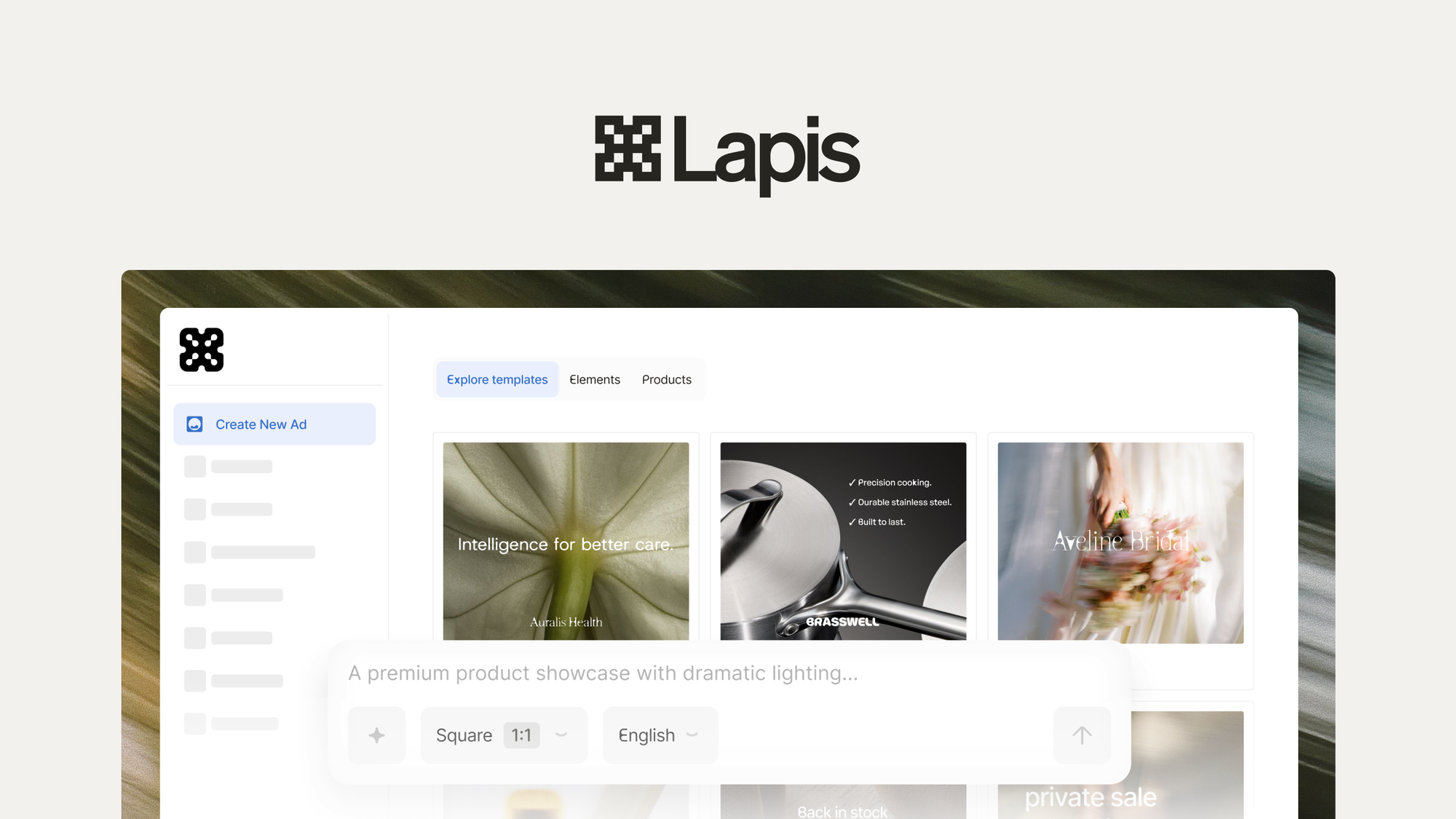
In this Lapis review, I’m sharing my experience with this innovative AI-powered ad creation platform that turns your brand assets into on-brand creatives for Meta, Google, LinkedIn, and more. Lapis lets you upload your logo, colors, and reference images, then generate designer-quality ads in seconds using plain English prompts. This Lapis review will help you determine if it’s the right ad creation solution for your business.
I tested Lapis for several weeks, creating ad campaigns for multiple platforms and refining creatives with natural language. What I discovered was a tool that makes ad creation accessible to non-designers while keeping your brand consistent. If you’re looking for a Lapis review that covers features, real-world testing, and honest pros and cons, you’ve come to the right place.
Key Features of Lapis
1. Brand Asset Training
Lapis learns your visual identity and voice by uploading your logo, colors, and reference images. During my Lapis review, I was impressed by how accurately the platform captured my brand’s look and feel. The result was ads that genuinely looked like they came from my brand, not generic AI-generated content.
2. Curated Templates
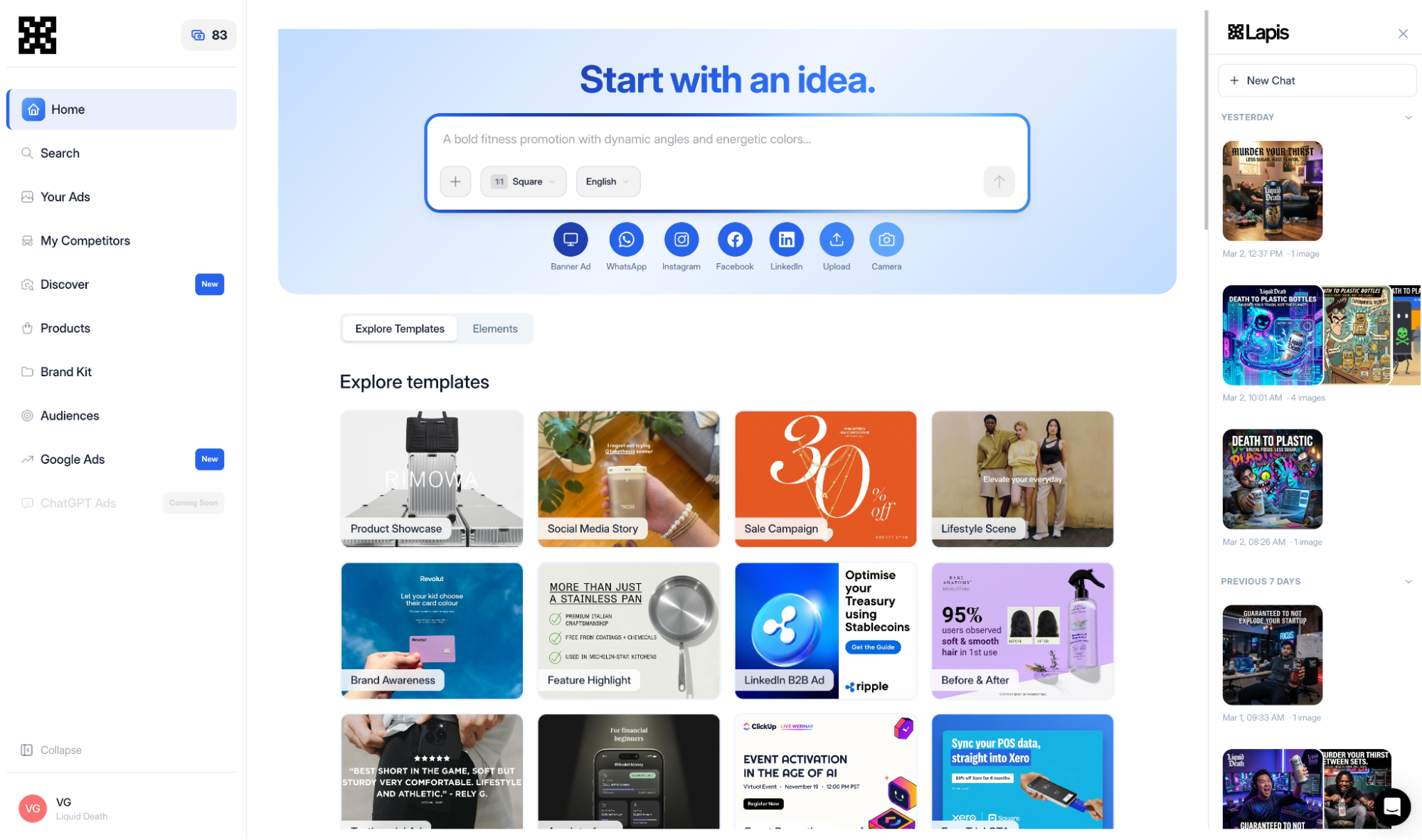
Choose from curated templates for product launches, sales, seasonal campaigns, and more. In my Lapis review, the templates provided a great starting point—I could generate professional ads without starting from scratch.
3. Campaign Studio
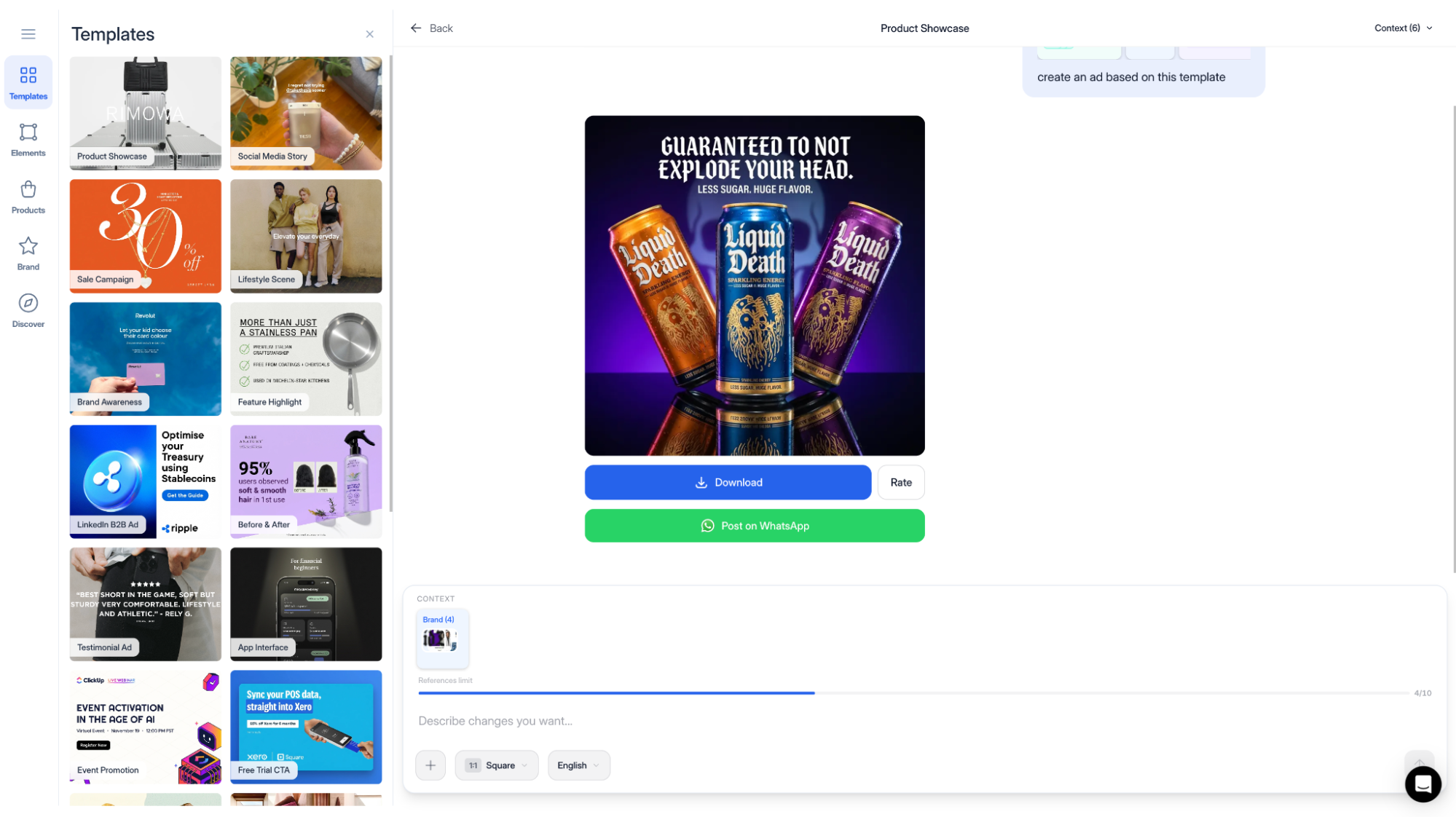
Refine any ad using plain English in Campaign Studio—just describe what you want changed. This feature was a standout in my Lapis review. Instead of wrestling with design tools, I could say “make the headline bigger” or “change the background to blue” and Lapis would update the ad instantly.
4. Multiple Variants
Generate multiple variants with different hooks, styles, and layouts while keeping your brand intact. This feature was particularly useful in my Lapis review for A/B testing different creative approaches without starting from scratch each time.
5. Multi-Language Support
Localize creatives into 15+ languages to reach new markets without starting from scratch. This global reach was a major advantage in my Lapis review for businesses expanding internationally.
6. Product Catalog Integration
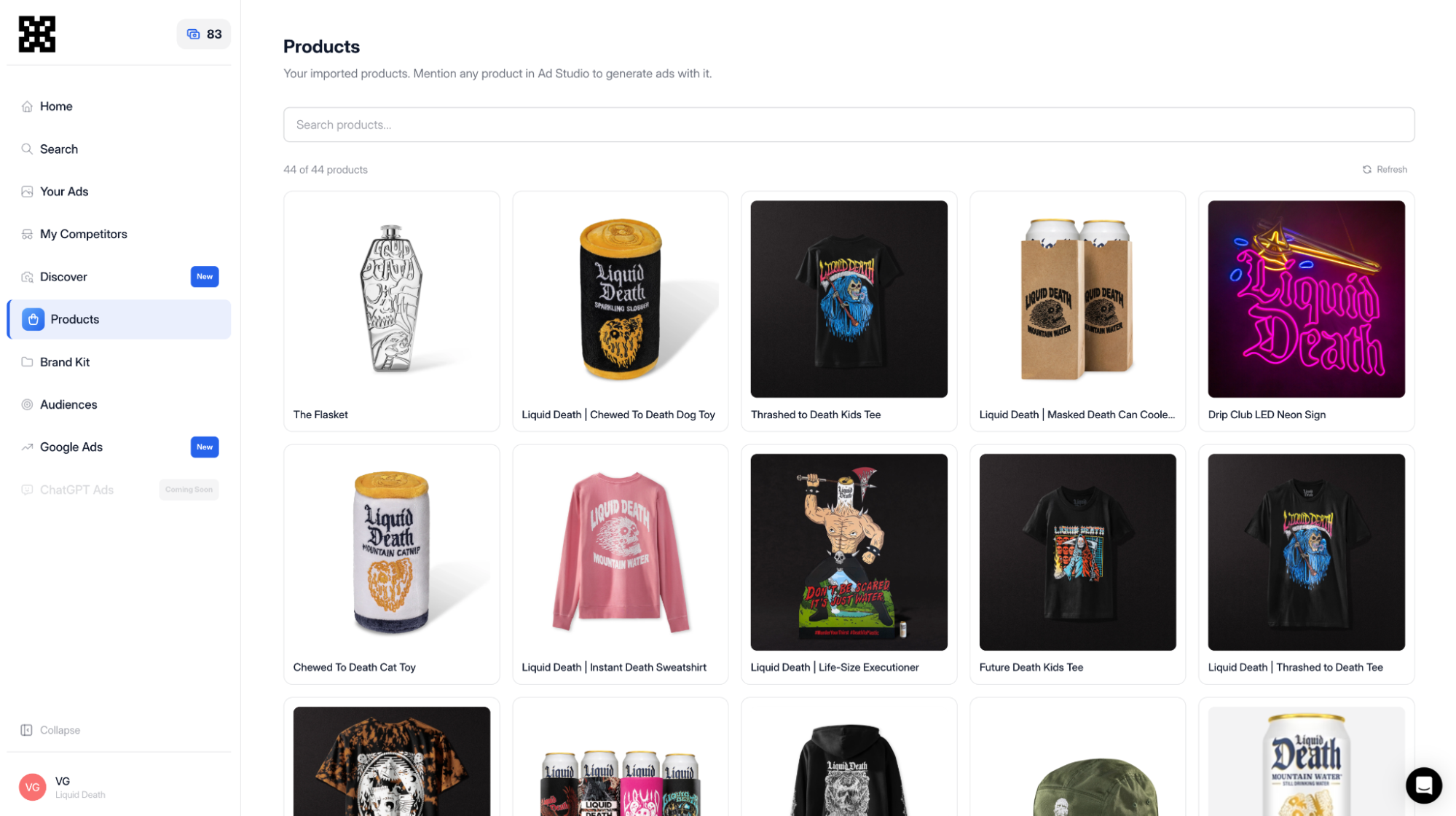
Import your product catalog from Shopify, Amazon, or any URL in minutes. Mention any product with @product-name in your prompt for Lapis to automatically pull in the right images and details. Keep your catalog synced so every new ad reflects your latest products.
7. Platform-Specific Exports
Export correctly sized creatives for different platforms with one click. No more resizing manually for each ad platform—Lapis handles the dimensions for you.
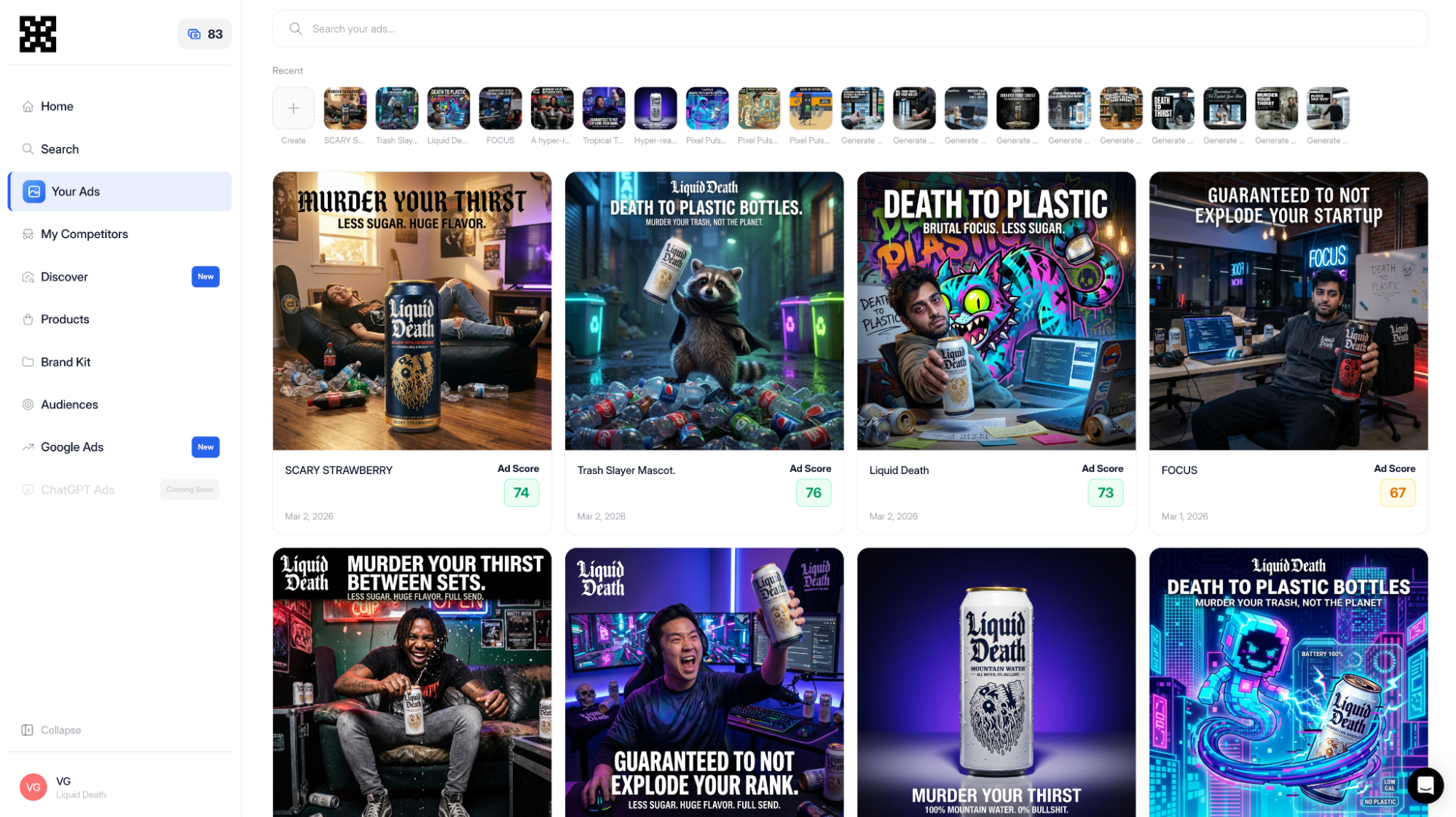
8. Ad Management Dashboard
View every ad you’ve generated on one dashboard, ready to download or share. Browse previous campaigns and spin up new variations from any ad you’ve already made.
My Honest Lapis Review: Testing Experience
I spent several weeks thoroughly testing Lapis to provide you with this comprehensive Lapis review. My testing covered everything from brand setup to ad generation and campaign management.
Setting Up My Brand
I started my Lapis review by uploading my logo, brand colors, and reference images. The platform quickly learned my visual identity. I was impressed by how accurately it replicated my brand’s style—the colors were spot-on, and the overall aesthetic matched my existing marketing materials.
Creating My First Ad
I generated an ad for a product launch using a template. The process was simple—I selected a template, added my copy, and Lapis generated a professional ad in seconds. In my Lapis review, the quality was surprisingly good for an AI-generated creative.
Refining with Campaign Studio
I used Campaign Studio to refine the ad. I typed “make the background lighter” and “move the logo to the top right,” and Lapis updated the ad instantly. This natural language editing was a game-changer in my Lapis review—it eliminated the need for design tools or back-and-forth with designers.
Product Catalog Syncing
I imported a product catalog from a Shopify store. Lapis pulled in product images and details automatically. I could mention specific products with @product-name in my prompts, and Lapis would use the correct images and information. This feature was particularly valuable for e-commerce businesses.
Exporting for Platforms
I exported ads for Facebook, Instagram, LinkedIn, and Google with one click. The platform automatically resized each creative to the correct dimensions for each platform. This saved hours of manual resizing work.
Who Should Use Lapis?
Lapis is ideal for marketers, e-commerce businesses, agencies, and anyone who needs to create ads quickly without design skills. During my Lapis review, I found it particularly valuable for businesses running ads across multiple platforms who need consistent, on-brand creatives.
If you’re tired of waiting on designers or struggling with inconsistent ad creatives, Lapis offers a fast, consistent alternative. It’s also excellent for agencies managing ad campaigns for multiple clients.
Lapis vs Competitors
| Feature | Lapis | Canva | AdCreative.ai |
|---|---|---|---|
| Pricing (Starter) | $99 lifetime | $12.99/month | $29/month |
| Brand Training | ✓ | Limited | ✓ |
| Natural Language Editing | ✓ | ✗ | Limited |
| Multi-Platform Export | ✓ | ✓ | ✓ |
| Product Catalog Integration | ✓ | ✗ | ✗ |
| Multi-Language Support | 15+ languages | Limited | Limited |
| Ad Credits/Month (Plan 1) | 20 | N/A | 10 |
| Templates | ✓ | ✓ | ✓ |
| Lifetime Access | ✓ | ✗ | ✗ |
What Users Are Saying About Lapis
User reviews for Lapis are mixed but generally positive. With an average rating of 3.86 out of 5 from 7 reviews, the platform shows promise but has room for improvement. Many users praise the ability to create on-brand ads quickly.
Several users highlight the Campaign Studio’s natural language editing as a standout feature, noting how it eliminates the need for design tools. The product catalog integration receives positive feedback for e-commerce businesses.
However, some users have reported issues with ad quality consistency and the credit system. The 3.86/5 rating reflects that while the platform has potential, it’s still evolving and may not yet meet all users’ expectations.
Lapis Review: FAQ
What is Lapis and how does it work?
Lapis is an AI-powered ad creation platform that turns your brand assets into on-brand creatives for Meta, Google, LinkedIn, and more. Upload your logo, colors, and reference images, then generate ads using plain English prompts. You can refine any ad with natural language editing and export correctly sized creatives for different platforms.
What platforms does Lapis support for ad creation?
Lapis supports Facebook, Instagram, WhatsApp, LinkedIn, and Google ads. You can export correctly sized creatives for each platform with one click. Higher tiers also include Google ads support.
Can Lapis generate ads in multiple languages?
Yes, Lapis can localize creatives into 15+ languages. This allows you to reach new markets without starting from scratch, making it ideal for international campaigns.
How does the product catalog integration work?
You can import your product catalog from Shopify, Amazon, or any URL in minutes. Mention any product with @product-name in your prompt for Lapis to automatically pull in the right images and details. The catalog stays synced so every new ad reflects your latest products.
What are ad credits and how many do I get?
Ad credits are used to generate creatives in Lapis. Plan 1 includes 20 ad credits per month. Plan 2 includes 40 credits, and Plan 3 includes 100 credits. You can also purchase top-up credits at a discount.
After this comprehensive Lapis review, I can recommend this platform to marketers and businesses looking for fast, on-brand ad creation. The $99 lifetime deal for Tier 1 offers good value—especially with the natural language editing and product catalog integration.
Lapis’ combination of brand training, Campaign Studio, multi-platform export, and product catalog syncing makes it a useful tool for ad creation. While the 3.86/5 rating suggests some room for improvement, the platform shows significant potential.
I recommend checking out Lapis if you want to create on-brand ads quickly without design skills. The 60-day refund policy gives you plenty of time to test it risk-free and see if it meets your specific needs.