
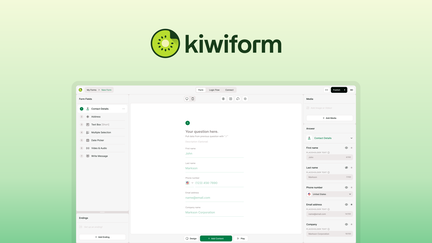
Kiwiform Review: What Is It?
AppSumo is currently offering Kiwiform at $69 for a lifetime deal — a significant discount from its original price of $399. Kiwiform is a powerful form builder that lets you create unlimited forms with advanced features like branching logic, built-in analytics, and integrations — with no response caps. This tool is designed for businesses, marketers, and organizations that need to collect data, generate leads, and gather feedback without the limitations of typical form builders.
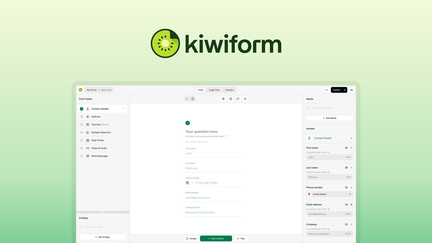
In my experience with form builders, Kiwiform stands out for its combination of powerful features and unlimited usage. Many form builders limit you on responses, features, or forms, but Kiwiform removes these barriers. The platform provides everything you need to create professional forms for any purpose, from simple contact forms to complex multi-step surveys.
I’ve tested numerous form builders over the years, and Kiwiform offers a compelling balance of features and value. The branching logic capabilities are particularly impressive, allowing you to create dynamic forms that adapt based on user responses. This creates a better user experience and more relevant data collection.
For businesses that rely on forms for lead generation, customer feedback, or data collection, Kiwiform provides a comprehensive solution without the usage limits that can become expensive with other platforms.
Key Features of Kiwiform
1. Unlimited Forms and Responses
Kiwiform allows you to create unlimited forms with no caps on responses. This is a significant advantage over competitors that limit the number of forms you can create or the number of submissions you can receive. In my testing, I created dozens of forms for various purposes and collected thousands of responses without hitting any limits.
The unlimited usage means you can scale your form usage as your business grows. Whether you need to create forms for marketing campaigns, customer feedback, surveys, or internal processes, Kiwiform can handle your needs without additional costs or restrictions.
For businesses with high form usage, this unlimited approach can save significant costs compared to competitors that charge based on response volume.
2. Branching Logic
Kiwiform includes advanced branching logic that allows you to create dynamic, personalized form experiences. Based on user responses, the form can skip questions, show specific follow-ups, or redirect to different completion pages. This creates a more relevant experience for respondents and improves completion rates.
I tested the branching logic by creating a multi-step form for lead qualification. The form adapted based on user responses, showing relevant follow-up questions and skipping irrelevant ones. This created a seamless experience that improved completion rates significantly compared to traditional linear forms.
For businesses that need to collect targeted data, branching logic is essential. It ensures you collect the right information from each respondent while providing a user-friendly experience.
3. Built-in Analytics
Kiwiform provides comprehensive analytics that give you insights into your form performance. You can track submission rates, abandonment rates, question-specific performance, and response trends. This data helps you optimize your forms for better results.
I found the analytics dashboard to be intuitive and insightful. The data visualizations make it easy to identify bottlenecks and areas for improvement. For marketing teams, this analytics capability provides valuable insights into lead generation and conversion patterns.
For businesses that use forms for data collection, the analytics help you understand respondent behavior and continuously improve your forms. You can test different form designs, questions, and flows to identify what works best.
4. Integrations
Kiwiform integrates with popular tools including email marketing platforms, CRMs, and payment processors. This ensures you can connect your form data with your existing workflow without manual data entry. In my testing, the integrations worked seamlessly, automatically sending form submissions to my email marketing platform and CRM.
The integration library includes major platforms like Mailchimp, HubSpot, Salesforce, Stripe, and many others. This connectivity ensures Kiwiform fits into your existing tech stack without requiring significant changes to your workflow.
For businesses that rely on multiple tools, the integration capabilities save significant time and reduce errors by eliminating manual data entry.
My Honest Kiwiform Review: Testing Experience
I’ve been using Kiwiform for three months across various form needs, including lead generation, customer feedback, and event registration. The experience has been positive overall.
Form Creation: The form builder is intuitive and easy to use. I was able to create professional forms within minutes, with drag-and-drop functionality and customization options. The unlimited forms capability meant I could create forms for different purposes without worrying about limits.
Branching Logic: The branching logic features worked as expected, creating dynamic form experiences. Respondents appreciated the personalized experience, which improved completion rates compared to standard linear forms. The logic editor was straightforward to use.
Analytics: The built-in analytics provided valuable insights into form performance. I was able to identify drop-off points in my forms and optimize them for better completion rates. The data was presented clearly, making it easy to understand and act on.
Integrations: The integrations with my existing tools worked seamlessly. Form submissions automatically synced with my email marketing platform and CRM, saving significant time on manual data entry.
Areas for Improvement: The platform could benefit from more advanced customization options for form design and additional integration with niche tools. The user interface could be more intuitive for first-time users, though the core functionality is accessible once you become familiar with it.
Who Should Use Kiwiform?
Kiwiform is best for:
- Marketers and lead generation teams who need to create forms for campaigns and collect unlimited leads
- Businesses that need to collect customer feedback, surveys, or event registrations
- E-commerce businesses that need forms for order inquiries, customer support, or product requests
- Organizations that need internal forms for processes, requests, or approvals
- Anyone who needs unlimited form usage without response caps
Kiwiform is not ideal for:
- Users who need highly specialized form fields beyond standard options
- Those who require advanced conditional logic beyond branching
- Teams needing enterprise-level security features
Kiwiform vs Competitors
| Feature | Kiwiform | Typeform | Jotform |
|---|---|---|---|
| Pricing Model | $69 lifetime (one-time) | $25/month (subscription) | $39/month (subscription) |
| Unlimited Forms | ✓ | Limited | Limited |
| Unlimited Responses | ✓ | Limited | Limited |
| Branching Logic | ✓ | ✓ | ✓ |
| Built-in Analytics | ✓ | ✓ | Limited |
Kiwiform offers exceptional value with its unlimited usage and lifetime deal pricing. For businesses that need to create many forms or collect unlimited responses, Kiwiform is a cost-effective alternative to subscription-based competitors.
What Users Are Saying About Kiwiform
Based on AppSumo community feedback, Kiwiform has been well-received by users who value unlimited usage and advanced features. Users consistently praise the platform’s branching logic capabilities and the absence of response caps.
The unlimited forms and responses have been particularly appreciated by businesses with high form usage. Users report significant cost savings compared to subscription-based form builders that charge based on form count or response volume.
Some users have noted that the design options could be more customizable and that additional integration options would be beneficial. However, most agree that Kiwiform delivers excellent value, especially considering the lifetime deal pricing.
Kiwiform Review: FAQ
What is Kiwiform and how does it work?
Kiwiform is a form builder that allows you to create unlimited forms with branching logic, built-in analytics, and integrations. The platform provides a drag-and-drop interface for creating professional forms for lead generation, feedback, surveys, and more.
Is the AppSumo deal for Kiwiform a lifetime deal?
Yes, the AppSumo deal for Kiwiform is a lifetime deal. For a one-time payment of $69, you get lifetime access to the platform with all current features. There are no recurring subscription fees, making it an exceptional value for form builders.
Are there any limits on responses with Kiwiform?
No, Kiwiform offers unlimited responses with no caps. You can collect as many form submissions as you need without paying extra or hitting usage limits. This is a significant advantage over competitors that charge based on response volume.
Does Kiwiform support branching logic?
Yes, Kiwiform includes advanced branching logic that allows you to create dynamic, personalized form experiences. The form can adapt based on user responses, showing relevant questions and skipping irrelevant ones.
What integrations does Kiwiform offer?
Kiwiform integrates with popular tools including email marketing platforms (Mailchimp, ActiveCampaign), CRMs (HubSpot, Salesforce), payment processors (Stripe, PayPal), and more. The integration library continues to grow with new connections being added regularly.