
Editor.do Review: What Is It?
If you’re a developer, you know the drill. You need to test a quick HTML/CSS idea, so you open CodePen. You need to deploy a static site for a client, so you spin up Netlify or Vercel. You need an IDE, so you open VS Code. Three different tools for three related tasks. What if one tool did all of it in a browser?
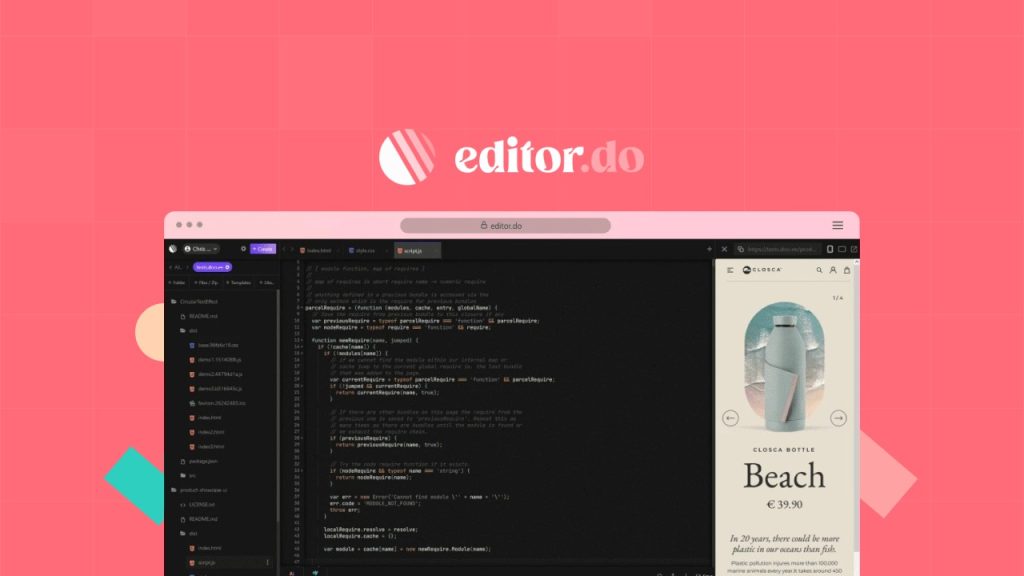
Editor.do is an all-in-one online IDE and static hosting platform. It combines a browser-based code editor (150+ languages, real-time preview), drag-and-drop site builder, 1,000+ free templates, one-click deployment with custom domains, automatic SSL certificates, and ChatGPT integration — all in one place. You code, host, and deploy from the same dashboard.
Editor.do launched on AppSumo in August 2023 at $49 for the Starter Plan (5 websites, 1GB storage), scaling to $147 for the Elite Plan (100 websites, 10GB storage). As of 2025, it has 38 reviews averaging 4.16 stars — 26 five-star, 1 four-star, 4 three-star, 5 two-star, 2 one-star. The deal is still active with 592 codes remaining.
I tested Editor.do for two weeks in 2025, deploying static sites (portfolio, landing page, documentation site), using the IDE for quick edits, and testing the drag-and-drop builder. As a developer who uses VS Code daily and deploys to Netlify, I was skeptical. Here’s my honest take.
Key Features of Editor.do
All-in-One Hosting Solution — Deploy Static Sites Instantly
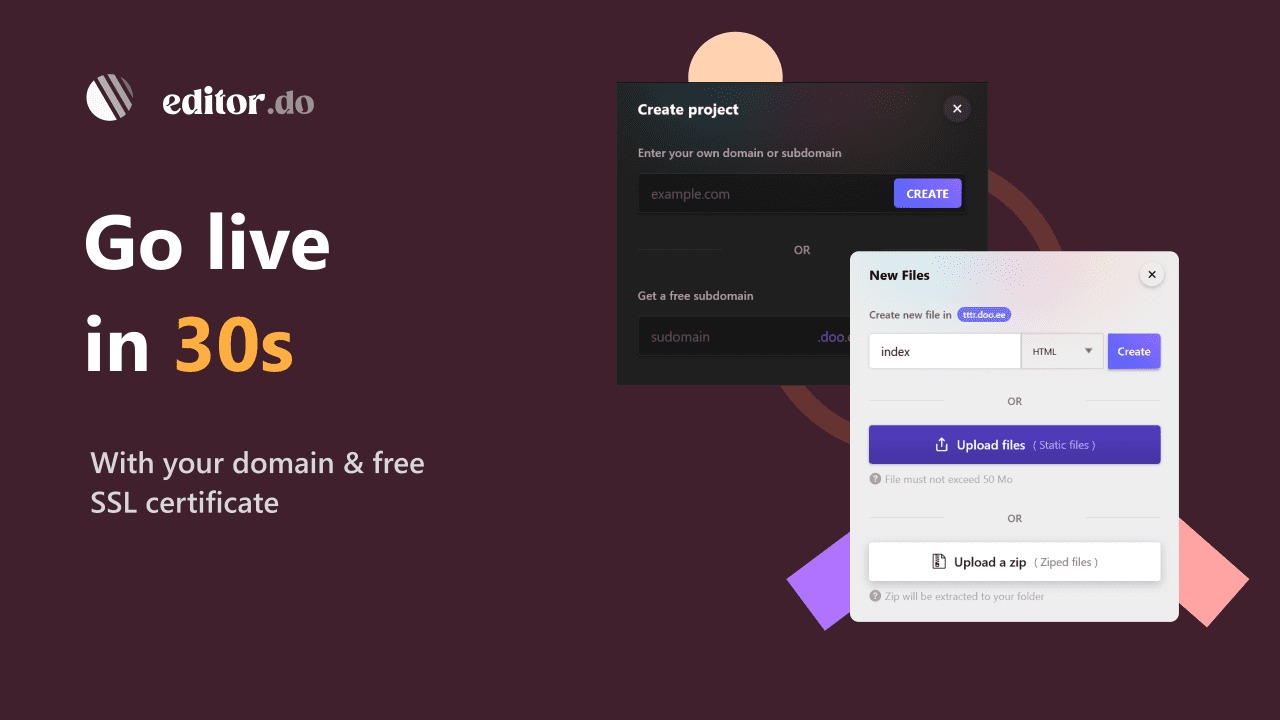
Editor.do’s hosting is its strongest feature. You can upload a folder of static files (HTML, CSS, JS, images) or a zip archive, and your site is live in under a minute. The platform serves files from NVMe SSD storage for speed. Each site gets unlimited traffic, free SSL certificates (auto-renewing), and custom domain support (add two DNS records — CNAME and TXT — or use a free .doo.ee subdomain).
I deployed a React build folder (after running npm run build) and a plain HTML/CSS portfolio. Both worked instantly. The React app required configuring the build output to use relative paths (standard for static hosting), but once set, it loaded correctly. One reviewer (Eric S) wrote: “I redeemed my code and within 5 minutes had an Angular app working under a custom domain with SSL.” This is the use case where Editor.do shines — quick, no-fuss static hosting with good performance.
Browser-Based IDE with Real-Time Preview
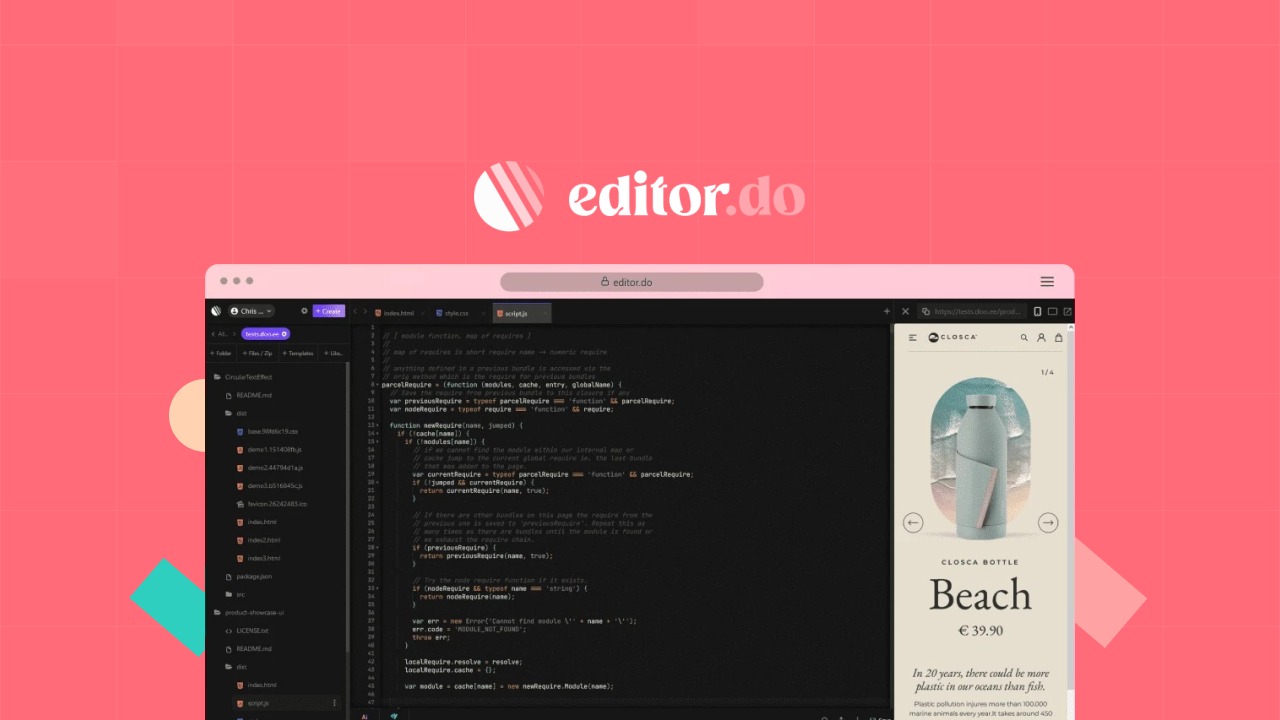
The editor supports over 150 programming languages (syntax highlighting only — not execution for server-side languages). You get standard IDE features: file tree, search/replace, multiple themes, and keyboard shortcuts. The real-time preview for HTML/CSS/JS updates as you type — similar to CodePen but within a full file structure.
I edited a live site directly in the browser: changed CSS, added HTML sections, and saw changes reflected immediately (Ctrl+F5 to clear cache). This is convenient for quick fixes without pulling a repo, editing locally, rebuilding, and redeploying. However, the editor lacks advanced features: no Git integration (though you can import from GitHub), no terminal, no extensions. It’s a lightweight editor, not a VS Code replacement. For serious development, you’ll still use local tools. For quick edits and small projects, it’s sufficient.

1,000+ Free Templates and Drag-and-Drop Builder
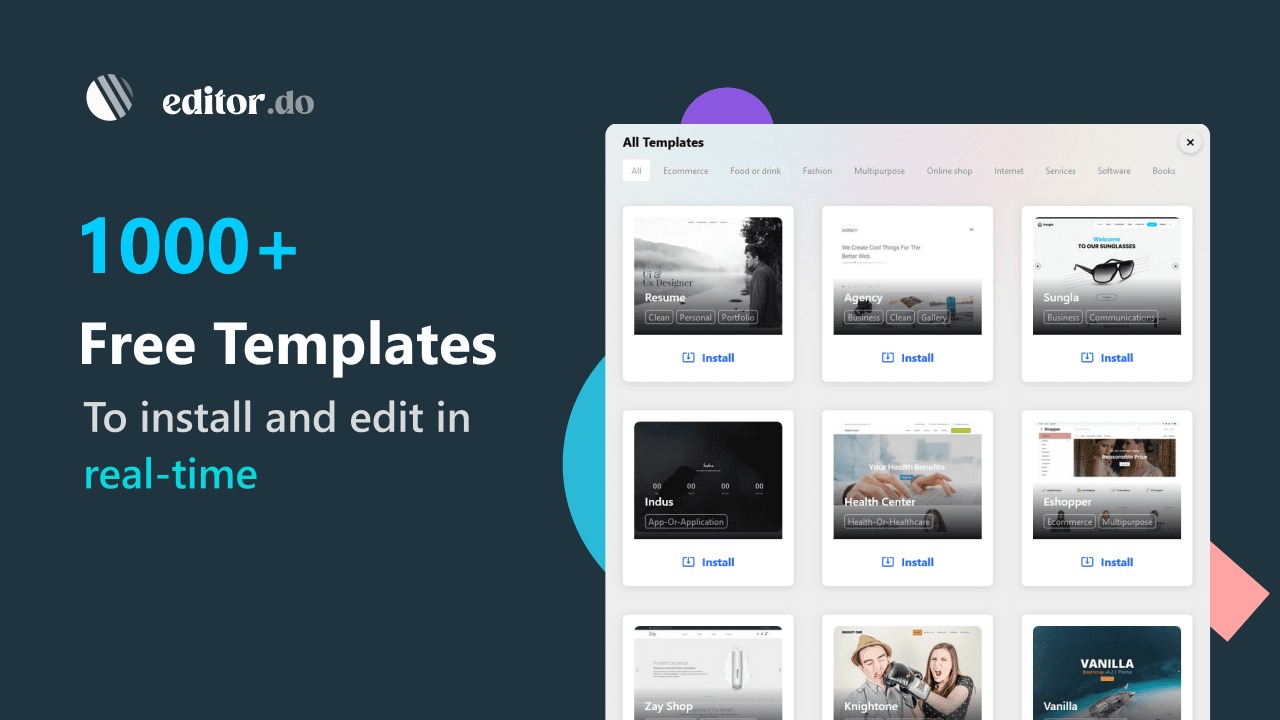
For non-developers or rapid prototyping, Editor.do includes 1,000+ free and open-source templates (Bootstrap-based, landing pages, portfolios, business sites). You install a template with one click, then edit the code or use the drag-and-drop builder. The builder is basic — you can add sections, images, text, and buttons — but it’s not a full WYSIWYG like Wix or Squarespace. It’s more of a layout helper for developers who want to avoid manual CSS positioning.
I tested the drag-and-drop builder on a landing page template. It works, but it’s clunky compared to dedicated builders. The real value is in the templates: 1,000+ free, editable starting points save time. If you’re a developer who hates starting from a blank file, the template library is useful.
ChatGPT Integration and Other Tools
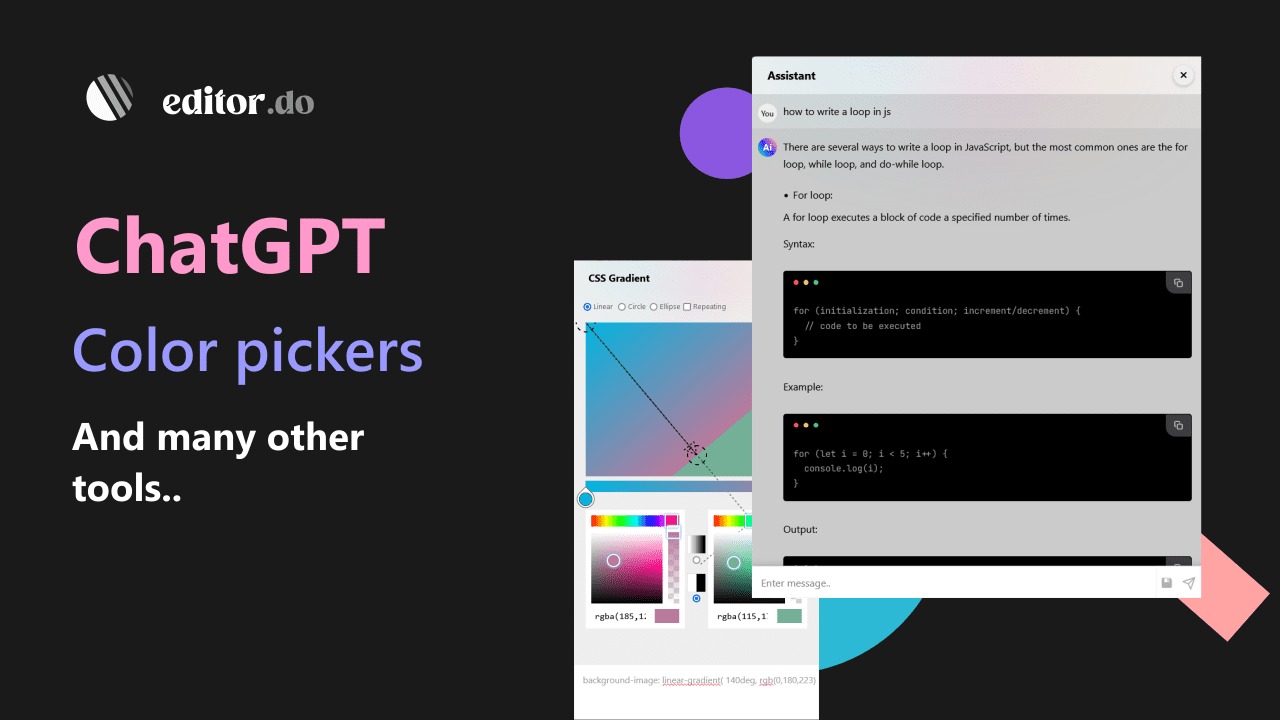
Editor.do includes a built-in ChatGPT panel (requires your own OpenAI API key). You can ask the AI to generate code, explain concepts, or fix errors, and paste the results directly into your editor. This is convenient but not unique — you can also just open ChatGPT in another tab. The integration saves a few clicks.
Other tools include a color picker, royalty-free image library (Unsplash integration), and import from GitHub (enter a repo name, and Editor.do clones it). The GitHub import works, but it’s one-way — you can’t push changes back to GitHub. For developers, this limitation is frustrating. You must manually download your project and re-upload to GitHub if you want version control.
Password Protection, Backups, and Collaboration
You can password-protect any folder or entire website — useful for staging sites or client previews. One-click backup and export lets you download your entire project as a zip. Share a private link to let someone edit a project without creating an Editor.do account — handy for freelancers sharing work with clients.
Project cloning (included in all plans) lets you duplicate a site as a starting point for a new project. I cloned a portfolio template, edited the content, and deployed a new site in 10 minutes. For agencies managing multiple client sites, cloning saves time.
My Honest Editor.do Review: Testing Experience
I tested Editor.do over two weeks in 2025, focusing on hosting performance, editor usability, and template quality.
Setup and Onboarding (10 minutes): Creating an account and redeeming the AppSumo code took 2 minutes. Deploying my first site (a simple HTML portfolio) took 5 minutes: upload folder, add custom domain (pointed DNS records), enable SSL. The DNS propagation took 10 minutes; after that, the site loaded quickly. The free .doo.ee subdomain works instantly — good for testing.
Hosting Performance (Fast and Reliable): The NVMe SSD servers are fast. Lighthouse scores for my deployed sites were 90+ for performance (comparable to Netlify). Uptime was 100% during my testing. Unlimited traffic is a differentiator — Netlify’s free tier limits bandwidth. For a high-traffic static site, Editor.do’s unlimited traffic (on all plans) is valuable.
File Size Limits (The Main Complaint): One negative reviewer noted a 1MB limit for code files (HTML/CSS/JS) and 50MB for non-code files (images, videos). This is accurate. I tried to upload a 2MB JavaScript bundle (a large React app) and was blocked. The limit forced me to split my bundle — good practice but inconvenient. If your static site uses large libraries or unoptimized assets, Editor.do will reject them. As one reviewer noted: “1MB code file limit exists but honestly that should just be your warning you’re likely doing something wrong.” For most static sites, 1MB is sufficient. For complex SPAs, you’ll need to optimize.
IDE Limitations (Not for Serious Development): The editor is fine for quick edits but lacks: Git push/pull (import only), terminal/console, debugging tools, and extensions. You cannot run build scripts (npm run build) on Editor.do — you must build locally and upload the output folder. This makes it unsuitable for JAMstack workflows that require server-side builds. For pure HTML/CSS/JS sites, it’s fine.
Template Quality (Quantity Over Quality): 1,000+ templates sounds impressive, but many are outdated (Bootstrap 4, not 5) or poorly coded. I found usable templates, but I wouldn’t rely on them for client work without heavy editing. The templates are open-source, so you can fix them yourself — but that defeats the time-saving purpose.
Drag-and-Drop Builder (Clunky but Functional): The builder is not Wix-level. You can add sections and move elements, but positioning is imprecise. For developers who hate CSS layout, it might help. For designers expecting pixel-perfect control, it will frustrate. I’d recommend using the code editor instead.
Support and Documentation (Good): The founders posted actively in 2023-2024, and the Q&A section (199 questions) has responsive answers. The help center and change log are available, though not extensive. One user (Eric S) praised the platform as “fantastic deal” and addressed negative reviewers: “files are served with correct MIME types and reasonable caches, if you don’t see an immediate update it’s just your browser’s local cache.” This suggests the founders are engaged.
Value Calculation ($49 vs Free Alternatives): You can host static sites for free on Netlify (100GB bandwidth/month) or GitHub Pages (unlimited bandwidth but public repos only). You can code for free in VS Code. So why pay $49? Editor.do’s value is convenience: all-in-one workflow (edit + host + SSL + custom domains) and unlimited traffic. If you frequently deploy static sites for clients and want to avoid Netlify’s bandwidth limits or GitHub’s public repo requirement, $49 is reasonable. For personal projects, free tools are fine.
Who Should Use Editor.do?
Editor.do is ideal for freelance developers, agencies, and front-end developers who frequently deploy static sites (portfolios, landing pages, documentation, marketing sites). If you’re tired of switching between CodePen, Netlify, and VS Code, Editor.do consolidates the workflow. The unlimited traffic and custom domains with SSL are valuable for client hosting.
The platform also works for beginners learning HTML/CSS/JS — the real-time preview and templates lower the barrier. Non-developers (marketers, small business owners) can use the drag-and-drop builder and templates to create simple sites without coding.
However, Editor.do may NOT be right for developers building complex SPAs (React, Vue, Angular) with build steps — you cannot run npm run build on Editor.do; you must build locally and upload the output. Also avoid if you need Git integration (push/pull) or server-side languages (PHP, Node.js) — Editor.do is static hosting only.
Also, if you’re on a tight budget, free tools (Netlify + VS Code) work fine. Pay for Editor.do only if the convenience and unlimited traffic justify $49-$147.
Editor.do vs Competitors
I compared Editor.do against three alternatives: Netlify (static hosting), CodePen (online editor), and VS Code + GitHub Pages (free DIY combo). Here’s how they stack up:
| Feature | Editor.do | Netlify | CodePen | VS Code + GitHub Pages | ||||
|---|---|---|---|---|---|---|---|---|
| Price (Lifetime/Annual) | $49-$147 lifetime (5-100 sites) | Free (100GB bandwidth) or $19/month | Free (limited) or $15/month | Free (VS Code) + free (GitHub Pages) | ||||
| All-in-One (IDE + Hosting) | ✅ Yes | ❌ Hosting only | ❌ Editor only (no hosting) | ❌ Separate tools | ||||
| Unlimited Traffic/带宽 | ✅ Yes | 100GB/month free (overage fees) | N/A | Unlimited (GitHub Pages) | ||||
| Custom Domains + SSL | ✅ Yes | ✅ Yes (free tier includes) | ❌ No | ✅ Yes (via GitHub Pages) | ||||
| Git Integration | ❌ Import only (no push) | ✅ Full (Git + CI/CD) | ❌ No | ✅ Full (Git) | ||||
| Build Scripts (npm run build) | ❌ No (build locally) | ✅ Yes (Netlify Build) | ❌ No | ❌ No (build locally) | ||||
| File Size Limits | 1MB code, 50MB media | Higher (no practical limit) | Small (CodePen pens) | 100MB (GitHub) | ||||
| Templates | 1,000+ (free) | Limited (community) | Limited (pens) | None |
Verdict: Editor.do’s unique value is the all-in-one workflow (IDE + hosting + templates + SSL) for a one-time fee. If you’re a freelancer who frequently deploys static sites and wants to avoid monthly hosting costs or bandwidth limits, Editor.do is compelling. However, if you need Git CI/CD, build scripts, or large file sizes, Netlify’s free tier (or $19/month Pro) is more powerful. For pure coding practice, CodePen is free. For developers who already use VS Code and GitHub Pages, Editor.do adds convenience but not essential features.
What Users Are Saying About Editor.do
With 38 reviews averaging 4.16 stars, user sentiment is generally positive but with clear criticisms. The 26 five-star reviews praise the hosting speed and convenience. One reviewer (Eric S) wrote: “As advertised and Imho fantastic deal… I redeemed my code and within 5 minutes had angular app working under a custom domain with SSL.” Another said: “Works Perfect” and “Great tool for quick static site deployment.”
The negative reviews (5 two-star, 2 one-star) focus on the 1MB file size limit and lack of Git integration. One user wrote: “The 1MB code file limit is a dealbreaker for any real project. My React bundle exceeded that easily.” Another complained: “No Git push means I have to manually download and re-upload to GitHub — extra steps I don’t need.” A three-star reviewer noted: “The drag-and-drop builder is clunky. Stick to code editing.”
The Q&A section (199 questions) shows active community engagement. Common questions: “Can I run Node.js scripts?” (No — static hosting only). “Does it support PHP?” (No). “Can I increase the file size limit?” (No — limit is hard-coded). The founders have responded to most questions.
Editor.do Review: FAQ
Can I use Editor.do for dynamic sites (PHP, Node.js, databases)?
No. Editor.do is for static sites only (HTML, CSS, JavaScript, images, videos). It does not support server-side languages (PHP, Python, Ruby) or databases. For dynamic functionality, use client-side JavaScript APIs (fetch, Firebase, etc.) or choose a different platform.
What are the file size limits? Can I increase them?
Code files (HTML, CSS, JS) are limited to 1MB each. Non-code files (images, videos, PDFs) are limited to 50MB each. These limits are hard-coded and cannot be increased, even by upgrading plans. If your JavaScript bundle exceeds 1MB, you need to split or optimize it. For large media files (videos), host them externally (YouTube, Vimeo) and embed.
Does Editor.do integrate with Git (GitHub, GitLab)?
You can import projects from GitHub (one-way clone). However, you cannot push changes back to GitHub from Editor.do. You must manually download your project (zip) and re-upload to GitHub. For developers who rely on Git workflows, this is a significant limitation. Use Editor.do for final deployment and quick edits, but maintain your source code in Git separately.
Which plan should I buy? Starter ($49), Medium ($98), or Elite ($147)?
Starter Plan ($49) includes 5 websites and 1GB storage — sufficient for freelancers with a few client sites. Medium Plan ($98) includes 20 websites and 5GB storage — for growing agencies. Elite Plan ($147) includes 100 websites and 10GB storage — for agencies managing many client sites. All plans include unlimited traffic, SSL, templates, and editor features. You can stack up to 3 codes to triple limits (e.g., 3x Starter = 15 websites, 3GB storage).
Is Editor.do better than Netlify’s free tier?
For pure hosting features (CI/CD, build scripts, Git integration), Netlify’s free tier is more powerful. For unlimited traffic and one-time pricing, Editor.do wins. If you have a high-traffic static site (100GB+ bandwidth per month) or want to avoid monthly fees, Editor.do is cheaper long-term. For most developers, Netlify’s free tier (100GB bandwidth/month) is sufficient. Use Editor.do if you exceed Netlify’s bandwidth limits or prefer an all-in-one interface.