
You don’t need expensive proprietary software to create professional surveys. Open source survey software offers powerful features, complete data control, and zero licensing costs—making it an excellent choice for businesses, educators, and researchers.
This comprehensive guide compares the best open source survey software for 2026, helping you find the perfect tool for your needs.
At a Glance: The Best Open Source Survey Software for 2026
- Best Overall: LimeSurvey – Comprehensive open source survey platform.
- Best for Simplicity: Forminator – Simple WordPress form builder.
- Best for Advanced Features: SurveyJS – Open source survey library.
- Best Lifetime Deals: Kiwiform, Formly – One-time payment form/survey builders.
What to Look For in Open Source Survey Software
Before diving into specific tools, let’s establish what makes great open source survey software:
Key Features to Evaluate
- Survey Creation: Drag-and-drop builder with multiple question types.
- Logic & Branching: Conditional logic for dynamic surveys.
- Data Collection: Unlimited responses and data export.
- Reporting: Analytics and visualizations.
- Self-Hosting: Ability to host on your own servers.
- Data Control: Full ownership of survey data.
Comparing the Best Open Source Survey Software
| Tool | Ease of Use | Platform | Best For | Weakness | Learning Curve |
|---|---|---|---|---|---|
| LimeSurvey | Medium | Web-based | Comprehensive surveys | Complex setup | High |
| Forminator | Very Easy | WordPress | Simple surveys | WordPress only | Very Low |
| SurveyJS | Medium | JavaScript | Custom survey development | Requires coding | High |
| Kiwiform | Easy | Web-based | Unlimited forms/surveys | Limited advanced features | Low |
| Formly | Easy | Web-based | AI-powered surveys | Newer tool | Low |
Detailed Breakdown of the Best Open Source Survey Software
1. LimeSurvey: The Comprehensive Solution
Pros: Feature-rich, multiple question types, advanced logic, open source.
Cons: Complex setup, requires technical expertise.
Best For: Organizations needing comprehensive survey capabilities.
2. Forminator: The WordPress Choice
Pros: Very easy to use, free, good for simple surveys.
Cons: Limited to WordPress, basic features.
Best For: WordPress sites needing simple surveys.
3. SurveyJS: The Developer’s Choice
Pros: Flexible, customizable, good for developers.
Cons: Requires coding, steep learning curve.
Best For: Developers building custom survey solutions.
💡 The AppSumo Advantage
Affiliate Disclosure: Some links are affiliate links.
Kiwiform and Formly offer exceptional lifetime value for survey building with one-time payments.
4. Kiwiform: Lifetime Surveys & Forms
Kiwiform offers unlimited forms/surveys with branching logic and built-in analytics.
Kiwiform Pros
- Unlimited forms and responses.
- Branching logic for conditional fields.
- Built-in analytics for data insights.
- Lifetime deal: $69 one-time.
Kiwiform Cons
- Limited advanced features.
- Best for simple to medium surveys.
Who Should Choose Kiwiform?
Kiwiform is perfect for businesses wanting unlimited survey usage without monthly fees.
5. Formly: AI-Powered Lifetime Surveys
Formly offers AI-powered survey creation, quizzes, and analytics with a one-time payment.
Formly Pros
- AI-powered survey creation.
- Quizzes for engagement.
- Lead capture and analytics.
- Lifetime deal: $99 one-time.
Formly Cons
- Newer tool.
- Limited advanced features.
Who Should Choose Formly?
Formly is ideal for businesses wanting AI-powered survey building without monthly costs.
Open Source vs. Commercial: What’s the Trade-Off?
| Aspect | Open Source | Commercial |
|---|---|---|
| Cost | Free | $20-$100+/mo |
| Data Control | Complete | Limited |
| Features | Good to excellent | Excellent |
| Support | Community-driven | Professional support |
| Setup | May require technical expertise | Simple setup |
Decision Framework
What’s your primary survey need?
- Comprehensive surveys: Choose LimeSurvey.
- WordPress surveys: Choose Forminator.
- Custom development: Choose SurveyJS.
- Lifetime surveys: Choose Kiwiform or Formly.
Final Verdict
LimeSurvey is the most comprehensive open source survey platform. For WordPress, Forminator is excellent. For developers, SurveyJS offers flexibility.
For lifetime value, Kiwiform and Formly offer exceptional one-time payment deals.
Our Top Recommendations
Best Overall: LimeSurvey – Comprehensive open source survey platform.
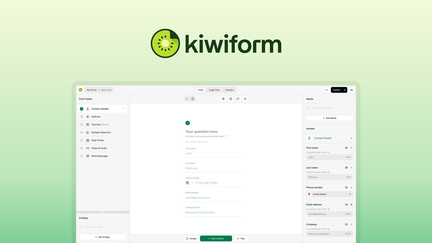
Best Lifetime Deal for Surveys: Kiwiform offers unlimited surveys with a one-time payment.
 Lifetime Deal
−83%
Lifetime Deal
−83%
Kiwiform
Create unlimited forms with branching logic, built-in analytics, and integrations—no response caps
Pros
- +Lifetime deal pricing (saving $330)
- +Unlimited forms
- +Unlimited responses
- +Branching logic
- +Built-in analytics
- +Multiple integrations
Cons
- −Design customization could be more advanced
- −Additional integration options would be beneficial
- −User interface learning curve
Alternatives: Typeform Jotform Google Forms
Best Lifetime Deal for AI Surveys: Formly provides AI-powered surveys with a one-time payment.
 Lifetime Deal
−86%
Lifetime Deal
−86%
Formly - Forms, Surveys & Quizzes
Create high-converting forms, surveys & quizzes with AI—capture leads and insights in seconds
Pros
- +Lifetime deal pricing (saving $597)
- +AI-powered form creation
- +Form building
- +Survey and quiz creation
- +Analytics and integrations
Cons
- −Limited advanced AI features
- −Additional template options would be beneficial
- −User interface learning curve
Alternatives: Typeform SurveyMonkey Jotform
Choose the open source survey software that fits your technical expertise and budget.