
You don’t need expensive proprietary software to create professional designs. Open source design software offers powerful features, complete data control, and zero licensing costs—making it an excellent choice for designers, businesses, and creatives.
This comprehensive guide compares the best open source design software for 2026, helping you find the perfect tool for your creative workflow.
At a Glance: The Best Open Source Design Software for 2026
- Best Overall: Inkscape – Powerful open source vector graphics editor.
- Best for Image Editing: GIMP – Professional photo editing and retouching.
- Best for UI/UX Design: Penpot – Open source Figma alternative.
- Best for 3D Design: Blender – Industry-leading open source 3D creation.
- Best Lifetime Deal: Drawtify – Online vector design with one-time payment.
What to Look For in Open Source Design Software
Before diving into specific tools, let’s establish what makes great open source design software:
Key Features to Evaluate
- Vector Editing: Create and edit vector graphics.
- Image Editing: Photo retouching and manipulation.
- UI/UX Design: Prototyping and interface design.
- 3D Modeling: Create and render 3D models.
- Data Control: Full ownership of your design files.
- Community Support: Active community for help.
Comparing the Best Open Source Design Software
| Tool | Category | Ease of Use | Platforms | Best For | Weakness |
|---|---|---|---|---|---|
| Inkscape | Vector Graphics | Medium | Win/Mac/Linux | Vector design | Learning curve |
| GIMP | Image Editing | Medium/Expert | Win/Mac/Linux | Photo editing | Dated UI |
| Penpot | UI/UX Design | Easy | Web-based | UI/UX design | Newer tool |
| Blender | 3D Design | Expert | Win/Mac/Linux | 3D modeling | Steep learning curve |
| Drawtify | Vector Design | Easy | Web-based | Online vector design | Limited advanced features |
Detailed Breakdown of the Best Open Source Design Software
1. Inkscape: The Vector Graphics Powerhouse
Pros: Free, powerful vector editing, SVG support, cross-platform.
Cons: Learning curve, less polished than commercial tools.
Best For: Vector design, logos, illustrations, and graphic design.
2. GIMP: The Image Editing Alternative
Pros: Free, powerful photo editing, plugins support, cross-platform.
Cons: Dated interface, learning curve.
Best For: Photo retouching, image manipulation, and graphic design.
3. Penpot: The UI/UX Design Tool
Pros: Free, collaborative, Figma alternative, web-based.
Cons: Newer tool, limited features compared to Figma.
Best For: UI/UX design, prototyping, and team collaboration.
4. Blender: The 3D Design Leader
Pros: Industry-leading 3D tools, free, active community.
Cons: Very steep learning curve, resource intensive.
Best For: 3D modeling, animation, and visual effects.
💡 The AppSumo Advantage
Affiliate Disclosure: Some links are affiliate links.
Drawtify offers exceptional lifetime value for vector design with a one-time payment, complementing open source tools with additional convenience.
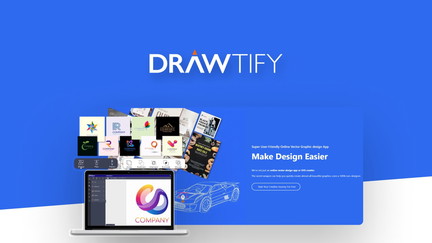
5. Drawtify: Lifetime Vector Design
Drawtify is an online vector graphic editor with templates and design elements.
Drawtify Pros
- Vector graphic editing online.
- Template library for various designs.
- Design elements and resources.
- Lifetime deal: $79.90 one-time.
Drawtify Cons
- Less powerful than professional tools.
- Limited advanced features.
Who Should Choose Drawtify?
Drawtify is perfect for designers who need vector graphics without expensive subscriptions.
Open Source vs. Commercial: What’s the Trade-Off?
| Aspect | Open Source | Commercial |
|---|---|---|
| Cost | Free | $10-$50+/mo |
| Data Control | Complete | Limited |
| Features | Good to excellent | Excellent |
| Support | Community-driven | Professional support |
Decision Framework
What’s your primary design need?
- Vector graphics: Choose Inkscape or Drawtify.
- Image editing: Choose GIMP.
- UI/UX design: Choose Penpot.
- 3D design: Choose Blender.
Final Verdict
Inkscape is the best open source vector graphics editor. For image editing, GIMP is the top choice. For UI/UX design, Penpot is a growing alternative. For 3D design, Blender is industry-leading.
For lifetime value, Drawtify offers a great one-time payment option for vector design.
Our Top Recommendations
Best Overall: Inkscape – Powerful open source vector graphics editor.
Best Lifetime Deal for Vector Design: Drawtify offers online vector design with a one-time payment.
 Lifetime Deal
−92%
Lifetime Deal
−92%
Drawtify
Online Illustrator & Vector Graphic Editor with Beautiful Templates and Design Elements
Pros
- +Lifetime deal pricing (saving $910.10)
- +Vector graphic editor
- +Template library
- +Design elements
- +Online access
Cons
- −Limited advanced vector features
- −Additional template options would be beneficial
- −User interface learning curve
Alternatives: Adobe Illustrator Canva Inkscape
Choose the open source design software that fits your creative workflow and budget.