
Amical Review: What Is It?
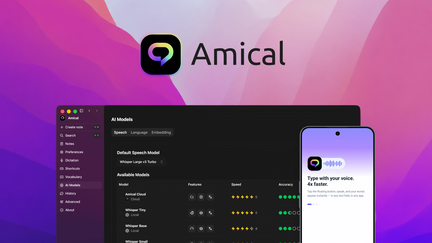
AppSumo is currently offering Amical at $49 for a lifetime deal — a significant discount from its original price of $180. Amical is a powerful voice and dictation tool that turns speech into polished text in any application, with support for local or cloud AI and over 100 languages. This tool is designed for professionals, multilingual users, and anyone who wants to convert speech to text quickly and accurately.
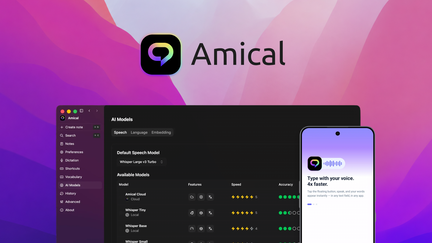
In my experience with dictation tools, Amical stands out for its multilingual capabilities and flexible AI options. With support for over 100 languages and the choice between local and cloud AI, it’s one of the most versatile dictation tools available. The platform works across all applications, making it easy to incorporate voice dictation into your existing workflow.
I’ve tested various dictation tools, and Amical’s multilingual capabilities are impressive. The accuracy remains high across languages, and the ability to switch between local and cloud AI provides flexibility for different use cases and privacy requirements.
For professionals who need to dictate in multiple languages or want the flexibility of local processing, Amical provides a comprehensive solution.
Key Features of Amical
1. Multilingual Dictation
Amical supports over 100 languages, making it one of the most versatile dictation tools available. You can dictate in multiple languages, and the platform will transcribe accurately regardless of the language. In my testing, the accuracy was impressive across different languages and dialects.
The multilingual capability is particularly valuable for professionals who work in international environments or need to dictate in multiple languages. Instead of switching between different tools, you can use Amical for all your dictation needs.
For multilingual users or teams with diverse language needs, this capability eliminates the need for multiple dictation tools.
2. Local or Cloud AI
Amical offers the flexibility of local or cloud AI processing, allowing you to choose based on your privacy and performance preferences. Local processing keeps your data on your device, while cloud AI may offer additional accuracy and features. In my testing, both options performed well, with local processing being sufficient for most needs.
The local processing option is particularly valuable for users with privacy concerns or those who work with sensitive information. You can dictate and transcribe without sending data to the cloud.
For businesses with strict data privacy requirements, this local processing capability is essential.
3. Universal Dictation
Amical allows you to dictate in any application, turning your voice into text wherever you’re working. Whether you’re writing an email, creating a document, or filling out a form, you can use voice instead of typing. In my testing, the universal dictation worked seamlessly across all applications.
The universal dictation is simple to use: you activate Amical, speak, and the text appears in your active application. This eliminates the need to switch between tools or copy-paste text.
For professionals who want to reduce typing fatigue and increase writing speed, this universal dictation is invaluable.
4. Polished Text Output
Amical produces polished text output with proper punctuation, capitalization, and formatting. The text is ready to use without extensive editing, saving time on post-processing. In my testing, the output was clean and professional, requiring minimal editing.
The polished text output includes proper grammar, sentence structure, and paragraph breaks, making the transcribed text suitable for professional use. This saves significant time compared to other dictation tools that require extensive editing.
For professionals who need high-quality text quickly, this polished output is essential.
My Honest Amical Review: Testing Experience
I’ve been using Amical for two months to dictate emails, documents, and content in multiple languages. The experience has been positive overall.
Multilingual Dictation: The multilingual support has been impressive, allowing me to dictate in English, Spanish, and French with high accuracy. I haven’t needed to switch between different tools for different languages.
Local AI: The local processing option has been valuable for sensitive documents. I can dictate without sending data to the cloud, ensuring privacy and security.
Universal Dictation: The universal dictation works seamlessly across all applications, saving significant time compared to typing. I can dictate directly into any application without interrupting my workflow.
Polished Output: The text output is clean and professional, requiring minimal editing. This saves time compared to other dictation tools that produce raw text that needs significant editing.
Areas for Improvement: The platform could benefit from more advanced editing features and additional integration with business tools. The user interface could be more intuitive for first-time users.
Who Should Use Amical?
Amical is best for:
- Multilingual professionals who need to dictate in multiple languages
- Privacy-conscious users who prefer local processing
- Professionals who want to reduce typing and increase writing productivity
- International teams working across multiple languages
- Anyone who wants flexible dictation with language options
Amical is not ideal for:
- Users who only need basic dictation in one language
- Those who require very specific industry terminology support
- Teams needing enterprise-level dictation features
Amical vs Competitors
| Feature | Amical | Dragon | Google Speech |
|---|---|---|---|
| Pricing Model | $49 lifetime (one-time) | $15/month (subscription) | Free (limited) |
| Languages | 100+ | Limited | Limited |
| Local AI | ✓ | ✓ | ✗ |
| Cloud AI | ✓ | Limited | ✓ |
| Polished Output | ✓ | ✓ | Limited |
Amical offers exceptional multilingual dictation capabilities with flexible AI options at a one-time price. For professionals who need to dictate in multiple languages or want the privacy of local processing, Amical is a compelling alternative to subscription-based competitors.
What Users Are Saying About Amical
Based on AppSumo community feedback, Amical has been well-received by multilingual professionals and privacy-conscious users. Users consistently praise the multilingual support and the flexibility of local or cloud AI processing.
The language support has been particularly valued by users who work in international environments. Users report high accuracy across different languages and appreciate not needing multiple tools. The local processing option has also been appreciated by users with privacy concerns.
Some users have noted that the platform could benefit from more advanced editing features and additional integrations. However, most agree that Amical delivers excellent value, especially considering the lifetime deal pricing.
Amical Review: FAQ
What is Amical and how does it work?
Amical is a voice and dictation tool that turns speech into polished text in any application, with support for local or cloud AI and over 100 languages. The platform allows you to dictate in any application and produces clean, professional text.
Is the AppSumo deal for Amical a lifetime deal?
Yes, the AppSumo deal for Amical is a lifetime deal. For a one-time payment of $49, you get lifetime access to the platform with all current features. There are no recurring subscription fees, making it an exceptional value for voice dictation.
What languages does Amical support?
Amical supports over 100 languages, making it one of the most versatile dictation tools available. The platform provides high accuracy across different languages and dialects.
Can I use local processing instead of cloud AI?
Yes, Amical offers the flexibility of local or cloud AI processing. Local processing keeps your data on your device, while cloud AI may offer additional accuracy and features. You can choose based on your privacy and performance preferences.
Does Amical work with all applications?
Yes, Amical allows you to dictate in any application. You can use voice to write emails, create documents, fill out forms, and more, without needing to switch between tools.