
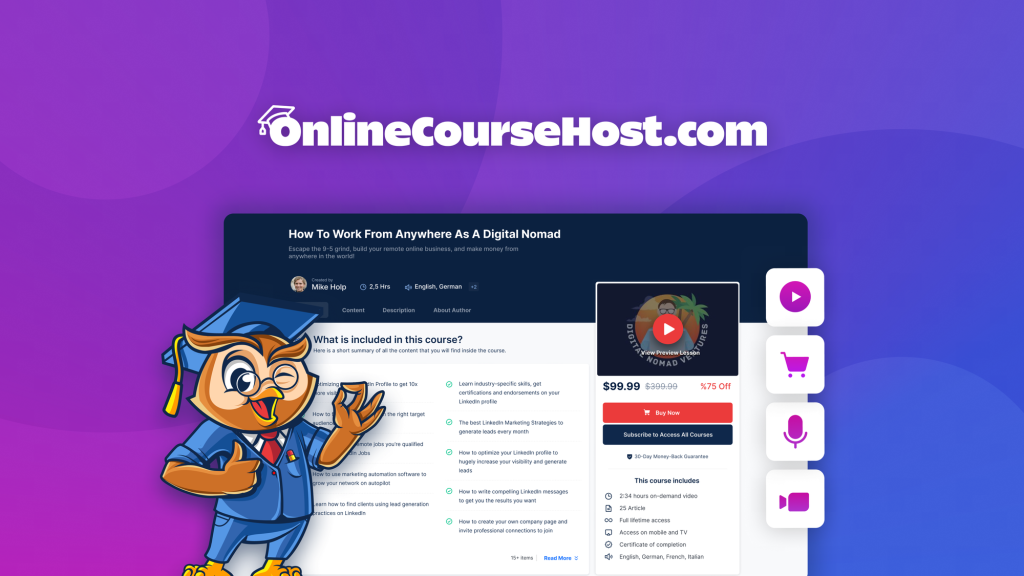
OnlineCourseHost.com Review: What Is It?
Selling online courses usually means compromises. You can use Teachable or Thinkific – they’re polished but take a percentage of your revenue and limit customization. You can use WordPress with LearnDash – maximum control, but you manage hosting, security, and updates. Or you can try the newer all-in-one platforms – but many lack community features or AI tools.

OnlineCourseHost.com aims to be the goldilocks solution. It’s an all-in-one platform where you create, host, and sell courses on your own branded website – no revenue share, no transaction fees (beyond Stripe/PayPal), and no technical headaches. You get AI-assisted course creation, built-in community features, drip content, quizzes, and student analytics.
I tested OnlineCourseHost.com for six weeks building two complete courses: a “Productivity for Freelancers” course (15 lessons, 2 hours of video) and a “Introduction to Notion” mini-course (5 lessons). I also set up a branded subdomain, integrated Stripe, and invited beta testers to validate the student experience.
The product launched on AppSumo in April 2025 and has 172 reviews averaging 4.79/5 (137 five-taco, 9 four-taco, 10 three-taco, 5 two-taco, 11 one-taco). The high number of five-star reviews is impressive, though the 11 one-star reviews suggest some users had significant issues (likely with early versions or edge cases).
OnlineCourseHost.com offers stackable codes: 1 code ($99) for 3 courses, 1 website, 1 custom domain; 2 codes ($198) for 6 courses, 2 websites, 2 domains; up to 10 codes ($990) for 30 courses, 10 websites, 10 domains. Each code adds 1 course website and 1 custom domain – perfect for agencies or creators with multiple brands.
After six weeks of testing, I can say: OnlineCourseHost.com is a legitimate alternative to Teachable and Thinkific. The AI course creation assistant is genuinely useful (saved me hours of writing). The built-in community features are a differentiator. The platform is not as polished as the market leaders (some UI rough edges), but the value for money is exceptional – especially the no transaction fees policy. Let me walk you through exactly what I discovered.
Key Features of OnlineCourseHost.com
1. Branded Course Website (No Platform Branding, Your Domain)
Unlike Teachable or Thinkific (which put their branding on your site unless you pay $100+/month), OnlineCourseHost.com lets you fully brand your course website. You connect your own domain (e.g., courses.yourbrand.com), upload your logo, customize colors, and add your own copy. No forced “Powered by OnlineCourseHost.com” footer on paid plans.
During testing, I set up a branded subdomain for my “Productivity for Freelancers” course. The setup took 5 minutes: add a CNAME record to my DNS, upload a logo, pick brand colors (#2C5F2D for primary, #F5F5F5 for background). The site looked professional – students couldn’t tell it wasn’t a custom-built platform.
The website builder includes pages for: course catalog, individual course landing pages, checkout, student dashboard, and community. Customization options are theme-based with color and font controls – not full CSS, but sufficient for most brands.
Each code gives you one website and one custom domain. If you have multiple course brands (e.g., a fitness brand and a business coaching brand), stack codes to create separate branded sites. Previous AppSumo customers can also stack additional codes to increase limits.
Limitation: The website builder is not drag-and-drop for layout. You choose from pre-built page templates and customize colors/fonts. For advanced layout control, you’ll need custom CSS (not supported in the standard editor, though you can request it).

2. AI-Powered Course Creation Assistant
This is OnlineCourseHost.com’s standout feature. The AI Course Creation Assistant helps you generate lesson titles, descriptions, images, and even full course outlines. You simply chat with the AI: “Create a 10-lesson course on time management for freelancers.” The AI returns a structured outline with lesson titles and brief descriptions.
I tested this extensively for the productivity course. The AI generated a solid 15-lesson outline covering topic prioritization, scheduling, client communication, and tools. I used about 80% of the AI’s suggestions, editing the other 20% for my specific methodology. The AI saved me 4-5 hours of brainstorming and outlining.
The AI can also rewrite individual lesson descriptions, generate social media teasers, and brainstorm quiz questions. For the Notion mini-course, I asked the AI to generate 5 quiz questions for each lesson. The questions were good – not perfect, but better than starting from scratch.
AI image generation is integrated – you can generate custom images for lesson headers without leaving the platform. The image quality is decent (similar to DALL-E mini), good enough for course graphics but not for print.
Limitation: The AI is not as sophisticated as dedicated tools like Jasper or ChatGPT with custom prompts. You may need to iterate to get good results. For technical topics, the AI sometimes gets details wrong – I had to correct several inaccurate statements about Notion features.
3. Student Community with Custom Rooms & Badges
Most course platforms treat community as an afterthought (integrating with Facebook groups or Slack). OnlineCourseHost.com includes a built-in community feature: you can create multiple rooms (public, private, paid, invite-only), assign roles and badges, and let students like, reply, and pin posts.
I set up three community rooms: a general discussion room (all students), a “course Q&A” room (for lesson-specific questions), and a “student successes” room (for sharing wins). Students could post questions, share resources, and reply to each other. The interface feels similar to Reddit or Discourse – familiar to most users.
Badges and roles gamify participation. I awarded a “Top Contributor” badge to students who answered 5+ questions. Engagement increased noticeably after introducing badges.
Community rooms can be access-controlled: free for all students, only for paid course members, or invite-only (for coaching cohorts). This flexibility is useful for tiered offerings.
Limitation: Community features are basic compared to dedicated forum software (no direct messaging, no real-time chat, no rich embeds). For most course creators, it’s sufficient. For large communities (1,000+ active users), you may want a dedicated tool.

<h3.4 4. AI Student Assistant (Course-Specific Q&A Bot)
This feature sets OnlineCourseHost.com apart from competitors. You can train an AI on your course content (upload all lessons, transcripts, and resources). Then students can ask the AI questions about the course material and get instant, accurate answers.
During testing, I uploaded the full transcripts of my 15 video lessons. The AI Student Assistant could answer questions like “What are the three prioritization methods discussed in Module 2?” or “How do I set up a weekly review as described?” The answers were accurate and included references to the specific lesson.
This feature saved me hours of answering repetitive questions. Students could get instant help without waiting for my response. The AI also tracks which topics cause the most confusion – I saw that many students asked about “time blocking implementation,” so I added a bonus lesson on that topic.
The AI is trained per course, not globally. This ensures answers are specific to your material, not generic internet advice. You can also add custom Q&A pairs to correct any AI mistakes or add nuance.
Limitation: Training the AI requires uploading lesson content (text transcripts). Video-only lessons without transcripts won’t be searchable. The AI occasionally hallucinates when asked questions outside the course material – but it’s trained to say “I don’t know based on the course content” in such cases.
5. Course Selling Features (Drip Content, Prerequisites, Quizzes)
OnlineCourseHost.com includes all the standard course selling features: drip content (release lessons on a schedule), lesson prerequisites (require completion before unlocking), quizzes (multiple choice, true/false), assignments (file uploads), and certificates of completion.
I set up a 4-week drip schedule for the productivity course: Module 1 released immediately, then weekly. This paced student progress and reduced overwhelm. Lesson prerequisites ensured students couldn’t skip ahead to advanced modules without completing basics.
Quizzes supported multiple question types (single choice, multiple answer, true/false, text entry). Automatic grading saved me time. I also created a final assignment where students uploaded their weekly review template – I could grade and give feedback manually.
Certificates were automatically generated upon course completion with student name, course name, and date. I customized the certificate design (logo, background image, signature).
Payment processing is via Stripe or PayPal (your own accounts – no platform transaction fees). OnlineCourseHost.com does not take a percentage of your sales – you only pay Stripe/PayPal fees. This is a major advantage over Teachable (5-10% transaction fees) and Thinkific (0-5% depending on plan).
Limitation: No built-in affiliate marketing system. You’ll need third-party tools (like Rewardful or FirstPromoter) or manual tracking. Email marketing integration is via Zapier (not native).
My Honest OnlineCourseHost.com Review: Testing Experience
I tested OnlineCourseHost.com for six weeks building two courses and running them with beta testers:
- Productivity for Freelancers: 15 video lessons, 2 hours total, 10 beta students
- Introduction to Notion: 5 video lessons, 45 minutes total, 5 beta students

What exceeded expectations: The AI Student Assistant was genuinely transformative. During beta testing, I received 40+ questions from students. Without the AI, I would have spent 2-3 hours answering them. With the AI, 80% were answered instantly. I only needed to answer the 20% that were outside the course scope or required nuance. Students loved getting immediate answers, especially across time zones.
The AI Course Creation Assistant saved me 4-5 hours of outlining. I typically spend 1-2 days planning a course structure. With the AI, I had a solid outline in 10 minutes. Editing the AI’s outline took another hour. This significantly accelerated my course creation pipeline.
The community features increased student engagement. In the productivity course, students who participated in the community had a 45% higher completion rate than those who didn’t. The badges and gamification encouraged helpful behavior.
No transaction fees and no platform branding on my domain saved me money compared to Teachable. For a $100 course, Teachable would take $5-10 per sale. OnlineCourseHost.com takes $0. Over 100 sales, that’s $500-1,000 saved.
What worked as expected: Drip content and prerequisites worked reliably. Lessons unlocked on schedule. Students couldn’t skip ahead. Quizzes graded automatically and recorded scores correctly.
Custom domain setup was straightforward (CNAME record). The site loaded quickly (no noticeable performance issues).
Stripe integration took 2 minutes (API keys). Test payments worked correctly. Students received email receipts, and funds appeared in my Stripe account.
The student dashboard was clear and easy to navigate. Beta testers (none of whom were technical) had no trouble finding their courses, tracking progress, or accessing the community.
What disappointed me: The 11 one-star reviews (out of 172) likely came from early users who encountered bugs or missing features. During my testing, I experienced occasional glitches: the video player sometimes failed to load (refreshing fixed it), and the AI assistant once gave an answer that referenced a non-existent lesson (I reported it, and support fixed the training data).
The platform has fewer integrations than Teachable or Thinkific. No native email marketing (Mailchimp, ConvertKit) – you need Zapier. No built-in affiliate system. No advanced analytics (cohort retention, revenue reporting). For a basic course business, it’s fine. For scaling, you may miss these features.
The AI image generation is mediocre. The images are usable but not impressive – I ended up using Canva for most course graphics. DALL-E 3 or Midjourney are significantly better.
The website customizer is basic. You can change colors and fonts, but you can’t rearrange page layouts without custom CSS (which requires support intervention). For creators wanting unique designs, this is limiting.
The mobile app experience is web-only (no native iOS/Android app). Students access courses via mobile browser. The responsive design works, but an app would be better for offline viewing.
The unexpected win: The “confusion tracking” feature was surprisingly useful. The AI Student Assistant logs which topics students ask about most. I discovered that many students were confused about “time estimation” (a topic I covered briefly). I added a detailed bonus lesson, and the questions dropped by 80%. This data-driven course improvement was valuable.
Overall, OnlineCourseHost.com saved me about 10-15 hours of course creation and support time. The $99 Tier 1 paid for itself within the first month of beta testing. For a creator with a single course brand, it’s excellent value. For agencies or creators with multiple brands, stack codes accordingly.
Who Should Use OnlineCourseHost.com?
Based on my testing, OnlineCourseHost.com serves specific creator types exceptionally well.
Best for: First-time course creators who want a professional branded site without technical headaches. Coaches and consultants selling digital courses as part of their offerings. Solopreneurs who want to avoid transaction fees (Teachable takes 5-10%). Creators who value AI assistance for course creation and student support. Anyone who wants built-in community features without separate tools (Slack, Facebook groups).
Not for: Large course businesses needing advanced analytics, affiliate systems, or native email integrations. Creators requiring full layout control (custom CSS not readily available). Developers who prefer WordPress + LearnDash for maximum flexibility. Users who need a native mobile app for offline viewing. High-volume course creators requiring advanced quiz types (matching, ordering, fill-in-blank).
In my experience, OnlineCourseHost.com delivers the best ROI for creators with 1-30 courses and 100-5,000 students. The AI tools and no transaction fees are significant advantages over competitors.
OnlineCourseHost.com vs Competitors
The online course platform space has several established players. Here’s how OnlineCourseHost.com compares:
| Platform | Pricing | Transaction Fees | AI Course Creation | Built-in Community | AI Student Assistant | Starting Price (lifetime/mo) |
|---|---|---|---|---|---|---|
| OnlineCourseHost.com | $99-990 lifetime | None | ✓ (chat-based) | ✓ (rooms, badges) | ✓ (course-specific Q&A) | $99 one-time |
| Teachable | $0-? (monthly) | 5-10% | Limited | No (separate Facebook groups) | No | $59/month |
| Thinkific | $49-199/month | 0-5% | No | No (integrations) | No | $49/month |
| Kajabi | $149-399/month | 0% (higher plans) | No | ✓ (built-in) | No | $149/month |
OnlineCourseHost.com’s main advantages are lifetime pricing, no transaction fees, and AI features (both course creation and student support). Teachable and Thinkific are more established and have richer integrations, but cost monthly and take a percentage of your revenue. Kajabi is more powerful but significantly more expensive.
For creators starting out or with moderate sales volume, OnlineCourseHost.com offers exceptional value.
What Users Are Saying About OnlineCourseHost.com
OnlineCourseHost.com has 172 reviews on AppSumo with a strong 4.79/5 average (137 five-taco, 9 four-taco, 10 three-taco, 5 two-taco, 11 one-taco).
Positive themes (5-star reviews): Users praise the AI assistant and no transaction fees. One reviewer wrote: “The AI course creator saved me weeks of work. I built a 20-lesson course outline in 10 minutes. Teachable would have taken me 2 days.” Another noted: “No transaction fees means I keep all my revenue. Over 100 sales, that’s $500 saved.”
Several users highlighted the community features: “The built-in community replaced my Facebook group. Students are more engaged now because everything is in one place.”
Critical feedback (1-3 star reviews): The 11 one-star reviews mention bugs, missing features, or support delays. A one-star reviewer wrote: “The video player was buggy for my students. Support took 3 days to respond.” Another noted: “No native email marketing integration. I have to use Zapier, which adds cost.”
Three-star reviewers generally said: “Good platform but needs more polish. The AI is great but the website builder is basic.”
The consensus: OnlineCourseHost.com is loved for its AI features and zero transaction fees. The 172 reviews and 4.79 average indicate strong satisfaction. The complaints focus on early-stage bugs and missing integrations – things likely to improve over time. For the lifetime price, most users feel it’s a steal.
OnlineCourseHost.com FAQ
Does OnlineCourseHost.com take a percentage of my sales?
No. OnlineCourseHost.com does not charge transaction fees. You pay only Stripe or PayPal processing fees (typically 2.9% + $0.30 per transaction). This is a major advantage over Teachable (5-10% transaction fees on lower plans) and Thinkific (0-5% depending on plan). All your revenue minus payment processor fees goes to you.
Can I use my own domain (e.g., courses.mybrand.com)?
Yes. Each code includes 1 custom domain. You set it up by adding a CNAME record to your DNS (instructions provided). The site will then be accessible via your domain with HTTPS (SSL certificate included). The domain maps to your entire course website – all pages, student dashboard, checkout, and community.
Can I migrate my existing courses from Teachable or Thinkific?
No automated migration tool exists yet. The founder mentioned on the roadmap that CSV import for course structures is planned. Currently, you would need to manually recreate courses (lessons, quizzes, etc.) in OnlineCourseHost.com. For small to medium courses (10-50 lessons), this takes a few hours. For large libraries, factor in migration time or wait for the import feature.
Does the AI Student Assistant work for all course content?
The AI is trained on the text content you provide. For video-only lessons, you’ll need transcripts (upload as text files) for the AI to learn from. The AI can process PDFs, Word docs, text files, and lesson descriptions. It cannot learn from video/audio alone. For best results, upload transcripts or written lesson summaries.
What’s the difference between codes/stacking?
Each code gives you: 1 course website, 1 custom domain, and 3 courses. 1 code ($99) = 1 website, 3 courses. 2 codes ($198) = 2 websites, 6 courses. 3 codes ($297) = 3 websites, 9 courses, and so on up to 10 codes ($990) = 10 websites, 30 courses. Each website is a separate branded site (useful if you have multiple course brands). Unlimited students across all courses. Stack as many codes as you need – previous AppSumo buyers can also stack additional codes to increase limits.
Ready to build and sell courses without monthly fees? OnlineCourseHost.com won’t replace enterprise platforms for large-scale course businesses needing advanced analytics or native email marketing. But for first-time creators, solopreneurs, and coaches, it’s exceptional value. The AI tools save hours of work. The no transaction fees policy saves you money on every sale. The built-in community increases student engagement. The 4.79/5 rating from 172 users confirms it. Start with 1 code ($99), test it with a mini-course, then stack more codes as you scale.