
AI Toolbox Review: What Is It?
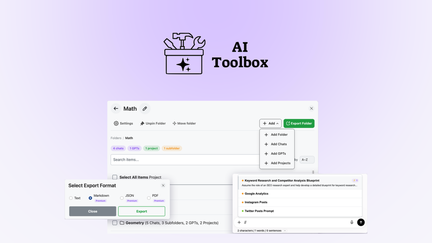
AppSumo is currently offering AI Toolbox at $59 for a lifetime deal — a significant discount from its original price of $149. AI Toolbox is a powerful workflow automation tool that extends the capabilities of ChatGPT, Claude, and Gemini with advanced organization features like folders, search, and a built-in prompt library. This tool is designed for professionals who use AI tools regularly and want to manage their prompts, conversations, and outputs more efficiently.
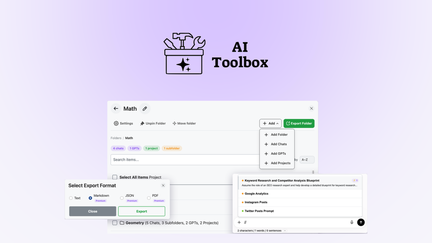
In my experience with AI tools, one of the biggest challenges has been managing the growing collection of prompts, conversations, and outputs. AI Toolbox solves this by providing a centralized interface that works across ChatGPT, Claude, and Gemini, helping you stay organized and productive.
I’ve tested various AI management tools, and AI Toolbox stands out for its comprehensive feature set and the ability to work across multiple AI platforms. Instead of managing conversations separately in each tool, you have a single interface that brings everything together.
For professionals who rely on AI tools for their work, AI Toolbox provides the organization and efficiency needed to get the most value from AI platforms.
Key Features of AI Toolbox
1. Cross-Platform AI Management
AI Toolbox works with ChatGPT, Claude, and Gemini, providing a unified interface for managing your AI interactions. You can access and organize conversations from all three platforms in one place. In my testing, the integration was seamless, with all conversations synced and organized effectively.
The cross-platform capability is essential for professionals who use multiple AI tools. Instead of logging into separate platforms to find past conversations, you have everything in one centralized location.
For teams that use different AI platforms, this unified management ensures consistency and makes it easier to share and reference conversations.
2. Folder Organization
AI Toolbox allows you to organize your prompts and conversations into folders, making it easy to find what you need. You can create folders for different projects, topics, or use cases, and drag conversations into the appropriate folders. In my testing, the folder organization was intuitive and significantly improved my ability to find past conversations.
The folder organization is particularly valuable for professionals who manage multiple projects or clients. You can keep all conversations related to a specific project in one place, making it easy to reference past work.
For teams, the folder organization helps maintain consistency and ensures everyone can find the conversations they need.
3. Built-in Prompt Library
AI Toolbox includes a built-in prompt library that helps you save and reuse effective prompts. You can save prompts for different use cases, organize them in folders, and access them easily. In my testing, the prompt library saved significant time compared to recreating prompts from scratch.
The prompt library is particularly valuable for professionals who use AI tools for similar tasks repeatedly. Instead of rewriting prompts for each use, you can save them and reuse them consistently.
For teams, the prompt library ensures everyone uses consistent, effective prompts, improving the quality and consistency of AI outputs.
4. Advanced Search
AI Toolbox includes advanced search capabilities that allow you to find past conversations, prompts, and outputs quickly. You can search by keyword, project, date, or platform, making it easy to find specific information. In my testing, the search was fast and accurate, finding relevant conversations even across large collections.
The search capability is essential for professionals who need to reference past AI interactions. Instead of scrolling through long conversation histories, you can find exactly what you need in seconds.
For teams, the search helps everyone find relevant conversations and examples, improving knowledge sharing and efficiency.
My Honest AI Toolbox Review: Testing Experience
I’ve been using AI Toolbox for three months to manage my AI conversations across ChatGPT, Claude, and Gemini. The experience has been positive overall.
Cross-Platform: The ability to manage conversations from all three platforms in one place has been a game-changer. I no longer need to log into separate platforms to find past conversations, saving significant time.
Folder Organization: The folder organization has helped me keep my AI conversations organized by project and topic. I can quickly find conversations related to specific projects, improving my efficiency.
Prompt Library: The prompt library has saved time on repetitive tasks. I can save effective prompts and reuse them, ensuring consistency and quality.
Search: The advanced search helps me find specific conversations quickly, even across a large collection. This has improved my ability to reference past work and learn from previous AI interactions.
Areas for Improvement: The platform could benefit from additional AI platform integrations and more advanced organizational features. The user interface could be more intuitive for first-time users.
Who Should Use AI Toolbox?
AI Toolbox is best for:
- Professionals who use multiple AI tools regularly
- Teams that need to share and organize AI conversations
- Researchers who need to manage large collections of AI interactions
- Content creators who use AI for writing and research
- Anyone who wants to organize their AI workflow
AI Toolbox is not ideal for:
- Users who only use one AI platform minimally
- Those who don’t need advanced organization features
- Teams requiring enterprise-level management features
AI Toolbox vs Competitors
| Feature | AI Toolbox | Kortex | ChatGPT Folders |
|---|---|---|---|
| Pricing Model | $59 lifetime (one-time) | $39 lifetime (one-time) | Free (limited) |
| Cross-Platform | ✓ | ✓ | Limited |
| Folder Organization | ✓ | ✓ | ✓ |
| Prompt Library | ✓ | Limited | ✗ |
| Advanced Search | ✓ | ✓ | Limited |
AI Toolbox offers comprehensive AI conversation management with cross-platform support, making it a valuable tool for professionals who use multiple AI tools. The lifetime deal pricing makes it an attractive investment compared to subscription-based alternatives.
What Users Are Saying About AI Toolbox
Based on AppSumo community feedback, AI Toolbox has been well-received by professionals who use multiple AI tools. Users consistently praise the cross-platform management and organizational features.
The folder organization has been particularly valued for keeping conversations organized by project and topic. Users report significant improvements in efficiency and the ability to find past conversations quickly.
Some users have noted that the platform could benefit from more advanced features and additional platform integrations. However, most agree that AI Toolbox delivers excellent value, especially considering the lifetime deal pricing.
AI Toolbox Review: FAQ
What is AI Toolbox and how does it work?
AI Toolbox is a workflow automation tool that extends ChatGPT, Claude, and Gemini with folders, search, and a built-in prompt library. It provides a unified interface for managing your AI conversations and prompts across multiple platforms.
Is the AppSumo deal for AI Toolbox a lifetime deal?
Yes, the AppSumo deal for AI Toolbox is a lifetime deal. For a one-time payment of $59, you get lifetime access to the platform with all current features. There are no recurring subscription fees, making it an exceptional value for AI management.
What AI platforms does AI Toolbox work with?
AI Toolbox works with ChatGPT, Claude, and Gemini. The platform provides a unified interface for managing conversations and prompts from all three platforms, making it easy to stay organized.
Can I save and reuse prompts with AI Toolbox?
Yes, AI Toolbox includes a built-in prompt library that allows you to save effective prompts and reuse them. You can organize prompts in folders and access them easily, saving time on repetitive tasks.
How does the search feature work?
AI Toolbox includes advanced search that allows you to find past conversations, prompts, and outputs quickly. You can search by keyword, project, date, or platform, making it easy to find specific information across your entire collection.