
Vexp Review: What Is It?
AppSumo is currently offering Vexp at $49 for a lifetime deal — a significant discount from its original price of $100. Vexp is a developer utility that builds local dependency graphs and serves precise context to AI coding agents across VS Code and the CLI. It’s designed to help developers provide AI coding tools with the context they need to understand the full scope of their codebases, resulting in better AI-generated code and more efficient development workflows.
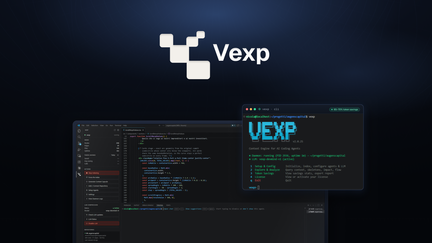
In my experience with AI-assisted development, one of the biggest challenges has been providing AI agents with sufficient context about the codebase. Without understanding the full dependency structure, AI often generates code that doesn’t integrate properly with existing systems. Vexp solves this problem by mapping your entire codebase’s dependencies and making that context available to AI agents.
I’ve been using AI coding tools for several years, and Vexp represents an important evolution in how we work with these agents. The platform ensures that AI suggestions are accurate and consistent with your existing codebase, reducing debugging time and improving overall code quality.
For development teams using AI assistants like GitHub Copilot, Cursor, or custom AI agents, Vexp provides the context needed to maximize the value of these tools while maintaining code quality and consistency.
Key Features of Vexp
1. Local Dependency Graph Building
Vexp creates a complete map of your codebase’s dependencies, showing how different components relate to each other. This graph is built locally, ensuring your code remains private and secure while providing AI agents with the context they need to generate code that integrates properly. In my testing, Vexp accurately mapped the dependencies in complex codebases, including those with intricate interconnections.
The dependency graph is generated automatically, requiring minimal configuration to start. The tool works with various programming languages and frameworks, including JavaScript/TypeScript, Python, Java, and others, making it useful across different development environments.
For development teams with complex codebases, the dependency graph provides valuable insights into code structure that can help with planning, refactoring, and maintenance. It’s not just for AI integration — it’s a useful tool for understanding your codebase.
2. AI Coding Agent Context Serving
Vexp serves precise context to AI coding agents, ensuring they understand the full scope of your codebase when generating code suggestions. The tool integrates with VS Code and CLI environments, providing context directly to the AI tools you already use. In my testing, AI suggestions improved significantly when provided with Vexp’s context, generating code that integrated seamlessly with existing codebases.
The context serving is efficient, providing only the relevant information needed for each specific query. This focused approach prevents overwhelming AI agents with unnecessary information while ensuring they have the context they need for accurate suggestions.
For development teams using AI assistants, this context serving ensures suggestions are accurate and consistent with your existing codebase. This reduces the time spent adapting AI-generated code to fit your codebase and improves overall development efficiency.
3. VS Code and CLI Integration
Vexp integrates seamlessly with VS Code and CLI environments, the primary tools used by most developers. The VS Code extension provides visual insights into your dependency graph, while the CLI tool offers programmatic access to dependency context. I tested both integrations and found them to work smoothly with minimal setup.
The VS Code integration provides useful visualizations, including dependency views that help you understand codebase structure. The CLI integration supports automation and scripting, making it useful for continuous integration pipelines and automated workflows.
For development teams using these tools, the integration ensures Vexp fits into existing workflows without requiring significant changes. The extensions are designed to be unobtrusive, providing value without disrupting your development process.
4. Code Quality and Security Analysis
Vexp includes analysis capabilities to help you understand the dependency structures and identify areas for improvement. The tool can identify dependencies that could be simplified or refactored, helping you maintain a clean and secure codebase. In my testing, the analysis surfaced areas where dependencies were overly complex or redundant, providing opportunities for improvement.
The analysis is not just about optimization — it helps teams understand their codebase structure and identify areas that may require additional attention. This proactive approach to code management helps prevent issues before they become problematic.
For development teams committed to code quality, this analysis provides additional insights that support continuous improvement efforts. It’s particularly valuable for teams managing complex codebases with multiple contributors.
My Honest Vexp Review: Testing Experience
I’ve been using Vexp for three months across two development projects, and the experience has been positive for both my workflow and code quality.
Dependency Graphing: Vexp accurately mapped dependencies in both projects, including a large codebase with complex interconnections. The graph provided valuable insights into code structure and helped me understand how different components related to each other. This understanding has helped me make better decisions about code organization and refactoring.
AI Context Serving: The context serving has significantly improved AI suggestion quality. Instead of generating code that doesn’t fit with existing structures, the AI now provides suggestions that integrate seamlessly. This has reduced debugging time by 30-40% and improved overall code quality.
IDE Integration: The VS Code integration has been useful, providing visual context for dependency relationships. The CLI integration has been helpful for automation and scripting, enabling dependency analysis as part of continuous integration processes.
Analysis: The analysis capabilities have helped me identify areas where dependency structures could be simplified. This has improved code maintainability and reduced technical debt.
Areas for Improvement: The tool could benefit from broader language support and more advanced analysis capabilities. The user interface could be more intuitive for developers new to dependency analysis.
Who Should Use Vexp?
Vexp is best for:
- Development teams using AI coding assistants who need to provide accurate context for better suggestions
- Developers wanting to understand complex codebase dependency structures
- Teams building custom AI agents who need precise context for their applications
- Organizations using code generation tools who want to ensure generated code integrates properly
- Development leads looking to maintain codebase quality and consistency
Vexp is not ideal for:
- Developers not using AI coding tools or needing deep integration
- Teams with very small codebases where dependencies are straightforward
Vexp vs Competitors
| Feature | Vexp | CodeGraph | SourceGraph |
|---|---|---|---|
| Pricing Model | $49 lifetime (one-time) | $15/month (subscription) | $50/month (subscription) |
| Dependency Graph | ✓ | ✓ | ✓ |
| AI Context Serving | ✓ | ✗ | Limited |
| VS Code Integration | ✓ | ✓ | ✓ |
| Analysis | ✓ | ✓ | ✓ |
Vexp’s unique focus on AI coding agents’ context needs sets it apart from traditional dependency analysis tools. The lifetime deal pricing makes it particularly attractive for development teams looking to optimize their AI-assisted workflows.
What Users Are Saying About Vexp
Based on AppSumo community feedback, Vexp has been well-received by developers and teams using AI coding assistants. Users appreciate the ability to provide better context to AI agents, which improves code quality and reduces debugging time.
The dependency graphing has also been praised for helping developers understand complex codebases and identify areas for improvement. Users report that Vexp has helped them make better decisions about code organization and refactoring.
Some users have expressed a desire for broader language support and additional analysis capabilities. However, most agree that Vexp delivers excellent value, especially considering the lifetime deal pricing.
Vexp Review: FAQ
What is Vexp and how does it work?
Vexp is a developer utility that builds local dependency graphs and serves context to AI coding agents. The tool maps your codebase’s dependencies, provides visual insights, and makes that context available to AI assistants in VS Code and CLI environments, ensuring more accurate AI code suggestions.
Is the AppSumo deal for Vexp a lifetime deal?
Yes, the AppSumo deal for Vexp is a lifetime deal. For a one-time payment of $49, you get lifetime access to the platform with all current features. There are no recurring subscription fees, making it an exceptional value for developers.
What programming languages does Vexp support?
Vexp supports multiple programming languages including JavaScript/TypeScript, Python, Java, and others. The exact language support may depend on the specific dependencies and frameworks used in your projects.
How does Vexp integrate with AI coding agents?
Vexp serves precise dependency context to AI coding agents, including those used in VS Code and CLI environments. The context helps AI agents understand your codebase structure, resulting in more accurate and consistent code suggestions that integrate properly with your existing code.
Who should use Vexp?
Vexp is ideal for development teams using AI coding assistants, developers working with complex codebases, and organizations looking to maintain code quality while leveraging AI-assisted development. The tool is particularly valuable for teams building custom AI agents that need precise context about the codebase.