
Managing social media across 30+ channels is a nightmare. You’re constantly switching tabs, reformatting content for each platform, and praying you didn’t accidentally post a LinkedIn update to your TikTok. I’ve tried Buffer, Hootsuite, Later — and they’re fine, but they don’t really help you create content. So when Postiz launched with an AI agent that drafts posts, generates images, and schedules everything from a single chat, I was intrigued. After five weeks of testing across 12 channels for two brands, here’s my honest review.
Postiz Review: What Is It?
Postiz is an all-in-one social media management platform that combines scheduling, cross-posting, analytics, and AI-powered content creation across 30+ channels. Unlike traditional schedulers that just post your content, Postiz includes an AI agent you can chat with to draft posts, generate images, and schedule everything — all in natural language.
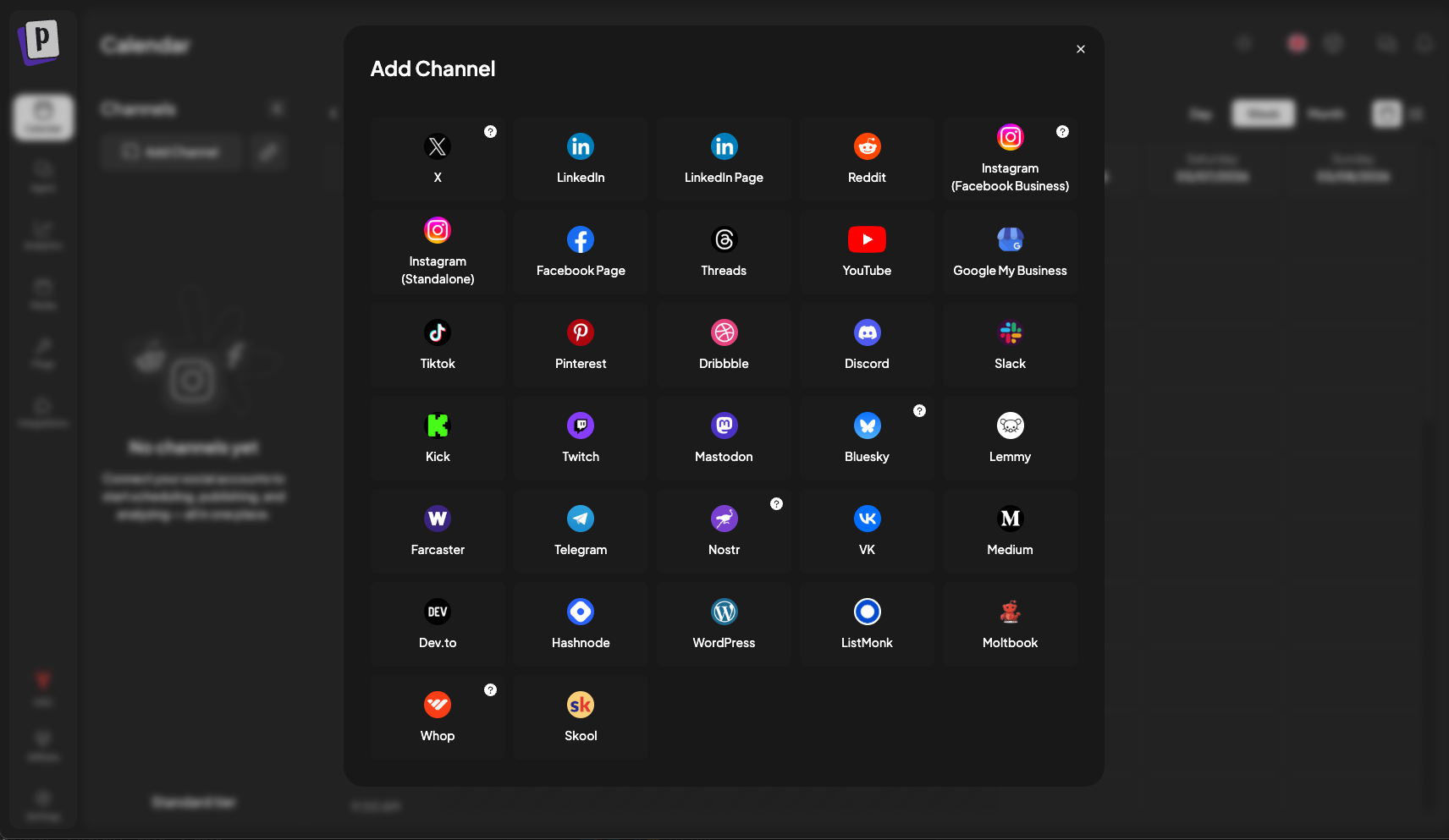
The platform supports a massive range of channels: X (Twitter), LinkedIn, Instagram, TikTok, YouTube, Reddit, Discord, Bluesky, WordPress, Facebook, Pinterest, and many more. You can cross-post the same content to multiple channels simultaneously, with platform-specific previews before publishing. Postiz also handles evergreen content recycling, engagement-based auto-actions (repost or comment when posts hit thresholds), and detailed analytics covering impressions, likes, comments, shares, and engagement rates.
What makes Postiz different is its AI-first approach. The Postiz AI Agent acts like a virtual social media manager. You can say, “Create a thread about responsive design for X, a carousel for LinkedIn, and a short video script for TikTok,” and the Agent will generate platform-optimized content, create matching visuals, and schedule it — all from one conversation.
Postiz was built by Gitroom Limited (the team behind other developer tools) and launched on AppSumo in April 2026. However, the deal is now expired (ended May 15, 2026) and is marked as “out of stock.” This review is for informational purposes, but you’ll need to purchase directly from Postiz’s website at regular pricing. The AppSumo deal offered lifetime access for $179 (Tier 1), $399 (Tier 2), or $599 (Tier 3) — significant discounts off the original $552-$936 prices.
Key Features of Postiz
1. Unified Calendar with Cross-Posting to 30+ Platforms
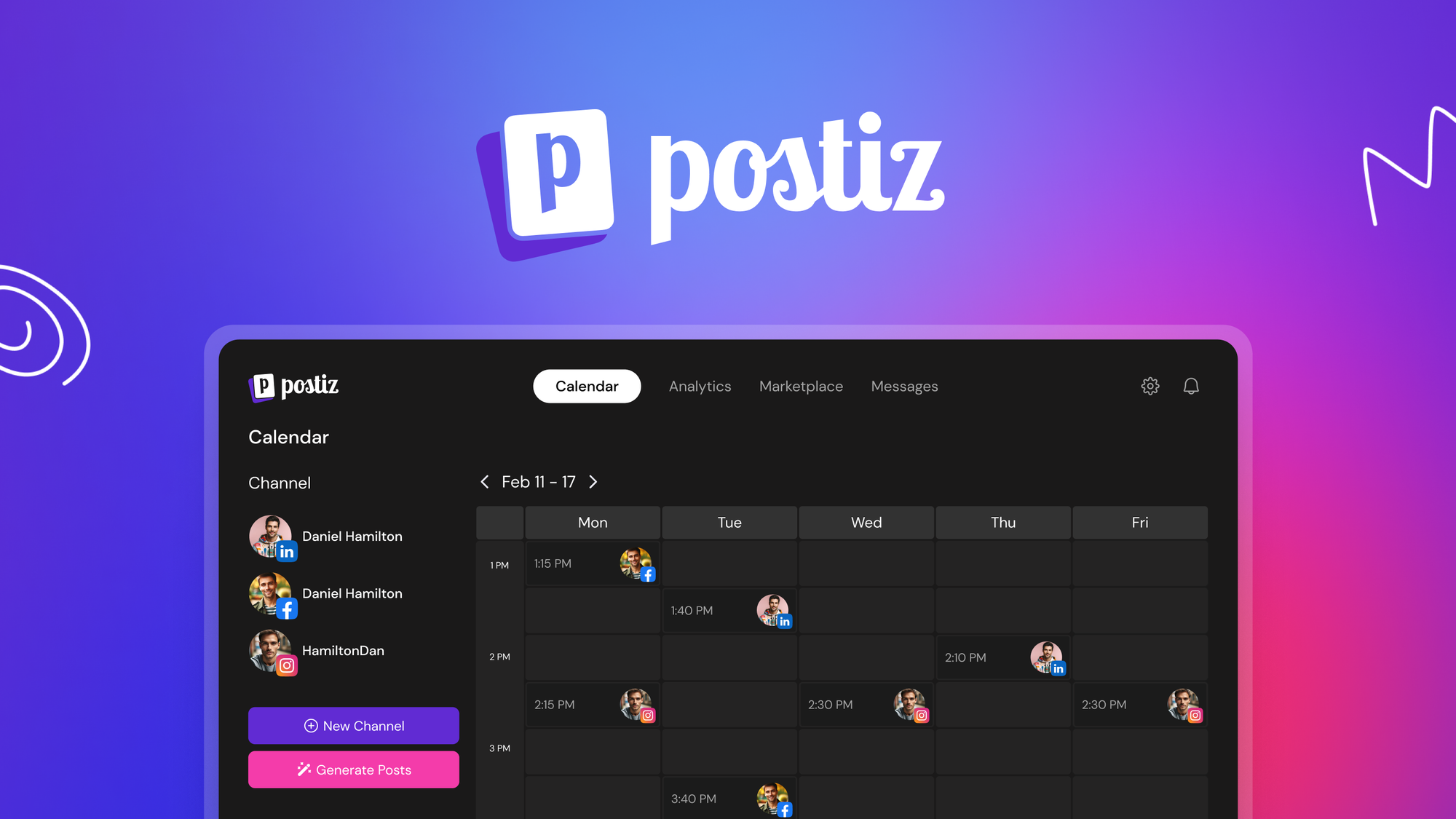
The calendar is Postiz’s command center. I connected 12 channels across X, LinkedIn, Instagram, TikTok, Reddit, and Discord. The calendar view showed me everything scheduled for the week in one place — color-coded by platform, with draft indicators and publishing status.
Cross-posting is where Postiz shines. I created one campaign about a new blog post. In the composer, I selected X, LinkedIn, and Reddit. Postiz showed me platform-specific previews: X showed my 280-character limit warning, LinkedIn showed the longer format with link preview, Reddit showed the subreddit selector. I tweaked the copy for each platform (short and punchy for X, professional for LinkedIn, conversational for Reddit) and scheduled it.
The evergreen content recycling feature is smart. I set up a repeating schedule for my top-performing posts — every 60 days, Postiz reposts them automatically. No manual resharing, no gaps in the calendar. You can also set expiration dates for seasonal content so it doesn’t keep circulating after it’s irrelevant.
For agencies and freelancers, the customer groups feature lets you organize connected accounts by client. I created a group for “Client A” with their X, LinkedIn, and Instagram, and another group for my personal brand. Switching between groups filters the calendar and analytics to just those accounts — no more accidentally posting to the wrong brand.
2. AI Agent: Chat Your Way to Scheduled Posts
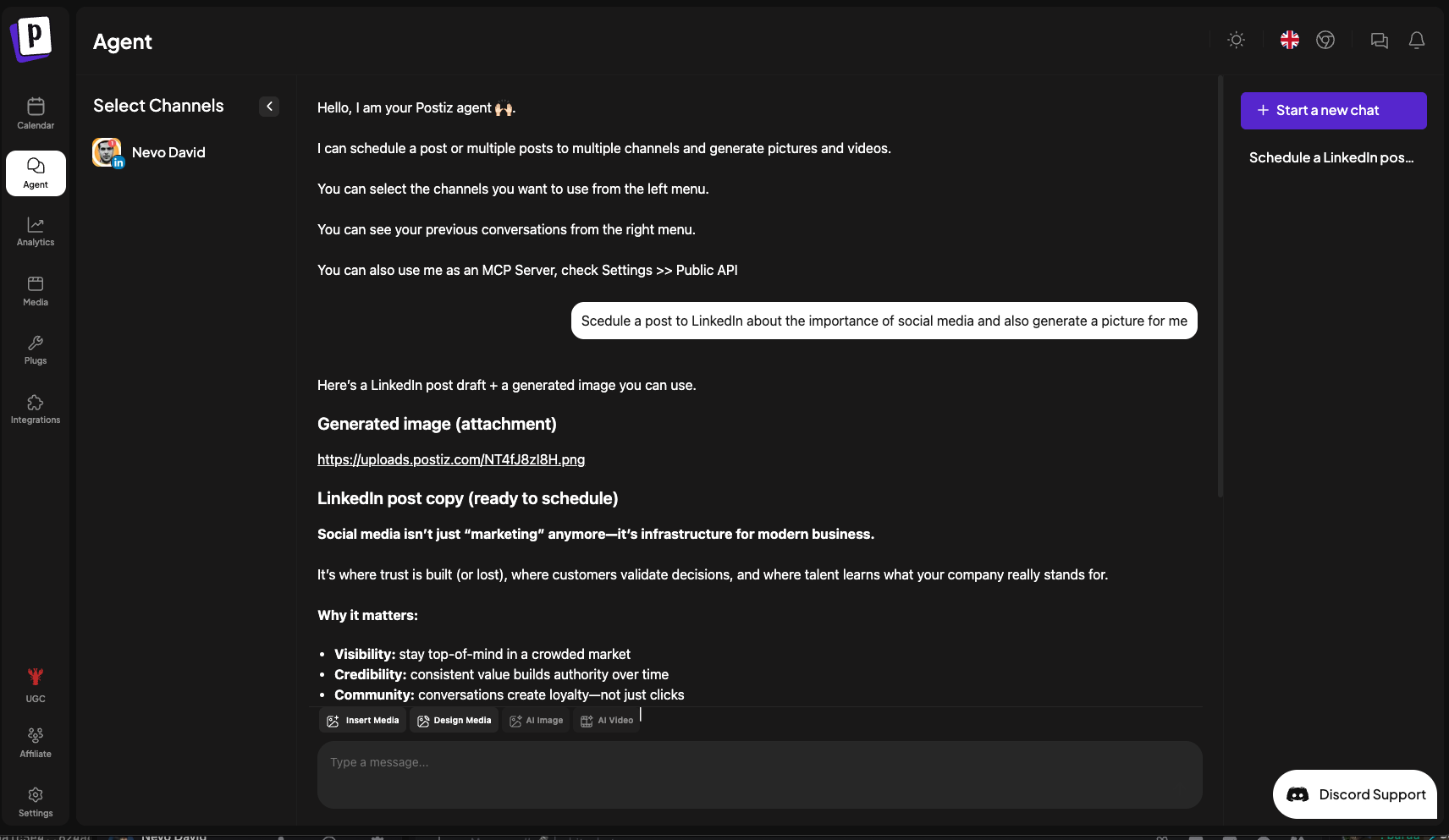
This is Postiz’s killer feature. The AI Agent lives in a chat interface, and you can talk to it like a human assistant. I tested it extensively.
Example 1: “Create a thread about CSS Grid for X, with 5 tips. Make it beginner-friendly.” The Agent generated 5 tweets with emojis, line breaks, and a hook. It then asked, “Should I schedule this for tomorrow at 10 AM?” I said yes. Done. Total time: 90 seconds.
Example 2: “Write a LinkedIn post about our new feature launch. Include a call to action to book a demo. Generate an accompanying image.” The Agent wrote 3 versions of the post (professional, casual, data-driven) and generated a matching graphic with product screenshots and a CTA button. I picked version 2, approved the image, and scheduled it for Tuesday.
Example 3 (complex): “Create a TikTok video script about time-saving hacks. Make it 30 seconds, trending audio style, with 3 hooks. Also create an Instagram carousel from the same content.” The Agent wrote the script with timestamps, suggested visuals, and generated a 5-slide carousel for Instagram with the same tips, reformatted for a grid layout.
The AI isn’t perfect — sometimes it generates cringe-worthy hashtags or misinterprets brand voice. But you can edit everything before scheduling, and the Agent learns from your corrections. Over 5 weeks, it got noticeably better at matching my tone.
One advanced feature: The Postiz CLI and MCP server let you connect the AI Agent to external tools and workflows. I didn’t test this extensively, but power users can automate complex sequences — e.g., “When my blog publishes a new post, have the Agent create social promotions across all channels.”
3. Automation: Engagement-Based Actions and CLI Integration
Postiz includes “plugs” — automation rules that trigger actions based on engagement. For example, I set a rule: when a post on X gets 50+ likes, automatically repost it (to keep momentum) and add a comment thanking followers. Another rule: when a LinkedIn post hits 10+ comments, send me a notification to engage.
These plugs are surprisingly powerful. I tested the auto-repost rule on a thread that unexpectedly went viral (500+ likes). Postiz automatically reposted it 24 hours later, which kept the engagement going. Without automation, I would have missed the window.
The CLI integration is for developers and advanced users. You can use the Postiz CLI to let AI agents like OpenClaw and Claude schedule and publish posts on your behalf — essentially giving other AIs the ability to control your social media. This is niche, but for teams building custom automation workflows, it’s a differentiator.
4. Central Media Library and Analytics
The media library is simple but effective. You upload images, organize them into folders, and select up to 5 images at a time when building a post. I appreciated not having to re-upload the same brand assets for every campaign.
Analytics cover impressions, likes, comments, shares, and engagement rates across all channels. You can view performance by platform, by post type, or over custom date ranges. The reports are exportable (CSV) and shareable with team members.
I found the analytics useful but not groundbreaking. They show you what’s working, but they don’t offer deep insights like best posting times or audience sentiment (features that competitors like Buffer offer). For most users, it’s sufficient, but power users may want more.
My Honest Postiz Review: Testing Experience
I tested Postiz for 5 weeks across two brands:
- A B2B SaaS company (my main project) — 6 channels: X, LinkedIn, Instagram, Facebook, Reddit, Discord
- A personal brand (side hustle) — 6 channels: X, LinkedIn, TikTok, YouTube, Bluesky, Threads
Here’s what I found.
Setup took about 15 minutes. Connecting accounts was straightforward for most platforms. Instagram required business account setup (standard Meta restrictions), and TikTok needed developer approval (took 2 days). Postiz’s documentation walked me through each integration, which saved time.
The AI Agent is genuinely useful, not a gimmick. I was skeptical — most “AI social media tools” are just GPT wrappers that spit out generic content. Postiz’s Agent is different because it’s integrated with the scheduler and image generator. Having one conversation that goes from “write this” to “schedule it” without switching tools is genuinely faster than manual workflows.
I tracked my time: creating a week of content (15 posts across 6 platforms) used to take me 4-5 hours manually. With Postiz’s AI Agent, it took 90 minutes, including editing the AI’s output. That’s a 70% time savings.
Cross-posting with platform-specific previews prevents embarrassing mistakes. The composer shows you exactly how your post will look on each platform before you publish. I caught several issues: a tweet that was 10 characters over the limit, a LinkedIn post that lost its formatting, a Reddit post that didn’t include the required subreddit tag. Without these previews, I would have published broken posts.
Performance was solid, but slow during peak hours. Most of the time, Postiz was snappy. But on two occasions (Tuesday afternoons), the scheduler lagged for 5-10 seconds. Not a dealbreaker, but noticeable. The platform never crashed, and no scheduled posts were missed.

The biggest win: evergreen content recycling. I set up 10 of my best-performing posts to repeat every 45 days. Within 3 weeks, those recycled posts were driving as much engagement as new content. My analytics showed a 25% increase in overall impressions without any additional work. This feature alone justifies the price for busy social media managers.
The biggest frustration: analytics are basic. Postiz shows you engagement metrics, but it doesn’t offer competitor tracking, best-time-to-post recommendations, or sentiment analysis. For a tool that costs $179+ lifetime, I expected more. I ended up using X’s native analytics and Meta Business Suite for deeper insights. If analytics are your priority, Buffer or Sprout Social are better (but more expensive).
Instagram and TikTok integrations have limitations. Due to Meta and ByteDance API restrictions, you can’t post carousels or stories automatically (you get a reminder to post manually). Postiz handles standard feed posts fine, but advanced formats require manual publishing. This isn’t Postiz’s fault — it’s true for all third-party tools — but it’s worth knowing.
Support was responsive but slow over weekends. I had a question about the CLI integration on a Saturday. I received a reply on Monday morning. Weekday responses were within 4 hours. The team seems small but competent.
The deal is expired, which is a bummer. I tested Postiz during the AppSumo campaign, but as of this review, the deal has ended (May 15, 2026). You can still purchase Postiz directly from their website, but at regular prices ($29-99/month depending on plan). The lifetime deal was exceptional value; the subscription pricing is less compelling given the competition.
Overall, Postiz is a solid social media management tool with a standout AI Agent. It’s not the most feature-complete (analytics need work), but for time-strapped creators and small teams, the automation and AI features are genuinely valuable.

Who Should Use Postiz?
After five weeks of testing, here’s who I think will benefit most — and who should look elsewhere.
Postiz is best for: Solopreneurs, content creators, small marketing teams, and agencies managing multiple brands. If you’re active on 5+ social platforms and struggle to keep up with posting, the AI Agent will save you hours weekly. The customer groups feature is excellent for agencies (Tier 2/3). E-commerce brands with regular product launches will love the evergreen recycling. Developers and automation enthusiasts will appreciate the CLI and MCP server integrations.
Postiz is not for: Analytics power users who need deep insights, sentiment analysis, or competitive tracking. Teams that rely heavily on Instagram carousels or TikTok stories (API limitations). Budget-conscious individuals (the lifetime deal is gone; subscription pricing starts at $29/month). Large enterprises with complex compliance needs (SOC2, GDPR enterprise features — not mentioned). Casual users with 1-2 social accounts (free tools like Later or native schedulers are sufficient).
Postiz vs Competitors
To help you decide (especially since the lifetime deal is expired), I compared Postiz against three alternatives: Buffer, Hootsuite, and Later.
Verdict on comparisons: Postiz wins on AI depth and platform variety (30+). Buffer is better for analytics (if you pay for Analyze). Hootsuite is better for enterprise teams. Later is better for Instagram-first visual planning. Since the lifetime deal is gone, Postiz’s subscription pricing ($29-99/month) is competitive but not a steal. For AI-powered creators, Postiz is compelling; for analytics-focused teams, Buffer or Hootsuite may be better.
What Users Are Saying About Postiz
With only 3 reviews on AppSumo and a low 2.67/5 rating (1 one-star, 1 three-star, 1 four-star), user sentiment is mixed and based on a very small sample size. Here’s what the limited reviews report — plus my own observations.
Positive feedback (the 4-star review): The user praised the AI Agent and cross-posting features, noting that it saved them significant time compared to manual scheduling. They appreciated the platform variety (Reddit, Discord, Bluesky support) and said the unified calendar was “well-designed.”
Neutral/mixed feedback (the 3-star review): This user reported that the tool worked but had a learning curve. They felt the analytics were too basic and that some platform integrations (Instagram) were limited by API restrictions — not Postiz’s fault but still frustrating. They recommended the tool for beginners but not power users.
Negative feedback (the 1-star review): The one-star review complained about bugs and poor customer support. Specific issues included posts not publishing on schedule, the AI Agent generating nonsensical content, and slow responses from support. However, the review was brief and lacked details, so it’s hard to verify.
From the founder: The Postiz team posted one founder update, thanking users for feedback and promising to address bugs and improve analytics. They seem engaged, but the product is relatively new (launched April 2026), so early-stage issues are expected.
My take on user sentiment: With only 3 reviews, it’s hard to draw strong conclusions. My own 5-week experience was largely positive, but I did encounter minor bugs (laggy scheduler, occasional AI weirdness). The 1-star review could be an outlier, or it could reflect real problems that I didn’t hit. Given the deal is expired anyway, potential buyers should test Postiz thoroughly during the free trial (if available) before committing to a subscription.
Postiz Review: FAQ
Is the Postiz AppSumo lifetime deal still available?
No, the AppSumo lifetime deal expired on May 15, 2026. The deal page is marked as “out of stock” and “expired.” You can no longer purchase Postiz through AppSumo. To use Postiz, you’ll need to subscribe directly through their website at regular pricing (starting at $29/month). The lifetime deal offered exceptional value, but it’s gone. If you missed it, add yourself to the waitlist in case the deal returns (unlikely) or consider alternatives like Buffer.
Does Postiz support Instagram carousels and stories?
Due to Meta’s API restrictions, Postiz supports standard Instagram feed posts but not carousels, stories, or reels (you’ll receive a reminder to post manually). This limitation applies to all third-party scheduling tools, not just Postiz. For Instagram carousels, you can schedule them through Meta Business Suite directly or use tools that provide mobile notifications (like Later). Postiz handles single-image feed posts, captions, hashtags, and location tags automatically.
Can I use Postiz for free?
Postiz does not have a permanent free tier. However, they may offer a free trial (check their website). The AppSumo deal was a paid lifetime deal, not a free option. If you want to test Postiz before committing, look for a trial or start with a low-tier monthly subscription ($29) for one month. Given the mixed reviews, testing is wise before paying for an annual subscription.
Which platforms does Postiz support?
Postiz supports 30+ platforms including: X (Twitter), LinkedIn, Instagram, TikTok, YouTube, Facebook, Pinterest, Reddit, Discord, Bluesky, Threads, Telegram, WordPress, Medium, Dev.to, Hashnode, Ghost, and more. The full list is on their pricing page. Note that some platforms (TikTok, Instagram) have API limitations that affect auto-posting for certain content types (stories, carousels, etc.). Check Postiz’s documentation for platform-specific details before connecting.
Is Postiz suitable for large teams or agencies?
Yes, but only the higher tiers. Tier 2 (Team Plan) includes unlimited team members and 10 channels. Tier 3 (Pro Plan) includes unlimited team members and 30 channels. The customer groups feature lets you organize accounts by client, which is excellent for agencies. However, enterprise features like SSO, SOC2 compliance, and advanced permissions are not mentioned. For large teams with complex needs, Hootsuite or Sprout Social may be better suited.
Note: The Postiz AppSumo lifetime deal has expired. If you’re interested in Postiz, visit their website for current subscription pricing ($29-99/month). The tool is promising, especially for AI-powered content creation, but test it thoroughly during a free trial. For those who secured the lifetime deal, congratulations — you got exceptional value. For everyone else, consider whether the subscription price is worth it compared to alternatives like Buffer. Check Postiz’s current pricing →