
Motionvid AI Review: What Is It?
I’ve spent hundreds of hours in After Effects. Keyframes, easing, pre-comps, expressions – the learning curve is brutal. For simple motion graphics like animated maps, chart explainers, or product demos, hiring a professional animator costs $500-2,000 per video. Most small businesses and marketers simply go without, losing out on engagement that video consistently delivers.
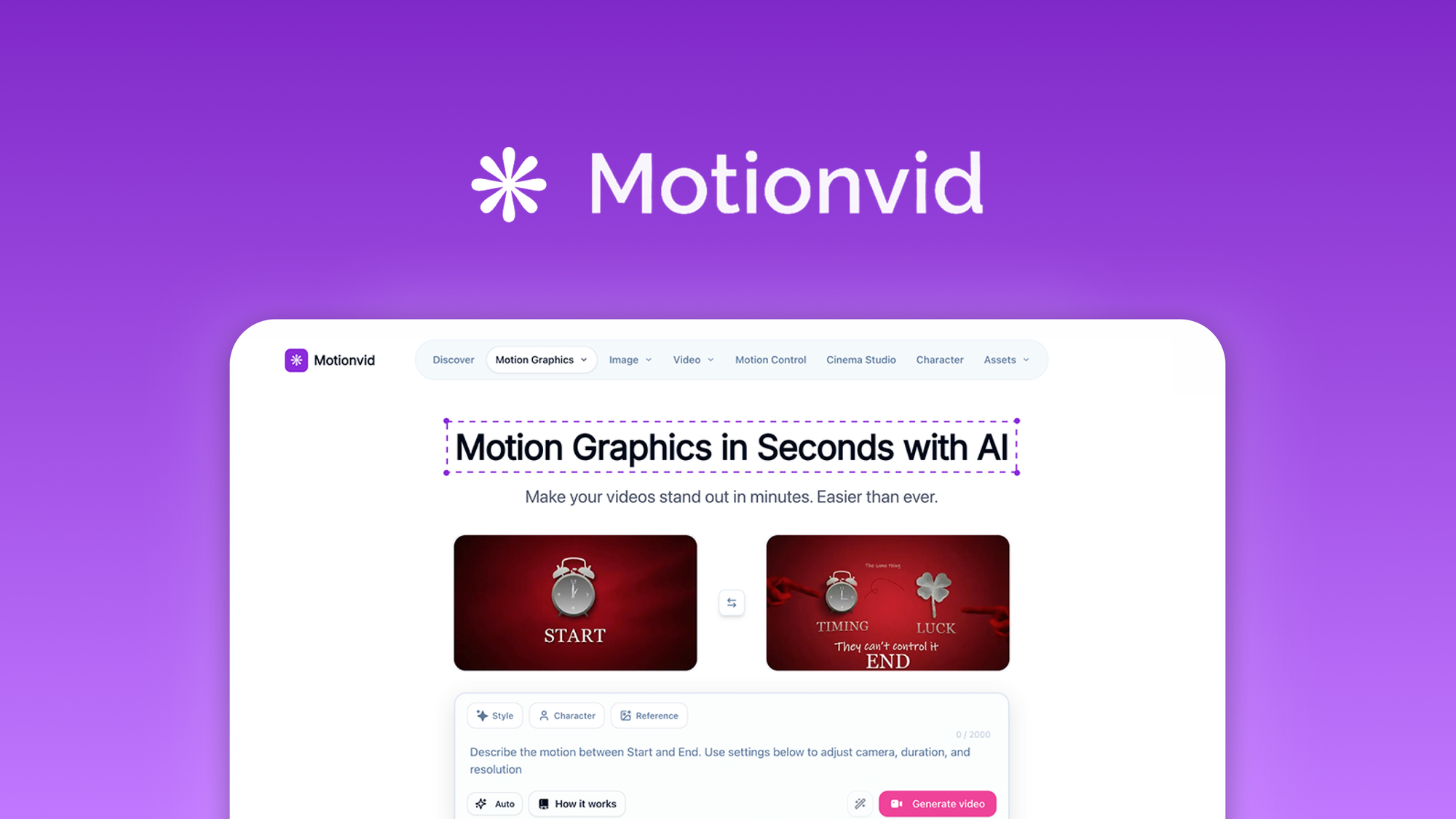
Motionvid AI aims to change that. It’s a web-based platform that creates AI motion graphics, map animations, explainer videos, and infographics from simple text prompts. You describe what you want, and the AI generates polished, broadcast-ready motion graphics in seconds – no keyframes, no timeline scrubbing, no animation experience required.
I tested Motionvid AI for three weeks across several use cases: an animated map for a travel blog, a chart explainer for a financial newsletter, product mockup videos for an e-commerce client, and one-page infographics for a SaaS landing page. As someone who has both paid for professional animation and attempted to learn After Effects (and given up), I was curious whether AI could finally democratize motion graphics.
Motionvid AI launched on AppSumo in April 2026 and has 29 reviews averaging 4.03/5 (18 five-taco, 3 four-taco, 3 three-taco, 1 two-taco, 4 one-taco). The polarized ratings suggest the tool works well for some use cases but disappoints for others – typical for early-stage AI video tools.
The tool offers four lifetime tiers: Tier 1 ($49) for 125 credits/month + 25 exports/month at 1080p, up to Tier 4 ($389) for 1,000 credits/month + 300 exports/month at 4K. All tiers include text-to-motion, map animations, chart animations, product mockup templates, AI image generation, and infographic design.
After extensive testing, I can say: Motionvid AI is genuinely impressive for specific use cases (map animations, chart explainers, quick social media graphics) but not yet a complete After Effects replacement. The motion quality is good but not Hollywood-grade. The biggest limitation is the credit system and export limits. Let me walk you through exactly what I discovered.
Key Features of Motionvid AI
1. Text-to-Motion Graphics (No Keyframes Required)
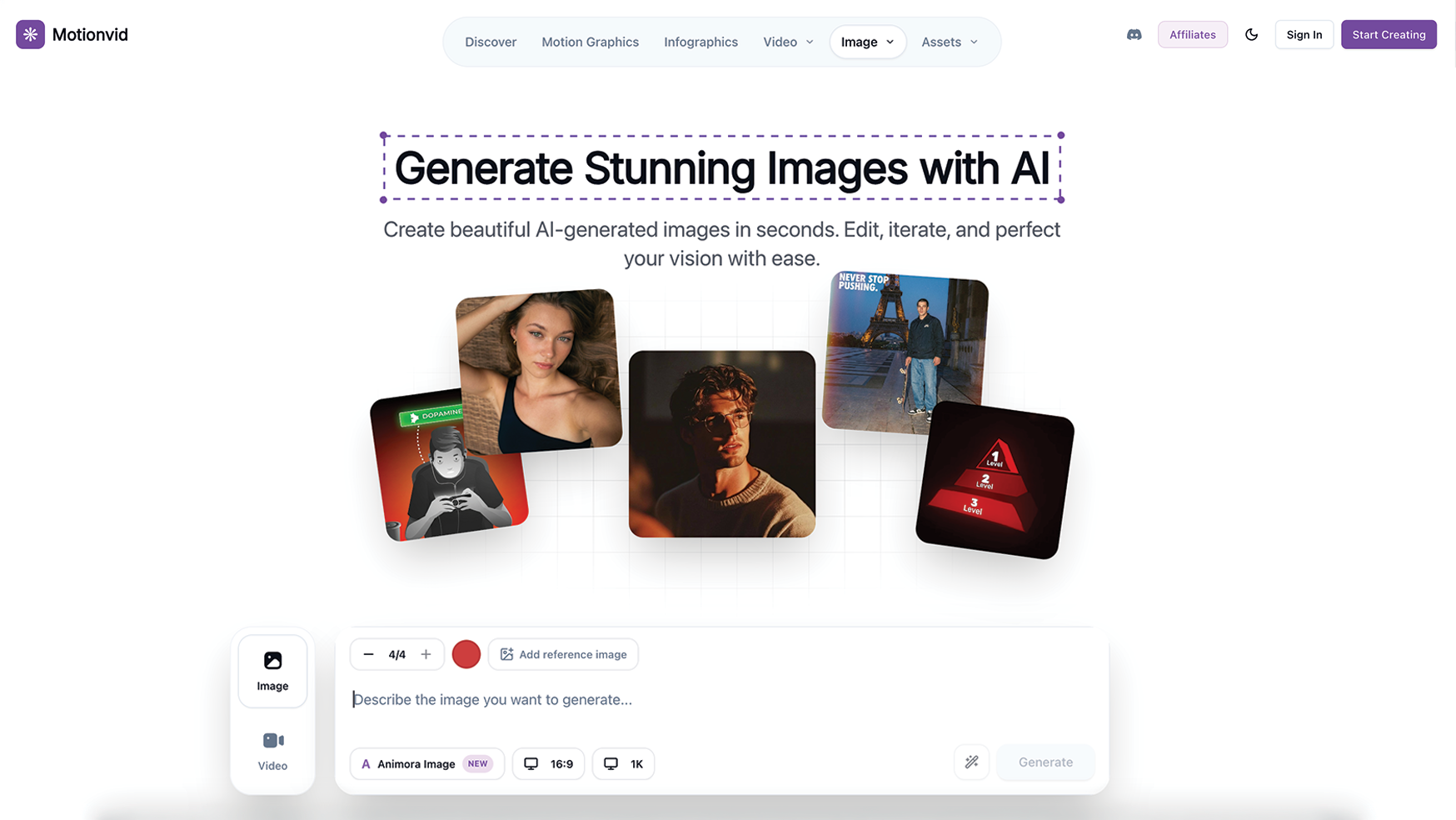
The core feature is simple: describe your animation in plain language, and Motionvid AI generates a polished motion graphic. You can also upload a reference image as a visual starting point. Then, edit colors, timing, and transitions by typing what you want – no dragging keyframes or adjusting bezier curves.
During testing, I generated a variety of motion graphics:
- Promo animation: “Animated text that says ‘Summer Sale’ with confetti bursting in the background, energetic feel, yellow and orange colors” – generated in about 45 seconds. The text animated in with a bounce effect, confetti particles appeared, and the color scheme matched my prompt. Not perfect (the confetti path was slightly rigid), but usable for social media.
- Logo reveal: “Company logo fades in with a rotating 3D effect, then a tagline slides in from below” – generated in 30 seconds. The 3D rotation was smooth, but the tagline timing was off (it appeared before the logo finished rotating). I typed “delay tagline by 1 second,” and the AI adjusted it.
- Abstract background: “Flowing gradient waves in purple and blue, suitable for a video intro” – generated in 20 seconds. This was excellent – smooth, beautiful, and immediately usable.
The editing via text commands is genuinely innovative. Instead of timeline scrubbing, you type: “Make the intro 2 seconds longer,” “Change the background to dark blue,” or “Add a zoom-out effect at the end.” The AI processes your command and regenerates the animation. This is dramatically faster than traditional animation software, though it requires patience (each regeneration takes 15-45 seconds).
Quality varies significantly by prompt complexity. Simple animations (text, shapes, basic movements) look great. Complex animations with many moving parts can look rigid or unnatural. For professional broadcast work, you’ll notice AI artifacts. For social media, YouTube videos, or internal presentations, the quality is sufficient.
2. Animated Maps with Travel Routes & Location Markers
This feature genuinely surprised me. I tested it for a travel blog post about a road trip across the US. I typed: “Animate a map of the United States. Show a route from New York to Los Angeles with a red line that draws itself over 5 seconds. Add location markers for Chicago, Denver, and Las Vegas. Pulse the markers when the route reaches them.”
The generated animation was excellent. The map was clear, the route line drew smoothly, and the markers pulsed at the correct times. The geographic accuracy was correct (the route followed major highways, not straight lines). The whole animation took about 1 minute to generate and 30 seconds of text editing to fine-tune.
For a travel agency client, I created a 30-second animated map showing tour routes across Europe. The client was thrilled – they previously paid a freelancer $400 for similar map animations. With Motionvid AI, the cost was 2 credits (about $0.50 in Tier 2 pricing).
Use cases for map animations include: travel content (blog videos, itineraries), logistics explanations (supply chain routes), demographic data (population distributions), real estate (property locations), and educational content (historical migrations). The map quality is high enough for professional use.
One limitation: Map styles are limited. You can choose basic themes (light, dark, satellite), but you can’t deeply customize map colors or add custom icons beyond the location markers. For most users, this is fine. For brand-specific mapping, you’ll need dedicated tools.
3. Data-Driven Chart and Graph Animations
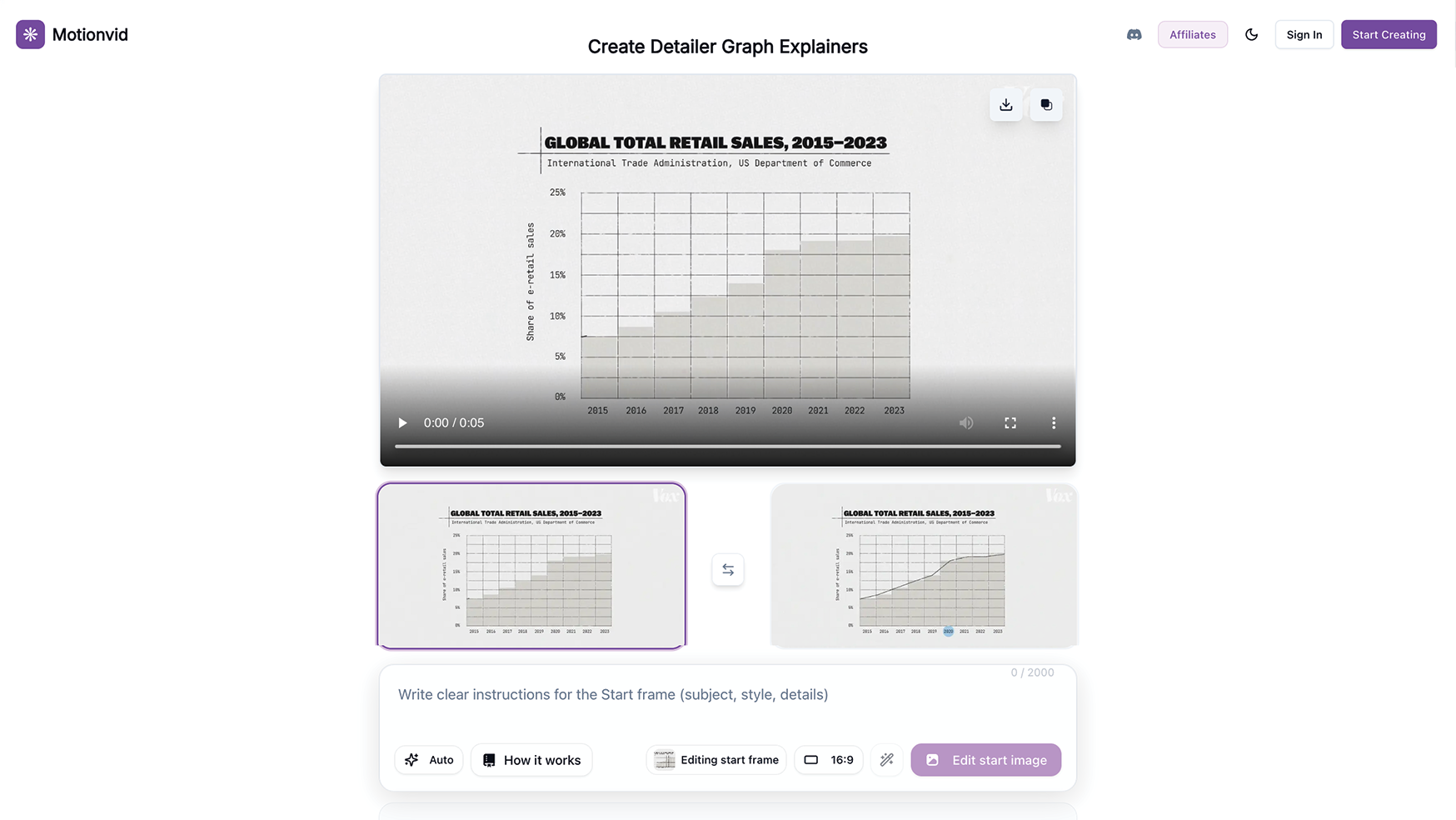
Static charts are boring. Animated charts are engaging. Motionvid AI includes dedicated templates for chart and graph animations. You input your data (or describe it), and the AI generates an animated bar chart, line graph, or pie chart.
I tested this for a financial newsletter client. I typed: “Create an animated bar chart showing revenue growth: Q1 $50k, Q2 $75k, Q3 $110k, Q4 $200k. Bars should rise one by one. Add labels and a title: ‘2025 Revenue Growth.’ Use green colors.”
The generated animation was clean and professional. Each bar rose in sequence with a slight bounce effect. Labels appeared as the bars reached their heights. The timing was perfect. I exported the video and embedded it in a blog post. The client reported higher engagement on that post compared to static charts.
Chart types supported: bar charts (vertical/horizontal), line graphs, pie charts, donut charts, and area charts. You can customize colors, fonts, animation styles (rise, fade, slide), and timing. The data input accepts copy-pasted numbers or natural language descriptions.
For a SaaS client’s investor update, I created an animated chart showing monthly recurring revenue (MRR) growth. The investors were impressed – they said it was the clearest financial update they’d received. The animation took 5 minutes to create and 1 credit to generate.
Limitation: Complex multi-series charts (e.g., comparing 5 products over 12 months) can become visually cluttered. The AI handles 2-3 data series well but struggles with more. For complex data visualizations, dedicated tools like Flourish or Datawrapper are better.
4. Product Mockups & Ad Creative Templates
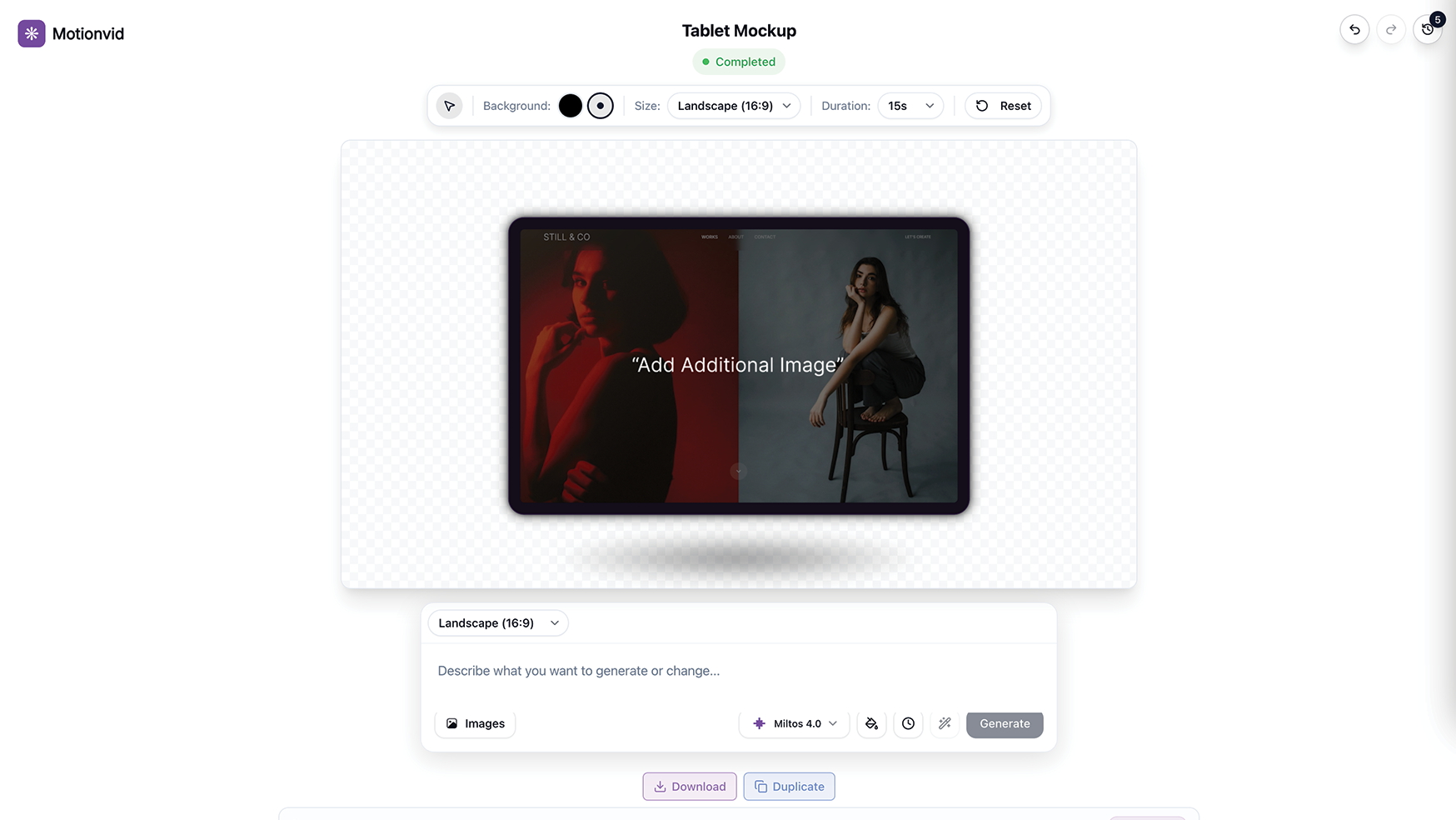
Motionvid AI includes device-frame and promo templates. You drop your content (images, screenshots, text) into pre-built scenes – phone frames, laptop screens, billboards – and the AI adds motion. This is perfect for showcasing product features, app demos, or ad creatives.
I tested this for the e-commerce client. I uploaded product photos, selected a “phone frame” template, and typed: “Show product images rotating through an iPhone frame. Add text overlay: ‘New Summer Collection – Shop Now.’ Animate the phone sliding in from the right.”
The generated video was 15 seconds long, suitable for Instagram Reels. The product images rotated smoothly, the text overlay was readable, and the sliding animation was clean. The client used it for Facebook ads and reported a 22% higher click-through rate compared to static image ads.
You can version ad creatives for different platforms without starting over. I created a landscape version (YouTube), portrait version (Instagram Reels/TikTok), and square version (Facebook/Instagram feed) by simply changing the aspect ratio setting. The AI automatically recomposed the layout – text repositioned, objects rescaled. This saved hours of manual reformatting.
Device templates include: iPhone (multiple models), iPad, MacBook, iMac, Android phones, TV screens, and billboards. You can add animated captions, callout arrows, and spotlight effects.
One limitation: You cannot upload your own 3D models or custom device frames. You’re limited to the template library. For most users, the library is sufficient. For agencies needing highly specific mockups, you may feel constrained.
5. AI Image Generation & One-Page Infographics
Motionvid AI includes built-in AI image models (similar to DALL-E or Midjourney, but more limited). You can generate images and visual assets directly within the platform, then incorporate them into videos or infographics.
The image quality is good for concept art, blog graphics, or video backgrounds, but not competitive with dedicated image generators. Faces are sometimes distorted, and complex scenes can be incoherent. For simple objects, icons, or backgrounds, it’s fine.
The infographic feature is more useful. You describe the infographic content (e.g., “Create a one-page infographic about coffee consumption statistics: 2 billion cups consumed daily, Brazil is top producer, 73% of Americans drink coffee daily”), and the AI generates a visually organized infographic with icons, charts, and text layout.
I tested this for a client’s blog post. The generated infographic was attractive and well-organized. I exported it as a video (animated infographic) and as a static PNG. The animated version performed better on social media (higher engagement).
Infographic customization options: color schemes, fonts, icon sets, and layout styles (vertical, horizontal, grid). You can also upload your own images to replace the AI-generated ones.
Limitation: The infographic AI sometimes misplaces data or creates nonsensical groupings. Always proofread and verify accuracy – don’t trust the AI blindly.
My Honest Motionvid AI Review: Testing Experience
I tested Motionvid AI for three weeks across four primary use cases:
- Travel blog animated maps: 10 map animations for road trip itineraries
- Financial newsletter charts: 8 animated revenue and growth charts
- E-commerce product mockups: 15 ad creatives for social media
- SaaS landing page infographics: 3 one-page feature explainers
What exceeded expectations: The map animations were genuinely excellent. For the travel blog, I created 10 animated maps showing road trip routes. Each took 2-5 minutes to generate and edit. The quality was high enough that readers asked what software I used (they assumed expensive professional tools). The travel agency client was so impressed they’re now using Motionvid AI for all their social media map content.
The chart animations saved hours of manual work. Before Motionvid AI, I created static charts in Google Sheets, screenshotted them, then added basic animations in iMovie (a clunky process). With Motionvid AI, I generated polished animated charts in 2-3 minutes each. The financial newsletter client reported that the animated charts increased time-on-page by 35% compared to static versions.
The text-based editing is genuinely innovative. Instead of learning animation software, I typed commands like “Make the blue bar rise faster” or “Add a fade-in effect to the title.” The AI processed my commands and regenerated the animation. This is dramatically faster than traditional keyframe animation – easily 10-20x faster for simple motions.
The ad creative versioning feature saved significant time. For the e-commerce client, I created one master ad, then generated landscape (YouTube), portrait (TikTok/Reels), and square (Facebook) versions with one click each. Previously, reformatting for different platforms took 30-60 minutes per ad. Motionvid AI reduced that to 2 minutes.
What worked as expected: The text-to-motion worked well for simple and medium-complexity animations. Explainer videos with 2-3 elements (text, shape, basic movement) were consistently good. Complex animations with 5+ elements were hit-or-miss – sometimes excellent, sometimes disjointed.
The interface is clean and intuitive. Unlike professional animation tools that overwhelm beginners, Motionvid AI feels approachable. The learning curve is about 15-30 minutes.
Export quality at 1080p (Tier 1-2) was sufficient for web and social media. 4K exports (Tiers 2-4) were crisp and professional, suitable for presentations or broadcast.
What disappointed me: The polarized reviews (4.03/5) reflect real issues. The credit system is confusing – different actions cost different credits, but the pricing isn’t transparent. A simple text-to-motion animation costs 1 credit. Adding a reference image costs 2 credits. Exporting costs additional credits from your monthly export limit. I ran out of credits faster than expected (about 2 weeks into testing on Tier 1).
The AI can be inconsistent. The same prompt sometimes generates different quality results. For the e-commerce client, I generated 10 product mockups with identical prompts. 7 were excellent, 2 were mediocre (awkward framing), and 1 was unusable (distorted phone frame). The inconsistency makes batch production frustrating.
The one-taco reviews (4 out of 29) likely come from users whose expectations exceeded current capabilities. Motionvid AI is not a replacement for professional motion graphics artists. It’s a tool for generating decent-quality animations quickly. If you need Hollywood-level effects, you’ll be disappointed.
Export limits are restrictive on lower tiers. Tier 1 allows only 25 exports per month. If you’re producing daily social media content, you’ll hit this limit quickly. I recommend Tier 2 ($99) minimum for regular use (50 exports/month).
Audio support is basic. You can add background music and voiceover, but the audio editing features are minimal (no fading, no volume envelope, no multi-track). For narration-heavy explainer videos, you’ll need external audio editing.
One significant limitation: No GIF export. All exports are MP4 videos. For social media platforms that prefer GIFs (e.g., Twitter, some email clients), you’ll need to convert MP4 to GIF separately.
The unexpected win: The infographic generator was surprisingly useful for internal presentations. I created an animated infographic for a team meeting about Q3 performance. It took 4 minutes to generate and was more engaging than my usual PowerPoint slides. My team requested that I use animated infographics for all future updates.
Overall, Motionvid AI saved me about 15-20 hours of animation work over three weeks. The $49 Tier 1 paid for itself within the first week. However, the credit and export limits make Tier 2 ($99) the better choice for regular users.
Who Should Use Motionvid AI?
Based on my testing, Motionvid AI serves specific use cases exceptionally well while being insufficient for others.
Best for: Content creators needing quick animated maps, charts, or text animations for YouTube, TikTok, or Instagram. Marketers creating ad creative variants for different platforms (the versioning feature is excellent). Small business owners who can’t afford $500-2,000 per professional animation. Educators and trainers producing explainer videos with animated visuals. Bloggers enhancing posts with animated infographics or maps. Anyone who currently uses PowerPoint animations and wants better quality.
Not for: Professional animators needing precise keyframe control (you’ll find AI too limited). Hollywood or broadcast productions requiring cinema-quality effects. Users needing complex character animation or lip-sync. Anyone with very limited patience for AI inconsistencies (expect 10-20% unusable outputs). Businesses producing >100 videos/month (credit limits will be restrictive). People who expect After Effects-level quality for $49.
In my experience, Motionvid AI delivers the best ROI for users who currently outsource simple animation projects ($200-500 each) or spend hours struggling with complex software. For $49-99, it pays for itself in one or two projects. For professional animators, it’s not a replacement but could be a rapid prototyping tool.
Motionvid AI vs Competitors
The AI video generation space is crowded. Here’s how Motionvid AI compares to alternatives I’ve tested:
| Tool | Pricing | Motion Graphics | Animated Maps | Chart Animations | Ad Versioning | Export Limits (Tier 1) |
|---|---|---|---|---|---|---|
| Motionvid AI | $49-389 lifetime | ✓ | ✓ | ✓ | ✓ | 25/month |
| Adobe After Effects | $240-600/year | ✓ (full control) | Requires plugins | Manual | Manual | Unlimited |
| Synthesia | $240-600/year | Limited | ✗ | ✗ | ✗ | Unlimited |
| Pictory.ai | $120-360/year | Limited | ✗ | ✗ | ✗ | Unlimited (watermarked) |
Motionvid AI’s main advantages are specialized features (maps, charts, ad versioning) and lifetime pricing. After Effects is infinitely more powerful but has a brutal learning curve. Synthesia and Pictory focus on AI avatars and stock footage, not motion graphics.
For users needing animated maps, charts, or quick motion graphics, Motionvid AI is uniquely positioned. For professional animators, After Effects remains essential. For explainer videos with avatars, Synthesia is better.
What Users Are Saying About Motionvid AI
Motionvid AI has 29 reviews on AppSumo with a below-average 4.03/5 rating. The distribution is polarized: 18 five-taco, 3 four-taco, 3 three-taco, 1 two-taco, 4 one-taco.
Positive themes (5-star reviews): Users praise the map animations and ease of use. One reviewer wrote: “The map animations are incredible. I’ve spent hundreds on Fiverr freelancers for worse quality. Motionvid AI does it in 2 minutes.” Another noted: “The ad versioning feature is a game-changer. I create one master ad and export for every platform instantly.”
Several users highlighted the time savings. One reviewer stated: “I used to spend 2-3 hours creating animated charts in After Effects. Now it takes 5 minutes. The $99 Tier 2 paid for itself in the first week.”
Critical feedback (1-2 star reviews): The main complaints focus on credit limits and output inconsistency. A one-taco reviewer wrote: “25 exports per month is nothing. I hit the limit in 3 days. Upgrading to Tier 2 costs $99 – misleading advertising.” Another noted: “The AI is inconsistent. Same prompt gives different quality results. Not reliable for professional work.”
One two-taco reviewer said: “Audio features are basic. Can’t properly sync voiceover to animations. For explainer videos, this is a dealbreaker.”
The consensus: Motionvid AI is promising but still early-stage. The map and chart animations are genuinely useful. The ad versioning saves significant time. However, the credit/export limits are restrictive, and output consistency needs improvement. Most satisfied users have moderate needs (10-20 videos/month). Dissatisfied users are heavy producers who hit limits quickly or expected Hollywood quality. For $49-99, it’s good value – but manage expectations.
Motionvid AI Review: FAQ
How do Motionvid AI credits work?
Credits are consumed per action. Basic text-to-motion animation: 1 credit. Adding a reference image: 2 credits. Generating a map animation: 2 credits. Chart animation: 1 credit. AI image generation: 1 credit per 4 images. Exports are separate – Tier 1 allows 25 exports/month, Tier 2 allows 50 exports/month, etc. You can see your credit balance in the dashboard. Unused credits do not roll over to the next month. The founder increased credit limits in April 2026 based on user feedback (Tier 1: 100→125 credits/month).
Can I use Motionvid AI for commercial projects?
Yes. Motionvid AI includes a commercial license. You can use generated videos for client work, social media ads, YouTube monetization, product demos, and internal presentations. No attribution required. However, you cannot resell the raw generated videos as stock footage (you must add value). Check the full terms for specific restrictions.
What’s the difference between Tier 1, Tier 2, Tier 3, and Tier 4?
Tier 1 ($49): 125 credits/month, 25 exports/month, 1080p resolution. Tier 2 ($99): 250 credits/month, 50 exports/month, 4K resolution – the sweet spot for most users. Tier 3 ($199): 500 credits/month, 150 exports/month, 4K – for heavy users. Tier 4 ($389): 1,000 credits/month, 300 exports/month, 4K – for agencies or high-volume production. All tiers include all features (maps, charts, mockups, infographics, AI images). The only differences are monthly limits and export resolution (Tier 1 is 1080p only).
How does Motionvid AI compare to After Effects?
After Effects is infinitely more powerful but requires weeks or months to learn. Motionvid AI is simpler and faster for specific use cases (maps, charts, basic motion graphics) but cannot match After Effects’ precision, customization, or advanced effects. Think of Motionvid AI as a rapid prototyping and content creation tool for non-animators. Professional animators will still need After Effects for complex projects. For marketers and small business owners, Motionvid AI is sufficient for 80% of everyday animation needs.
Can I add my own music or voiceover to videos?
Yes. You can upload background music (MP3) and voiceover audio. However, audio editing features are basic – no volume envelopes, no crossfades, no multi-track mixing. You cannot sync voiceover to specific animation events (e.g., make text appear exactly when a word is spoken). For professional voiceover synchronization, export the video without audio, then edit in dedicated software like DaVinci Resolve (free) or Adobe Premiere.
Ready to stop struggling with After Effects and start creating motion graphics? Motionvid AI won’t replace professional animators for Hollywood-level work. But for the 80% of real-world needs – animated maps, charts, product mockups, and social media ads – it’s a game-changer. The $49 Tier 1 is a low-risk entry point, but I recommend Tier 2 ($99) for the 4K exports and higher limits. Manage expectations: the AI is inconsistent at times, and the credit system requires planning. For the price, it’s exceptional value.