
Choosing the right project management software is a critical decision for your team. The best way to make an informed choice is to try before you buy—through project management software demos.
This guide covers everything you need to know about project management software demos: what to look for, how to evaluate them, and which tools offer the best demonstration experiences.
At a Glance: What to Look For in a Project Management Software Demo
- Key Features: Task management, project views, collaboration, reporting.
- Ease of Use: Intuitive interface and navigation.
- Integrations: Does it connect with your existing tools?
- Scalability: Can it grow with your team?
- Mobile Access: Can you manage projects on the go?
- Lifetime Value: Consider lifetime deals like Worklenz and Kan.
Project Management Software Demo: What to Test
1. Core Features
- Task Management: Create, assign, and track tasks.
- Project Views: Kanban, Gantt, calendar, list.
- Collaboration: Comments, file sharing, and team communication.
- Reporting: Generate progress and workload reports.
2. User Experience
- Navigation: Is the interface intuitive?
- Mobile Access: Can you manage projects on the go?
- Support: Is customer support responsive?
3. Integrations
- Collaboration Tools: Does it integrate with Slack, Teams, or email?
- File Storage: Can it connect with Google Drive, Dropbox, or OneDrive?
- Other Tools: Does it connect with your CRM, calendar, or other tools?
Popular Project Management Software Demos
| Tool | Demo Available | Free Trial | Key Features | Best For |
|---|---|---|---|---|
| monday.com | ✓ | 14 days | Visual PM | Small teams |
| Asana | ✓ | Free plan | Task management | Small teams |
| Trello | ✓ | Free plan | Kanban boards | Individuals |
| ClickUp | ✓ | Free plan | All-in-one | Growing teams |
| Worklenz | ✓ | Lifetime (AppSumo) | Simple PM | Lifetime access |
How to Evaluate a Project Management Software Demo
- Test Core Features: Task management, project views, collaboration.
- Add Team Members: Test team collaboration and permissions.
- Create a Sample Project: Test with a real project.
- Test Mobile App: Check mobile access.
- Explore Integrations: See if the tool connects with your existing tools.
Questions to Ask During a Demo
- How long is the free trial? Is it enough to test?
- What features are included? Any limitations?
- What are the pricing tiers after the trial?
- Is there a free plan available?
- What kind of support is available during the trial?
- Can I upgrade during the trial?
💡 The AppSumo Advantage
Affiliate Disclosure: Some links are affiliate links.
Worklenz and Kan offer lifetime deals that eliminate the need for a free trial—you get full features with a one-time payment.
Lifetime Deal Alternatives
Worklenz: Lifetime Simple PM
Worklenz offers straightforward project management with a one-time payment.
Why It’s Better Than a Demo
- Lifetime access: No recurring costs.
- Full features: No trial limitations.
- Simple project management.
- Lifetime deal: $79 one-time.
Who Should Choose Worklenz?
Worklenz is perfect for teams wanting simple PM without monthly costs.
Kan: Self-Hosted Kanban
Kan offers open-source Kanban with self-hosting and a one-time payment.
Why It’s Better Than a Demo
- Lifetime access: No recurring costs.
- Full features: No trial limitations.
- Complete data control.
- Lifetime deal: $59 one-time.
Who Should Choose Kan?
Kan is ideal for teams with technical expertise wanting full control.
Decision Framework
What’s your primary PM need?
- Visual PM: Demo monday.com.
- Task management: Demo Asana.
- Kanban: Demo Trello.
- All-in-one: Demo ClickUp.
- Lifetime value: Choose Worklenz or Kan.
Final Verdict
monday.com offers the best comprehensive demo experience. Asana, Trello, and ClickUp have generous free plans. Worklenz and Kan offer exceptional lifetime value.
Our Top Recommendations
Best Demo: monday.com – 14-day free trial with full features.
Best Lifetime Deal: Worklenz offers simple PM with a one-time payment.
 Lifetime Deal
−68%
Lifetime Deal
−68%
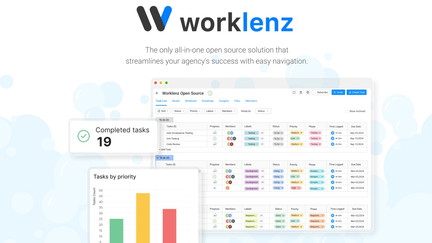
Worklenz
All in one, simple yet powerful project management tool
Pros
- +Lifetime deal pricing (saving $170)
- +Project planning
- +Task management
- +Team collaboration
- +Progress tracking
Cons
- −Limited advanced features
- −Additional integration options would be beneficial
- −User interface learning curve
Alternatives: Asana Trello Monday.com
Best Lifetime Deal for Self-Hosted Kanban: Kan provides open-source Kanban with a one-time payment.
 Lifetime Deal
−80%
Lifetime Deal
−80%
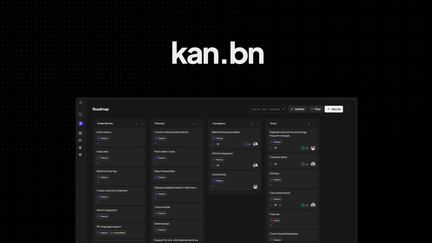
Kan
Manage projects on an open-source kanban with self-hosting, board imports, and team access controls
Pros
- +Lifetime deal pricing (saving $229)
- +Open-source kanban
- +Self-hosting capability
- +Board imports
- +Team access controls
Cons
- −Limited advanced PM features
- −Additional integration options would be beneficial
- −User interface learning curve
Alternatives: Trello Jira Asana
Try the project management software demo that fits your team’s needs.