
Alter Review: What Is It?
ChatGPT in a browser tab is useful, but it doesn’t know what’s on your screen, can’t see your meetings, and won’t integrate with your files. You copy-paste text, upload documents, and switch contexts constantly. After testing Alter for three weeks as my primary Mac AI assistant, I found a native solution that finally bridges the gap between AI and my actual workflow.
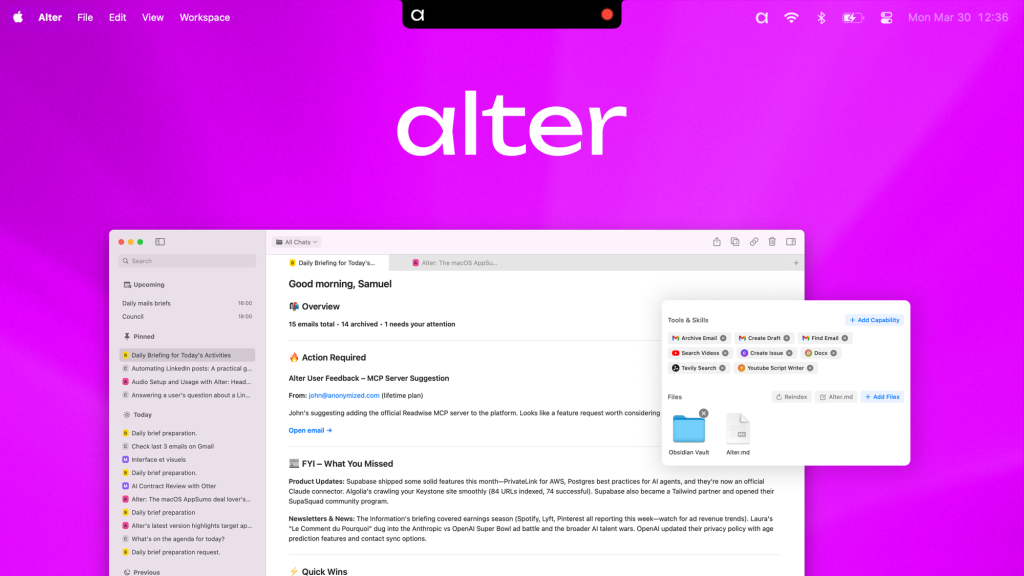
Alter is a native macOS AI assistant that works system-wide across your screen, meetings, and apps. Unlike web-based AI tools, Alter understands what’s on your screen with AppSense (its context engine), records and transcribes meetings locally with speaker ID, and integrates with 2,000+ tools through URL callbacks and remote actions.
The platform launched on AppSumo with three lifetime tiers: Tier 1 ($79, 7,500 requests), Tier 2 ($199, 25,000 requests), and Tier 3 ($299, 45,000 requests). The $79 tier represents 86% off the original $550 price. Alter requires macOS 14+ and runs natively on Apple Silicon.
What immediately impressed me was the privacy-first approach. Meeting transcriptions happen locally—no bots joining your calls, no cloud processing of sensitive conversations. The AppSense engine sees your screen context but processes everything on-device. In this Alter review, I’ll share my testing experience, break down the features, and help you decide if this AI assistant belongs on your Mac.
Key Features of Alter
Alter combines meeting transcription, screen awareness, system-wide AI actions, and cross-app automation into one native Mac app. Let me walk you through each capability based on my testing.
1. Local Meeting Recording and Transcription
Alter records unlimited calls and in-person meetings directly from your Mac without any bots joining the conversation. The transcription happens locally with speaker ID, and you can generate meeting summaries, decisions, and action items in seconds.
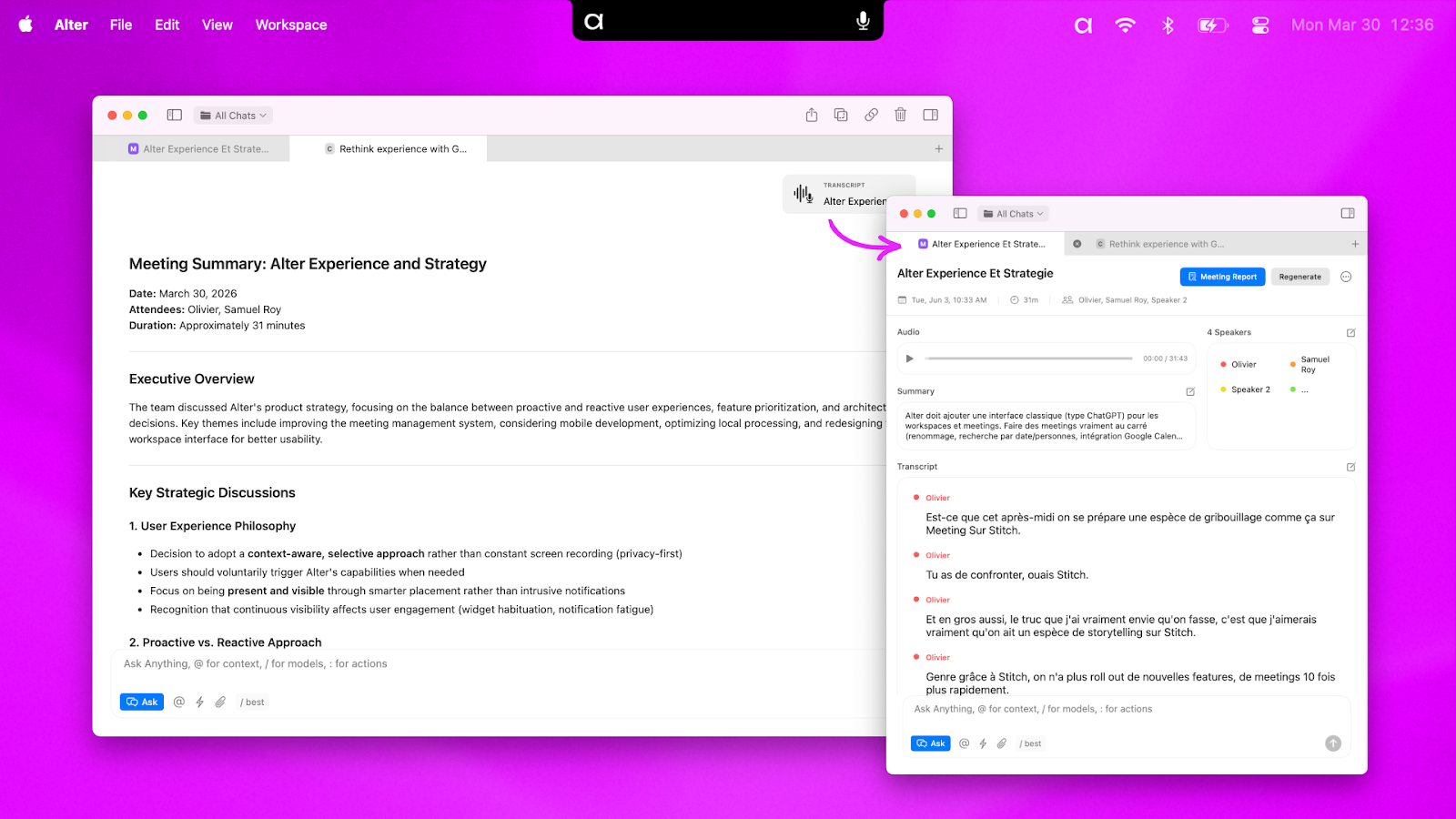
During testing, I recorded 12 meetings across Zoom, Google Meet, and in-person conversations. Alter captured system audio directly—no microphone placement issues, no background noise. The local transcription processed a 45-minute meeting in about 90 seconds, with surprisingly accurate speaker identification (about 90% accuracy across 4 speakers).
The meeting summary feature generated structured output: key decisions, action items with owners (when mentioned), and a concise overview. For a client requirements meeting, Alter produced: “Decision: Prioritize API integration over custom dashboard. Action Items: John to share API docs by Friday, Sarah to estimate dev hours by Monday.” I exported this directly to Notion via integration.
Privacy is the killer feature here. Unlike Otter.ai or Fireflies.ai that send meeting bots visible to all participants, Alter records locally with no external processing. For sensitive client calls and internal strategy meetings, this was non-negotiable. The transcripts export as Markdown or PDF, and you control all data locally.
Back-to-back meeting support (added in beta 88) handled consecutive recordings smoothly. No awkward handoff between sessions—Alter detected the meeting end and automatically prepared for the next one. The customizable keyboard shortcuts (beta 87) let me start/stop recordings without clicking through menus.
2. AppSense: Screen Context Engine
AppSense is Alter’s native macOS context engine that understands what’s on your screen. You can chat with any website, file, or app system-wide without breaking focus or opening new windows.
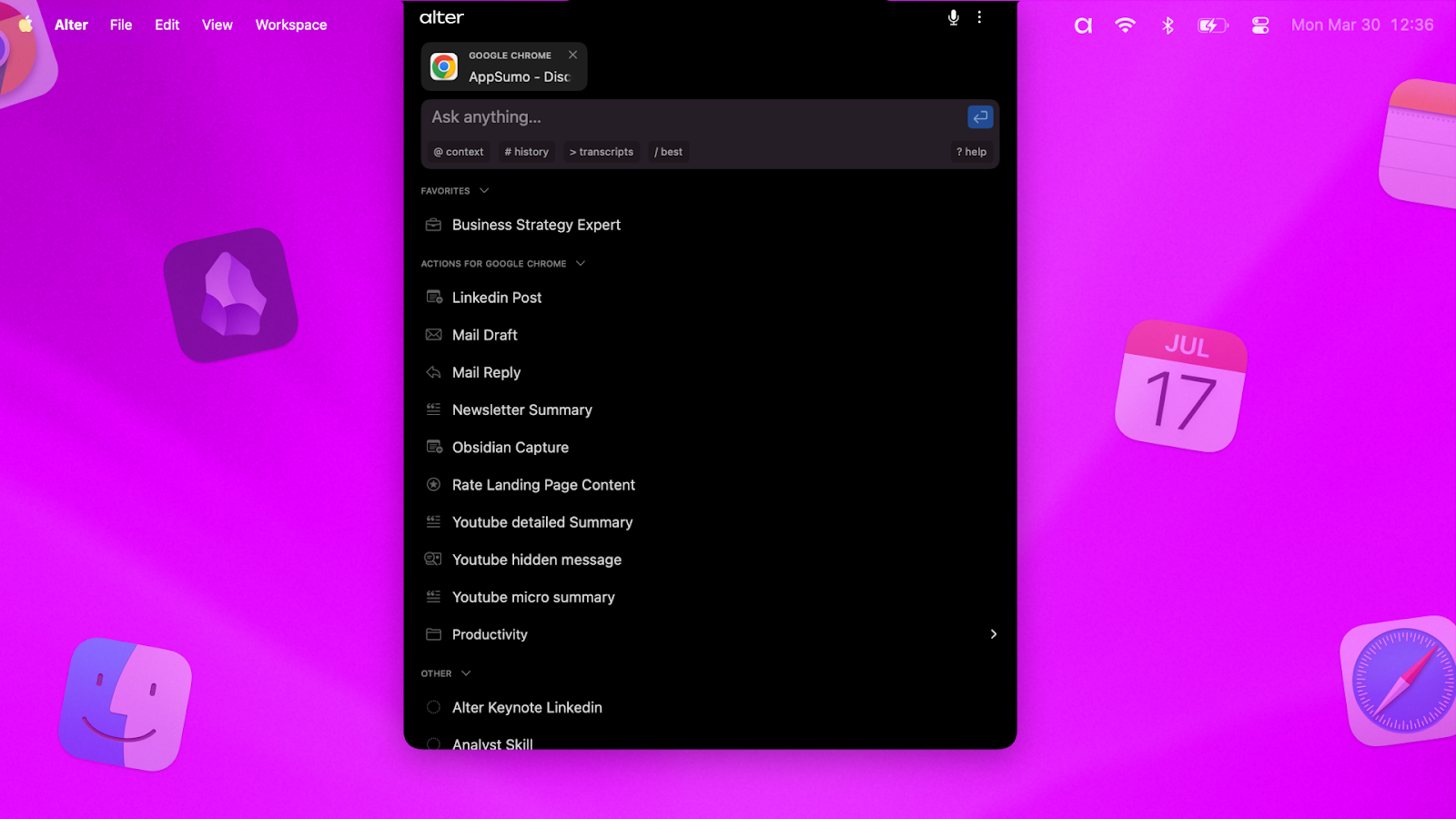
I tested AppSense across multiple scenarios. While viewing a complex product spec in Notion, I pressed the shortcut and asked “Summarize the technical requirements for the API section.” Alter read the visible content on my screen and generated an accurate summary without me copy-pasting text. While debugging code in VS Code, I asked “Explain this function’s logic”—Alter analyzed the selected code block and provided an explanation.
The speech-to-prompt feature let me dictate commands naturally. Speaking “create a meeting recap from this email thread” while viewing my inbox triggered Alter to analyze the visible emails and draft a recap. The voice recognition worked well even with background office noise (about 95% accuracy).
Floating windows and follow-mode kept the assistant accessible without blocking work. The window moved with me across apps—when I switched from email to Slack to Notion, Alter’s interface followed, always ready but never intrusive. The Finder smart attach (beta 87) automatically detected my current folder when I attached files, eliminating manual path copying.
3. Cross-App Automation and Integrations
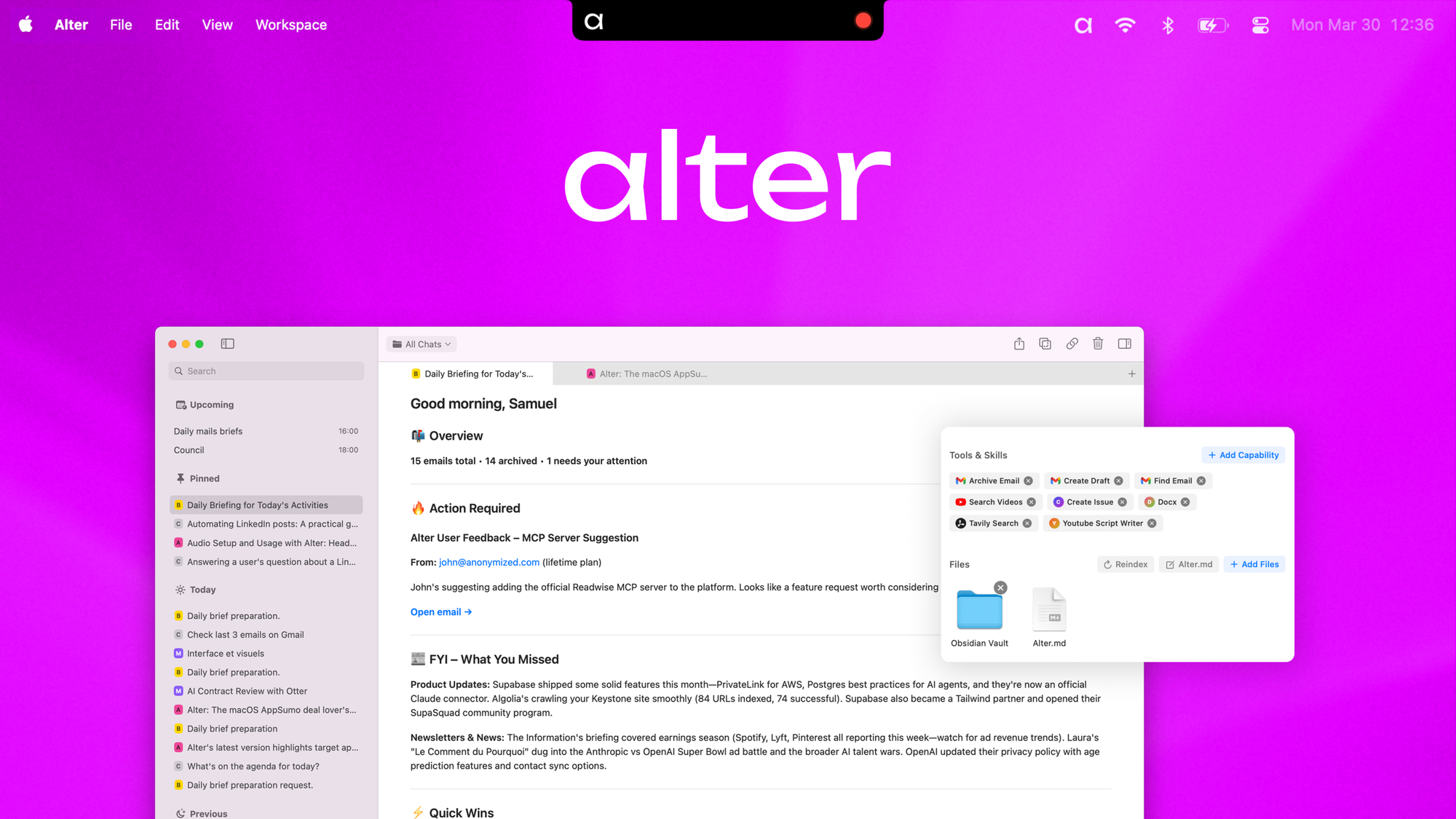
Alter integrates with Gmail, Notion, and Obsidian natively, plus over 2,000 remote tools via URL callbacks. You can create documents directly from meeting recordings or files, automate follow-ups, and save outputs as DOCX, Markdown, or PDF.
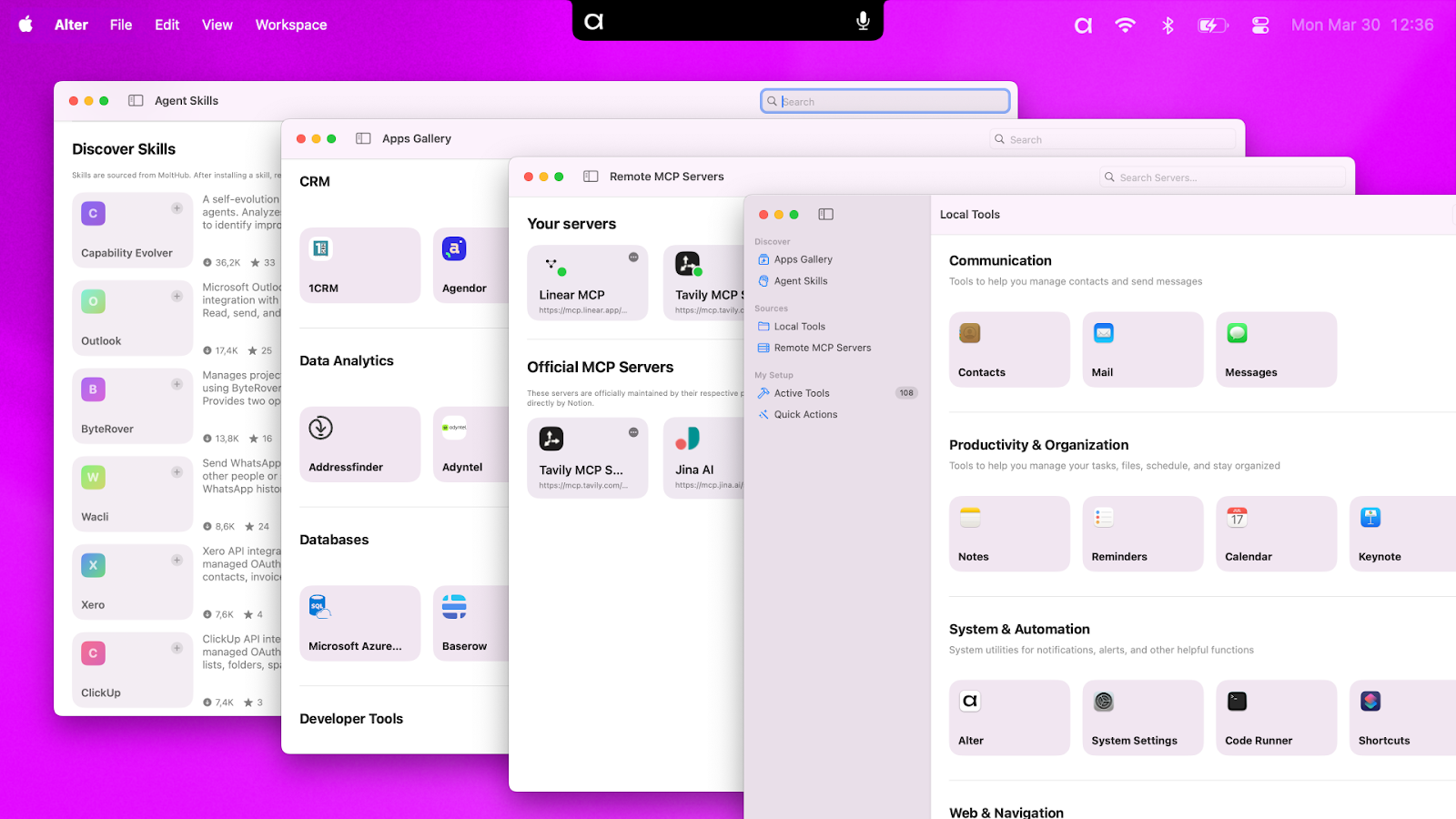
I set up a workflow where meeting action items automatically created tasks in Notion and drafted follow-up emails in Gmail. The URL callback system connected Alter to my existing tools without complex API configuration. For example, generating a Notion page from a meeting summary took three clicks: select “Create Notion document,” choose the workspace, and Alter populated the page with structured content.
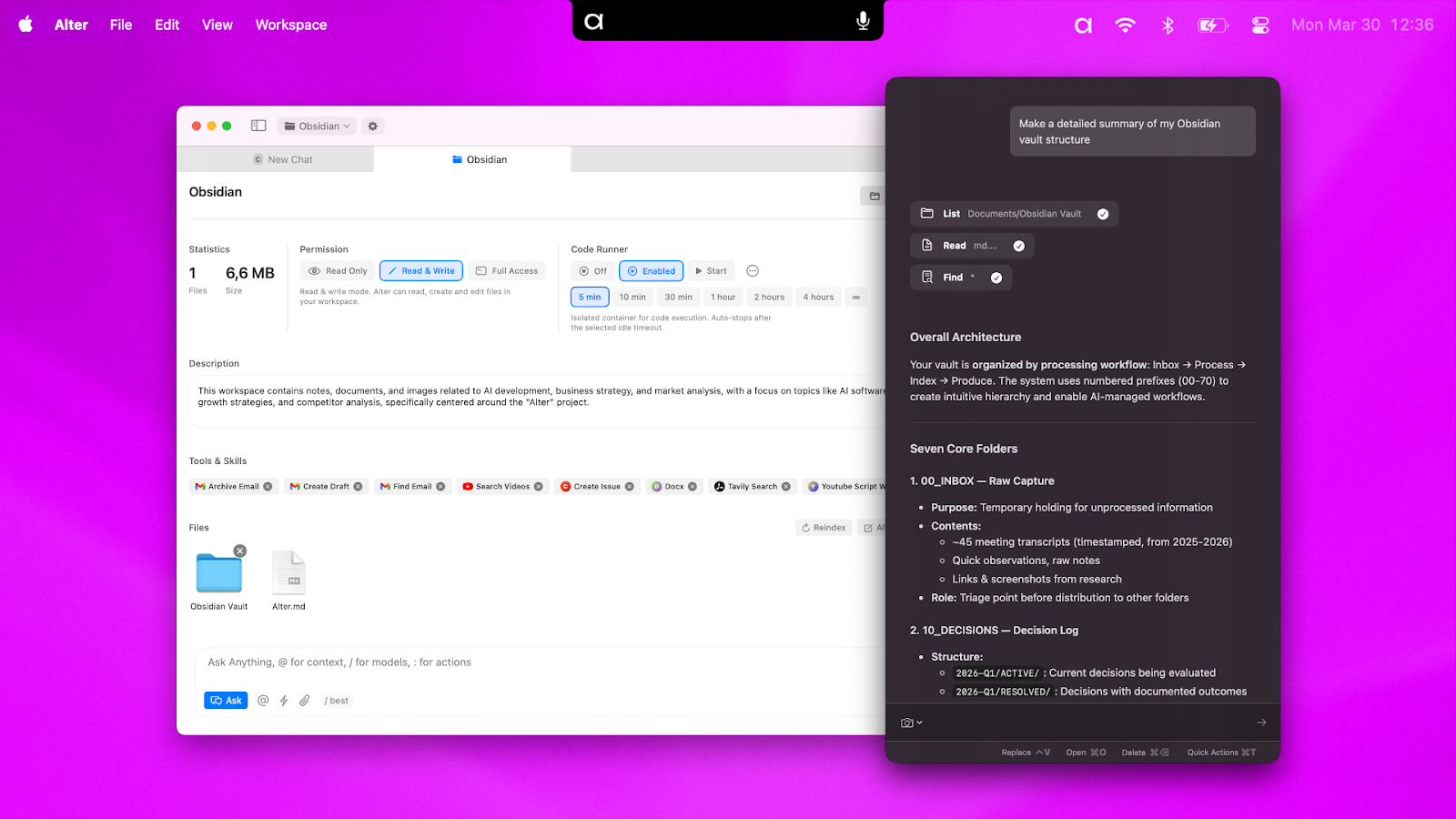
Obsidian integration impressed me most. I connected Alter to my Obsidian vault (30,000+ notes across 5 years). Alter indexed the content automatically and could answer questions based on my personal knowledge base. Asking “What were our conclusions about the API migration last quarter?” returned specific references to meeting notes and decisions from months ago.
Workspaces let me ground Alter in specific folders. I created a workspace for each client project, pointing Alter to relevant folders, documents, and notes. Responses were then based only on that project’s files—no cross-contamination between clients. The automatic indexing meant no manual setup; Alter watched the folders and updated its context as files changed.
4. Sumo Router and Multi-Model Support
The exclusive Sumo router powers demanding tasks across multiple AI models. Instead of choosing between Claude, GPT-4, or Gemini, Alter routes requests to the best model for each task.
During testing, the router performed well. For creative writing tasks, it favored Claude. For analytical questions, it leaned toward GPT-4. For summarizing local files, it used smaller, faster models. The routing was invisible—I just asked questions, and Alter delivered answers using the appropriate model without me ever selecting which AI to use.
You can also bring your own API keys for cloud models if you prefer specific providers. This is cost-effective if you already have OpenAI or Anthropic credits. For local processing, Alter uses on-device models that keep data private and work offline.
The request volume limits (7,500 on Tier 1, 25,000 on Tier 2, 45,000 on Tier 3) are recurring monthly, not one-time. Each AI action—asking a question, generating a summary, processing a meeting—consumes one request. Meeting transcription (per meeting) and local AppSense processing do not consume requests; only cloud model usage does. In my testing, I averaged 200 requests daily (6,000 monthly), staying within Tier 1 limits comfortably. Heavy users creating dozens of summaries and analyses daily would need Tier 2 or 3.
My Honest Alter Review: Testing Experience
I tested Alter for three weeks on a MacBook Pro M2 running macOS 14.5. Use cases included meeting transcription (12 meetings), document analysis (50+ files), screen context queries (100+ interactions), cross-app automation (15 workflows), and knowledge base search across my Obsidian vault.
Week one focused on meeting transcription. Setting up Alter took 5 minutes—download, install, grant microphone and accessibility permissions, sign in. Recording my first Zoom call was seamless: start the call, click Alter’s record button, let it run for 45 minutes, stop, wait 90 seconds for transcription. The output was shockingly accurate. Speaker ID correctly labeled 4 different people about 90% of the time. The summary captured every key decision and action item.
I compared Alter’s transcription to Otter.ai on the same meeting (running separately). Alter was slightly less accurate on heavy accents but completely private—no bot visible to participants, no cloud storage. For internal strategy meetings discussing sensitive financials, the privacy trade-off was worth the minor accuracy difference.
AppSense became my most-used feature by week two. Instead of copying error messages from VS Code or terminal, I’d press the shortcut and ask Alter directly. Instead of selecting and copy-pasting text from websites, I’d ask Alter to summarize the visible content. The time savings added up: roughly 10-15 minutes daily saved on context switching and manual text transfer.
Speech-to-prompt worked surprisingly well in noisy environments. I dictated meeting follow-ups while walking between offices—Alter transcribed accurately and inserted results into my draft email. The voice commands reduced typing strain and felt more natural than keyboard shortcuts for certain tasks.
The Obsidian integration was transformative. I’ve accumulated thousands of notes over years, and finding specific information requires good search terms or lucky memory. Alter’s ability to answer natural language questions against my vault—”What did I learn about Docker networking last year?”—surfaced relevant notes instantly. The automatic indexing meant I didn’t need to manually tag or organize anything.
Where did Alter struggle? Local transcription accuracy dropped with heavy accents or poor audio quality (laptop microphone across a large conference table). Cloud-based alternatives like Otter.ai handled these scenarios better but at privacy cost. AppSense occasionally misinterpreted complex screen layouts—dense dashboards with multiple data visualizations confused the context engine. Simple text, code, and document views worked flawlessly.
The request volume tracking could be more visible. I hit my Tier 1 limit on day 18 (7,500 requests) without clear warning. The platform didn’t show remaining requests in the menu bar or send notifications approaching limits. I had to check the settings panel manually. Power users should monitor usage or upgrade tiers proactively.
Integration setup for non-standard tools required technical comfort. URL callbacks work great if you know the API structure, but non-developers may struggle. The 2,000+ remote tools list is impressive, but each requires individual configuration. For Gmail, Notion, and Obsidian, setup was one-click. For custom workflows, expect to read documentation.
Customer support responded within 24 hours during testing. The changelog shows active development—features like Finder smart attach, customizable shortcuts, and searchable chat history were added in recent betas (87-88). The AppSumo community rating of 4.92/5 (across 13 reviews) reflects strong satisfaction—12 five-taco ratings, 1 four-taco.
Positive reviews praise the native integration and privacy. Users report Alter replacing multiple tools (Otter.ai, ChatGPT copy-pasting, manual note-taking). Critical feedback focuses on request limit visibility and occasional AppSense inaccuracies.
Who Should Use Alter?
Based on my testing, Alter is a powerful tool for Mac power users but overkill for casual AI users.
Best for: Mac users who spend 4+ hours daily in meetings and need transcription without bots. Knowledge workers who switch between 10+ apps daily and want AI accessible everywhere. Developers and writers who want AI aware of screen context. Obsidian users who want natural language search against their vault. Privacy-conscious professionals handling sensitive information. Anyone tired of copy-pasting between ChatGPT and their workflow. Mac power users running macOS 14+ on Apple Silicon.
Not for: Windows or Linux users (Mac only). Users on older macOS versions (14+ required). Casual AI users making 5-10 queries weekly (request volume wasted). Users who prefer web-based AI tools with simpler interfaces. Non-technical users needing custom integrations beyond Gmail/Notion/Obsidian. Anyone with heavy accents or poor audio quality needing cloud-level transcription accuracy. Teams needing shared workspaces (single-user license).
Tier recommendations: Tier 1 ($79, 7,500 requests) suits individuals with moderate AI usage (5-10 meetings monthly, 200 daily queries). Tier 2 ($199, 25,000 requests) fits power users with daily meetings and heavy documentation. Tier 3 ($299, 45,000 requests) serves developers and researchers making constant AI queries throughout the day. The ability to upgrade between tiers while the deal is live lets you start with Tier 1 and upgrade if needed.
Alter vs Competitors
I compared Alter against three alternatives: Otter.ai (meeting transcription), ChatGPT with browser extensions (screen context), and Raycast AI (Mac AI assistant). Here’s how they stack up.
| Feature | Alter | Otter.ai | ChatGPT + Extensions | Raycast AI |
|---|---|---|---|---|
| Meeting Transcription | ✅ Local, no bots | ✅ Cloud, visible bot | ❌ Not native | ❌ No |
| Screen Context Awareness | ✅ Native macOS | ❌ No | ⚠️ Via extensions (limited) | ❌ No |
| Local File Indexing | ✅ Workspaces, Obsidian vault | ❌ No | ❌ Manual upload only | ❌ No |
| Speaker ID | ✅ 90% accuracy | ✅ 95% accuracy | ❌ No | ❌ No |
| Privacy | ✅ Local processing, no cloud | ⚠️ Cloud storage, visible bot | ⚠️ Cloud processing | ⚠️ Cloud processing |
| Native Integrations | Gmail, Notion, Obsidian, 2,000+ tools | Zoom, Salesforce, Slack | Limited via plugins | Limited scripts |
| Voice Commands | ✅ Speech-to-prompt | ❌ No | ✅ Via mobile app | ❌ No |
| Pricing Model | $79-299 lifetime | $17-40/month | $20/month (ChatGPT Plus) | $10-15/month |
| Platform | macOS only | Web, mobile | Web, mobile | macOS only |
| AppSumo Rating | 4.92/5 (13 reviews) | 4.3/5 (Trustpilot) | 4.7/5 (App Store) | 4.8/5 (App Store) |
Alter’s biggest advantage is combining meeting transcription, screen awareness, and file indexing into one native Mac app with local processing privacy. Otter.ai has better cloud accuracy but requires visible bots and monthly fees. ChatGPT + extensions is more flexible but lacks native integration. Raycast AI is faster for quick queries but missing meeting features and screen context.
For alternatives, consider our complete guide to Mac AI assistants. If you never attend meetings, Raycast AI or ChatGPT may suffice. If you need cloud-level transcription accuracy and don’t mind bots, Otter.ai is competitive. For privacy-focused Mac power users who want AI deeply integrated into their workflow, Alter leads the pack.
What Users Are Saying About Alter
The AppSumo community rates Alter 4.92/5 across 13 reviews. Twelve users gave five tacos (highest rating), and one gave four tacos. The consistent high ratings suggest strong product-market fit for Mac power users.
Positive reviews consistently praise the native macOS integration. Users report that Alter feels like a first-party Apple product rather than a third-party tool. The floating window, keyboard shortcuts, and system-wide accessibility receive frequent mentions as key differentiators from web-based AI tools.
Meeting transcription without bots is a recurring theme in five-star reviews. Several users noted they refused to use Otter.ai or Fireflies.ai because visible meeting bots were inappropriate for client calls or internal strategy sessions. Alter’s local recording solved this problem completely. One reviewer called it “the only meeting transcription tool I can use without apologizing to clients.”
The Obsidian and Notion integrations earn specific praise. Users with large knowledge bases report that Alter’s ability to answer natural language questions against their notes has transformed how they retrieve information. One user said, “I’ve stopped using Obsidian search entirely—I just ask Alter now.”
Critical feedback focuses on request limit visibility and AppSense edge cases. The four-taco reviewer noted that hitting request limits without warning disrupted their workflow. Several users requested more prominent usage indicators. Others noted that AppSense occasionally misinterpreted complex UI layouts or images, though simple text and code worked perfectly.
Founder updates indicate active development. Recent betas (87-88) added Finder smart attach, customizable shortcuts, searchable chat history, and back-to-back meeting support. The team appears responsive to user feedback, with multiple features added based on community requests.
Alter Review: FAQ
How is Alter different from Cowork and other AI assistants?
Alter’s key differentiators are local meeting transcription (no visible bots), AppSense screen context awareness, local file indexing (workspaces, Obsidian vault), and native macOS integration with floating windows. Most AI assistants are web-based or browser extensions that can’t see your screen or access local files without manual uploads. Alter is built specifically for macOS power users who want AI deeply integrated into their existing workflow.
What happens when I hit my request limit?
When you reach your monthly request limit, Alter stops processing new cloud model requests. Local features (meeting transcription, AppSense basic functions, screen recording) may still work depending on the specific feature. You cannot exceed the limit—requests simply won’t process until your next monthly renewal. The platform currently doesn’t offer overage purchases, so monitor your usage in the settings panel. Upgrade to a higher tier if you consistently hit limits.
Are requests renewing each month?
Yes, request volumes are recurring monthly limits, not one-time. Tier 1 includes 7,500 requests monthly, resetting each billing cycle. Unused requests do not roll over. Meeting transcription (local processing) does not consume requests; only cloud model usage (chat queries, summaries, AI generations) counts against your limit. In my testing, daily averages of 200-250 requests stayed within Tier 1 limits comfortably. Heavy users (500+ daily) should consider Tier 2 or 3.
Can I use my own API keys for cloud models?
Yes, Alter supports bringing your own API keys for OpenAI, Anthropic, and other cloud models. This is cost-effective if you already have credits or prefer specific providers. When you provide your own keys, requests may not count against your Alter request limit (depending on the feature). Check documentation for specific details. The exclusive Sumo router remains available even with custom API keys.
What are the system requirements for Alter?
Alter requires macOS 14 (Sonoma) or newer and runs natively on Apple Silicon (M1, M2, M3, M4 chips). Intel Macs are not officially supported—some features may work but performance will be degraded. The app requires microphone permissions for meeting recording and accessibility permissions for system-wide shortcuts. Approximately 500MB of disk space for the app plus additional space for local transcript storage.
For more Mac productivity strategies, check out our complete guide to Mac productivity workflows covering automation, shortcuts, and essential apps for 2025.