
Self-hosted project management software gives you complete control over your project data and eliminates recurring fees. By hosting your own PM platform, you maintain full ownership of your data while avoiding monthly subscription costs.
This comprehensive guide compares the best self-hosted project management software for 2026, helping you find the perfect solution for your team.
At a Glance: The Best Self-Hosted Project Management Software for 2026
- Best Overall: OpenProject – Comprehensive open source project management.
- Best for Agile Teams: Taiga – Built for agile and scrum.
- Best for Simplicity: Kanboard – Simple, lightweight Kanban.
- Best Lifetime Deal: Kan – Self-hosted Kanban with one-time payment.
What to Look For in Self-Hosted Project Management Software
Before diving into specific tools, let’s establish what makes great self-hosted project management software:
Key Features to Evaluate
- Data Control: Full ownership of project data.
- Cost Control: No recurring software fees.
- Task Management: Create, assign, and track tasks.
- Project Views: Kanban, Gantt, calendar, list.
- Collaboration: Team sharing and communication.
- Self-Hosting: Ability to host on your own servers.
Comparing the Best Self-Hosted Project Management Software
| Tool | Ease of Use | Platform | Best For | Weakness | Learning Curve |
|---|---|---|---|---|---|
| OpenProject | Medium | Web-based | Comprehensive PM | Complex setup | High |
| Taiga | Easy | Web-based | Agile teams | Limited to agile | Low |
| Kanboard | Very Easy | Web-based | Simple Kanban | Limited features | Very Low |
| Kan | Medium | Self-hosted | Self-hosted Kanban | Requires setup | Medium |
Detailed Breakdown of the Best Self-Hosted Project Management Software
1. OpenProject: The Comprehensive Solution
Pros: Feature-rich, multiple project views, collaboration tools.
Cons: Complex setup, resource intensive.
Best For: Organizations needing comprehensive PM.
Cost: Free (self-hosted)
2. Taiga: The Agile Choice
Pros: Built for agile and scrum, modern interface.
Cons: Limited to agile methodologies.
Best For: Agile software teams.
Cost: Free (self-hosted)
3. Kanboard: The Simple Kanban
Pros: Very easy to use, lightweight, self-hosted.
Cons: Limited advanced features.
Best For: Teams wanting simple Kanban.
Cost: Free (self-hosted)
💡 The AppSumo Advantage
Affiliate Disclosure: Some links are affiliate links.
Kan offers exceptional lifetime value for self-hosted Kanban with a one-time payment.
4. Kan: Lifetime Self-Hosted Kanban
Kan offers open-source Kanban with self-hosting for full data control.
Kan Pros
- Open-source and self-hosted.
- Complete data control.
- Board imports from Trello.
- Lifetime deal: $59 one-time.
Kan Cons
- Requires technical setup.
- Limited to Kanban.
Who Should Choose Kan?
Kan is ideal for teams with technical expertise wanting full control.
Self-Hosted vs. Cloud: What’s the Trade-Off?
| Aspect | Self-Hosted | Cloud |
|---|---|---|
| Cost | Lower (one-time + server) | Higher (monthly subscription) |
| Data Control | Complete | Limited |
| Features | Good to excellent | Excellent |
| Support | Self-managed | Professional support |
Decision Framework
What’s your primary self-hosted need?
- Comprehensive PM: Choose OpenProject.
- Agile teams: Choose Taiga.
- Simple Kanban: Choose Kanboard.
- Self-hosted Kanban (lifetime): Choose Kan.
Final Verdict
OpenProject is the most comprehensive self-hosted PM solution. For agile teams, Taiga is excellent. For simplicity, Kanboard is the best.
For lifetime value, Kan offers exceptional self-hosted Kanban with a one-time payment.
Our Top Recommendations
Best Overall: OpenProject – Comprehensive open source project management.
Best Lifetime Deal for Self-Hosted Kanban: Kan provides open-source Kanban with a one-time payment.
 Lifetime Deal
−80%
Lifetime Deal
−80%
Kan
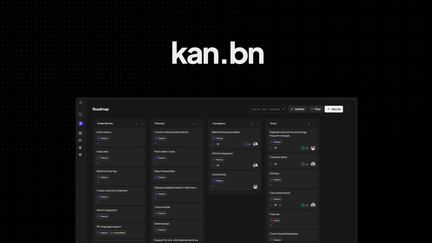
Manage projects on an open-source kanban with self-hosting, board imports, and team access controls
Pros
- +Lifetime deal pricing (saving $229)
- +Open-source kanban
- +Self-hosting capability
- +Board imports
- +Team access controls
Cons
- −Limited advanced PM features
- −Additional integration options would be beneficial
- −User interface learning curve
Alternatives: Trello Jira Asana
Choose the self-hosted project management software that fits your team’s needs.