
Choosing the right video editing software is a critical decision. The best way to make an informed choice is to try before you buy—through video editing software free trials.
This guide covers everything you need to know about video editing software free trials: what to look for, how to evaluate them, and which tools offer the best trial experiences.
At a Glance: The Best Video Editing Software Free Trials 2026
- Best Overall: Adobe Premiere Pro – 7-day free trial, full features.
- Best for Mac: Final Cut Pro – 90-day free trial.
- Best Free Version: DaVinci Resolve – Free version with professional features.
- Best Lifetime Deal: FlexClip – Lifetime deal with one-time payment.
Video Editing Software Free Trials: What to Test
1. Core Features
- Import/Export: Test file format support.
- Editing Tools: Cut, trim, transitions, and effects.
- Performance: Smooth playback and rendering.
- Export Settings: Test export quality and speed.
2. User Experience
- Navigation: Is the interface intuitive?
- Learning Curve: How quickly can you get started?
- Support: Is customer support responsive?
Popular Video Editing Software Free Trials
| Tool | Free Trial | Free Version | Key Features | Best For |
|---|---|---|---|---|
| Adobe Premiere Pro | 7 days | ✗ | Professional editing | Professionals |
| Final Cut Pro | 90 days | ✗ | Mac editing | Mac users |
| DaVinci Resolve | N/A | ✓ | Professional editing | All users |
| FlexClip | N/A | ✓ | Marketing videos | Businesses, marketers |
How to Evaluate a Video Editing Software Free Trial
- Test Core Features: Import, edit, and export a test video.
- Test Performance: How fast is rendering? Does it lag?
- Test Export Quality: Does it export in the formats you need?
- Test Support: Check customer support responsiveness.
Questions to Ask During a Trial
- How long is the free trial? Is it enough to test?
- What features are included? Any limitations?
- What are the pricing tiers after the trial?
- Is there a free version available?
- What kind of support is available during the trial?
💡 The AppSumo Advantage
Affiliate Disclosure: Some links are affiliate links.
FlexClip offers exceptional lifetime value with a one-time payment—no free trial needed.
Lifetime Deal Alternative
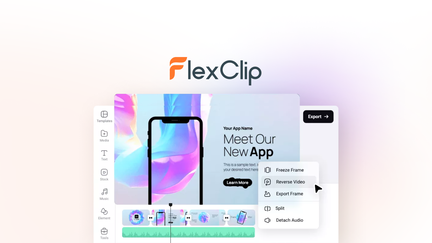
FlexClip: Lifetime Video Editing
FlexClip offers video editing with templates, stock assets, and AI tools with a one-time payment.
Why It’s Better Than a Free Trial
- Lifetime access: No recurring costs.
- Full features: No trial limitations.
- 4M+ stock assets: Music, footage, templates.
- Lifetime deal: $99 one-time.
Who Should Choose FlexClip?
FlexClip is perfect for businesses and marketers wanting professional marketing videos without monthly costs.
Decision Framework
What’s your primary video editing need?
- Professional editing: Try Adobe Premiere Pro (7-day trial).
- Mac user: Try Final Cut Pro (90-day trial).
- Free professional: Use DaVinci Resolve (free version).
- Lifetime value: Choose FlexClip.
Final Verdict
Adobe Premiere Pro offers the best professional free trial. Final Cut Pro provides the longest trial for Mac users. DaVinci Resolve is the best free version. FlexClip offers exceptional lifetime value.
Our Top Recommendations
Best Free Trial: Adobe Premiere Pro – 7-day free trial with full features.
Best Lifetime Deal: FlexClip offers professional video editing with a one-time payment.
 Lifetime Deal
−84%
Lifetime Deal
−84%
FlexClip
Create, edit, and share professional videos with AI-powered tools, 4M+ stock assets, and ready-made templates
Pros
- +Lifetime deal pricing (saving $501)
- +AI-powered editing
- +4M+ stock assets
- +Ready-made templates
- +Sharing and collaboration
Cons
- −Limited advanced editing features
- −Additional template options would be beneficial
- −User interface learning curve
Alternatives: Adobe Premiere iMovie Canva
Try the video editing software free trial that fits your needs.