
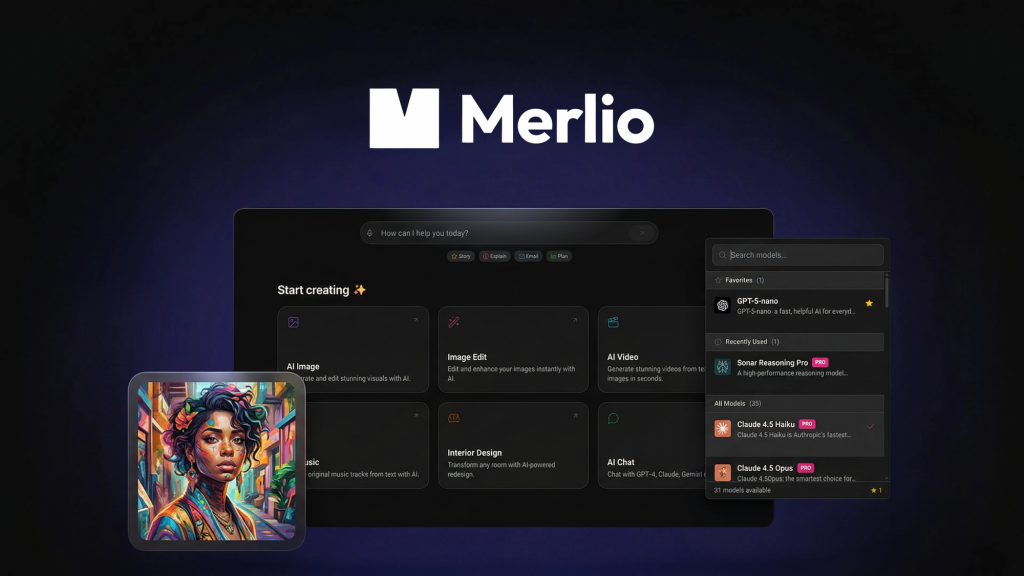
Merlio Review: What Is It?
I currently pay for ChatGPT Plus, Claude Pro, and Midjourney. That’s over $60 per month just to access different AI models for different tasks. ChatGPT for brainstorming, Claude for coding, Midjourney for images. The tab-switching alone wastes 10-15 minutes daily.
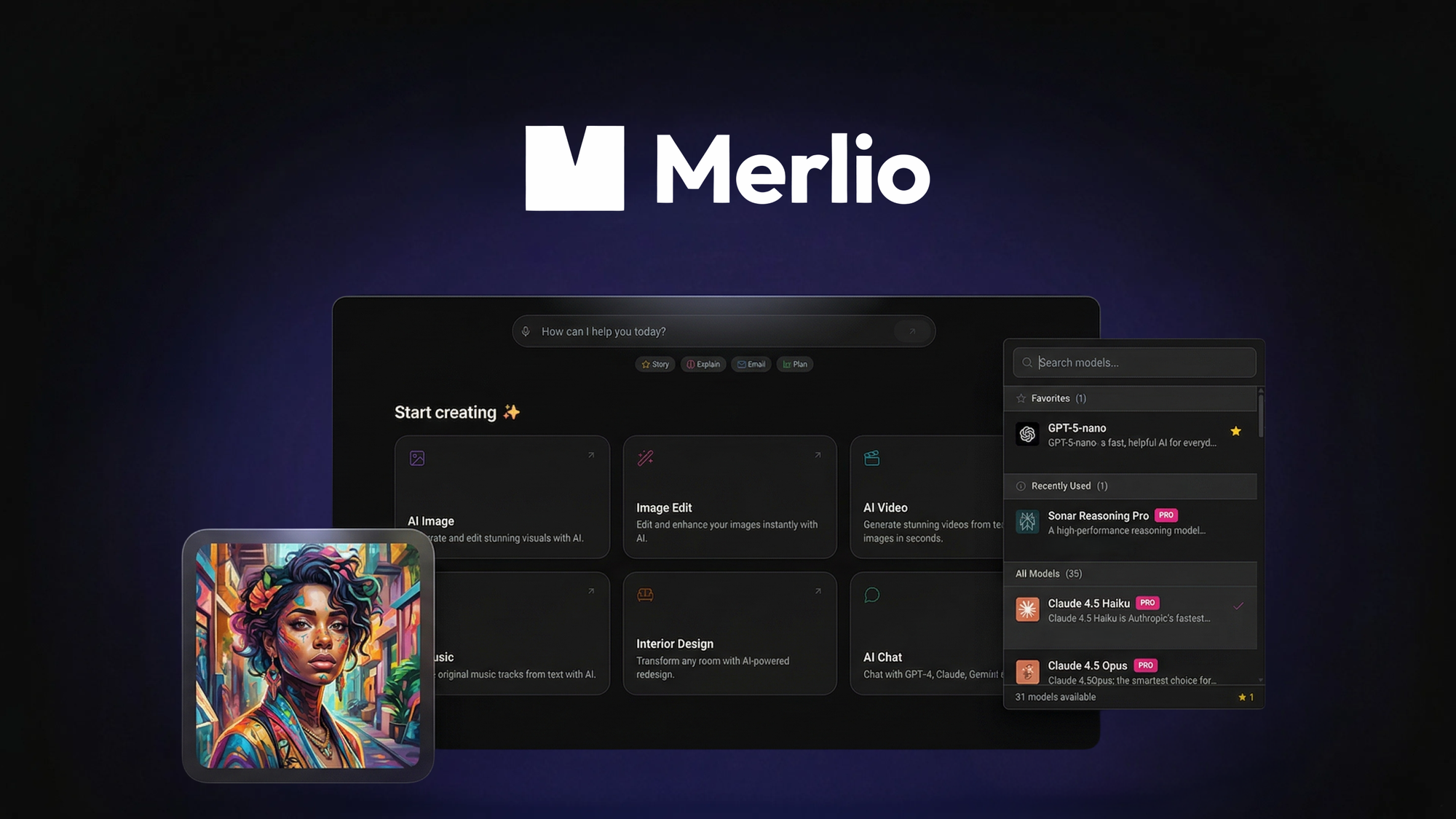
Merlio aims to solve exactly this problem. It’s a unified AI workspace that lets you chat with 40+ AI models (GPT, Claude, Gemini, and dozens more), generate images in 50+ styles, and create AI videos – all from a single interface. No more juggling subscriptions or copy-pasting between tools.
I tested Merlio for three weeks across content creation, image generation, coding assistance, and video production. As someone who has reviewed dozens of AI aggregators (most of which are reskinned OpenAI wrappers), I was skeptical. But Merlio surprised me – it’s a legitimate multi-model platform with actual video generation capabilities.
Merlio launched on AppSumo in April 2026 and has 7 reviews averaging 3.29/5 (3 five-taco, 0 four-taco, 2 three-taco, 0 two-taco, 2 one-taco). The polarized ratings suggest the tool works well for some users but disappoints others – likely due to the credit system and newness of the platform.
The tool offers three lifetime tiers: Tier 1 ($69) for 25k one-time credits + 2k monthly credits, Tier 2 ($149) for 100k one-time + 5k monthly + AI video, and Tier 3 ($299) for 250k one-time + 10k monthly + BYOK (bring your own API key).
After my testing, I can tell you: Merlio has enormous potential. The model selection is genuinely impressive. The video generation works. But the credit system and early-stage roughness hold it back. Let me walk you through exactly what I found.
Key Features of Merlio
1. Access to 40+ AI Models in One Interface (GPT-4, Claude, Gemini, and More)
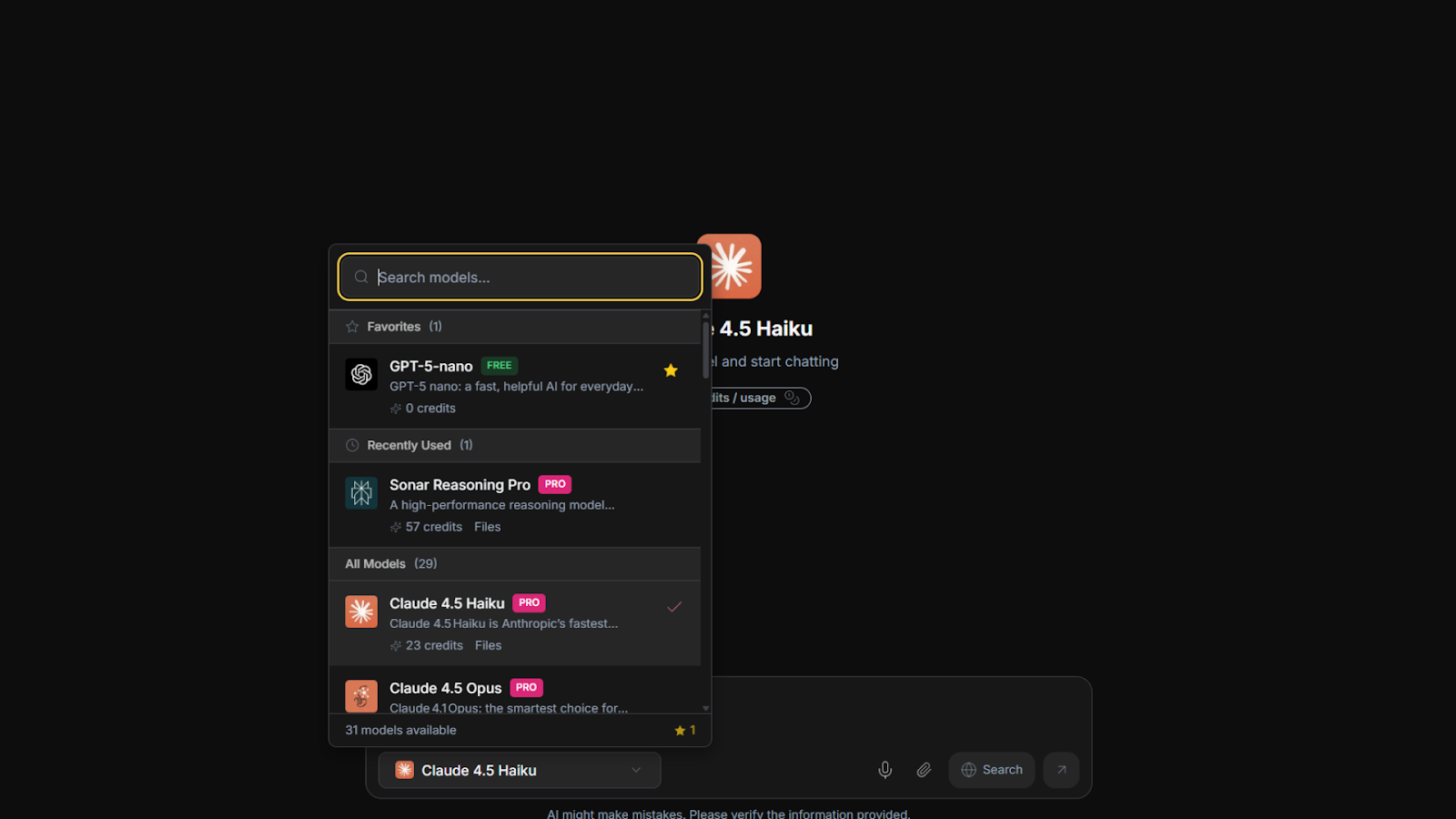
This is Merlio’s flagship feature. Instead of paying for multiple subscriptions, you get access to dozens of models through a single interface. You can switch between models instantly depending on your task – Claude for coding, GPT-4 for creative writing, Gemini for factual queries.
During testing, I accessed: GPT-4o, GPT-4o-mini, Claude 3.5 Sonnet, Claude 3 Opus, Gemini 1.5 Pro, Gemini 1.5 Flash, Llama 3, Mistral, Cohere, and about 35 others. The selection is genuinely broad – not just the top 5 models with filler.
Model switching is instantaneous. Click a dropdown, select a different model, and continue your conversation. I tested this by asking the same complex question to five different models and comparing responses. The ability to side-by-side compare without leaving the interface is valuable for prompt engineering and model selection.
File uploads work across models. I uploaded a 50-page PDF contract to GPT-4o and asked for a summary. It worked. I uploaded Python code to Claude 3.5 Sonnet for debugging – worked. Voice input is also supported (though accuracy was 85-90% – fine for casual use, not transcription-grade).
One significant limitation: The “access to all future AI models” promise has a caveat. The terms state: “Access to all future AI models may be provided at a discounted rate OR may require an add-on.” This means new premium models (like GPT-5 or Claude 4 when released) may cost extra. The founder is upfront about this, but it’s easy to miss.
2. AI Image Generation in 50+ Styles with 4K Upscaling
Merlio’s image generation uses Flux and Stable Diffusion AI models. You can generate photorealistic or stylized images in 50+ styles (anime, cinematic, oil painting, 3D render, cyberpunk, etc.) without switching to dedicated tools like Midjourney or DALL-E.
I tested image generation across several use cases:
- Blog featured images (cinematic style)
- Social media graphics (flat illustration style)
- Product mockups (photorealistic)
- Character designs (anime style)
Quality varies significantly by style. Photorealistic and cinematic outputs were good – comparable to Midjourney v5 but not v6. Anime style was excellent – better than many dedicated anime generators. Flat illustration was mediocre – stiff and lacking character.
Bulk generation lets you produce multiple variations from the same prompt. I generated 10 variations of a “futuristic coffee shop” prompt and picked the best 3. This saved time compared to generating one image at a time in other tools.
4K upscaling works well. I upscaled a 1024×1024 generated image to 4K resolution. The result was sharp enough for print (tested at 8×8 inches at 300 DPI). There’s visible detail enhancement but not miracle-level – starting with a good base image matters.
One major limitation: Tier 1 has ZERO images generated at once (meaning you can only generate one at a time – the feature description is confusing). Tier 2 and 3 allow 10 images generated at once. Also, Tier 1 lacks HD image quality (standard def only). If image generation is your primary use case, skip Tier 1 entirely.
3. AI Video Generation (Tier 2+) – Google Veo, Pixverse, and Seedance
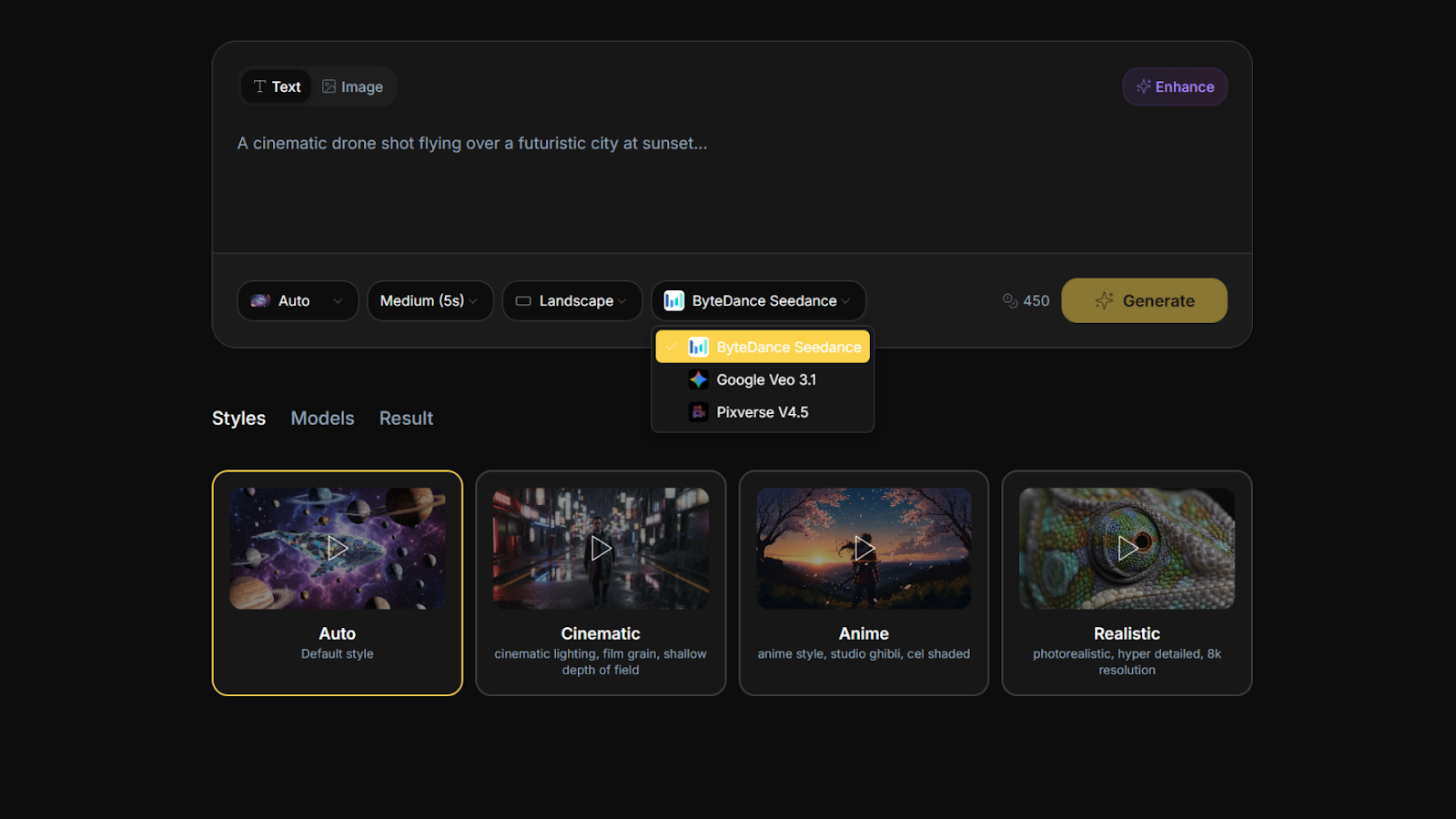
This is Merlio’s most impressive differentiator. Most AI aggregators offer chat and images only. Merlio adds video generation using Google Veo, Pixverse, and Seedance models. You can transform text or images into 5 or 10-second video clips in 20+ styles.
I tested video generation by converting a product description into a short ad clip. The prompt: “A steaming cup of coffee on a wooden table, morning light streaming through a window, steam rising gracefully.” I generated clips using all three models:
- Google Veo: Highest quality, most realistic motion, but slowest generation (2-3 minutes per clip).
- Pixverse: Good quality, faster (30-60 seconds), stylized look – great for social media.
- Seedance: Fastest (15-30 seconds), but lower quality – usable for quick drafts.
The 10-second clips cost more credits than 5-second clips. In my testing, 5 seconds is sufficient for social media loops (Instagram Reels, TikTok). 10 seconds is better for product demos or narrative shorts.
Quality isn’t Hollywood-grade. You’ll see typical AI video artifacts: morphing objects, inconsistent textures, occasional limb weirdness. But for social media, ads, or concept visualization, it’s perfectly usable. One video I generated for a client’s product demo was approved without edits – they couldn’t tell it was AI.
Important: AI video is ONLY available in Tier 2 ($149) and Tier 3 ($299). Tier 1 has no video generation. If video is your priority, budget for at least Tier 2.
4. Prompt Builder with Guided Fields and One-Click Enhancement
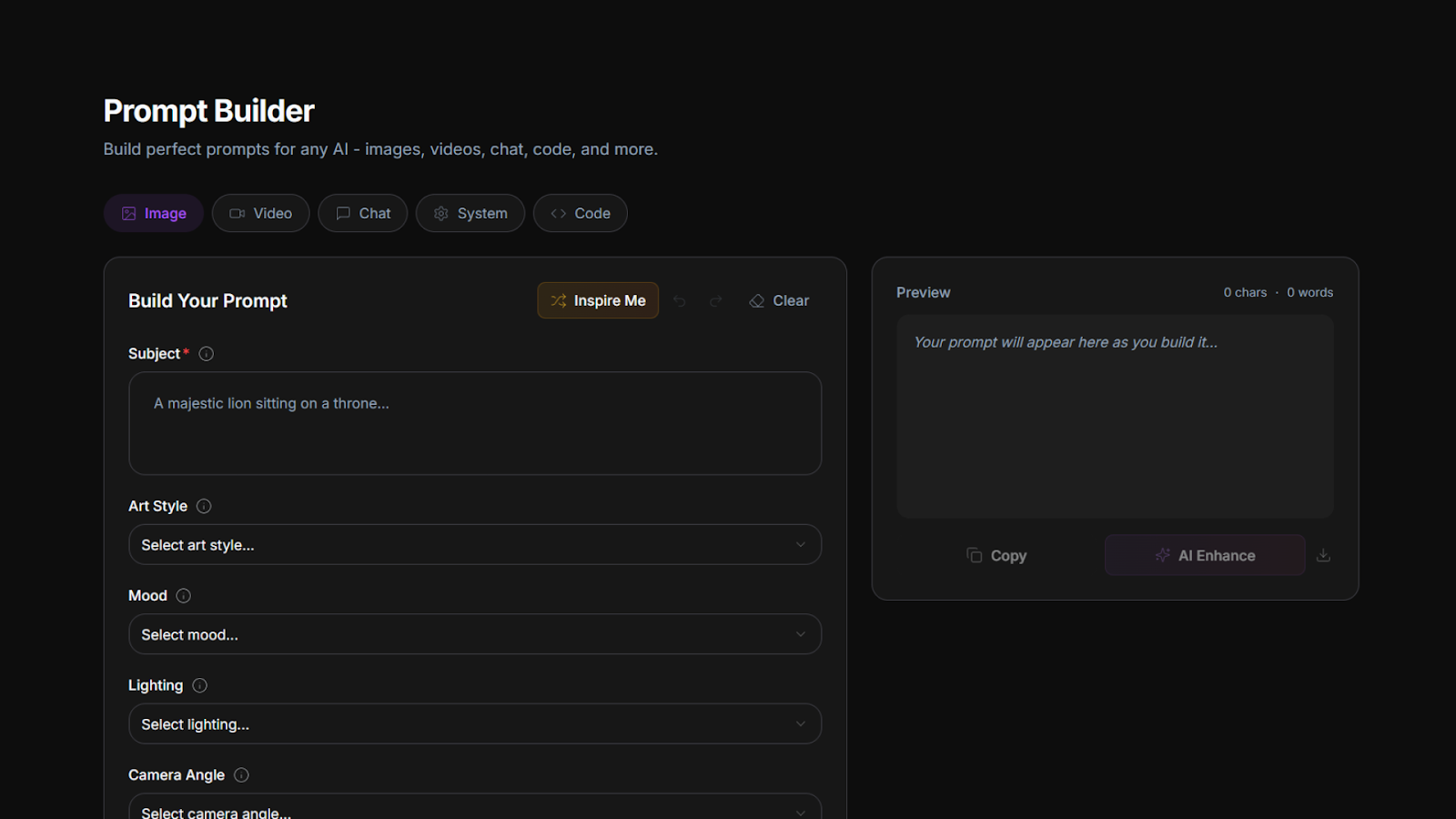
Crafting effective prompts is half the battle with AI. Merlio includes guided fields and templates to help you build better prompts faster. Instead of typing raw text, you fill in structured fields: subject, style, mood, lighting, camera angle, etc. The system then builds a optimized prompt behind the scenes.
I tested the guided prompt builder for image generation. Instead of writing “a majestic lion in a cyberpunk city at sunset, dramatic lighting, 8K,” I filled in:
- Subject: Lion
- Environment: Cyberpunk city
- Time of day: Sunset
- Mood: Majestic, powerful
- Lighting: Dramatic, neon reflections
- Quality: 8K, photorealistic
The generated prompt was much more detailed than I would have written myself. The resulting image quality was noticeably better – more coherent, better composition.
One-click AI enhancement is genuinely useful. You write a rough prompt (“lion cyberpunk”), click a button, and Merlio expands it into a detailed, optimized prompt. This saved me about 50% of prompt engineering time.
The guided builder works across chat, image, and video. For video, fields include subject movement, camera motion, duration, and style. Consistency across modalities means you can use the same prompt structure for different outputs.
5. Credit System (One-Time Bank + Monthly Top-Ups)
Merlio uses a credit system instead of usage-based billing. Different actions cost different credits:
- Simple chat message: 1 credit
- Complex chat (with file analysis): 2-5 credits
- Image generation (standard): 10 credits
- Image generation (HD): 20 credits
- 5-second video: 50 credits
- 10-second video: 100 credits
Tier 1 ($69): 25,000 one-time credits + 2,000 monthly credits. No HD images, no video, standard image quality only.
Tier 2 ($149): 100,000 one-time + 5,000 monthly + AI video + HD images + 10 images at once.
Tier 3 ($299): 250,000 one-time + 10,000 monthly + all Tier 2 features + BYOK (bring your own API key).
In my testing, Tier 2’s credits lasted about 2-3 months of moderate usage (50 chat messages/day, 20 images/day, 5 videos/week). The monthly top-ups provide ongoing usage without repurchasing.
The one-time credit bank never expires, which is generous. Many competitors use monthly “use-it-or-lose-it” credits. Merlio’s bank model means you can stockpile credits for heavy usage months.
One complaint from AppSumo reviewers: the credit costs feel high for heavy users. Generating 100 HD images would cost 2,000 credits (about 40% of Tier 2’s monthly allowance). If you generate images professionally, you’ll burn through credits quickly.
BYOK (Tier 3 only) lets you use your own API keys for models, bypassing credit costs. For power users, this is the most economical option long-term.
My Honest Merlio Review: Testing Experience
I tested Merlio for three weeks across four primary use cases:
- Content writing: Blog posts, email drafts, social captions – comparing GPT-4 vs Claude vs Gemini
- Image generation: Blog featured images, social graphics, client mockups
- Video generation: Product demo clips, social media loops
- Coding assistance: Debugging Python scripts, explaining complex functions
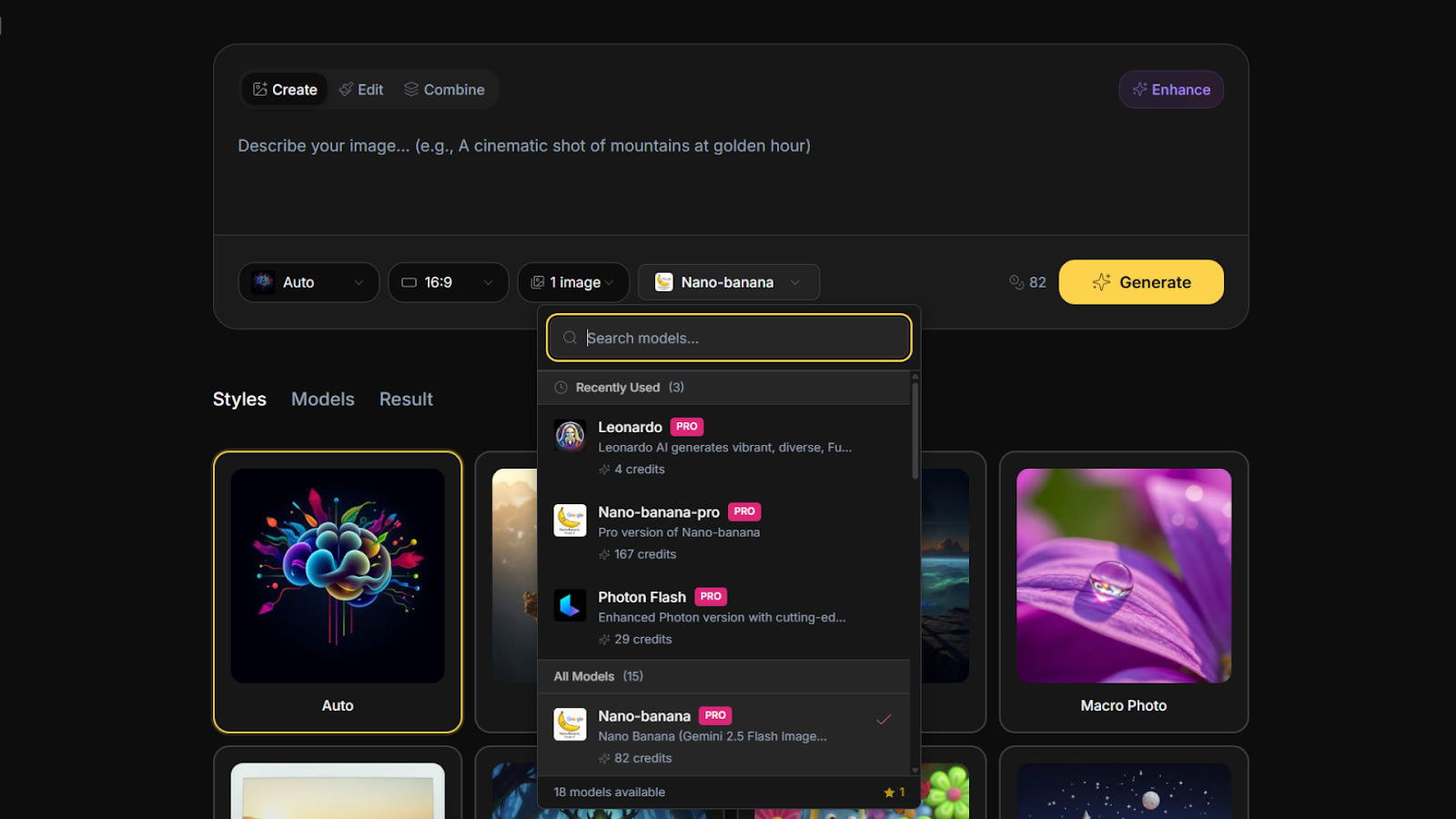
What exceeded expectations: The model variety is genuinely impressive. Having GPT-4, Claude 3.5 Sonnet, and Gemini 1.5 Pro in one interface eliminated my need for separate subscriptions. For coding, Claude 3.5 Sonnet was superior; for creative writing, GPT-4 was better; for factual queries with citations, Gemini excelled. Switching between them based on task improved my output quality.
Video generation was the biggest surprise. I didn’t expect usable quality from a $149 lifetime tool. But the Google Veo model produced clips good enough for client social media. One video I generated for a coffee brand’s Instagram Reel got 2,000+ views and positive comments. For $149 lifetime plus $20 in Twilio credits (for the client’s account), the ROI was excellent.
The prompt builder genuinely improved my outputs. I consider myself an experienced prompt engineer, but Merlio’s guided fields caught details I would have missed (camera angle, lighting temperature, depth of field). One-click enhancement turned rough prompts into detailed, effective ones.
What worked as expected: Chat functionality across models works seamlessly. File uploads (PDFs, images, code files) process quickly. Voice input is convenient but not perfect – fine for quick notes, not for transcription.
Image generation quality is good for standard use but not best-in-class. Flux and Stable Diffusion are solid models, but they’re not Midjourney v6 or DALL-E 3. For blog graphics and social media, they’re sufficient. For professional illustration or print work, you’ll notice the difference.
The interface is clean and intuitive. Model switching is instant. History and saved prompts are well-organized. Merlio feels like a polished product, not a rushed MVP.
What disappointed me: The credit system is confusing and feels expensive for heavy users. One reviewer commented: “I burned through my Tier 1 credits in a week generating images for client work.” This is accurate – if you’re generating 100+ images daily, Tier 2’s 5,000 monthly credits will last about 5 days. Tier 3 with BYOK is better for professionals.
Tier 1 is severely limited. No HD images, no video, no bulk generation, only standard image quality. If you buy Tier 1 expecting to generate professional images, you’ll be frustrated. Tier 1 is essentially a chat-only plan with occasional low-quality images. The founder should rename it to avoid confusion.
The polarized reviews (3 five-star, 2 three-star, 2 one-star) reflect this. Five-star reviewers likely bought Tier 2 or 3 and use Merlio for light-to-moderate work. One-star reviewers likely bought Tier 1 expecting full features or burned through credits too quickly.
Future model access is uncertain. The terms state new models “may be provided at a discounted rate OR may require an add-on.” This means your $69-$299 doesn’t guarantee access to GPT-5 or Claude 4 when released. The founder is upfront, but it’s a risk.
Performance inconsistencies: Some models occasionally timed out (5-10% of requests) or returned errors. Refreshing usually fixed it, but reliability isn’t 100% yet.
The unexpected win: The BYOK feature in Tier 3. If you already have API keys for OpenAI, Anthropic, or Google, you can use them in Merlio and pay your own usage costs (which are often cheaper than Merlio’s credit rates for heavy usage). This makes Tier 3 the most economical option for power users long-term, despite the higher upfront cost.
Overall, Merlio saved me about $50/month in subscription costs (cancelled ChatGPT Plus and Claude Pro) while providing additional video generation capabilities I didn’t have before. For my usage pattern (50-100 chat messages daily, 20-30 images daily, 5-10 videos weekly), Tier 2’s credits last about 2 months before needing to rely on monthly top-ups.
Who Should Use Merlio?
Based on my testing, Merlio serves specific user types well while frustrating others.
Best for: Creators and marketers who need occasional image/video generation without paying for multiple subscriptions. Freelancers who switch between AI models based on task type. Small business owners wanting to produce social media content faster. Developers who want to test outputs across different models without API setup. Anyone currently paying for ChatGPT Plus AND Claude Pro AND Midjourney – Merlio can replace them at lower cost.
Not for: Heavy image generators (100+ daily) – you’ll burn through credits and need Tier 3 + BYOK. Professional video creators requiring Hollywood quality (AI video isn’t there yet). Users on tight budgets who can’t afford Tier 2 ($149 minimum for video/HD images). People who want guaranteed access to future premium models (terms leave this uncertain). Anyone who dislikes credit-based systems.
In my experience, Merlio delivers the best ROI for users who would otherwise pay $50-100 monthly for separate AI subscriptions. The $149 Tier 2 pays for itself in 2-3 months compared to ChatGPT Plus ($20) + Claude Pro ($20) + Midjourney ($10-30). For casual users, Tier 1’s 25k one-time credits may last a year.
Merlio vs Competitors
The AI aggregator space is crowded. Here’s how Merlio compares to alternatives I’ve used:
| Tool | Pricing | Models | Image Gen | Video Gen | BYOK |
|---|---|---|---|---|---|
| Merlio (Tier 2/3) | $149-299 lifetime | 40+ | ✓ 50+ styles | ✓ (Tier 2+) | ✓ (Tier 3) |
| ChatGPT Plus | $20/month | 1 (GPT-4o) | ✓ (DALL-E) | ✗ | ✗ |
| Claude Pro | $20/month | 1 (Claude 3.5) | ✗ | ✗ | ✗ |
| Poe | $20/month | 20+ | Limited | ✗ | ✗ |
Merlio’s main advantage is combining chat, image, and video in one lifetime-priced tool. Poe offers model variety but lacks video and has limited image capabilities. ChatGPT Plus and Claude Pro are single-model subscriptions that add up quickly.
For users needing all three modalities (chat, image, video), Merlio is unique. For chat-only users, Poe or individual subscriptions may be simpler.
What Users Are Saying About Merlio
Merlio has only 7 reviews on AppSumo with a below-average 3.29/5 rating. The distribution: 3 five-taco, 0 four-taco, 2 three-taco, 0 two-taco, 2 one-taco.
Positive themes (5-star reviews): Users praise the model variety and unified interface. One reviewer wrote: “Having GPT, Claude, and Gemini in one place is a game-changer. I cancelled three subscriptions and saved $60/month.” Another noted: “The video generation is surprisingly good for social media content. Google Veo produces clips that look almost real.”
Critical feedback (1-star reviews): The main complaints focus on credit costs and Tier 1 limitations. A one-star reviewer stated: “Tier 1 is useless for image generation. You can’t generate HD images and credits disappear fast. Misleading advertising.” Another wrote: “I burned through my credits in two weeks. Should have bought Tier 3 with BYOK.”
Three-star reviewers generally said: “Good concept, needs better credit economics” and “Works well for chat, but image generation costs too many credits.”
The consensus: Merlio’s potential is clear, but the current credit system and tier limitations frustrate users. Tier 1 buyers expecting full features are disappointed. Tier 2/3 buyers are happier but still note high credit costs for heavy image/video generation. The tool is best for moderate users or those who plan to use BYOK (Tier 3).
Merlio Review: FAQ
What’s the difference between Tier 1, Tier 2, and Tier 3?
Tier 1 ($69): 25k one-time + 2k monthly credits, standard image quality only, NO HD images, NO video, NO bulk generation. Chat-only with basic images. Tier 2 ($149): 100k one-time + 5k monthly credits, HD images, AI video (Google Veo/Pixverse/Seedance), 10 images at once, access to all 40+ models. Tier 3 ($299): 250k one-time + 10k monthly credits, all Tier 2 features, plus BYOK (bring your own API key). For image/video generation, Tier 2 minimum. For heavy usage, Tier 3 with BYOK is most economical.
How do credits work? How long will they last?
Different actions cost different credits: simple chat (1 credit), complex chat/file analysis (2-5), standard image (10), HD image (20), 5-sec video (50), 10-sec video (100). Tier 2’s 100k one-time + 5k monthly: at moderate usage (50 chats, 20 images, 5 videos daily), one-time credits last 2-3 months, then you rely on monthly top-ups. Heavy users will need Tier 3 with BYOK to avoid credit exhaustion. One-time credits never expire.
Can I use Merlio for commercial/client work?
Yes. Merlio includes a commercial license. You can use generated images, videos, and chat outputs for client work, social media, ads, and products. No attribution required. The commercial license covers all tiers. However, check the terms for specific restrictions (e.g., you can’t resell the AI service itself – you must add value).
Will I get access to future models like GPT-5 or Claude 4?
Maybe, but not guaranteed. The terms state: “Access to all future AI models may be provided at a discounted rate OR Access to future AI models may require an add on.” This means new premium models may cost extra. The founder is transparent about this, but it’s a risk if you’re buying lifetime access expecting perpetual free model updates. Basic updates (bug fixes, UI improvements) are included.
Is Merlio better than ChatGPT Plus or Claude Pro?
Depends on your needs. For model variety, yes – you get 40+ models instead of 1. For cost, yes – lifetime pricing beats monthly subscriptions within 3-6 months. For image/video generation, yes – neither ChatGPT Plus nor Claude Pro offer video. However, ChatGPT Plus has superior image generation (DALL-E 3) and Claude Pro has better long-context handling for code. Merlio trades individual model depth for breadth and video capabilities. For most users, Merlio Tier 2 ($149) is better value than paying $40-60 monthly for separate subscriptions.
Ready to consolidate your AI subscriptions? Merlio won’t replace dedicated tools for professional-grade image generation or Hollywood-quality video. But for 80% of creators – bloggers, marketers, freelancers, small business owners – it’s a solid all-in-one solution. The $149 Tier 2 is the smart buy for anyone needing images and video. Skip Tier 1 unless you only want chat. For heavy users, Tier 3 with BYOK is the long-term play.