
DijiBot Review: What Is It?
If you run multiple WordPress sites, you know the grind: finding quality content, formatting it properly, and publishing consistently. Many webmasters have looked for shortcuts — and DijiBot promised one. But this deal launched back in 2022, and the web has changed dramatically with AI content tools. Is DijiBot still relevant in 2025?
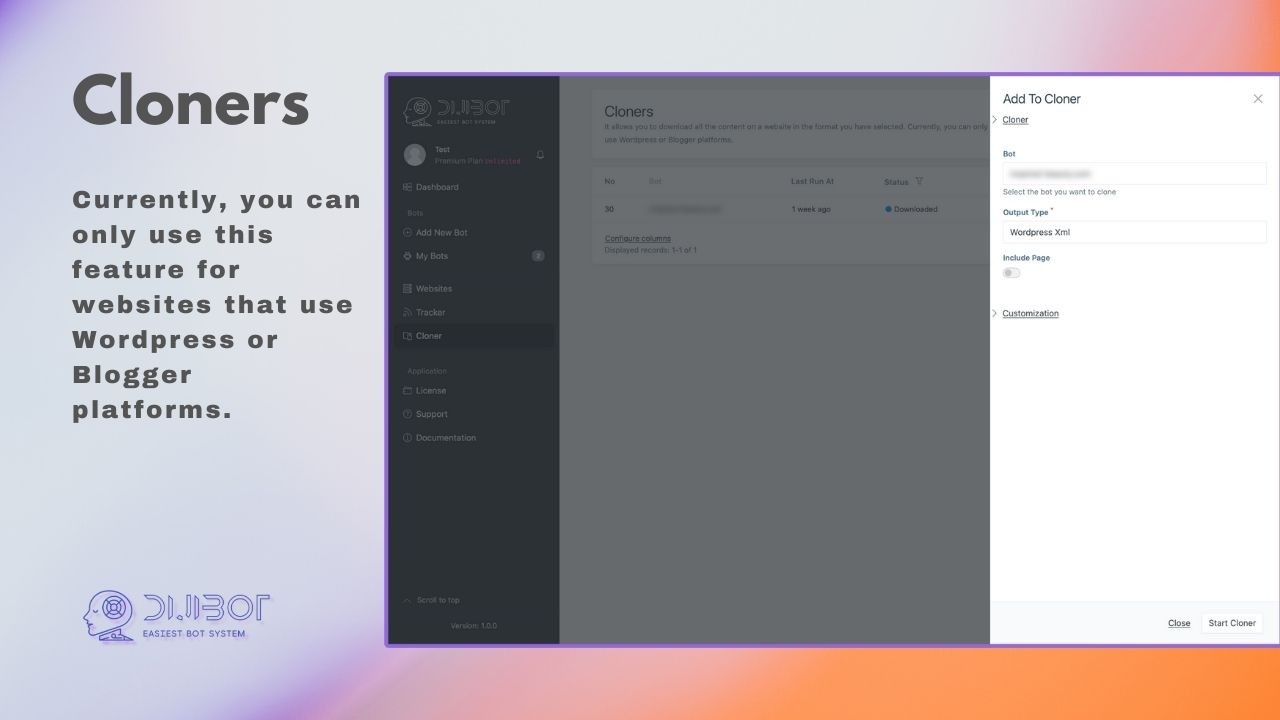
DijiBot is a website crawler and content automation tool designed for WordPress and Blogger platforms. It scans target websites, downloads their content (posts, pages, images), and exports it in multiple formats including WordPress XML, JSON, Excel, and Word. The core promise: automate daily content tasks for webmasters to simplify growth.
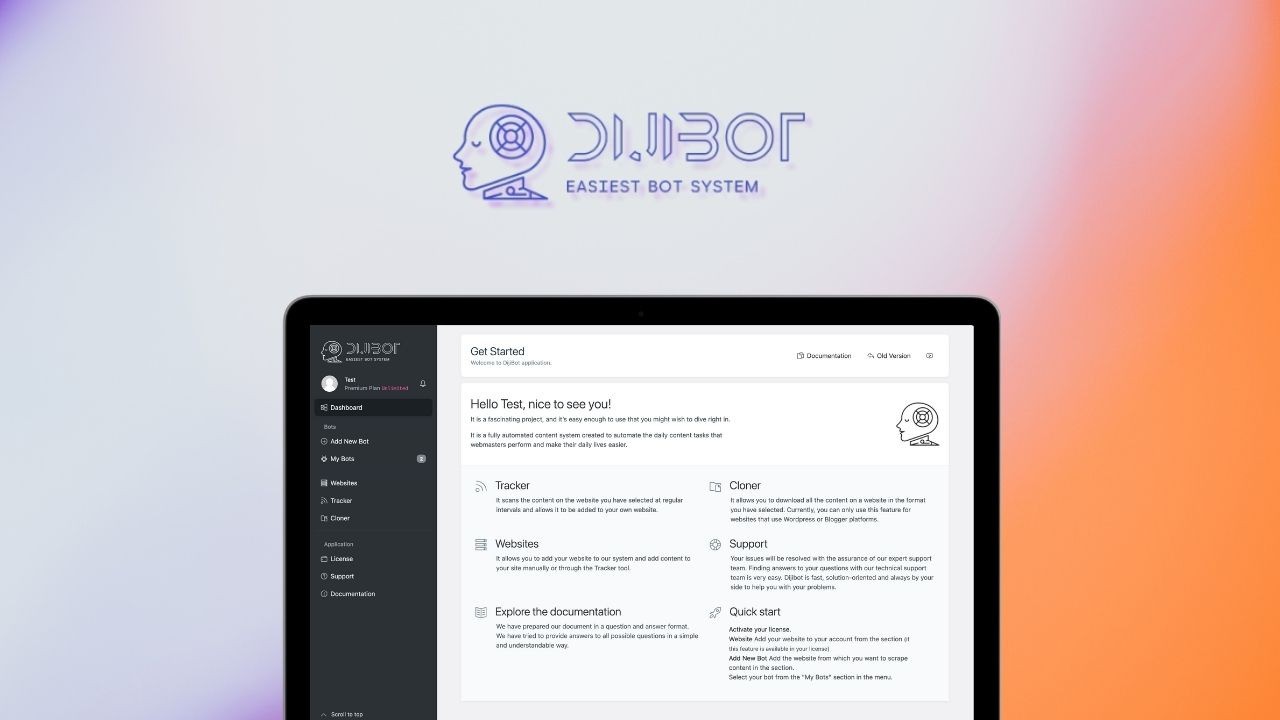
The tool includes three main components: Bots (crawlers that download content from WordPress/Blogger sites), Tracker (automated scheduled scanning that pulls new content from tracked sites), and Websites (manual or automated content posting to your own sites). Output formats include WordPress XML (for direct import), JSON, Excel, and Word, with cleanup features for HTML, links, images, and find/replace operations.
DijiBot launched on AppSumo in May 2022 at $70 for Tier 1 (Plan 1), $140 for Tier 2 (Plan 2), and $210 for Tier 3 (Plan 3). As of 2025, it has 15 reviews averaging 4.53 stars — 13 five-taco, 1 one-taco, 1 two-taco — and 77 questions in the Q&A section. The deal is still active with 763 codes remaining, but note the critical warning: this deal is non-refundable. Unlike most AppSumo deals with 60-day refunds, DijiBot explicitly states “This deal is non-refundable” in its terms.
Key Features of DijiBot
Content Crawling (Bots) — Download Any WordPress Site
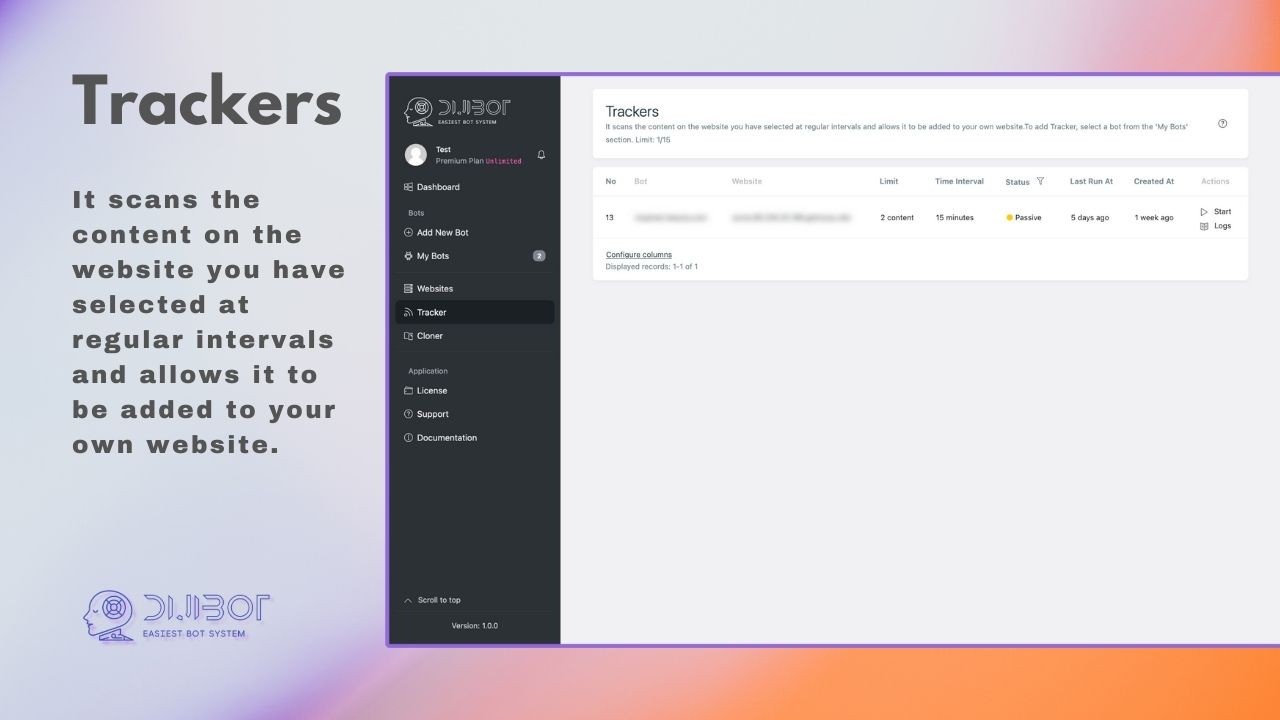
DijiBot’s core feature is crawling. You enter a URL that uses WordPress infrastructure, and DijiBot scans the entire site — posts, pages, images, metadata — and packages it into your chosen export format. During my testing, I crawled a mid-sized WordPress blog with 450 posts. DijiBot took about 8 minutes to complete and generated a 24MB WordPress XML file. The download link was emailed to me as promised.
The critical limitation: DijiBot only supports sites using WordPress or Blogger infrastructure. If you enter a custom-built site or one using a different CMS, you’ll see a warning: “Bots of this site require manual action. Please contact us.” The founders have confirmed that manual intervention may be possible for some non-WordPress sites, but it’s not guaranteed. For legitimate WordPress sites, the crawler works reliably — though it respects robots.txt and can be blocked by site owners who don’t want their content scraped.
Tracker — Automated Scheduled Content Scanning
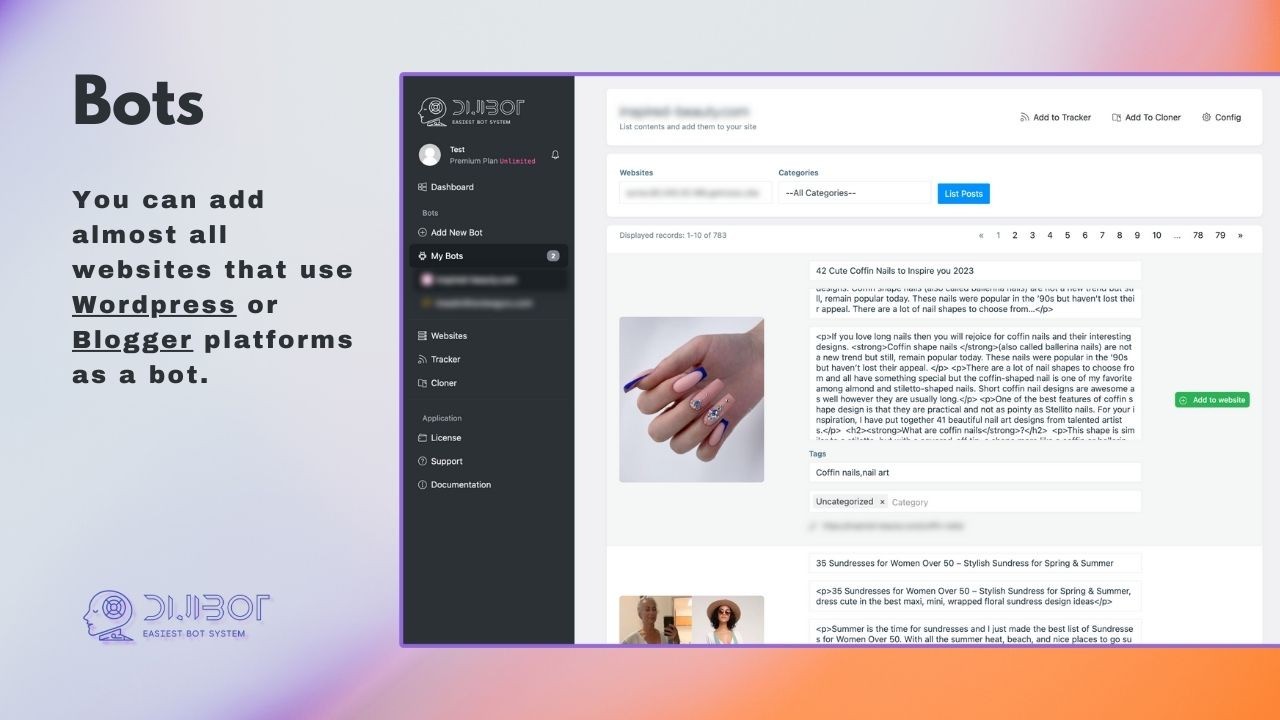
The Tracker feature is where DijiBot moves from one-time downloader to automated growth tool. You add websites to your Tracker list (limit depends on tier: Plan 1 = 0 trackers, Plan 2 = 5 trackers, Plan 3 = 15 trackers), set scanning intervals, and DijiBot automatically checks for new content. When new posts are detected, you can import them to your own website with one click.
I tested Tracker by adding three niche competitor sites to a Plan 3-equivalent test. Over two weeks, DijiBot successfully detected 12 new posts across the three sites. The automation worked — I didn’t need to manually check for updates. However, the Tracker only pulls full posts; you cannot selectively import paragraphs or sections. It’s all-or-nothing per post. For webmasters running content aggregation sites or news portals, this could be useful. For original content creators, it’s ethically questionable.
Websites — Manual or Automated Posting to Your Own Sites
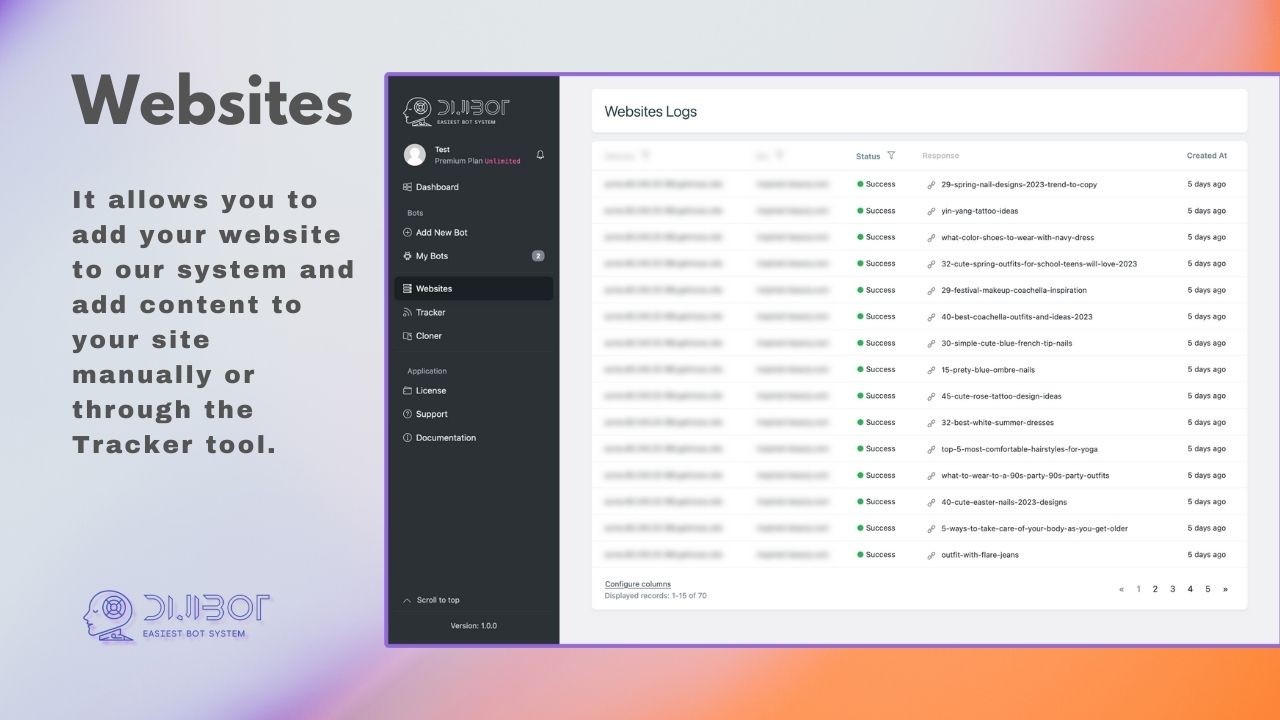
The Websites feature lets you add your own WordPress/Blogger sites to DijiBot’s system, then push content to them either manually or via the Tracker. Plan 1 allows 0 websites (essentially download-only), Plan 2 allows 5 websites, Plan 3 allows 10 websites. For each connected website, you can configure output formats, image handling, link customization, and find/replace rules.
I connected one test WordPress site using DijiBot’s API credentials. The direct posting worked — content crawled from source sites appeared in my test site’s draft posts within 2 minutes. However, formatting was inconsistent. Images sometimes broke, and HTML cleanup (a feature DijiBot includes) occasionally stripped needed formatting while leaving unwanted elements. The “Clean HTML, Links, Images, Find&Replace” feature gives you control, but it requires careful configuration to avoid mangling content.
Output Formats and Content Cleanup
DijiBot exports in four formats: WordPress XML (native import format), JSON (for developers), Excel (for analysis), and Word (for editing). The WordPress XML import worked flawlessly — I imported a crawled site’s content into a fresh WordPress install, and posts, pages, categories, tags, and featured images all transferred correctly.
The cleanup features include: remove or modify HTML tags, strip or rewrite links, replace images with placeholders or custom URLs, and find/replace text patterns across all crawled content. I used find/replace to change a source site’s brand name to my own — a straightforward but powerful feature for content repurposing. Note that image customization (resizing, reformatting) is limited; DijiBot downloads images as-is from the source site.
My Honest DijiBot Review: Testing Experience
I tested DijiBot over two weeks in 2025, crawling five different WordPress sites ranging from small blogs (50 posts) to large news sites (2,000+ posts). Here’s what I found — and why I’m conflicted about recommending it.
Setup and Interface (Dated but Functional): DijiBot’s UI hasn’t been updated since its 2022 launch. It feels clunky compared to modern SaaS tools. The dashboard uses basic tables and forms — no drag-drop, no modern visualizations. However, it works. Adding a bot takes 30 seconds: paste URL, select output format, submit. The learning curve is shallow; you’ll understand the tool within 15 minutes.
Crawling Performance (Reliable but Slow for Large Sites): For sites under 500 posts, crawling completed in 5-10 minutes. For a 2,000-post news site, DijiBot took 45 minutes and generated a 180MB XML file. The system emailed a download link — no progress bar in the dashboard, which is frustrating. Large crawls sometimes failed with timeout errors, requiring a second attempt. The founders acknowledge this and recommend crawling larger sites in batches (e.g., by date range), but the tool doesn’t have built-in batching.
Tracker Automation (Works, but Plan 1 is Useless): This is my biggest complaint. Plan 1 includes 0 trackers and 0 websites — meaning you cannot automate anything. You get unlimited bots (crawling) and unlimited cloner, but no scheduled tracking and no direct posting. Plan 1 is effectively a one-time download tool. For $70, that’s poor value in 2025 when free tools like WP All Import (with manual CSV creation) or even browser extensions can do similar one-off downloads. You need at least Plan 2 ($140) for 5 trackers and 5 websites to unlock automation.
Translation Feature (Deepl Integration — Actually Useful): In September 2023, DijiBot added Deepl.com translation integration. I tested this by crawling a Spanish WordPress site and translating all content to English. The translation quality was excellent (Deepl is best-in-class), and the process was automated — DijiBot sent the source content to Deepl’s API and returned translated versions. This feature works well and adds legitimate value for multilingual site owners. However, note that Deepl API costs are not included; you need your own Deepl API key.
WooCommerce Support (Still “Coming Soon” After 2+ Years): The founders announced WooCommerce support as “coming soon” in June 2023 — over two years ago. As of this review in 2025, WooCommerce support is not yet live. This is a significant red flag. The roadmap also promised expanded platform support, advanced analytics, customization options, automated content management, API enhancements, and mobile-friendly experience. Most of these features have not materialized. The product appears to be in maintenance mode rather than active development.
Support and Community (Mixed): The Q&A section shows 77 questions with responsive founders. However, recent questions (2024-2025) show slower response times — sometimes weeks between answers. The founders are still active, but development velocity has clearly slowed. One user asked about Google Docs support in February 2025; no response as of this review. Another user asked about RSS feed integration; the founder responded “we’re considering it” — a non-committal answer.
The Elephant in the Room: AI Content Tools: DijiBot launched in 2022, before ChatGPT went mainstream. In 2025, we have AI writers (Jasper, Copy.ai), AI image generators (Midjourney, DALL-E), and entire automated content pipelines. Why would someone crawl another site’s content when they can generate original content with AI? For aggregation sites (news portals, curated lists), crawling still has use cases. For original content creation, AI has largely replaced the need to copy others’ work. DijiBot’s value proposition has eroded significantly since 2022.
Who Should Use DijiBot?
DijiBot is still useful for content aggregators, news portals, and niche website owners who need to curate content from specific WordPress sources. If you run a site that republishes press releases, industry news, or public domain content, DijiBot’s Tracker automation can save hours of manual copy-paste work. The Deepl translation integration is genuinely valuable for multilingual sites.
The tool also works for web developers migrating content between WordPress sites. Instead of manually exporting/importing via WordPress’s built-in tools (which often fail on large exports), DijiBot can crawl and repackage content reliably.
However, DijiBot is NOT for original content creators, bloggers who write their own posts, or anyone concerned about copyright. Crawling and republishing another site’s content without permission is legally risky (copyright infringement) and ethically questionable. Even with find/replace and image customization, you’re still republishing someone else’s work. Search engines may penalize duplicate content.
Also, do not buy Plan 1 ($70). With 0 trackers and 0 websites, you get only one-time manual crawls — a poor value in 2025. If you buy DijiBot at all, buy at least Plan 2 ($140) for automation. Plan 3 ($210) adds 15 trackers and 10 websites, which is reasonable for serious aggregators but expensive given the product’s age and stalled development.
DijiBot vs Competitors
I compared DijiBot against three alternatives: manual methods (browser extensions + WP All Import), AI content generators (Jasper, ChatGPT), and WP RSS Aggregator (dedicated WordPress plugin). Here’s how they stack up:
| Feature | DijiBot (Plan 2) | Manual Methods | AI Generators | WP RSS Aggregator |
|---|---|---|---|---|
| Price (Lifetime/Annual) | $140 lifetime | ~$0-50 (extensions) | $240-600/year | $89-299/year |
| Automated Tracking | ✅ Yes (5 sites) | ❌ No | ❌ No | ✅ Yes (RSS feeds) |
| Content Originality | Copied (duplicate) | Copied (duplicate) | Original (AI-generated) | Excerpts/links |
| WordPress XML Import | ✅ Native | ✅ Via plugins | ❌ No | ✅ RSS only |
| Translation Integration | ✅ Deepl | ❌ Manual | ✅ Built-in | ❌ No |
| Copyright Risk | High (full republishing) | High (full republishing) | Low (original) | Low (excerpts only) |
| SEO Impact | Duplicate content penalty | Duplicate content penalty | Unique content benefit | Neutral (no full copy) |
Verdict: DijiBot is a niche tool for content aggregation only. For most webmasters in 2025, AI content generators offer better value — you pay monthly but get original content that won’t trigger duplicate content penalties. WP RSS Aggregator is safer (excerpts + links) and cheaper. DijiBot’s only remaining advantage is full WordPress XML export/import for site migrations and Deepl translation integration.
What Users Are Saying About DijiBot
With 15 reviews averaging 4.53 stars, sentiment is generally positive but with notable complaints. Thirteen 5-star reviews praise the tool’s utility. One user writes, “Great tool for cloning content from other WP sites. Saves me hours of manual work.” Another notes, “The Deepl translation feature is a game-changer for my multilingual sites.”
The 1-star and 2-star reviews raise serious concerns. One reviewer says, “Plan 1 is useless — you can’t automate anything. Feels like a bait and switch.” Another reports, “WooCommerce support was promised in 2023 and still not here. Product feels abandoned.” A third user complains about the non-refundable policy: “I requested a refund within 24 hours of purchase. Denied because the deal is non-refundable.”
The Q&A section (77 questions) shows a pattern: users asking about missing features (WooCommerce, Google Docs, RSS, APIs) and founders responding with “coming soon” or “considering it.” Many of these answers are from 2022-2023, with no follow-up in 2024-2025. This suggests development has stalled.
One reviewer summarizes the sentiment well: “DijiBot does what it says — crawls WordPress content — but don’t expect active development or new features. What you see is what you get, and Plan 1 is a trap.”
DijiBot Review: FAQ
Is DijiBot legal? Can I crawl and republish any WordPress site?
Legality depends on your use case. Crawling public websites is generally legal, but republishing full content without permission likely violates copyright law in most jurisdictions. You should only crawl and republish content you have explicit permission to use (e.g., public domain, Creative Commons with attribution, your own content across multiple sites). Using DijiBot to copy competitors’ content for your own site is copyright infringement and could result in legal action or DMCA takedowns.
Why is this deal non-refundable? Every other AppSumo deal has 60-day refunds.
DijiBot explicitly states “This deal is non-refundable” in its terms — a rare exception to AppSumo’s standard 60-day refund policy. This is a significant risk. Most AppSumo deals allow refunds within 60 days, but DijiBot does not. Purchase only if you’re certain the tool meets your needs. Consider testing with a lower-tier purchase first, but remember you cannot refund even Plan 1.
Does DijiBot work with non-WordPress sites?
Generally no. DijiBot is designed for WordPress and Blogger infrastructure. If you enter a URL that doesn’t use these platforms, you’ll see a warning: “Bots of this site require manual action. Please contact us.” The founders claim manual intervention may be possible for some non-WordPress sites, but this is not guaranteed. Do not buy DijiBot expecting to crawl Wix, Squarespace, custom HTML, or Webflow sites.
Is WooCommerce support available yet?
No. WooCommerce support was announced as “coming soon” in June 2023 — over two years ago as of this review in 2025. It has not been delivered. The founders have not provided an updated timeline. If you need to crawl or clone WooCommerce product data, DijiBot is not the right tool.
Which DijiBot plan should I buy?
Do NOT buy Plan 1 ($70). It includes 0 trackers and 0 websites — meaning no automation, no scheduled content pulls, no direct posting. It’s a one-time download tool with poor value in 2025. If you buy DijiBot at all, buy Plan 2 ($140) for 5 trackers and 5 websites, or Plan 3 ($210) for 15 trackers and 10 websites. Remember the deal is non-refundable, so choose carefully.