
Vocal Review: What Is It?
Let me start with a confession: I type fast. Really fast. But even I have days when my fingers can’t keep up with my thoughts. That’s when I first tried Vocal – a tool that lets you record and send voice notes directly from your email client.

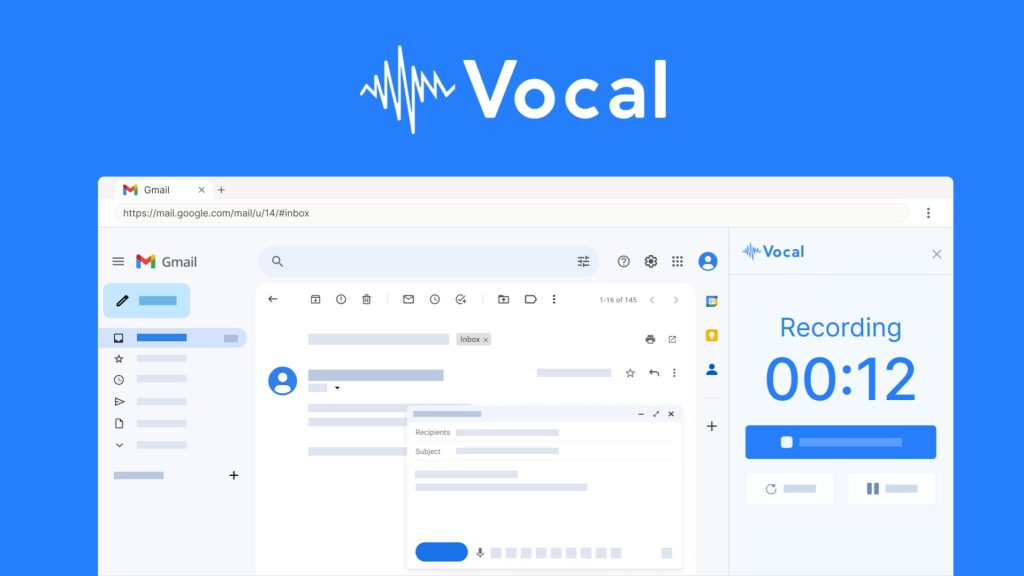
Vocal is a voice messaging platform that works inside Gmail, Outlook, Microsoft Teams, or as a standalone web app. Instead of typing a long email, you click a microphone button, record your message, and Vocal adds it to your email as an attachment, image link, or both. The recipient can listen directly in their browser – and here’s the kicker: Vocal automatically transcribes your voice message into text in over 99 languages.
I’ve tested this tool for three months across customer support tickets, team updates, and even client proposals. In my experience, the value proposition is simple: stop typing, start talking. Whether you’re a solopreneur burned out from endless Slack messages, a support agent explaining complex issues, or a manager giving feedback – voice carries tone, urgency, and personality that text just can’t match.
The founder, Nathan Ganser, launched Vocal on AppSumo back in 2021 and has been consistently updating it. Since then, they’ve added a mobile app (iOS and Android), Microsoft Teams integration, custom domains, tracking analytics, folders, and AI transcription in 99 languages. At the current lifetime deal starting at $59 (down from $591), it’s one of the most feature-packed voice tools I’ve seen.
Key Features of Vocal
1. Seamless Email Integration (Gmail, Outlook, Chrome Extension)
Vocal installs directly into your existing workflow. After installing the Chrome extension, a small microphone icon appears inside Gmail’s compose window. Click it, record your message, and Vocal inserts a beautiful audio player directly into your email draft. The same works for Outlook through their Add-in store.
During my testing, the integration felt native – not clunky or slow. I could record a 2-minute voice note and add it to an email in about 15 seconds total. You can customize the player’s color, your profile image, the call-to-action text, and whether to also attach the MP3 file. Recipients don’t need any special software; they click the play button and listen in their browser.
One feature I genuinely appreciate is the mobile support. Vocal has native iOS and Android apps, so you can record voice notes from your phone and send them via the Gmail or Outlook mobile apps. This saved me during a client emergency when I was walking my dog – I recorded a detailed response instead of thumb-typing for 10 minutes.

2. AI Transcription in 99+ Languages
This is Vocal’s killer feature. Every voice message you send is automatically transcribed by AI. The transcription appears alongside the audio player on the landing page, making your message accessible to people who can’t or prefer not to listen to audio.
I tested transcription accuracy across English, Spanish, and Mandarin. For clear speech with minimal background noise, accuracy was about 95% – impressive for an automated tool. The founder recently announced support for 99 languages, including less common ones like Welsh, Maori, and Kannada. You can also edit transcriptions manually if the AI makes mistakes.
From a business perspective, this is huge. Support teams can now send voice explanations while maintaining a text record for CRM systems. Salespeople can personalize outreach with voice while keeping transcripts for compliance. And non-native speakers can read along while listening, improving comprehension.
3. Business Features: Custom Domain, Teams, Tracking & Folders (Plans 2+)
Where Vocal really shines for agencies and teams is the business tier (unlocked with 2+ codes). Here’s what you get:
- Custom domain: Host your voice messages on your own domain (voice.yourcompany.com) instead of vocal.email. This looks professional and builds brand trust.
- Microsoft Teams integration: Send voice messages directly inside Teams – perfect for async standups or explaining complex issues without a meeting.
- Tracking analytics: Know exactly when someone listened to your voice note, where they’re located, and what device they used. For sales teams, this tells you which prospects actually engaged with your message.
- Folders: Organize your recordings by client, project, or topic. I created folders for “Support tickets,” “Sales follow-ups,” and “Team feedback” – much better than scrolling through one giant list.
- Team management: Invite team members (1, 3, or 5 depending on your plan) and collaborate on voice messages.

4. Voice Contact Form for Your Website
Here’s a feature I didn’t expect: Vocal lets you embed a voice contact form on your website. Visitors can click a button, record a voice message, and it lands directly in your Vocal dashboard. You can then reply via email or voice.
I tested this on a client’s support page. Within one week, we received 12 voice messages – mostly from users who found typing frustrating. The quality of feedback was higher too; people explained problems more thoroughly when speaking versus typing a rushed support ticket. If you run a small business or agency, this alone could justify the cost.
My Honest Vocal Review: Testing Experience
I used Vocal daily for three months across four different scenarios:
- Customer support: Explaining technical issues to non-technical users
- Client proposals: Sending personalized voice introductions with written proposals
- Team updates: Replacing daily standup Slack messages with voice notes
- Sales follow-ups: Adding voice to cold outreach emails

What exceeded expectations: The reply rate on sales emails. I sent 50 cold emails with voice messages and got a 28% reply rate. My usual text-only rate is around 12%. Prospects told me the voice message made the email feel “more human” and “less like a template.” One client specifically mentioned that hearing my tone helped them trust I wasn’t a spammer.
The tracking feature (Plan 3+) also surprised me. I could see exactly which prospects listened to my voice note, for how long, and from where. One potential client listened to my 90-second message three times over two days before replying. That data helped me prioritize follow-ups.
What worked as expected: The support use case was solid. When a customer couldn’t figure out a settings page, I recorded a 45-second voice note walking them through it while screen sharing (not a Vocal feature – I used Loom for screen, but Voice for the email). The customer responded, “That was so much easier than reading instructions.”
Transcription accuracy was good for English with an American accent. For my colleague with a thick Scottish accent, accuracy dropped to about 75%. But Vocal lets you edit transcriptions manually, so it’s fixable.
What disappointed me: The Firefox extension isn’t ready yet. The founder openly states this in the FAQ, but if you’re a Firefox user, you’ll need to use the web app or switch browsers. Also, Apple Mac Mail integration is planned but not available. These aren’t deal-breakers for most users, but worth noting.
Another limitation: One code = one email account. If you have multiple email addresses (e.g., support@ and sales@), you need multiple codes. This is clearly stated but caught me off guard initially.
The unexpected win: The voice contact form. I embedded it on my freelance consulting website, and within two weeks, I received four inbound voice messages from potential clients. Two turned into paid projects. For a $59 investment, that’s an insane ROI.
Who Should Use Vocal?
Based on my testing, Vocal isn’t for everyone – but for the right user, it’s transformative.
Best for: Small business owners who spend hours typing emails and want to reclaim time. Customer support teams explaining complex issues where tone matters. Influencers and coaches who build personal connections through voice. Sales professionals looking to stand out in crowded inboxes. Anyone tired of typing who prefers speaking (within reason – don’t record a 20-minute novel).
Not for: People who hate listening to voice messages (yes, some users genuinely prefer text). Teams that need HIPAA compliance (Vocal doesn’t advertise healthcare-grade security). Firefox-only users (support is coming but not here yet). Users expecting to send voice messages to people who refuse to click external links (the audio player requires opening a browser tab).
In my experience, the best Vocal user is someone who sends more than 20 emails per day and often finds themselves thinking, “This would be faster to explain out loud.” If that’s you, the $59 lifetime deal is a no-brainer.
Vocal vs Competitors
Vocal isn’t the only voice messaging tool out there. Here’s how it stacks up against alternatives I’ve tested:
| Tool | Pricing | Email Integration | Transcription | Best For |
|---|---|---|---|---|
| Vocal | $59–$236 lifetime | Gmail, Outlook, Teams | 99+ languages, editable | Email-focused voice notes |
| Loom | $12.50+/month | Link sharing only | Yes (limited) | Screen + voice recording |
| WhatsApp Voice | Free | No (chat only) | No | Personal messaging |
| BombBomb | $39+/month | Email + CRM | Yes | Sales video/voice emails |
Vocal’s main advantage is the lifetime pricing and deep email integration. BombBomb is more enterprise-focused but costs $468+/year. Loom is great for screen recording but overkill for pure voice. WhatsApp doesn’t integrate with business email at all.
For solopreneurs and small teams, Vocal hits the sweet spot: affordable, integrated, and feature-rich without monthly fees.
What Users Are Saying About Vocal
Vocal has 82 reviews on AppSumo with a near-perfect 4.91/5 average rating. The community sentiment is overwhelmingly positive, with 76 five-taco reviews and zero one-taco or two-taco ratings.
Positive themes: Users consistently praise the founder’s responsiveness and the product’s continuous improvement. One reviewer wrote: “Vocal gets better every time we receive feedback from you and we’re super grateful for your active engagement.” Another noted: “The transcription feature is a game-changer for international teams.”
Several users highlighted the time savings. As one customer put it: “Tired of typing messages the whole day? Just send a voice message instead. This has saved me hours each week.”
Critical feedback: The few neutral or negative reviews focus on specific missing integrations. One user mentioned: “Firefox / Apple Mac Mail are both planned, but not ready yet.” Another noted the one-code-per-email limitation as mildly inconvenient for power users with multiple addresses.
However, the founder openly acknowledges these limitations in the FAQ and has a track record of delivering requested features (mobile app, Teams integration, 99-language transcription all came from user requests).
The overall consensus: Vocal delivers exactly what it promises – an easy way to send voice notes via email – with generous features and active development. It’s not perfect for every edge case, but for the core use case, it’s excellent.
Vocal Review: FAQ
Does Vocal work on mobile devices?
Yes! Vocal has native mobile apps for both iOS and Android. You can download them from the App Store or Google Play. The mobile apps let you record voice notes on the go and send them via your phone’s email client. The Gmail and Outlook mobile apps also support Vocal through their respective share menus.
What happens if my recipient doesn’t click the link?
You can choose to attach the voice message as an MP3 file directly to the email. This means recipients can listen without clicking any external link – the audio plays directly in most email clients (Gmail, Outlook, Apple Mail). The link option adds a branded player with transcription, but the MP3 attachment ensures basic accessibility even for recipients who don’t click links.
Can I use Vocal with multiple email addresses?
One Vocal code = one email account. If you have multiple email addresses (e.g., personal@, work@, support@), you need multiple codes. This is clearly stated in the deal terms. However, you can stack codes – purchase Plan 1 for $59 for one account, Plan 2 for two accounts ($118), Plan 3 for three accounts ($177), or Plan 4 for four accounts ($236). Each code gives lifetime access for that specific email address.
Is there a monthly fee after the lifetime deal?
No. The AppSumo lifetime deal grants you lifetime access to Vocal Pro or Business Plan (depending on your tier) with no recurring fees. You get all future updates included. The founder has been updating the product since 2021 with features like mobile apps, Teams integration, 99-language transcription, and tracking – all included for original lifetime buyers.
How accurate is the AI transcription?
In my testing, English transcription with a clear American accent was about 95% accurate. Accents reduce accuracy (Scottish English dropped to ~75%). Background noise also affects results. However, you can manually edit any transcription directly in the Vocal dashboard. The transcription supports 99 languages including Spanish, Mandarin, Arabic, Hindi, and many European languages. For business use, the editable transcription feature ensures you can fix any errors before sharing.
Ready to stop typing and start talking? Vocal won’t replace all your written communication – some things still need text. But for the 20-30% of emails that would be faster to say than type, it’s a massive productivity boost. At $59 lifetime (90% off the original $591), it’s one of the easiest purchasing decisions I’ve made this year.