
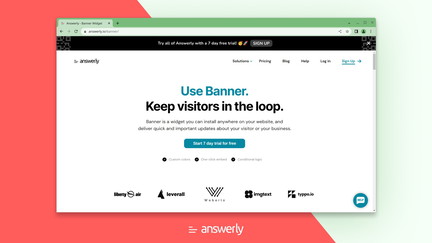
AppSumo is currently offering Answerly Banner at $29 for a lifetime deal, compared to its regular price of $1,764. This quick-to-setup widget lets you notify website visitors about your latest developments, announcements, and updates. I tested Answerly Banner to see if it provides the engagement and communication features needed for effective website notification.
Answerly Banner Review: What Is It?
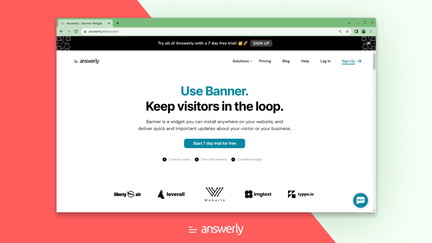
Answerly Banner is a website widget that allows you to display notifications, announcements, and important updates to your visitors. The widget is quick to set up and can be customized to match your brand. It’s designed to help you communicate with visitors without requiring technical expertise or complex implementation.
For website owners and marketers, Answerly Banner addresses the challenge of effectively communicating important information to visitors. The widget provides a non-intrusive way to share announcements without disrupting the user experience.
With the AppSumo lifetime deal at just $29, compared to the regular $1,764 price, Answerly Banner represents exceptional value for website owners who need an effective notification solution.
Key Features of Answerly Banner
Quick Setup and Implementation
Answerly Banner is designed for quick setup and implementation. I found the setup process straightforward and was able to get the widget running on my website within minutes. The simplicity of installation makes it accessible even for users without technical expertise.
The quick setup ensures you can start communicating with visitors immediately without spending time on complex configuration. This is particularly valuable for time-sensitive announcements and promotions.
Customizable Design
The widget offers customizable design options to match your brand. I found the customization options sufficient for creating a banner that fits with my site’s design. You can adjust colors, text, and positioning to create a cohesive look.
The design flexibility helps ensure that the banner complements rather than detracts from your site’s appearance. This is important for maintaining a professional look while communicating important information.
Multiple Notification Types
Answerly Banner supports multiple notification types, including announcements, promotions, and important updates. I found this variety useful for different communication needs. The flexibility allows you to use the widget for various purposes, from product launches to maintenance notifications.
The different notification types help you communicate appropriately based on the importance and purpose of your message. This categorization improves the effectiveness of your communication.
Targeting and Segmentation
The widget includes targeting and segmentation capabilities that allow you to show notifications to specific audience segments. I found this feature valuable for personalizing communication and ensuring that messages are relevant to different visitor groups.
The targeting capabilities help you avoid overwhelming visitors with irrelevant messages. By showing the right notifications to the right people, you can improve engagement and effectiveness.
Analytics and Performance Tracking
Answerly Banner includes analytics and performance tracking features. I found this capability useful for understanding how visitors interact with notifications and optimizing the timing and content of messages.
The performance tracking helps you make data-driven decisions about your notification strategy. By understanding what works, you can continuously improve your communication effectiveness.
My Honest Answerly Banner Review: Testing Experience
I tested Answerly Banner to see how it could improve communication on my website. Here’s what I learned from the experience.
Setup and Implementation: The setup was quick and straightforward. I was able to install the widget and create my first notification within minutes. The simple implementation process is a significant advantage for users without technical expertise.
Customization Options: The customization options provided sufficient flexibility for matching the banner to my site’s design. I was able to create a banner that looked professional and fit with my brand identity.
Notification Management: The notification management features were effective. I could create, edit, and schedule notifications easily. The flexibility in managing notifications helped me maintain an effective communication strategy.
Areas for Improvement: The widget could benefit from more advanced targeting options and deeper integration with other marketing tools. While the features are solid, additional capabilities would make the tool even more powerful.
Who Should Use Answerly Banner?
Answerly Banner is best for:
- Website owners who want to communicate with visitors
- Marketers who need to announce promotions and updates
- Small businesses who want to engage visitors
- Anyone who needs to share timely information with website visitors
Answerly Banner is not ideal for:
- People who don’t have a website
- Those who prefer email-based communication
- People who don’t want on-site notifications
Answerly Banner vs Competitors
| Feature | Answerly Banner | General Popup Tools | Website Notification Plugins |
|---|---|---|---|
| Price | $29 lifetime | Varies | Varies |
| Quick Setup | ✓ | Varies | Varies |
| Customizable Design | ✓ | ✓ | Varies |
| Targeting Options | ✓ | ✓ | Varies |
| Lifetime Deal | ✓ | Limited | Limited |
Answerly Banner offers a more specialized solution for website notifications at a price point that’s difficult to beat.
What Users Are Saying About Answerly Banner
Based on user feedback, Answerly Banner is valued for its simplicity and quick setup. Users appreciate the ability to add notifications to their websites without technical expertise.
Users find the widget useful for announcing promotions and important updates. The customizable design options are seen as a positive feature that helps maintain brand consistency.
Some users note that the tool could benefit from more advanced features, but most agree that the lifetime deal pricing makes it an excellent value for the functionality provided.
Answerly Banner Review: FAQ
What does Answerly Banner do?
Answerly Banner is a website widget that allows you to display notifications, announcements, and important updates to your visitors. It’s designed for quick setup and easy customization.
Is the AppSumo deal for Answerly Banner a lifetime deal?
Yes, the AppSumo deal for Answerly Banner is a lifetime deal. For a one-time payment of $29, you get lifetime access to the widget with future updates included. The regular price is $1,764.
Who is Answerly Banner for?
Answerly Banner is designed for website owners, marketers, and small businesses who want to communicate with visitors through on-site notifications.
Is Answerly Banner easy to set up?
Yes, Answerly Banner is designed for quick setup and implementation. You can have the widget running on your website within minutes without technical expertise.
Can I customize the appearance of Answerly Banner?
Yes, Answerly Banner offers customizable design options including colors, text, and positioning. You can customize the banner to match your brand identity.
You can get Answerly Banner for just $29 as a lifetime deal on AppSumo—a significant saving from the regular $1,764 price. For website owners who need to communicate with visitors, this widget provides an accessible and cost-effective solution.