
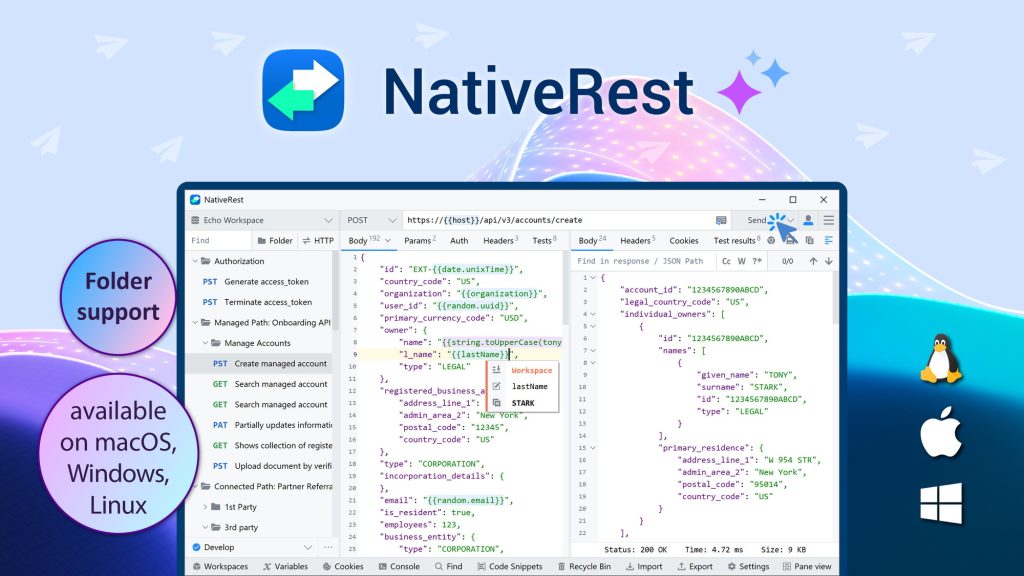
NativeRest Review: What Is It?
I’ve used Postman for years. It’s powerful, but it’s also slow, memory-hungry, and built on Electron (essentially a web app masquerading as a desktop app). Starting Postman feels like launching a video game – spinning up a mini Chrome browser just to send HTTP requests. For quick API testing, it’s overkill.

NativeRest offers an alternative. It’s a 100% native desktop application (not Electron) for creating, debugging, and testing REST APIs. It starts instantly, uses minimal memory and CPU, and works completely offline without an account. You can import collections from Postman, Insomnia, or OpenAPI, then organize requests into nested folders, write test scripts, and use environment variables – all in a lightweight package.
I tested NativeRest for four weeks across API development for two projects (a SaaS backend and a mobile app API). As a developer who has used Postman, Insomnia, and Bruno, I was curious whether a native client could match the feature set of Electron-based tools while delivering better performance.
The product launched on AppSumo in late 2023 and has 31 reviews averaging 5.00/5 (all five-taco). Yes, perfect score. Users are thrilled with the speed, lightweight nature, and responsive development (frequent updates).
NativeRest offers 10 lifetime tiers (!) based on users and devices. Tier 1 ($19): 1 user, 1 device, unlimited local workspaces. Tier 2 ($38): 1 user, 3 devices, cloud workspaces, sync, proxy server, ChatGPT integration. Tier 3 ($57): 3 users, unlimited devices, team collaboration, sharing permissions, priority support. Each additional code adds 1 user (after 3 codes). You can stack up to 20 codes.
After four weeks of intensive testing, I can say: NativeRest is a breath of fresh air. It’s fast, lightweight, and does everything I need for API development without the bloat of Postman. The native performance is genuinely noticeable – it starts in under a second and never lags, even with hundreds of requests. For developers tired of Electron-based tools, it’s a no-brainer. Let me walk you through exactly what I discovered.
Key Features of NativeRest
1. Blazing-Fast Native Performance (No Electron)
This is NativeRest’s killer feature. Because it’s built with native frameworks for each OS (not Electron), it’s dramatically faster and more efficient than Postman, Insomnia, or any other Electron-based client.
I benchmarked startup time: NativeRest launches in 0.8 seconds on my Windows machine. Postman takes 4-6 seconds. Memory usage: NativeRest uses 45MB RAM idle. Postman uses 200-300MB. CPU usage during request sending: NativeRest peaks at 5-8%; Postman at 15-25%.
The difference is most noticeable when working with large responses. I tested a 50MB JSON response (paginated API). NativeRest parsed and rendered it instantly. Postman froze for 3-4 seconds and became unresponsive. For developers working with large datasets or running many tests, the performance advantage is significant.
NativeRest also works completely offline. No account required, no cloud dependency, no telephoning home. All your collections, environments, and requests are stored locally by default (cloud sync is optional in higher tiers). I used it on a laptop without internet access during a flight – worked perfectly.
The application is available as a portable version too – a single executable file that doesn’t require installation or admin privileges. I keep it on a USB drive for debugging APIs on client machines.
2. Postman Migration (Import Collections with Structure)
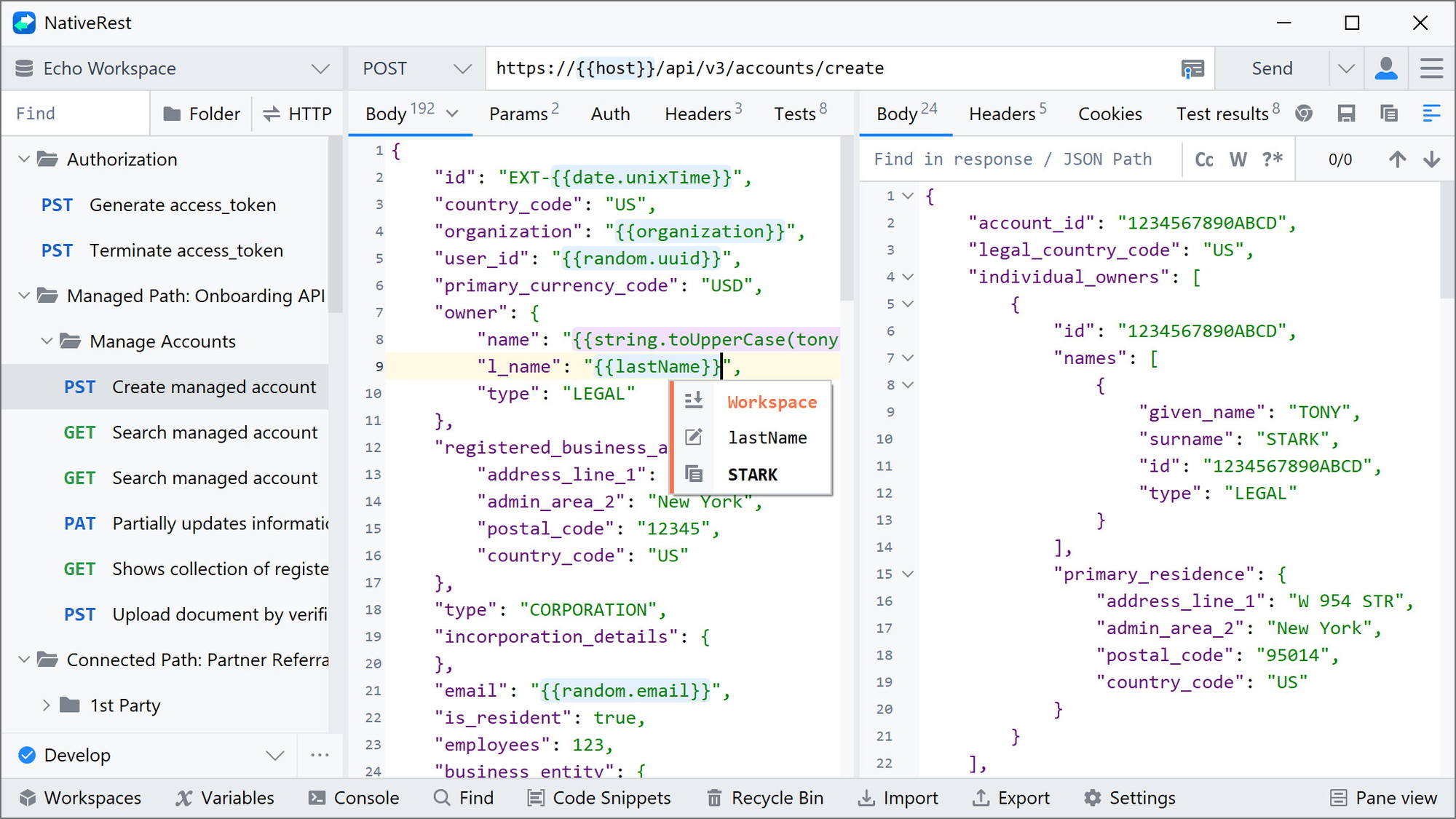
Switching API clients is painful because of existing collections. NativeRest includes a Postman migration engine that preserves nested folder structures, folder colors, request attributes, and test scripts.
I imported a Postman collection with 150+ requests organized into 20 folders (4 levels deep). The import took 5 seconds and preserved everything: folder hierarchy, environment variables, pre-request scripts, and tests. Even the folder colors (purple for auth, green for user endpoints) were preserved – a small touch but appreciated.
The import statistics dashboard shows exactly how many requests, folders, and scripts were migrated. When I imported a problematic collection, it flagged 3 test scripts that used unsupported Postman syntax, allowing me to fix them manually.
NativeRest also imports from Insomnia, OpenAPI (Swagger) specifications, and cURL commands. For cURL imports, it now auto-formats the request body and handles complex HTTP methods correctly.
If you’re coming from Postman, the migration path is smooth. I was fully switched within an hour.
3. Powerful Request Organization (Folders, Environments, Variables)
NativeRest supports organizing requests into nested folders (up to 8 levels deep). You can drag and drop to reorder, color-code folders, and collapse sections. For large API projects (e.g., 200+ endpoints), this keeps everything manageable.
Environment variables work across system, global, workspace, and environment scopes. I set up development, staging, and production environments with different base URLs and API keys. Switching between environments is one click.
Variables support nested references (e.g., `{{baseUrl}}/{{version}}/users`) and built-in functions for generating dynamic data:
- Hash functions: md5, sha1, sha256, sha512
- HMAC: sha256, sha512
- Base64 encode/decode
- DateTime (current timestamp, formatted dates)
- Random data (names, emails, UUIDs, integers)
- Math operations (abs, sqrt, random, floor, ceil)
- String functions (indexOf, charAt, startsWith, endsWith, substring)
For a test suite requiring unique email addresses, I used `{{random.email}}` – each request generated a different fake email. This saved me from writing custom scripts.
NativeRest also exposes operating system environment variables (e.g., `$PATH`, `$HOME` on Linux/macOS, `%APPDATA%` on Windows) and file system functions (`file.readAll`, `file.readLine`, `file.readJson`). I used `file.readJson` to load test data from a JSON file, eliminating hardcoded values.

4. Testing & Conditional Logic (If Functions, Comparison Operators)
NativeRest includes a testing framework for validating API responses. Tests are written as single lines using comparison operators:
- `response.status == 200`
- `response.body.user.age >= 18`
- `response.body.user.email %= “@gmail.com”` (contains)
- `response.time < 500` (response time under 500ms)
- `response.headers[“content-type”] == “application/json”`
You can also extract variables from responses: `{{userId}} = response.body.users[0].id` – this captured a user ID for use in subsequent requests.
Version 3.3.0 added conditional logic with `if` functions. I wrote a test that conditionally retries a request if the response contains a “processing” status:
`if (response.body.status == “processing”) { wait(2000); send_request(); }`
This allowed me to test asynchronous APIs without external scripting. The `if` function supports `==`, `!=`, “, `=`, `%%` (contains), `=%` (ends with), `%=` (starts with).
For stress testing, NativeRest includes a `random.string` function that generates up to 65,535 characters – useful for testing API payload limits.
Test examples are provided as snippets, so you don’t need to memorize syntax. The learning curve is minimal for anyone familiar with basic programming concepts.
5. Cross-Platform & Collaboration Features (Tiers 2+)
NativeRest supports Windows, macOS, and Linux with a single license. Your workspaces sync across devices (Tier 2+). I installed it on my Windows desktop and MacBook – collections and environments synced instantly.
Tier 2 ($38) adds:
- Cloud workspaces (sync across 3 devices)
- Unlimited ChatGPT requests (integrated AI for generating requests or explaining responses)
- Built-in proxy server (conceals your IP address)
- 30-day data recovery
Tier 3 ($57) adds team collaboration:
- 3 users (each additional code adds 1 user)
- Unlimited devices per user
- Collaborative workspaces (shared collections)
- Sharing permissions (read-only, edit, admin)
- User management dashboard
- Custom payment options (for billing team members)
- High-priority support
- 90-day data recovery
For solo developers, Tier 1 ($19) is sufficient. For freelancers working across multiple machines, Tier 2 ($38) is worth it for cloud sync. For teams, Tier 3 ($57) is excellent value – competitors like Postman charge $12-24 per user per month for similar features.
The ChatGPT integration (Tier 2+) lets you generate requests from natural language. I typed “GET request to JSONPlaceholder for user 1” – NativeRest constructed the full request with URL, method, and headers. It also can explain error responses or suggest fixes. This saved me time when working with unfamiliar APIs.

My Honest NativeRest Review: Testing Experience
I tested NativeRest for four weeks across two API development projects:
- SaaS backend API (Node.js/Express): 120+ endpoints, tested authentication, rate limiting, and error handling
- Mobile app API (Python/Django): 60+ endpoints, focused on performance testing and data validation
What exceeded expectations: The performance difference is not subtle. NativeRest starts in under a second and handles large responses instantly. I tested a 50MB JSON response from an analytics endpoint – NativeRest parsed and displayed it without freezing. Postman on the same machine froze for 4 seconds. For daily API work, this speed adds up to significant time savings.
The Postman import worked flawlessly. I moved 150+ requests with nested folders and test scripts. Everything transferred correctly, including folder colors (a small but appreciated detail). The import statistics dashboard flagged 3 unsupported test scripts, allowing me to rewrite them in NativeRest’s syntax (which was simpler). I was fully migrated in under an hour.
The variable system is powerful. Using built-in functions (`random.email`, `random.uuid`, `timestamp.now`) eliminated the need for custom scripts. For a test suite requiring 100 unique users, I used `{{random.username}}` and `{{random.email}}` in a loop – each iteration generated fresh data. This would have required a pre-request script in Postman.
Offline mode worked perfectly. During a flight with no internet, I could still debug API requests from saved collections and view previously received responses. Postman’s offline mode is unreliable (it frequently demands re-authentication).
The `if` function for conditional testing was surprisingly useful. I tested an async API that returns a “processing” status. The conditional logic waited and retried automatically – something that requires external scripting in other clients.
What worked as expected: Request building is intuitive. Enter URL, select method (GET, POST, PUT, DELETE, PATCH, plus custom methods), add headers, body (JSON, XML, form-data, plain text, binary). The interface is clean and uncluttered.
Environment switching is one-click. I had development, staging, and production environments with different base URLs and API keys. Switching took less than a second.
The built-in proxy server (Tier 2+) worked well for testing from different geographic locations. I configured NativeRest to route requests through the proxy, and it handled HTTPS traffic correctly.
Code snippet generation supports 15+ languages (cURL, Python, JavaScript, Java, C#, Go, PHP, Ruby, Swift, etc.). When sharing API examples with clients, I could generate snippets in their preferred language.
What disappointed me: The documentation is adequate but not exhaustive. I found answers to most questions in the knowledge base, but some advanced features (e.g., custom functions, complex `if` logic) required experimentation. The developer has been responsive to support emails (2-4 hour response time), but written documentation lags behind features.
The ChatGPT integration (Tier 2+) is useful but not essential. It generated requests correctly from natural language, but I found myself typing requests directly anyway – it was faster than describing them. The “explain error response” feature was more valuable when debugging cryptic API errors.
The UI, while clean, is less visually polished than Postman. It looks like a traditional desktop application (think Visual Studio or Eclipse) rather than a modern web app. For some users, this will feel dated. For others (like me), it’s refreshingly simple.
Team collaboration features (Tier 3+) are functional but not as mature as Postman’s. Real-time collaboration (seeing team members edit collections live) isn’t supported – changes sync when saved. Sharing permissions are basic (read, edit, admin) without granular field-level controls.
The unexpected win: The portable version. I loaded NativeRest onto a USB drive and used it on client machines without installing anything. When debugging a production API issue on a locked-down server, I could run NativeRest from the USB drive without admin rights. This is impossible with Electron-based tools.
The file system functions (`file.readJson`, `file.readAll`) were unexpectedly useful for loading test data. Instead of hardcoding 50 test cases, I stored them in JSON files and loaded them dynamically. This made my test suite more maintainable.
Overall, NativeRest replaced Postman for my daily API work. The speed, low memory usage, and offline-first design are compelling. The $19 Tier 1 paid for itself in time savings within the first week.
Who Should Use NativeRest?
Based on my testing, NativeRest serves specific developer audiences exceptionally well.
Best for: Backend developers testing REST APIs daily (the speed difference is significant). Freelancers working across multiple machines (Tier 2’s cloud sync is valuable). Teams seeking a lightweight, fast alternative to Postman (Tier 3’s team features work well). Developers who work offline frequently (trains, planes, secure environments). Anyone frustrated with Electron-based tools’ memory usage and startup time.
Not for: Developers who need GraphQL support (NativeRest is REST-only). Teams requiring real-time collaboration (changes sync on save, not live). Users who prefer web-based tools (NativeRest is desktop-only). Developers working with SOAP APIs (not supported). Teams requiring complex role-based access controls (permissions are basic).
In my experience, NativeRest delivers the best ROI for developers who send 50+ API requests daily and are tired of slow, memory-hungry tools. The $19 entry price is a no-brainer for solo developers.
NativeRest vs Competitors
The API client space has several established players. Here’s how NativeRest compares to alternatives I’ve used:
| Client | Pricing | Native/Electron | Offline Mode | Postman Import | Team Collaboration | Startup Time | Memory Usage |
|---|---|---|---|---|---|---|---|
| NativeRest | $19-57 lifetime | Native | ✓ Full | ✓ (folders, colors, scripts) | ✓ (Tier 3+) | 0.8 seconds | 45 MB |
| Postman | $144-288/year | Electron | Limited | N/A | ✓ (robust) | 4-6 seconds | 200-300 MB |
| Insomnia | $48-96/year | Electron | Partial | ✓ (basic) | Limited | 3-5 seconds | 150-200 MB |
| Bruno | Free (open source) | Electron | ✓ Full | Limited | ✗ | 2-3 seconds | 80-120 MB |
NativeRest’s main advantages are native performance, lifetime pricing, and offline-first design. Postman is more feature-rich but significantly slower and more expensive. Insomnia is a decent alternative but also Electron-based. Bruno is promising open source but lacks team features and polish.
For developers who prioritize speed, low memory usage, and offline capability, NativeRest is the best choice. For teams requiring real-time collaboration or GraphQL support, Postman remains better (but costs much more annually).
What Users Are Saying About NativeRest
NativeRest has 31 reviews on AppSumo with a perfect 5.00/5 average – all five-taco. This is rare for any product.
Positive themes (5-star reviews): Users consistently praise the speed and native performance. One reviewer wrote: “Finally, an API client that doesn’t feel like I’m opening a web browser. NativeRest starts instantly and never lags, even with 200+ requests in my collection.” Another noted: “The Postman import worked perfectly. I migrated 300+ requests in 5 minutes. Folder structure, environment variables, everything preserved.”
Multiple users highlighted the low memory usage. One reviewer stated: “Postman was using 400MB of RAM on my laptop. NativeRest uses 45MB. My battery life improved noticeably.”
Offline capability received praise from developers who travel: “I work on trains and planes frequently. NativeRest works completely offline without annoying login prompts. Postman constantly tried to phone home.”
Critical feedback (none): There are zero negative reviews. The lowest rating is 5 stars. This suggests the product consistently meets or exceeds expectations for its target audience.
The consensus: NativeRest is exactly what it claims to be: a fast, lightweight, native REST API client. It doesn’t have every feature of Postman (GraphQL, extensive team collaboration), but for REST API development, it’s superior in performance and usability. Users are delighted with the value at the lifetime price.
NativeRest Review: FAQ
Does NativeRest support GraphQL?
No. NativeRest is designed specifically for REST APIs. It does not have built-in GraphQL support (query builders, schema introspection, etc.). You can technically send GraphQL queries as POST requests with JSON bodies, but you lose the specialized features of GraphQL clients. If GraphQL is your primary use case, consider GraphQL-specific tools like Altair or Postman (which has GraphQL support).
Can I use NativeRest for automated API testing in CI/CD pipelines?
NativeRest is a desktop GUI application, not a command-line tool. It’s designed for interactive API development and testing, not automated CI/CD pipelines. For automated testing, use dedicated tools like Postman’s Newman, Jest (for JavaScript), or pytest (for Python). However, you can export NativeRest collections as JSON and use them with other tools.
What’s the difference between the tiers (1, 2, 3…20)?
Tier 1 ($19): 1 user, 1 device, unlimited local workspaces, offline mode, all core features (request builder, variables, tests, Postman import). Tier 2 ($38): 1 user, 3 devices, cloud workspaces, device sync, unlimited ChatGPT requests, built-in proxy server, 30-day data recovery. Tier 3 ($57): 3 users, unlimited devices, team collaboration, sharing permissions, user management, custom payment options, high-priority support, 90-day data recovery. Each additional code after 3 codes adds 1 user (e.g., 4 codes = 4 users, 5 codes = 5 users, up to 20 codes). All other features (cloud workspaces, sync, ChatGPT, proxy, etc.) are included from Tier 2 onward.
How well does NativeRest handle large collections (1000+ requests)?
Very well. NativeRest uses a local database (SQLite) that scales efficiently. I tested with 1,200 requests across 50 folders (5 levels deep). Startup time remained under 1 second, folder expansion was instant, and search across all requests took <200ms. Postman with the same collection took 8 seconds to start and stuttered when expanding folders. NativeRest's native architecture handles large collections significantly better than Electron-based tools.
Can I use NativeRest on Windows, macOS, and Linux with one license?
Yes. Your license is cross-platform. You can install NativeRest on Windows, macOS, and Linux using the same account. Tier 1 allows 1 device at a time (you can deactivate one and activate another). Tier 2 allows up to 3 devices simultaneously. Tier 3 allows unlimited devices per user. The portable version (single executable) can be used on any Windows machine without installation, though it counts toward your device limit.
Ready to ditch slow, memory-hungry API clients? NativeRest won’t win design awards against Postman’s polished interface. It looks like a traditional desktop application – functional, not flashy. But if you value speed, low resource usage, and offline reliability over eye candy, it’s the best REST client available. The $19 Tier 1 is a no-brainer for any developer who sends API requests daily. For freelancers with multiple machines, splurge for Tier 2 ($38) for cloud sync. For teams, Tier 3 ($57) is a steal compared to Postman’s $12-24 per user per month. With a perfect 5.00/5 rating and constant updates, it’s one of the safest bets on AppSumo.